
pengenalan
Thank you for choosing the Vieta Pro Bone Bone Conduction Wireless Headphones. These headphones are designed to provide a unique audio experience, allowing you to enjoy music while remaining aware of your surroundings. This manual provides essential information for setting up, operating, and maintaining your headphones.

Image: Vieta Pro Bone bone conduction headphones in black, showcasing reka bentuk ergonomik mereka.
Apa yang ada dalam Kotak
Your Vieta Pro Bone package includes the following items:
- Vieta Pro Bone Bone Conduction Wireless Headphones
- Kabel Pengecasan
- Manual Pengguna (dokumen ini)
- Earplugs (for enhanced audio experience in noisy environments)
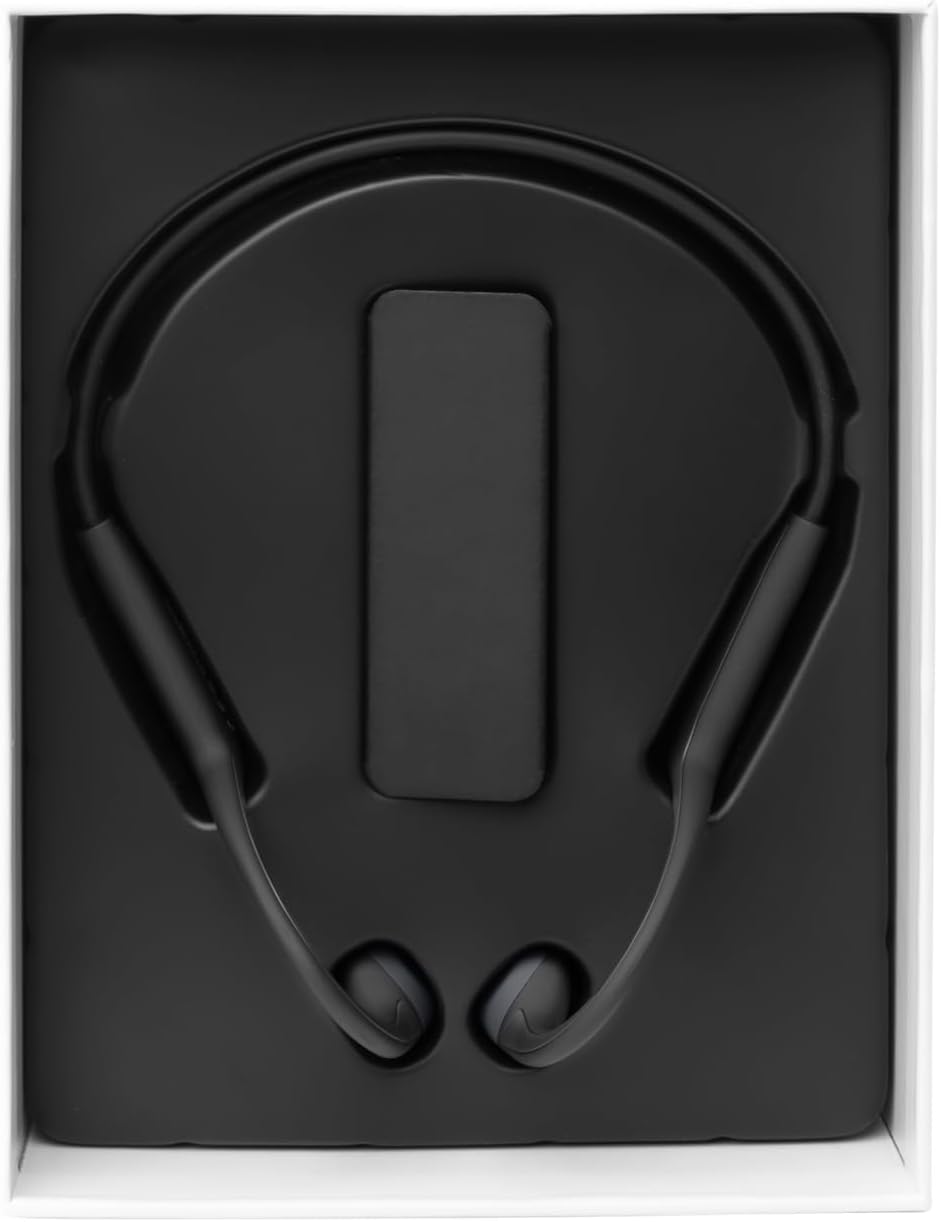
Image: The Vieta Pro Bone headphones neatly packaged in their box, alongside the charging cable and documentation.
Video: An unboxing and quick overview of the Vieta Pro Bone headphones, demonstrating the contents and initial handling.
Produk Selesaiview
Komponen Fon Kepala
The Vieta Pro Bone headphones feature a lightweight, ergonomic design for comfortable wear during various activities.
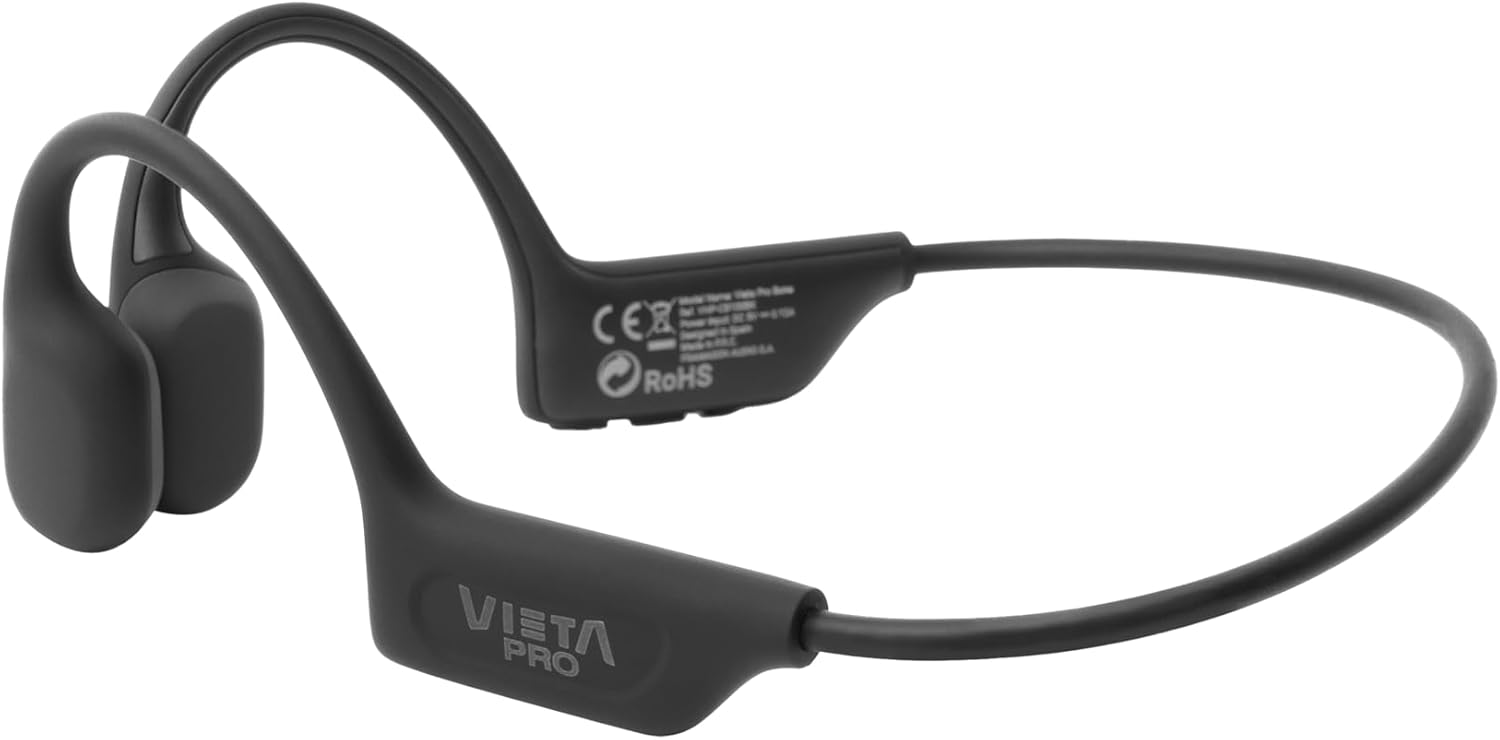
Imej: A terperinci view of the Vieta Pro Bone headphones, highlighting the bone conduction pads that rest near the ears and the flexible band that connects them.
Kawalan
The control buttons are located on one side of the headphone band for easy access.

Image: A close-up of the control panel on the left side of the headphone band, featuring buttons for power/multifunction, volume up, and volume down.
- Butang Kuasa/Berbilang fungsi: Digunakan untuk menghidupkan/mematikan, main/jeda, menjawab/menamatkan panggilan.
- Butang Naik Kelantangan: Increases volume, next track (long press).
- Butang Kurang Kelantangan: Decreases volume, previous track (long press).
- mikrofon: Integrated for clear calls.
Persediaan
Mengecas Fon Kepala
Before first use, fully charge your headphones. Connect the charging cable to the charging port on the headphones and to a USB power source. The LED indicator will show charging status.
- Cas penuh menyediakan sehingga 8 jam masa main balik.
Berpasangan dengan Peranti Bluetooth
- Pastikan fon kepala dimatikan.
- Press and hold the Power/Multifunction button until the LED indicator flashes blue and red, indicating pairing mode.
- Pada peranti anda (telefon pintar, tablet, dll.), dayakan Bluetooth dan cari peranti yang tersedia.
- Select "Vieta Pro Bone" from the list of devices.
- Setelah disambungkan, penunjuk LED akan berkelip biru perlahan.
Sambungan Dwi
The headphones support dual connection, allowing you to connect to two devices simultaneously (e.g., phone and tablet). After pairing with the first device:
- Lumpuhkan Bluetooth pada peranti pertama.
- Put the headphones back into pairing mode and connect to the second device.
- Dayakan semula Bluetooth pada peranti pertama. Fon kepala harus bersambung secara automatik ke kedua-dua peranti.

Image: An infographic illustrating the main features: Bluetooth 5.3, up to 8 hours battery, sport-optimized fit, bone conduction technology, non-isolating design, memory band, dual connection, and IPX6 water resistance.
Arahan Operasi
Hidupkan/Mati Kuasa
- Hidupkan kuasa: Press and hold the Power/Multifunction button for 3 seconds.
- Matikan: Press and hold the Power/Multifunction button for 5 seconds.
Main balik Muzik
- Main/Jeda: Press the Power/Multifunction button once.
- Lagu Seterusnya: Tekan lama butang Kelantangan Naik.
- Trek Sebelumnya: Tekan lama butang Kurangkan Kelantangan.
- Kawalan Kelantangan: Tekan butang Kelantangan Naik atau Kurangkan Kelantangan.
Panggilan Telefon
- Jawab/Tamatkan Panggilan: Press the Power/Multifunction button once.
- Tolak Panggilan: Press and hold the Power/Multifunction button for 2 seconds.
- Pembantu Suara: Triple press the Power/Multifunction button (if supported by your device).
Penyelenggaraan dan Penjagaan
- Pembersihan: Lap fon kepala dengan kain lembut dan kering. Jangan gunakan pembersih atau pelarut yang kasar.
- Tahan Air: The headphones are IPX6 water-resistant, meaning they can withstand sweat and splashes. Do not submerge them in water. Dry thoroughly after exposure to moisture.
- Storan: Simpan di tempat yang sejuk dan kering jauh dari cahaya matahari langsung dan suhu yang melampau.
- Bateri: To preserve battery life, charge the headphones regularly, even if not in use for extended periods.

Image: A user wearing the Vieta Pro Bone headphones during a run, demonstrating their secure fit and suitability for sports activities.
Menyelesaikan masalah
| Masalah | Penyelesaian yang Mungkin |
|---|---|
| Fon kepala tidak dihidupkan. | Pastikan fon kepala dicas. Sambungkan ke sumber kuasa dan cuba lagi. |
| Tidak boleh berpasangan dengan peranti. |
|
| Tiada bunyi atau kelantangan rendah. |
|
| Kualiti bunyi kurang baik. |
|
Spesifikasi
| Ciri | Perincian |
|---|---|
| Nombor Model | VHP-CB100BK |
| Teknologi Ketersambungan | Wayarles (Bluetooth) |
| Versi Bluetooth | 5.3 |
| Julat Bluetooth | Sehingga 10 meter |
| Hayat Bateri | Sehingga 8 jam (main balik) |
| Penilaian Ketahanan Air | IPX6 (tahan peluh dan percikan) |
| Impedans | 32 ohm |
| Julat Kekerapan | 20 Hz - 20,000 Hz |
| Mikrofon | Bersepadu |
| Jenis Kawalan | Volume control, App control |
| bahan | Silicone, plastic, fabric |
| Berat badan | Approximately 180g (from package dimensions) |
Maklumat Keselamatan
- Do not use the headphones at excessively high volumes for prolonged periods to prevent hearing damage.
- Maintain awareness of your surroundings, especially when using headphones outdoors or in traffic, as bone conduction technology allows ambient sound to be heard.
- Keep the headphones away from extreme temperatures, direct sunlight, and moisture.
- Do not attempt to disassemble or repair the headphones yourself. Contact customer support for assistance.
- Lupuskan produk dan bateri secara bertanggungjawab mengikut peraturan tempatan.
Waranti dan Sokongan
For warranty information and customer support, please refer to the official Vieta Pro webtapak atau hubungi pengedar tempatan anda. Simpan bukti pembelian anda untuk tuntutan jaminan.
Pengeluar: FRAMASON AUDIO SA