
HJH55
Richmat HJH55 Remote Control User Manual
Model: HJH55 (Remote B)
Brand: Generic (Compatible with Richmat systems)
pengenalan
This manual provides detailed instructions for the Richmat HJH55 wireless remote control, specifically for Remote B, designed for adjustable bed bases. It covers setup, operation, and troubleshooting to ensure proper functionality with compatible adjustable bed systems.
This remote control is compatible with various adjustable bed brands including MLILY, MATTRESS FIRM, CLASSIC BRANDS, and INNOVA. Always verify compatibility with your specific control box device.
Produk Selesaiview
The Richmat HJH55 Remote Control (Remote B) features a backlit design and a range of buttons for controlling your adjustable bed's functions.
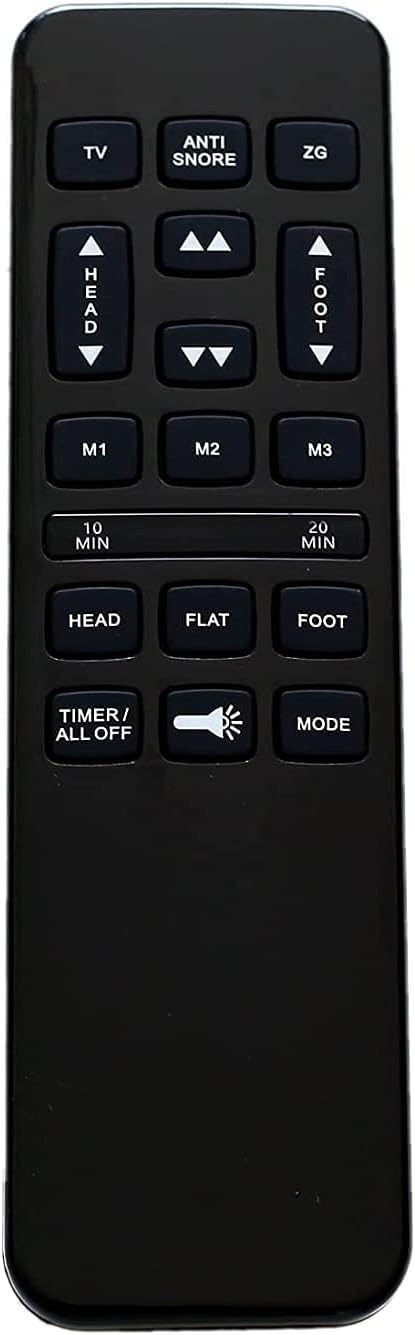
Rajah 1: Depan view of the Richmat HJH55 Remote Control (Remote B). This image displays the layout of all buttons, including TV, Anti-Snore, ZG, Head Up/Down, Foot Up/Down, M1, M2, M3, 10 Min, 20 Min, Head, Flat, Foot, Timer/All Off, Light, and Mode.

Figure 2: Comparison image showing Remote A and Remote B. Remote B, the subject of this manual, is distinguished by the "Anti-Snore" button, "M3" button, and "Flat" button, as opposed to Remote A's "Lounge" and different button configurations.

Rajah 3: Terperinci view of Remote B, emphasizing the "Anti-Snore", "M3", and "Flat" buttons, which are key identifiers for this specific remote model.
Fungsi Butang:
- TV: Adjusts the bed to a TV viewkedudukan.
- ANTI SNORE: Adjusts the head section to a position designed to reduce snoring.
- ZG (Zero Gravity): Moves the bed to a zero-gravity position, elevating both head and foot sections.
- HEAD UP/DOWN Arrows: Adjusts the head section of the bed up or down.
- FOOT UP/DOWN Arrows: Adjusts the foot section of the bed up or down.
- M1, M2, M3: Memory preset buttons to save and recall preferred bed positions.
- 10 MIN / 20 MIN: Timer functions for massage or other timed operations (if supported by bed base).
- KETUA: Returns the head section to a flat position.
- FLAT: Returns the entire bed to a flat position.
- KAKI: Returns the foot section to a flat position.
- TIMER / ALL OFF: Activates/deactivates timer or turns off all functions.
- Butang Cahaya: Activates/deactivates under-bed lighting (if supported by bed base).
- ARAHAN: Cycles through different massage modes (if supported by bed base).
Persediaan
1. Pemasangan Bateri:
The Richmat HJH55 remote control requires two (2) AAA batteries (not included).
- Cari petak bateri di belakang alat kawalan jauh.
- Slide the battery compartment cover downwards to open.
- Masukkan dua bateri AAA, pastikan kekutuban (+ dan -) betul seperti yang ditunjukkan di dalam petak.
- Luncurkan penutup petak bateri kembali ke tempatnya sehingga ia berbunyi dengan selamat.

Rajah 4: Belakang view of the remote control, showing the battery compartment cover.

Rajah 5: Belakang view of the remote control with the battery compartment open, showing the correct orientation for AAA battery insertion.
2. Arahan Berpasangan:
The remote control does not come pre-paired with your adjustable bed base. You must pair it according to the instructions provided by your bed base's manufacturer. The general pairing process for Richmat systems often involves the following steps:

Figure 6: Illustration of the remote control and a compatible Richmat control box, emphasizing the connection required for pairing.
- Ensure your adjustable bed base is plugged into a working power outlet.
- Locate the control box under your bed base. It typically has a "Learn" or "Pair" button.
- Press and hold the "Learn" or "Pair" button on the control box for a few seconds until an indicator light (usually blue or green) starts flashing.
- Within 10 seconds of the light flashing, press and hold the "Head Up" and "Foot Up" buttons simultaneously on your Richmat HJH55 remote control.
- Hold the buttons until the indicator light on the control box stops flashing and becomes solid, or until the bed base responds. This indicates successful pairing.
- Test all remote functions to ensure proper operation.
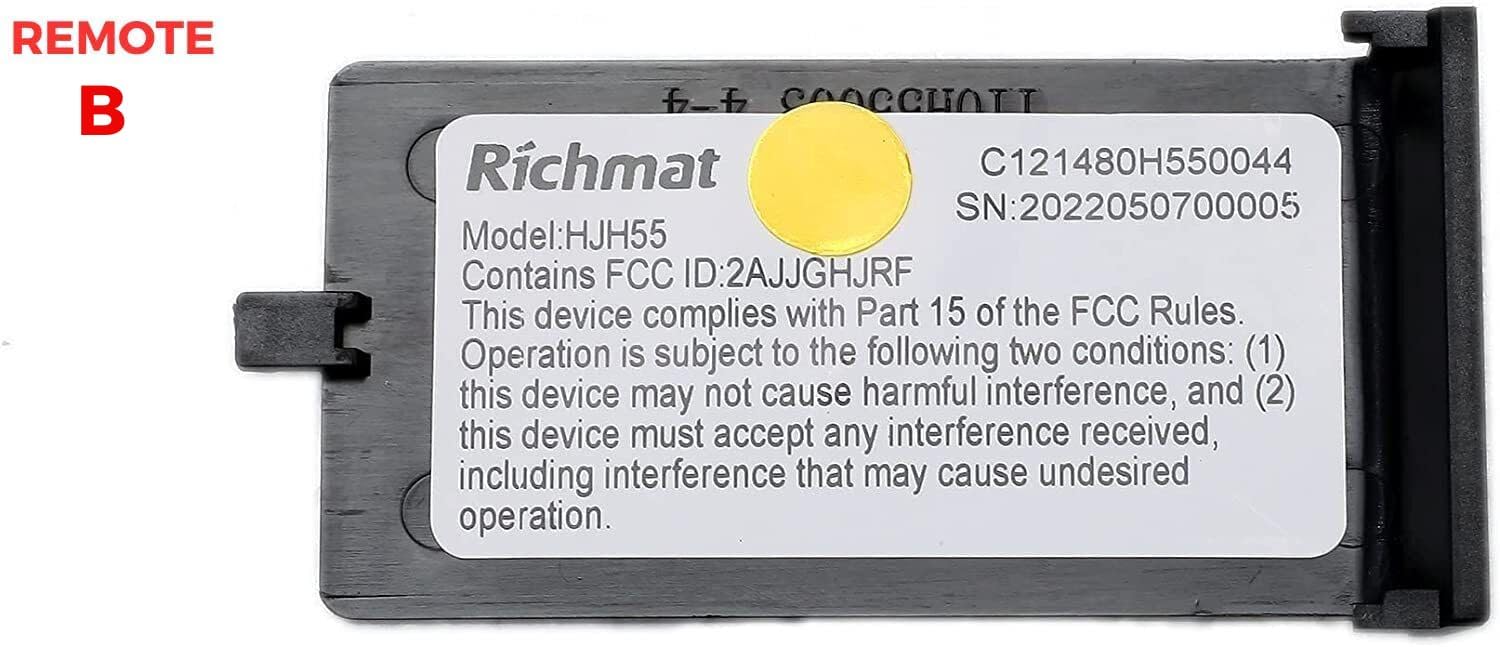
Figure 7: Close-up of the Richmat control box label, confirming Model: HJH55 and FCC ID: 2AJJGHJRF. This label helps verify compatibility.
Note: Specific pairing procedures may vary slightly by bed base model and manufacturer. Refer to your adjustable bed base's original user manual for precise pairing instructions if these steps do not work.
Arahan Operasi
Once paired, the remote control allows you to adjust your bed base to various positions and utilize additional features.
- Adjusting Head and Foot: Gunakan KEPALA KE ATAS/BAWAH dan FOOT UP/DOWN arrow buttons to independently raise or lower the head and foot sections of your bed.
- Kedudukan Pra-tetapan:
- Tekan TV to move the bed to a comfortable TV viewkedudukan.
- Tekan ANTI DENGKUR to slightly elevate the head section, which may help reduce snoring.
- Tekan ZG for the Zero Gravity position, which elevates both the head and foot to promote circulation and reduce pressure.
- Memory Presets (M1, M2, M3):
- Adjust the bed to your desired position.
- Press and hold the desired memory button (M1, M2, atau M3) until the bed briefly moves or a confirmation light/sound occurs. This saves the current position.
- To recall a saved position, simply press the corresponding memory button.
- Kedudukan rata: Tekan ke RATA button to quickly return the entire bed base to a completely flat position.
- Individual Section Flat: Gunakan KEPALA button to flatten only the head section, and the KAKI button to flatten only the foot section.
- Fungsi Pemasa: The 10 MIN dan 20 MIN buttons may activate timed massage or other features if your bed base supports them. Consult your bed base manual for details.
- Kawalan Cahaya: Tekan ke Butang Cahaya (flashlight icon) to turn on or off any integrated under-bed lighting.
- Kawalan Mod: The MODE button may cycle through different massage modes or other functions.
- Timer / All Off: This button can activate a general timer or turn off all active functions.
Penyelenggaraan
Penggantian Bateri:
Replace batteries when the remote's response becomes sluggish or if the backlight dims. Follow the battery installation steps outlined in the "Setup" section.
- Sentiasa gunakan bateri AAA baharu.
- Jangan campurkan bateri lama dan baharu, atau jenis bateri yang berlainan.
- Tanggalkan bateri jika alat kawalan jauh tidak akan digunakan untuk tempoh yang lama untuk mengelakkan kebocoran.
- Buang bateri terpakai secara bertanggungjawab mengikut peraturan tempatan.
Menyelesaikan masalah
| Masalah | Kemungkinan Punca | Penyelesaian |
|---|---|---|
| Jauh tidak bertindak balas. | Bateri mati atau tidak dipasang dengan betul. | Gantikan bateri, pastikan polariti yang betul. |
| Jauh tidak bertindak balas. | Remote is not paired with the bed base. | Follow the pairing instructions in the "Setup" section. |
| Fungsi jarak jauh berselang-seli. | Kuasa bateri rendah atau gangguan. | Replace batteries. Ensure no strong electronic devices are causing interference nearby. |
| Bed base does not move to desired position. | Obstruction under the bed or bed base malfunction. | Check for obstructions. If problem persists, consult your bed base manufacturer's manual or support. |
| Remote B does not work with my bed. | Incompatible remote model (e.g., requires Remote A). | Verify your original remote or control box matches Remote B (HJH55). If not, you may need a different remote model. |
If troubleshooting steps do not resolve the issue, please contact the manufacturer of your adjustable bed base for further assistance.
Spesifikasi
- model: HJH55 (Remote B)
- Jenama: Generic (Compatible with Richmat systems)
- Sumber Kuasa: 2 x Bateri AAA (tidak termasuk)
- warna: Hitam
- Ciri Khas: Butang lampu belakang
- Peranti Serasi: MLILY, MATTRESS FIRM, CLASSIC BRANDS, INNOVA adjustable bed bases (verify control box compatibility)
- ID FCC: 2AJJGHJRF (as seen on compatible control box)
Waranti dan Sokongan
This product is a replacement remote control. Warranty coverage, if any, is typically provided by the seller or the original manufacturer of the remote. For specific warranty information or technical support related to the remote control, please refer to the seller's policy or contact the manufacturer directly.
For issues related to your adjustable bed base, including pairing difficulties not resolved by these instructions, please contact the manufacturer of your bed base (e.g., MLILY, MATTRESS FIRM, CLASSIC BRANDS, INNOVA).
Ask a question about this manual
Ask about setup, troubleshooting, compatibility, parts, safety, or missing instructions. Manuals+ will review the question and use this page’s manual context to help answer it.