pengenalan
The IOWODO R8 Smartwatch is a versatile wearable device designed to help you monitor your health and stay connected. It features 24/7 heart rate and blood oxygen monitoring, sleep tracking, message notifications, and 25 sports modes. This manual provides essential information for setting up, operating, and maintaining your smartwatch.
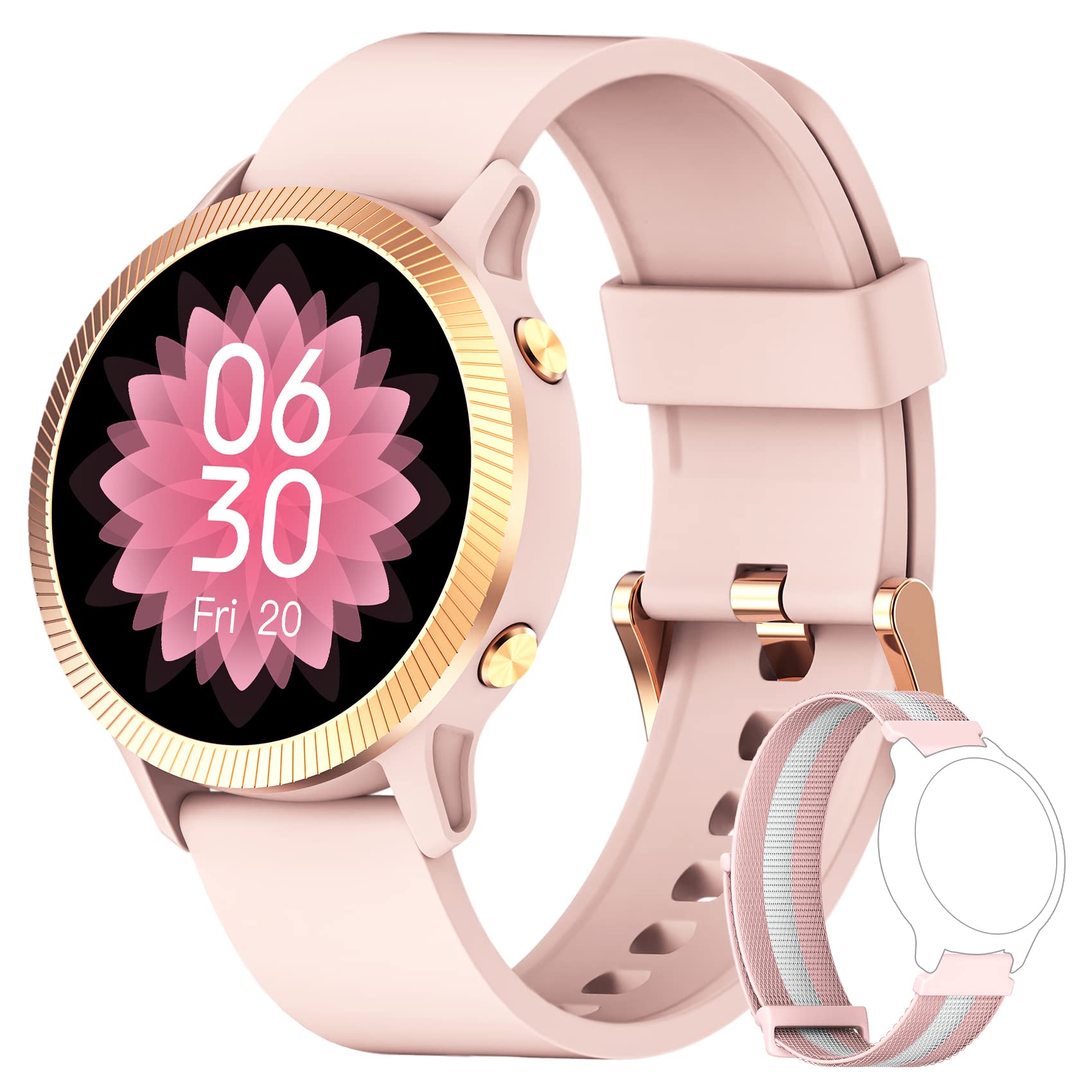
Imej: The IOWODO R8 Smartwatch, showcasing its display and sleek design. This image illustrates the device's appearance and user interface.
1. Persediaan
1.1 Mengecas Jam Pintar
Before first use, fully charge your IOWODO R8 Smartwatch. Connect the magnetic charging cable to the charging contacts on the back of the watch and plug the USB end into a standard USB power adapter (not included).
- Pengecasan penuh biasanya mengambil masa lebih kurang 2 jam.
- Paparan jam tangan akan menunjukkan status pengecasan.
1.2 Menghidupkan/Mematikan
- Hidupkan kuasa: Tekan dan tahan butang sisi selama beberapa saat sehingga skrin menyala.
- Matikan: Navigate to the 'Settings' menu on the watch, then select 'Power Off' or 'Shutdown'. Confirm your choice.
1.3 Installing the GloryFit App
The IOWODO R8 Smartwatch requires the GloryFit application for full functionality and data synchronization. Download the app from your smartphone's app store (Google Play Store for Android or Apple App Store for iOS).
- Cari untuk "GloryFit" in your app store.
- Pasang aplikasi pada telefon pintar anda.
1.4 Berpasangan dengan Telefon Pintar Anda
To pair your smartwatch with the GloryFit app:
- Pastikan Bluetooth didayakan pada telefon pintar anda.
- Buka apl GloryFit.
- Ikut arahan pada skrin untuk membuat akaun atau log masuk.
- Navigate to the 'Device' section within the app and select 'Add Device'.
- The app will search for nearby devices. Select "IOWODO R8" or a similar device name from the list.
- Sahkan permintaan pasangan pada telefon pintar dan jam tangan pintar anda jika digesa.
- Sebaik sahaja dipasangkan, jam tangan akan menyegerakkan masa dan data dengan telefon anda.
2. Arahan Operasi
2.1 Navigasi Asas
- Leret ke atas/bawah: Tatal melalui menu dan pemberitahuan.
- Leret Kiri/Kanan: Akses fungsi pantas atau skrin data yang berbeza.
- Ketik: Pilih item atau sahkan tindakan.
- Butang Sisi: Tekan untuk kembali ke skrin utama atau bangunkan paparan.
2.2 Pemantauan Kesihatan
The IOWODO R8 continuously monitors various health metrics:
- Kadar Jantung: The watch automatically monitors your heart rate 24/7. View real-time data on the watch or detailed historical data in the GloryFit app.
- Oksigen Darah (SpO2): Your blood oxygen levels are also monitored automatically. Access current readings on the watch and trends in the app.
- Penjejakan Tidur: The smartwatch records your sleep patterns at fixed times and analyzes sleep quality. Review your sleep data in the GloryFit app to understand your sleep health.
- Pedometer: Menjejaki langkah harian, jarak dan kalori yang dibakar.
2.3 Pemberitahuan Pintar
Once paired with the GloryFit app, your smartwatch can receive notifications:
- Amaran Mesej: Receive notifications for messages from various apps (e.g., SMS, Facebook, WhatsApp, Instagram). You can view the message text directly on your smartwatch.
- Panggilan Masuk: The watch will alert you to incoming calls. You can reject calls directly from the smartwatch.
- Peringatan Lain: Includes features like female menstrual period tracking, alarm clock, and sedentary reminders. Configure these in the GloryFit app.
2.4 Mod Sukan
The IOWODO R8 offers 25 sports modes to track your workouts:
- Navigasi ke menu 'Sukan' atau 'Senaman' pada jam tangan anda.
- Select your desired activity (e.g., running, cycling, walking).
- Start the activity. The watch will record real-time data such as heart rate, steps, training time, distance, and calories burned.
- For outdoor activities, the watch can share GPS data with your mobile phone via the GloryFit app for more accurate route tracking.
- End the activity when finished. Detailed workout logs are available in the GloryFit app.
2.5 Menyesuaikan Muka Jam
Personalize your smartwatch display:
- The watch comes with 4 pre-defined watch faces.
- Through the GloryFit app, you can access over 200 online watch face options for download.
- You can also customize your watch face by selecting a photo from your phone's gallery via the GloryFit app.
2.6 Weather Notifications
View local weather notifications for the most recent week directly on your watch. Ensure your watch is connected to the GloryFit app for updated weather information.
3. Penyelenggaraan
3.1 Membersihkan Jam Tangan Pintar Anda
- Regularly clean the watch screen and strap with a soft, damp kain.
- Elakkan menggunakan bahan kimia yang keras atau bahan yang melelas, kerana ini boleh merosakkan peranti.
- Pastikan sentuhan pengecas bersih dan kering sebelum mengecas untuk mengelakkan kakisan.
3.2 Rintangan Air (IP68)
The IOWODO R8 Smartwatch is rated IP68, meaning it is resistant to dust and can withstand immersion in water up to 1.5 meters for up to 30 minutes. However, it is not suitable for hot water, saunas, or diving. Avoid prolonged exposure to water and dry the watch thoroughly if it gets wet.
3.3 Penjagaan Bateri
- Untuk memanjangkan hayat bateri, elakkan daripada menyahcas sepenuhnya bateri dengan kerap.
- Charge the watch using the provided magnetic charging cable.
- Simpan jam tangan di tempat yang sejuk dan kering apabila tidak digunakan untuk tempoh yang lama.
4. Penyelesaian masalah
Jika anda menghadapi masalah dengan Jam Tangan Pintar IOWODO R8 anda, rujuk penyelesaian biasa berikut:
| Masalah | Penyelesaian |
|---|---|
| Jam tangan tidak boleh dihidupkan. | Pastikan jam tangan dicas sepenuhnya. Sambungkannya ke pengecas selama sekurang-kurangnya 30 minit. |
| Cannot pair with smartphone / Bluetooth connection issues. |
|
| Pemberitahuan tidak diterima. |
|
| Kiraan langkah atau data kesihatan yang tidak tepat. |
|
| Watch performance is slow or unresponsive. |
|
5. Spesifikasi
| Ciri | Perincian |
|---|---|
| Jenama | IOWODO |
| Nama Model | Jam Tangan R8 |
| Saiz Skrin | 1.09 Inci |
| Teknologi Ketersambungan | Bluetooth |
| Ciri Khas | GPS (integrated), Music Player, Heart Rate Monitor |
| Peranti Serasi | Telefon Pintar (iOS & Android) |
| Penilaian Ketahanan Air | IP68 |
| Bateri | 1 Lithium-ion (included), Rechargeable |
| Pengeluar | IOWODO |
| Tarikh Mula-mula Tersedia | 12 September 2023 |
6. Waranti dan Sokongan
6.1 Maklumat Waranti
IOWODO provides a 24-month after-sales service for this product. If you encounter any issues, please do not return the product immediately. Contact our support team for assistance.
6.2 Sokongan Pelanggan
For support or inquiries, please follow these steps:
- Go to your Amazon account.
- Navigate to 'My Orders'.
- Find the order number for your IOWODO R8 Smartwatch.
- Select 'Order Issue' or a similar option.
- Choose 'Contact Seller'.
Our customer service team aims to respond within 24 hours to provide a satisfactory solution.