
pengenalan
Terima kasih kerana membeliasing the HEANTTV Mini Stereo USB Computer Speakers, Model C1. This manual provides essential information for the safe and efficient use of your new speakers. Please read it thoroughly before use and retain it for future reference.
Maklumat Keselamatan
- Jangan dedahkan pembesar suara kepada air atau kelembapan berlebihan.
- Elakkan meletakkan pembesar suara berhampiran sumber haba atau di bawah cahaya matahari langsung.
- Do not attempt to disassemble or repair the speakers yourself. Contact qualified service personnel.
- Jauhkan daripada kanak-kanak.
- Use only with compatible devices and power sources as specified.
Kandungan Pakej
Sila semak pakej untuk item berikut:
- HEANTTV Mini Stereo USB Computer Speakers (2 units)
- Integrated USB power cable and 3.5mm audio cable with in-line control
- Panduan Mula Pantas
Produk Selesaiview
The HEANTTV C1 speakers feature a compact design with integrated LED lighting and convenient in-line controls for volume and LED light management.
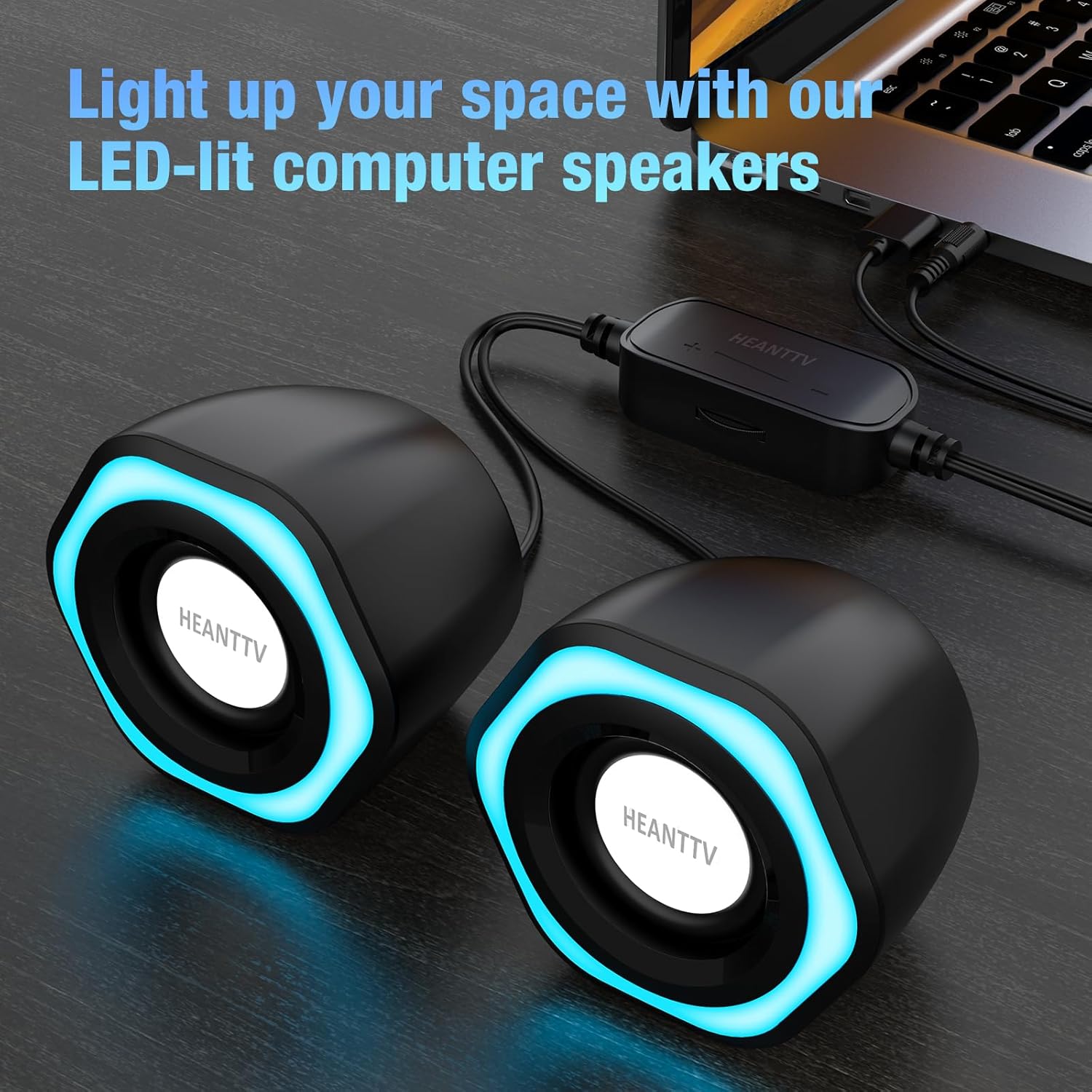
Rajah 1: HEANTTV C1 speakers with their distinctive blue LED lighting, connected to a laptop. The speakers are designed to illuminate your workspace.

Rajah 2: Terperinci view of the HEANTTV C1 speaker dimensions, highlighting its compact and portable size. The measurements are approximately 79mm (3.11in) height, 65mm (2.55in) width, and 84mm (3.30in) depth.

Rajah 3: A HEANTTV C1 speaker held in a hand, illustrating its mini size and portability.
Arahan Persediaan
Follow these steps to set up your HEANTTV C1 speakers:
- penempatan: Position the two speakers on your desk or desired surface, ensuring they are equidistant from your listening position for optimal stereo sound.
- Sambung Audio: Plug the 3.5mm audio jack into the audio output port of your computer, laptop, or other compatible device.
- Sambungkan Kuasa: Insert the USB-A connector into an available USB port on your computer, laptop, or a USB power adapter (5V/1A recommended). The speakers are USB powered.
- Hidupkan kuasa: Once both cables are connected, the speakers will power on, and the LED lights will illuminate.

Rajah 4: Illustration of the easy connection process. The USB cable provides power, and the 3.5mm audio cable transmits sound. The in-line control unit is visible for convenient adjustments.

Rajah 5: Satu jarak dekat view of the USB plug for power and the 3.5mm audio plug for sound input, demonstrating the simple plug-and-play connectivity.
Arahan Operasi
The HEANTTV C1 speakers are designed for straightforward operation.
- Kawalan Kelantangan: Use the in-line control wheel located on the cable to adjust the volume. Rotate the wheel upwards to increase volume and downwards to decrease it.
- Kawalan Lampu LED: The in-line control unit also features a button to turn the LED lights on or off. Press the button to toggle the lighting feature.
- Main Balik Audio: Once connected and powered, play audio from your connected device. The speakers will output stereo sound.

Rajah 6: Detail of the in-line control unit, showing the volume adjustment wheel and the button for controlling the LED lights. This allows for easy access to common functions.
Penyelenggaraan
Untuk memastikan jangka hayat dan prestasi optimum pembesar suara anda, ikuti garis panduan penyelenggaraan ini:
- Pembersihan: Gunakan kain lembut dan kering untuk mengelap bahagian luar pembesar suara. Jangan gunakan pembersih cecair atau bahan kasar.
- Storan: When not in use for extended periods, store the speakers in a cool, dry place away from direct sunlight and dust.
- Penjagaan Kabel: Elakkan membengkokkan atau memusingkan kabel secara berlebihan untuk mengelakkan kerosakan.
Menyelesaikan masalah
If you encounter issues with your HEANTTV C1 speakers, refer to the following common problems and solutions:
| Masalah | Kemungkinan Punca | Penyelesaian |
|---|---|---|
| Tiada bunyi |
|
|
| Lampu LED tidak berfungsi |
|
|
| Bunyi herot |
|
|
Spesifikasi
| Ciri | Perincian |
|---|---|
| Nama Model | C1 |
| Jenama | HEANTTV |
| Peranti Serasi | Personal computer, laptop, desktop |
| Teknologi Ketersambungan | USB (for power), 3.5mm AUX (for audio) |
| Mod Keluaran Audio | Stereo (konfigurasi saluran 2.0) |
| Kuasa Keluaran Pembesar Suara | 6 Watt (Jumlah) |
| Ciri Khas | LED Light (with on/off control) |
| Kaedah Kawalan | In-line volume control wheel, LED light button |
| Sumber Kuasa | USB Powered (Electric cable) |
| bahan | plastik |
| Dimensi Produk (L x W x H) | 3.11 x 6.5 x 7.9 cm (per speaker) |
| Berat badan | 400 gram (jumlah) |
| Kalis air | Tidak |
Waranti dan Sokongan
Information regarding warranty coverage and customer support is typically provided with your purchase documentation or on the manufacturer's official website. Please refer to the included "Quick Start Guide" or visit the HEANTTV weblaman web untuk terma jaminan terperinci dan maklumat hubungan untuk sokongan.
For any issues not covered in this manual, please contact HEANTTV customer service.