
1. Pengenalan
Welcome to the user manual for your HEANTTV X6 Computer Speakers. This guide provides detailed instructions on setting up, operating, and maintaining your speakers to ensure optimal performance and an enhanced audio experience. Please read this manual thoroughly before using the product.
2. Produk Lebihview
2.1 Ciri-ciri Utama
- HiFi Audio: Equipped with 5W*2 dual drive units and dual-channel output for clear, immersive sound.
- Pencahayaan RGB Dinamik: Features multiple colorful lighting modes, with an option to turn off the illumination.
- Kawalan Intuitif: Includes a rotary knob for volume adjustment and touch-sensitive buttons for managing lighting effects and switching connection modes.
- Kesambungan Fleksibel: Supports both wired (3.5mm AUX) and wireless (Bluetooth 5.0) connections, along with a microphone connector for communication.
- Keserasian Luas: Compatible with a wide range of devices including laptops, desktop computers, smartphones, tablets, projectors, and gaming consoles.
2.2 Kandungan Pakej
- HEANTTV X6 Main Speaker Unit (with controls)
- HEANTTV X6 Secondary Speaker Unit
- Kabel Kuasa USB
- Kabel Audio 3.5mm
- Manual Pengguna (dokumen ini)
2.3 Pengenalan Komponen
Familiarize yourself with the various parts of your HEANTTV X6 speakers:

- Tombol Kelantangan: Located on the main speaker unit, used to adjust the audio volume and power the speakers on/off.
- Butang Kawalan Sentuh: Positioned near the volume knob, used to toggle RGB lighting effects and switch between connection modes (Bluetooth/AUX).
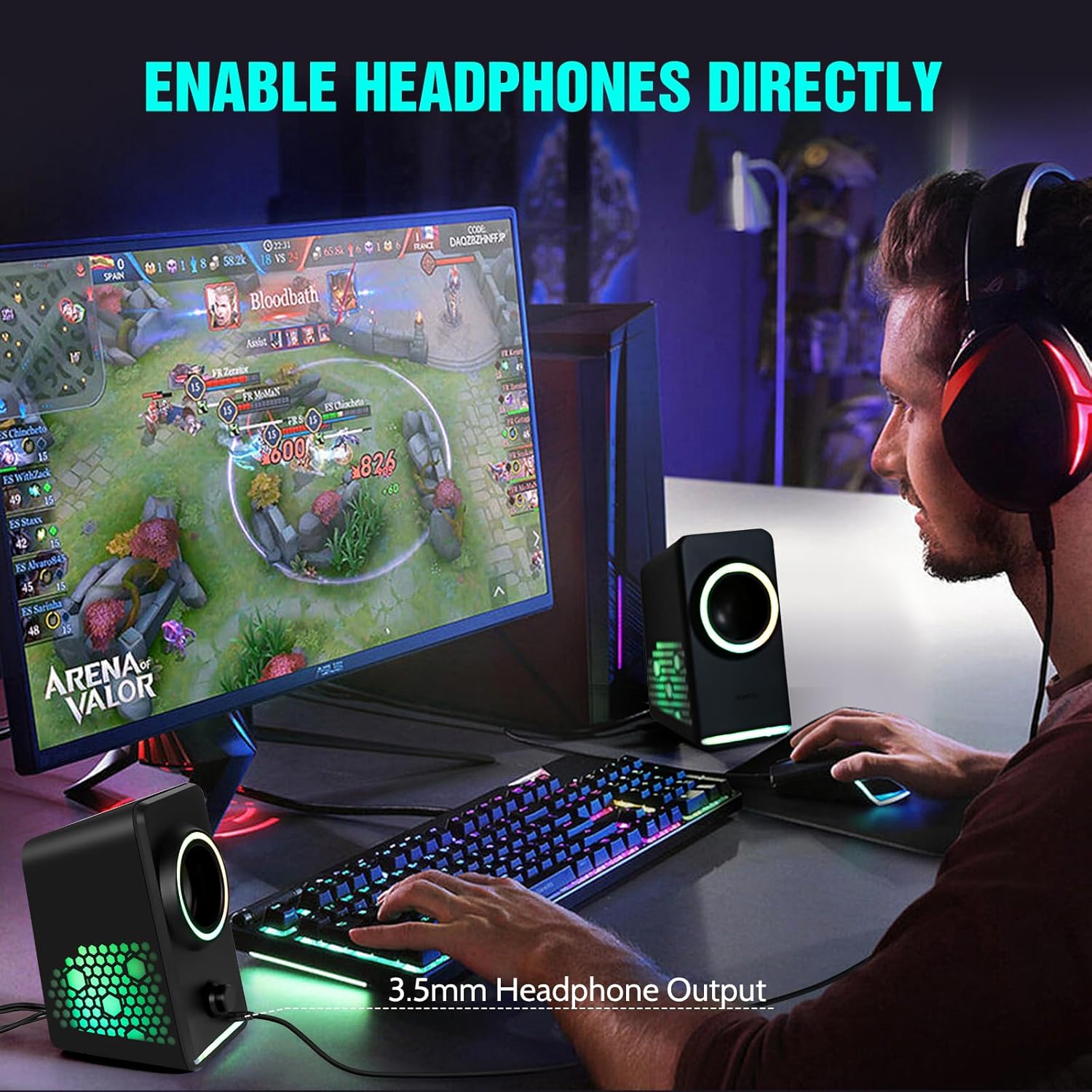
- Bicu Fon Kepala 3.5mm: Allows direct connection of headphones for private listening.
- Input Kuasa USB: Connects to a USB power source for speaker operation.
- Input Audio 3.5mm: For wired audio connection to devices.
3. Arahan Persediaan
Follow these steps to set up your HEANTTV X6 Computer Speakers:
3.1 Menyambung Pembesar Suara
- Connect Secondary Speaker: Connect the cable from the secondary speaker unit to the designated port on the main speaker unit.
- Sambungan Kuasa: Insert the USB power cable into the USB power input port on the main speaker unit, then connect the other end to a USB power source (e.g., computer USB port, USB wall adapter).
- Sambungan Audio (Berwayar): For a wired connection, plug the 3.5mm audio cable into the 3.5mm audio input port on the main speaker unit and the audio output jack of your device (e.g., computer, laptop, smartphone).
- Audio Connection (Bluetooth): To use Bluetooth, ensure the speakers are powered on. Press the touch control button to switch to Bluetooth mode (indicated by a specific light pattern or audio cue). On your device, search for "HEANTTV X6" in the Bluetooth settings and pair.

4. Arahan Operasi
4.1 Kuasa Hidup/Mati dan Kawalan Kelantangan
- Hidupkan kuasa: Rotate the volume knob clockwise until you hear a click and the speakers power on.
- Matikan: Rotate the volume knob counter-clockwise until you hear a click and the speakers power off.
- Laraskan Kelantangan: Putar tombol kelantangan mengikut arah jam untuk meningkatkan kelantangan dan lawan arah jam untuk mengurangkan kelantangan.
4.2 Menukar Mod Sambungan
Press the touch control button on the main speaker unit to cycle between available input modes (Bluetooth and 3.5mm AUX). The speakers will provide an audio cue or a change in lighting to indicate the active mode.
4.3 Kawalan Pencahayaan RGB
Press and hold the touch control button to change the RGB lighting effects. A quick tap may also cycle through different static colors or turn the lights off, depending on the current mode.
4.4 Using the Headphone Output
To use headphones, plug your 3.5mm headphones into the headphone jack located on the main speaker unit. This will typically mute the speakers and route audio to your headphones.
5. Penyelenggaraan
To ensure the longevity and optimal performance of your HEANTTV X6 speakers, follow these maintenance guidelines:
- Pembersihan: Use a soft, dry cloth to wipe the speaker surfaces. Avoid using abrasive cleaners, solvents, or sprays that could damage the finish or internal components.
- Storan: Apabila tidak digunakan untuk tempoh yang lama, simpan pembesar suara di tempat yang sejuk dan kering, jauh daripada cahaya matahari langsung dan suhu yang melampau.
- Pengendalian: Handle the speakers with care. Avoid dropping them or subjecting them to strong impacts.
- Pengudaraan: Ensure the speakers have adequate ventilation and do not block any vents, if present, to prevent overheating.
6. Penyelesaian masalah
If you encounter issues with your HEANTTV X6 speakers, refer to the following common problems and solutions:
| Masalah | Kemungkinan Punca | Penyelesaian |
|---|---|---|
| Tiada suara dari pembesar suara | Speakers not powered on; Volume too low; Incorrect input mode; Loose cable connection; Device volume low. | Ensure speakers are powered on and volume is up. Check that the correct input mode (Bluetooth/AUX) is selected. Verify all cables are securely connected. Increase volume on your connected device. |
| Sambungan Bluetooth gagal | Speakers not in pairing mode; Device Bluetooth off; Speakers too far from device; Interference. | Ensure speakers are in Bluetooth pairing mode. Turn Bluetooth on your device. Move speakers closer to the device. Restart both speakers and device. |
| Lampu RGB tidak berfungsi | Lampu dipadamkan; Kerosakan. | Press the touch control button to cycle through lighting modes or turn them on. If the issue persists, contact support. |
| Herotan bunyi | Volume too high; Poor audio source quality; Loose connection. | Reduce the volume. Test with a different audio source. Check cable connections. |
7. Spesifikasi
The following are the technical specifications for the HEANTTV X6 Computer Speakers:
| Ciri | Spesifikasi |
|---|---|
| Nama Model | X6 |
| Jenama | HEANTTV |
| Jenis Pembesar Suara | Multimedia Speakers with Subwoofer (2.0 Channel) |
| Output Kuasa | 5W x 2 |
| Teknologi Ketersambungan | Bluetooth 5.0, 3.5mm AUX, USB (for power) |
| Kaedah Kawalan | Sentuh, Tombol Putar |
| Dimensi Produk | 7.98 x 15.49 x 9.3 cm |
| Berat Barang | 750 g |
| Peranti Serasi | Desktop, Laptop, Personal, Smartphone, Tablet |
| Ciri Khas | USB Port, RGB Lighting |
8. Waranti dan Sokongan
For warranty information and customer support, please refer to the documentation provided at the time of purchase or contact HEANTTV customer service directly. Keep your proof of purchase for any warranty claims.