
pengenalan
Thank you for choosing the TrustFire H6R Headlamp. This manual provides essential information for the safe and effective operation, maintenance, and troubleshooting of your device. Please read it thoroughly before use and retain it for future reference.
The TrustFire H6R is a versatile and powerful headlamp designed for various outdoor activities and work environments. It features a triple light source design, offering spotlight, floodlight, and red light options, with a maximum output of 1350 lumens and a beam distance of up to 152 meters.

Image: TrustFire H6R Headlamp highlighting its triple light source design, 1350 lumens output, and 152-meter range.
Ciri-ciri Produk
- Kecerahan yang tinggi: Maximum output of 1350 lumens with a beam distance of up to 152 meters.
- Pelbagai Sumber Cahaya: Features spotlight, floodlight, and red light for diverse lighting needs.
- Mod Serbaguna: Includes various white light modes (High, Medium, Low, Moonlight) and a Red Light mode with SOS function.
- Boleh dicas semula: Equipped with a USB-C charging port for convenient recharging.
- Pembinaan Tahan Lama: IP68 waterproof rating and 1-meter drop resistance, built with aluminum alloy for enhanced durability and an anti-slip grip.
- Kepala Boleh Putar 180 Darjah: Allows precise adjustment of the light beam direction.
- Tailcap magnetik: Enables hands-free attachment to ferrous metal surfaces.
- Klip poket boleh tanggal: Converts the headlamp into a versatile handheld flashlight.
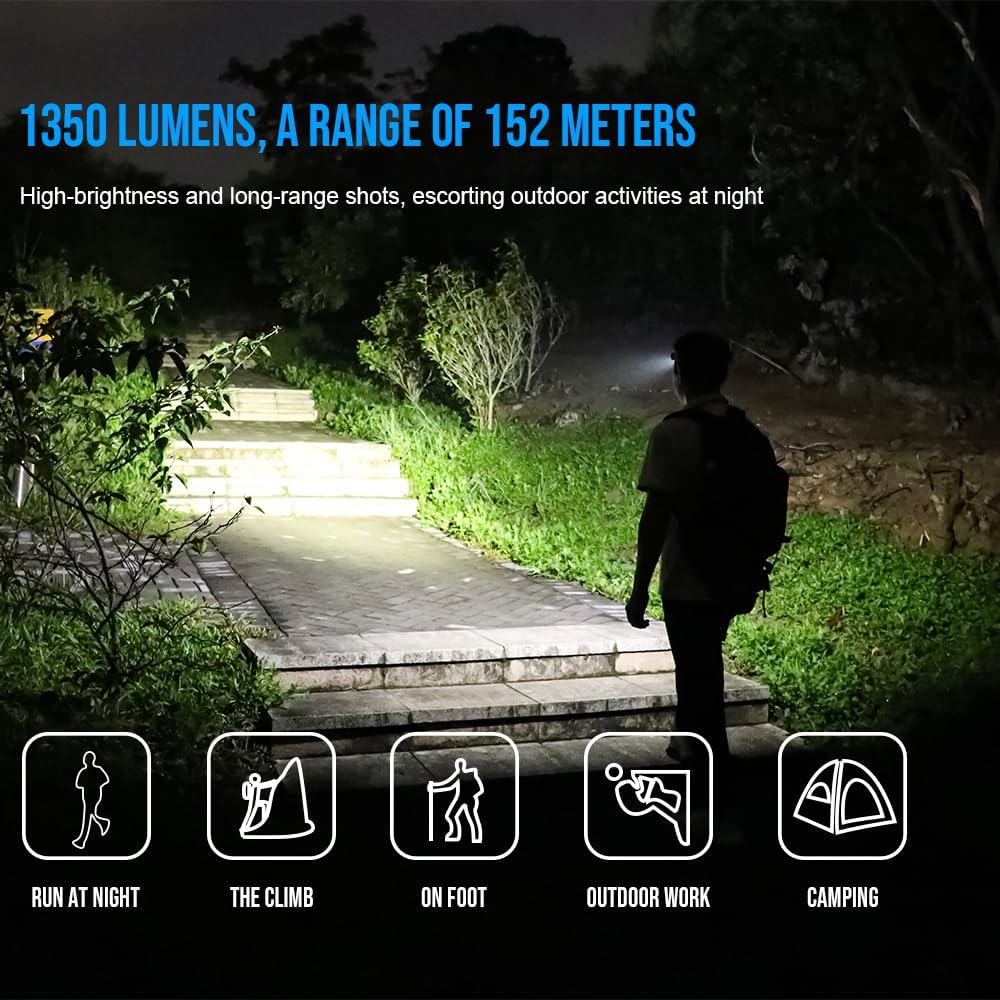
Image: TrustFire H6R Headlamp in use, demonstrating its 1350 lumens and 152-meter range for various outdoor activities.
Persediaan
1. Battery Installation and First Use
- The H6R headlamp comes with a pre-installed Lithium Ion battery.
- Sebelum penggunaan pertama, cas penuh headlamp menggunakan kabel USB-C yang disediakan.
2. Attaching the Headband
- Thread the adjustable TrustFire headband through the designated slots on the headlamp badan.
- Adjust the headband to ensure a comfortable and secure fit on your head.
3. Using the Pocket Clip (Optional)
- To use the H6R as a handheld flashlight, remove it from the headband.
- Attach the removable pocket clip to the headlamp body as desired for carrying on pockets, backpacks, or caps.
Arahan Operasi
1. Hidupkan/Mati Kuasa
- Press and hold the power button for approximately 0.5 seconds to turn the headlamp HIDUP atau MATI.
2. Switching Modes (White Light)
- Apabila kepalaamp is ON, short press the power button to cycle through white light modes: Moonlight → Low → Medium → High.
- kepalaamp features a memory function and will turn on in the last used white light mode.
3. Activating Red Light / SOS
- From OFF, double-click the power button to activate the Red Light mode.
- From Red Light mode, short press the power button to switch to Red SOS mode.
- Short press again to return to Red Light mode.
- Press and hold for 0.5 seconds to turn OFF.

Image: Demonstration of the H6R's three light sources: spotlight, red light, and floodlight, for multi-scenario application.
4. Melaraskan Sudut Rasuk
- kepalaamp body can be rotated up to 180 degrees to direct the light beam precisely where needed.

Image: The H6R's floodlighting capability, suitable for tasks like work maintenance and outdoor hiking, with a wide 100-degree flood angle.
5. Mengecas Headlamp
- Connect the USB-C charging cable to the headlamp's charging port and to a USB power source.
- Lampu penunjuk akan menunjukkan status pengecasan (cth, merah untuk mengecas, hijau untuk dicas penuh).
Penyelenggaraan
- Pembersihan: Lap kepalaamp dengan lembut, damp kain. Jangan gunakan pembersih atau pelarut yang melelas.
- Penjagaan Bateri: Recharge the battery regularly, especially if not used for extended periods, to maintain battery health. Avoid fully discharging the battery.
- Storan: Simpan kepalaamp di tempat yang sejuk dan kering jauh dari cahaya matahari langsung dan suhu yang melampau.
- Tahan Air: Ensure the USB-C port cover is securely closed to maintain IP68 water resistance.
Menyelesaikan masalah
| Masalah | Kemungkinan Punca | Penyelesaian |
|---|---|---|
| Ketuaamp tidak menyala. | Bateri habis. | Mengecas kepalaamp sepenuhnya. |
| Keluaran cahaya adalah malap. | Tahap bateri rendah. | Cas semula bateri. |
| Ketuaamp tidak mengenakan bayaran. | Kabel pengecas atau penyesuai rosak. | Cuba kabel USB-C atau penyesuai kuasa yang lain. Pastikan port pengecasan bersih. |
| Kemasukan air selepas pendedahan. | USB-C port cover not properly sealed. | Ensure the USB-C port cover is always securely closed before exposing the headlamp kepada air. |
Spesifikasi
| Jenama | TrustFire |
| Nama Model | H6R |
| Nombor Model Dalaman | MC12 |
| Maximum Luminous Power | 1350 Lumen |
| Light Travel Distance | 152 Meter |
| Jenis Sumber Cahaya | LED (3 mentol) |
| Sumber Kuasa | Bateri (Ion Litium) |
| Bateri Termasuk | ya |
| Run Time (High Mode) | Approximately 1 hour 5 minutes (at 1000 lumens) |
| Ciri Khas | Weather resistant, Floodlight, Red light, SOS |
| Tahap Ketahanan Air | IP68 (kalis air) |
| Rintangan Jatuh | 1 meter |
| bahan | Aloi Aluminium, ABS |
| warna | merah |
| Dimensi Produk (D x W x H) | 4 x 13 x 18 cm |
| Berat badan | 220 g |
| Penggunaan yang Disyorkan | Camping, fishing, hiking, hunting, running, industrial maintenance, outdoor travel, reading, car care, emergency lighting |
Nota: Spesifikasi tertakluk kepada perubahan tanpa notis terlebih dahulu.
Waranti dan Sokongan
TrustFire products are manufactured to high-quality standards. For warranty information, please refer to the warranty card included with your product or visit the official TrustFire website. If you encounter any issues or require technical assistance, please contact TrustFire customer support through their official channels.
Untuk maklumat lanjut dan sokongan, sila layari TrustFire Brand Store on Amazon.