
pengenalan
Terima kasih kerana membeliasing the ASA A900 Gaming Steering Wheel. This high-performance racing wheel is designed to provide an immersive and realistic driving experience across multiple gaming platforms. Featuring 270 and 900-degree rotation modes, dual vibration motors, and a comprehensive pedal and shifter setup, the ASA A900 is engineered for precision and durability. Please read this manual carefully to ensure proper setup, operation, and maintenance of your device.
Kandungan Pakej
Sebelum meneruskan dengan persediaan, sila sahkan bahawa semua item yang disenaraikan di bawah disertakan dalam pakej anda:
- 1 x ASA A900 Gaming Steering Wheel
- 1 x Triple Pedal Set (Accelerator, Brake, Clutch)
- 1 x Gear Shift Knob
- 2 x U-shaped Fixing Brackets
- 1 x Manual Pengguna (dokumen ini)

Figure 1: Contents of the ASA A900 Gaming Steering Wheel package.
Panduan Persediaan
1. Menyambung Roda Lumba
The ASA A900 steering wheel connects via a wired USB connection. For console use, it requires an original wired controller to be connected to the steering wheel for initial recognition and authentication.
- For PC (Windows XP/Vista/7/8/10): Connect the steering wheel's USB cable directly to an available USB port on your computer. The device supports both X-input and D-input modes and should be plug-and-play. For optimal performance and automatic calibration, driver installation may be required. Refer to the included CD or manufacturer's weblaman web untuk pemandu.
- For Xbox Series X|S, PS3, PS4, Xbox One, Nintendo Switch:
- Ensure your console is powered off.
- Connect your original wired console controller (e.g., Xbox One controller, PS4 DualShock) to the designated USB port on the ASA A900 steering wheel. This step is crucial for the steering wheel to be recognized by the console.
- Connect the ASA A900 steering wheel's main USB cable to an available USB port on your console.
- Power on your console. The steering wheel should now be recognized and ready for use.
- Special Note for Xbox 360: The ASA A900 is compatible with Xbox 360, but it requires an original wired Xbox 360 controller for pairing and functionality. If a non-original controller is used, the steering wheel may not function correctly.
2. Connecting Pedals and Shifter
Connect the pedal set and gear shift knob to their respective ports on the back or underside of the steering wheel base. Ensure connections are secure.
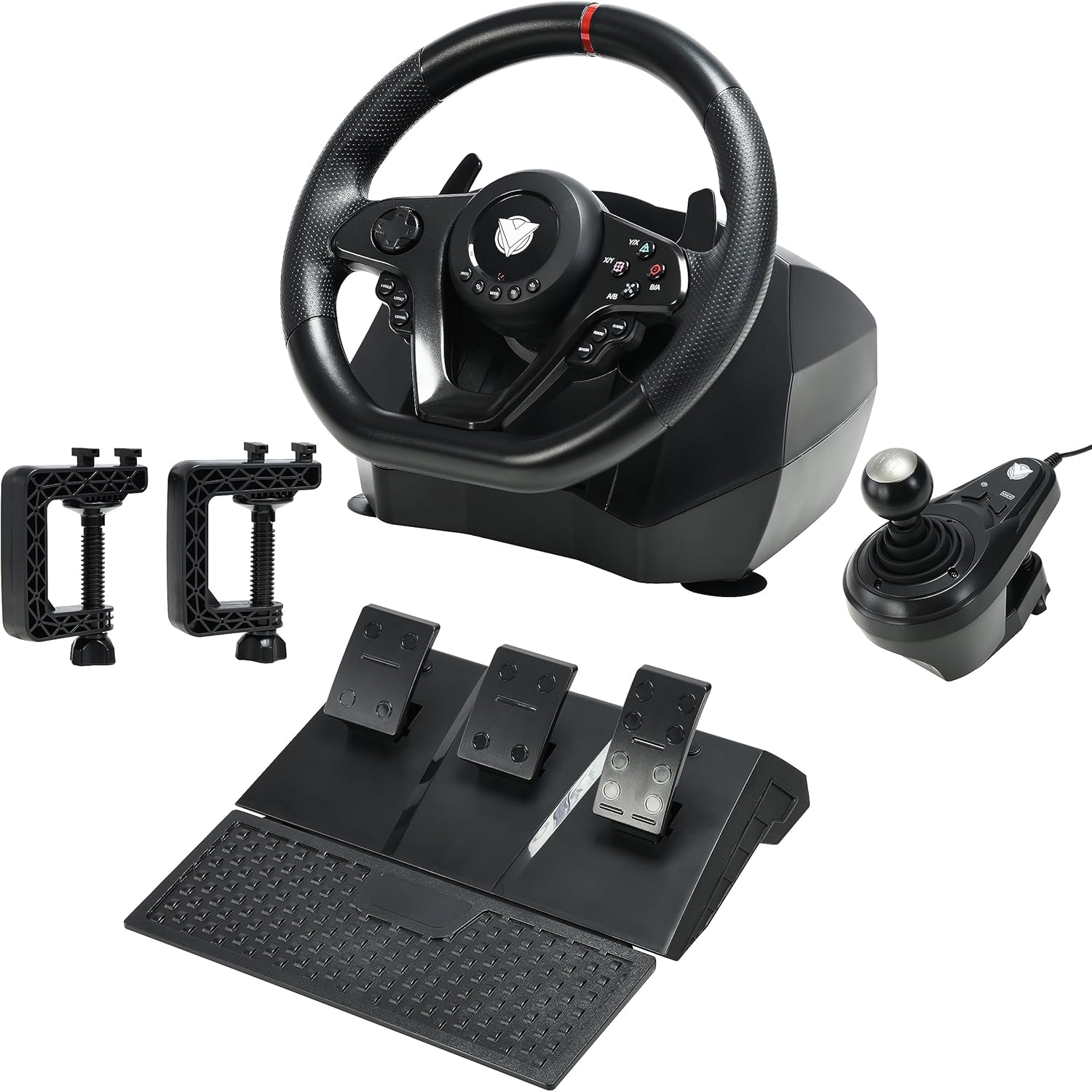
Figure 2: Complete ASA A900 setup with wheel, pedals, and shifter.
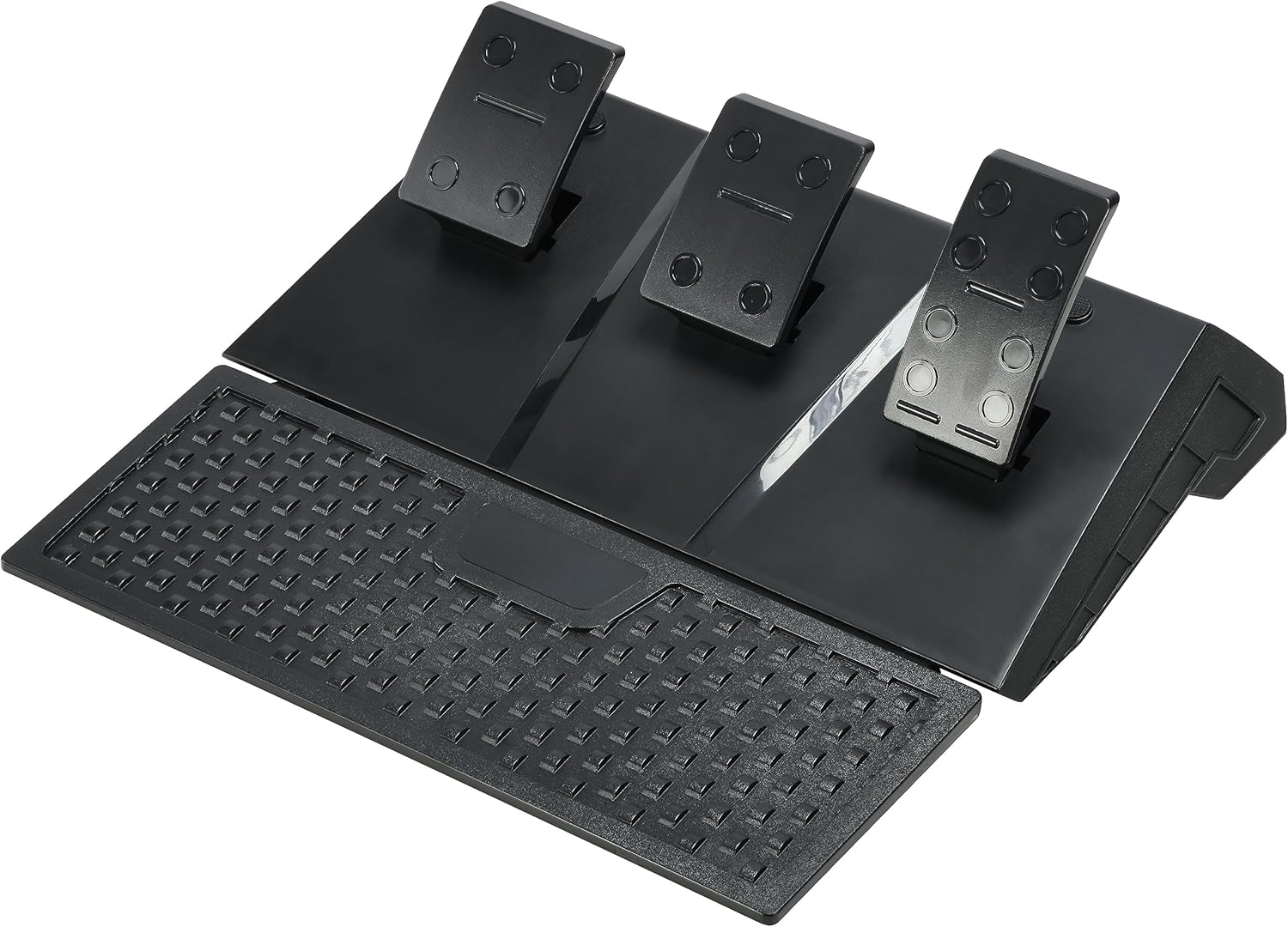
Figure 3: Triple Pedal Set.

Figure 4: Gear Shift Knob.
3. Memasang Roda Stereng
The ASA A900 offers stable mounting options to enhance your gaming experience.
- Cawan sedutan: The base of the steering wheel is equipped with 5 strong suction cups. Place the steering wheel on a smooth, flat surface (like a desk or table) and press down firmly to engage the suction cups for a secure grip.
- Cl berbentuk Uamps: For additional stability, use the two U-shaped fixing brackets. Attach them to the designated slots on the steering wheel base and tighten them to the edge of your table or desk.
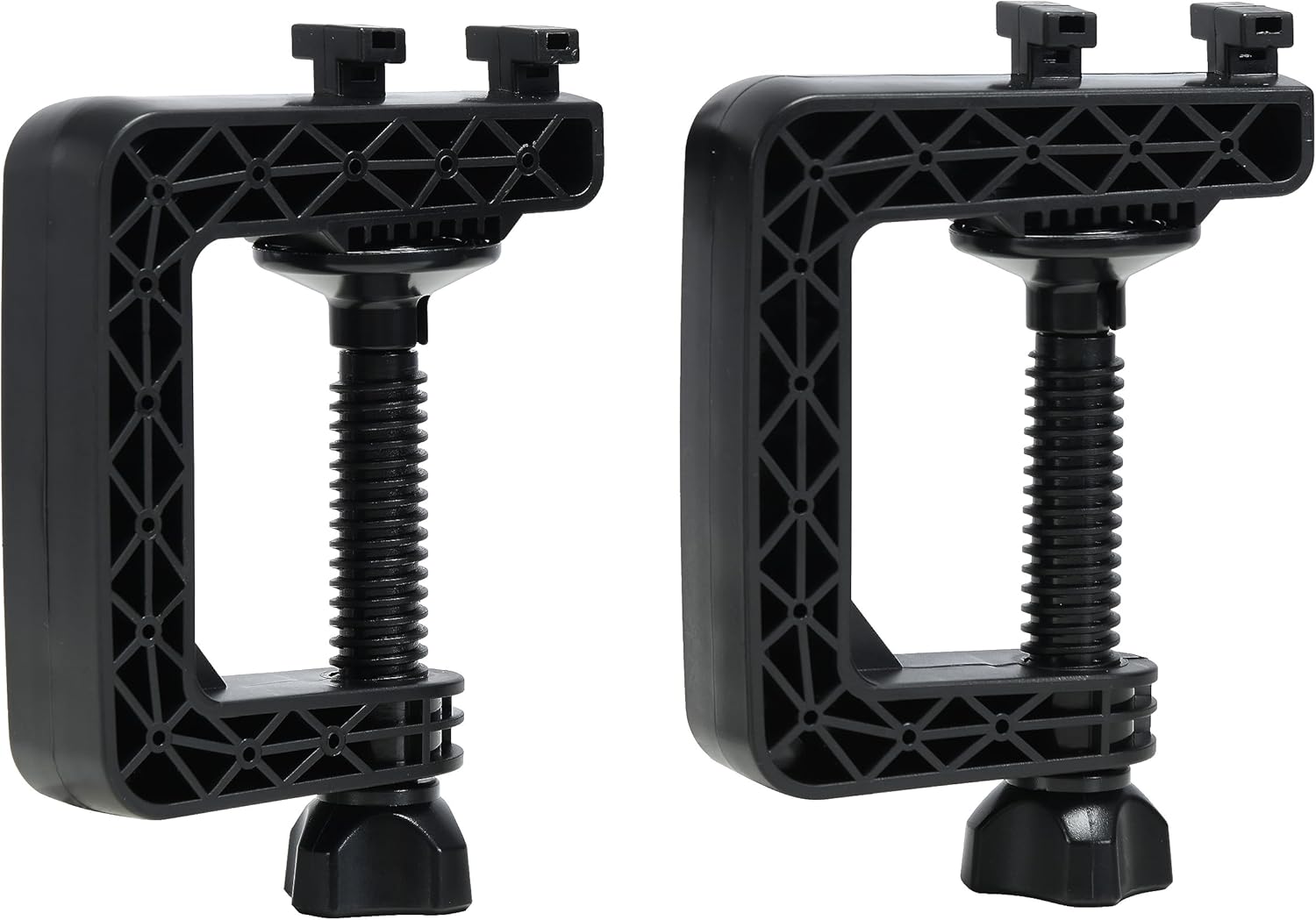
Figure 5: U-shaped Fixing Brackets.
Arahan Operasi
1. Steering Angle Adjustment (270°/900°)
The ASA A900 allows you to switch between two steering angle modes: 270 degrees for racing cars and 900 degrees for truck simulation or more realistic driving. There is a dedicated button or switch on the steering wheel base to toggle between these modes. Refer to the specific button layout on your steering wheel for its location.
2. Pedals and Shifter Usage
- Triple Pedals: The linear pedal set includes an accelerator, brake, and clutch. These provide precise control over your vehicle's speed and braking. The linear design ensures accurate input based on pedal pressure.
- Pengubah Suai Dayung: Use the left and right paddle shifters located behind the steering wheel for quick and responsive gear changes in games that support them.
- Gear Shift Knob: For a more authentic manual driving experience, utilize the included gear shift knob. Its design allows for smooth and precise shifting.
3. Maklum Balas Getaran
The built-in dual vibration motors provide realistic force feedback, simulating road conditions, collisions, and other in-game effects. This enhances the immersion of your racing experience.
4. Audio Communication (Xbox One)
The steering wheel supports audio communication functionality when used with an Xbox One console. Connect your headset to the appropriate port on the steering wheel (if available) or through the connected original Xbox One controller.
Penyelenggaraan
To ensure the longevity and optimal performance of your ASA A900 Gaming Steering Wheel, follow these maintenance guidelines:
- Pembersihan: Use a soft, dry cloth to wipe down the steering wheel, pedals, and shifter. Avoid using abrasive cleaners or solvents, as they may damage the surface.
- Storan: Apabila tidak digunakan, simpan peranti ini di tempat yang bersih dan kering, jauh daripada cahaya matahari langsung dan suhu yang melampau.
- Penjagaan Kabel: Avoid sharp bends or kinks in the USB cables. Do not pull on the cables to disconnect the device.
Menyelesaikan masalah
If you encounter issues with your ASA A900 Gaming Steering Wheel, please refer to the following common problems and solutions:
| Masalah | Kemungkinan Punca / Penyelesaian |
|---|---|
| Steering wheel not recognized by console/PC. |
|
| Tiada maklum balas getaran. |
|
| Pedals or shifter not responding. |
|
| Steering wheel feels loose or unstable. |
|
Spesifikasi
| Ciri | Perincian |
|---|---|
| Jenis Produk | Roda Stereng Permainan |
| Nombor Model | ASA-A900 |
| Keserasian | PC (Windows XP/Vista/7/8/10), PlayStation 3, PlayStation 4, Xbox One, Xbox 360, Xbox Series X|S, Nintendo Switch |
| Antara muka | Wired USB (6.56 ft cable length) |
| Sudut Kemudi | 270° (Racing Car Mode) / 900° (Truck Simulation Mode) |
| Getaran | Dual Motor Vibration Feedback |
| Pedal | Linear Triple Pedal Set (Accelerator, Brake, Clutch) |
| Penukar | Paddle Shifters, Manual Gear Shift Knob |
| Melekap | 5 Suction Cups, 2 U-shaped Clamps |
| Dimensi | 33 x 43 x 74 cm (Product); 3.6 kg (Weight) |
Nota Penting
- For console compatibility, an original wired controller for the respective console is required to be connected to the steering wheel for authentication.
- Driver installation may be necessary for full functionality and automatic calibration on PC.
- The steering wheel's audio communication function is specifically supported on Xbox One.
Waranti dan Sokongan
For warranty information, technical support, or further assistance, please refer to the warranty card included with your product or visit the official ASA webtapak. Simpan resit pembelian anda sebagai bukti pembelian untuk tuntutan waranti.