
1. Pengenalan
This manual provides detailed instructions for the installation, operation, and maintenance of your addlon 52 Inch Smart Ceiling Fan with Light. Please read this manual thoroughly before installation and use to ensure safe and efficient operation. Keep this manual for future reference.
2. Maklumat Keselamatan
Sentiasa ikuti langkah berjaga-jaga keselamatan asas semasa memasang dan mengendalikan peralatan elektrik untuk mengurangkan risiko kebakaran, kejutan elektrik dan kecederaan diri.
- Pastikan kuasa pada pemutus litar dimatikan sebelum pemasangan atau servis.
- Semua pendawaian mestilah mengikut kod elektrik nasional dan tempatan.
- Rujuk juruelektrik bertauliah jika anda tidak pasti tentang prosedur pendawaian.
- The mounting structure must be capable of supporting the weight of the fan (refer to specifications).
- Jauhkan tangan, pakaian dan objek lain daripada bilah kipas apabila kipas beroperasi.
- Do not use this fan with a solid-state speed control device.
3. Kandungan Pakej
Sahkan bahawa semua komponen yang disenaraikan di bawah disertakan dalam pakej anda:
- Smart Ceiling Fan Unit
- Kit Cahaya
- Alat Kawalan Jauh
- Perkakasan Pemasangan
- Downrods (various lengths may be included)
- Manual Arahan
4. Spesifikasi
| Ciri | Perincian |
|---|---|
| Jenama | addlon |
| Nombor Model | KDM52ABS01S1 |
| Dimensi Produk | 52"D x 52"W x 19.68"H |
| warna | Hitam |
| bahan | Acrylonitrile Butadiene Styrene (Plastic Blades) |
| Jenis Motor | Motor DC Boleh Balik |
| Bilangan Bilah | 3 |
| Bilangan Kelajuan | 6 |
| Jenis Cahaya | LED, 3CCT Dimmable (3000K, 4000K, 6000K) |
| Wattage | 45 watt |
| Kapasiti Aliran Udara | 5273 Kaki Kubik Seminit |
| Voltage | 120 Volt |
| Kaedah Kawalan | Remote Control, App Control (Joinin home/Smartlife/Tuya Smart), Voice Control (Alexa/Google Home) |
| Penggunaan Dalaman/Luar | Indoor, Outdoor (avoid direct rain) |
| Tahap Kebisingan | Low to 35dB |
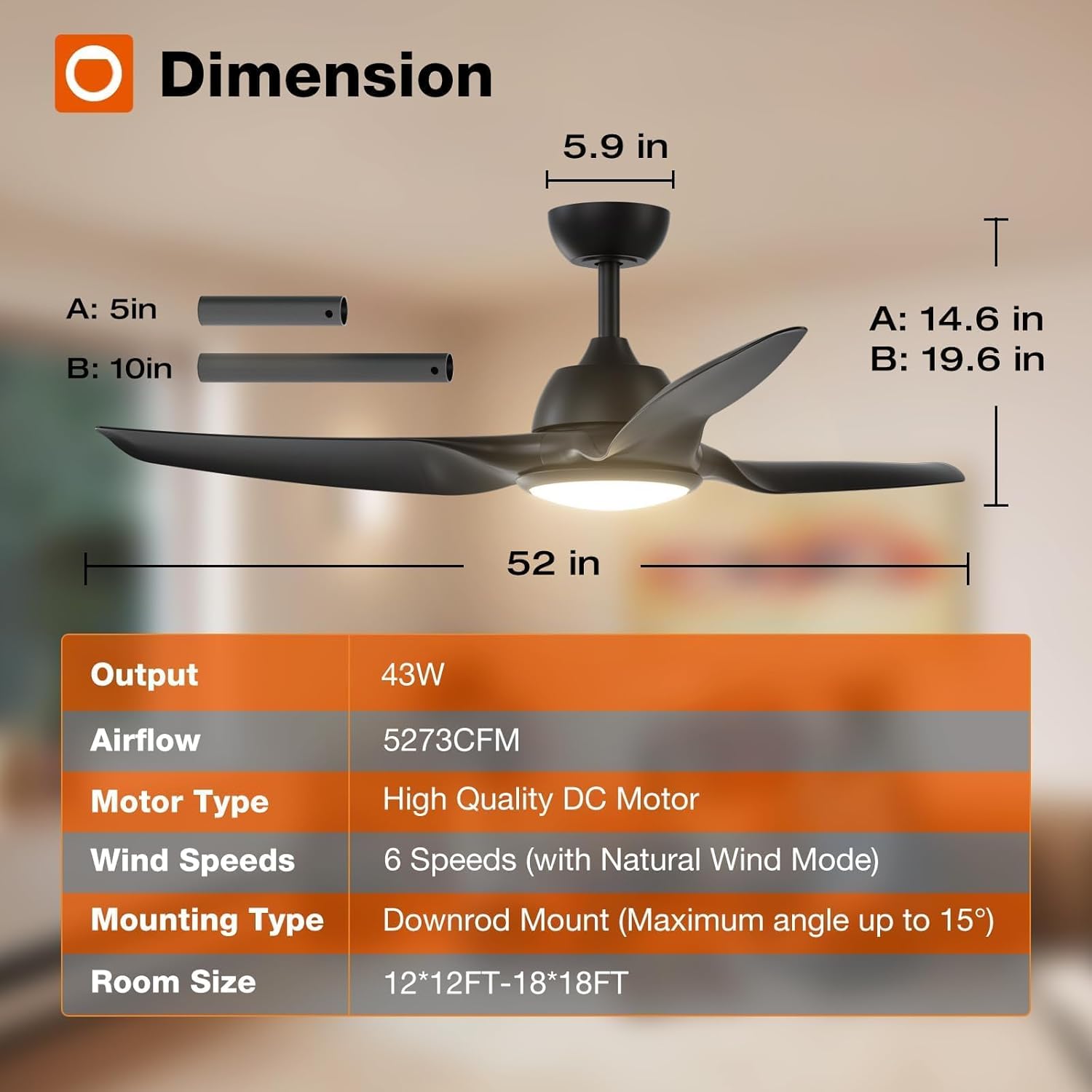
Figure 4.1: Fan Dimensions and Key Specifications
5. Pemasangan
The addlon 52 Inch Smart Ceiling Fan is designed for straightforward installation. Detailed instructions and diagrams are provided in the included installation guide. Ensure you have the necessary tools and follow all safety guidelines.
- Pra-Pemasangan: Turn off power at the circuit breaker. Read the entire installation manual before beginning.
- Pemasangan: Securely attach the mounting bracket to a ceiling joist or an outlet box rated for fan support.
- Pendawaian: Connect the fan's electrical wires to the household wiring according to the provided wiring diagram.
- Perhimpunan: Attach the fan body, blades, and light kit as instructed.
- Sambungan Apl: For smart features, ensure your Wi-Fi network is on the 2.4Ghz band for initial app connection.
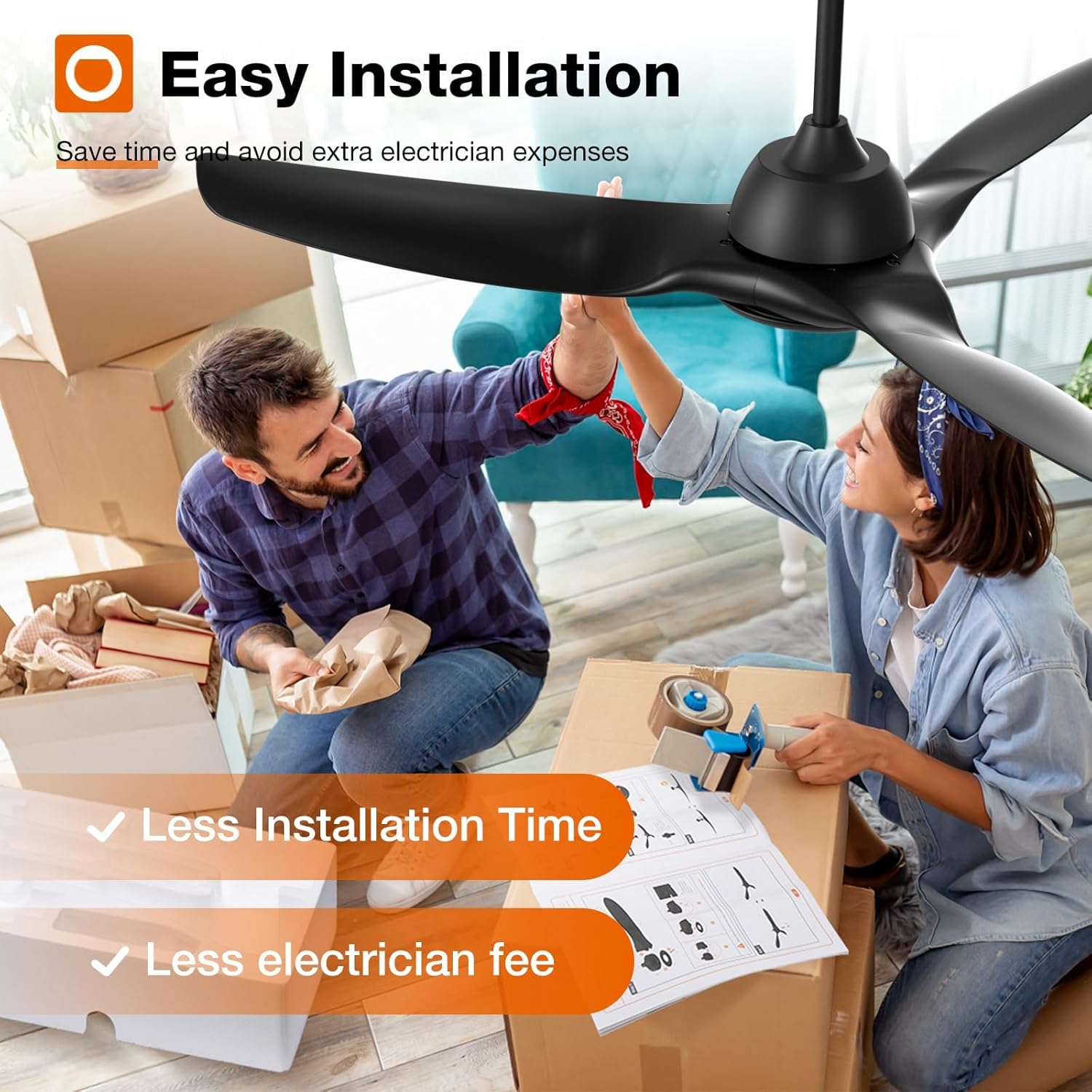
Figure 5.1: Easy Installation Process

Figure 5.2: DC Motor Design

Figure 5.3: Fan Blade Design

Figure 5.4: Downrod Mounting Options
6. Operasi
Your addlon smart ceiling fan offers multiple control methods and features for optimal comfort.
6.1 Kaedah Kawalan
- Kawalan Jauh: Use the included remote to adjust fan speed, light settings, and set timers.
- Kawalan Apl: Download the Joinin Home, Smart Life, or Tuya Smart app to control the fan from your smartphone.
- Kawalan Suara: Integrate with Alexa or Google Home for hands-free operation.

Rajah 6.1: Antara Muka Kawalan Aplikasi

Rajah 6.2: Operasi Kawalan Jauh
6.2 Pelarasan Kelajuan Kipas
The fan features 6 adjustable speeds, including a natural wind mode, to suit various comfort levels.
- Tahap 1-2: Low, comfortable wind for sleeping or gentle ventilation.
- Tahap 3-4: Medium, natural wind for daily use.
- Tahap 5-6: High, cooling wind for exercise or hot weather.
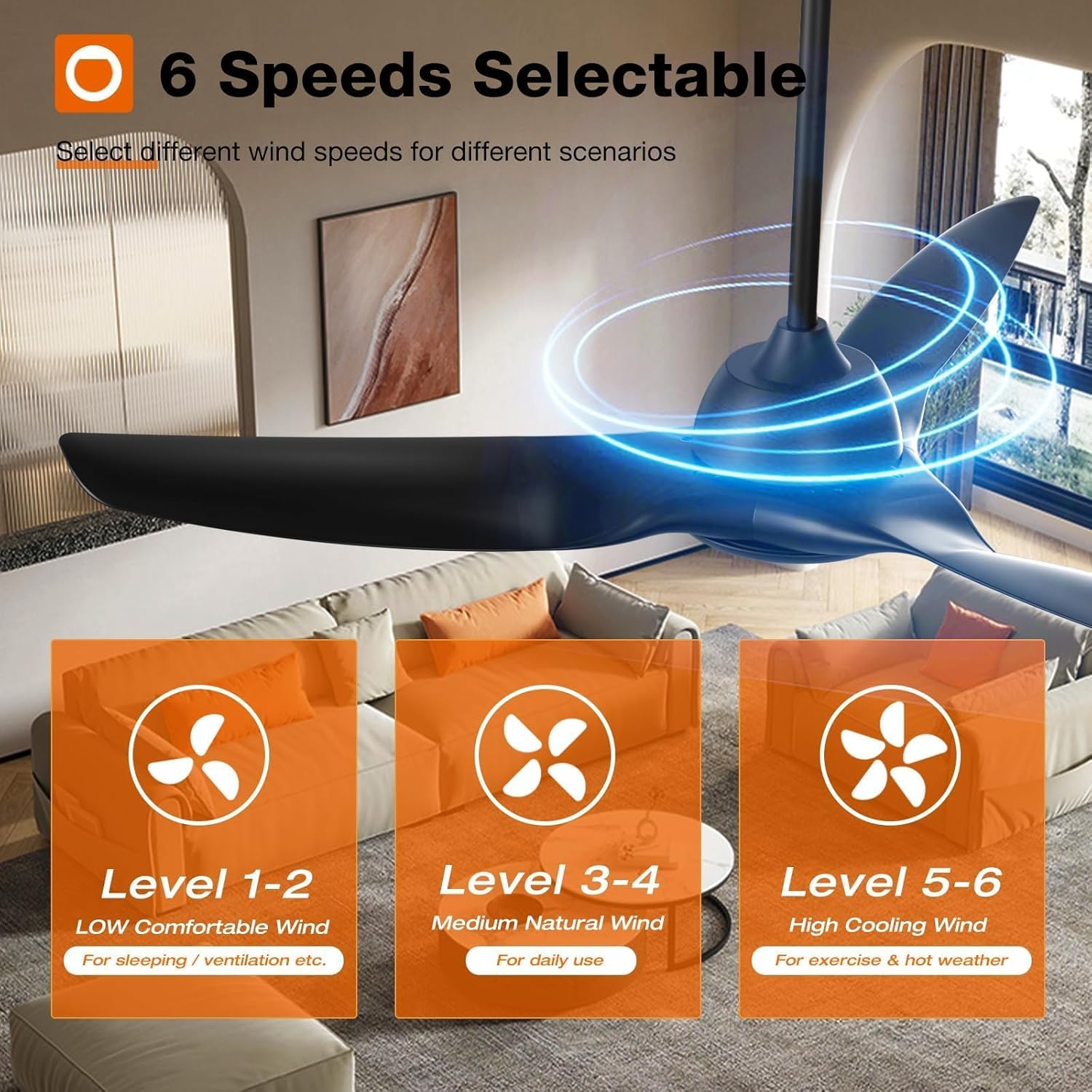
Figure 6.3: Fan Speed Settings

Figure 6.4: Visual Representation of Fan Speeds
6.3 Light Control (CCT & Dimming)
The integrated LED light is dimmable (10%-100%) and offers three color temperature options:
- 3000K: Putih Hangat
- 4000K: Putih Asli
- 6000K: Putih Sejuk

Figure 6.5: Customizable Light Temperatures

Figure 6.6: Light Color Temperature and Brightness Range
6.4 Motor DC Boleh Diterbalikkan
The reversible DC motor allows for year-round use, improving air circulation to keep you comfortable in both summer and winter.
- Mod Musim Panas: Bilah berputar lawan arah jam untuk menghasilkan aliran udara ke bawah, memberikan kesan penyejukan.
- Mod Musim Sejuk: Blades rotate clockwise to create an upward airflow, recirculating warm air trapped near the ceiling.

Figure 6.7: Reversible Motor Function (Summer/Winter)

Figure 6.8: Seasonal Airflow Direction
6.5 Fungsi Pemasa
Set the fan to automatically turn off after a specified period (2 or 4 hours) for convenience, especially during sleep.

Figure 6.9: Timer Settings
6.6 Operasi Senyap
The fan operates at a low noise level, approximately 35dB, ensuring a quiet environment.
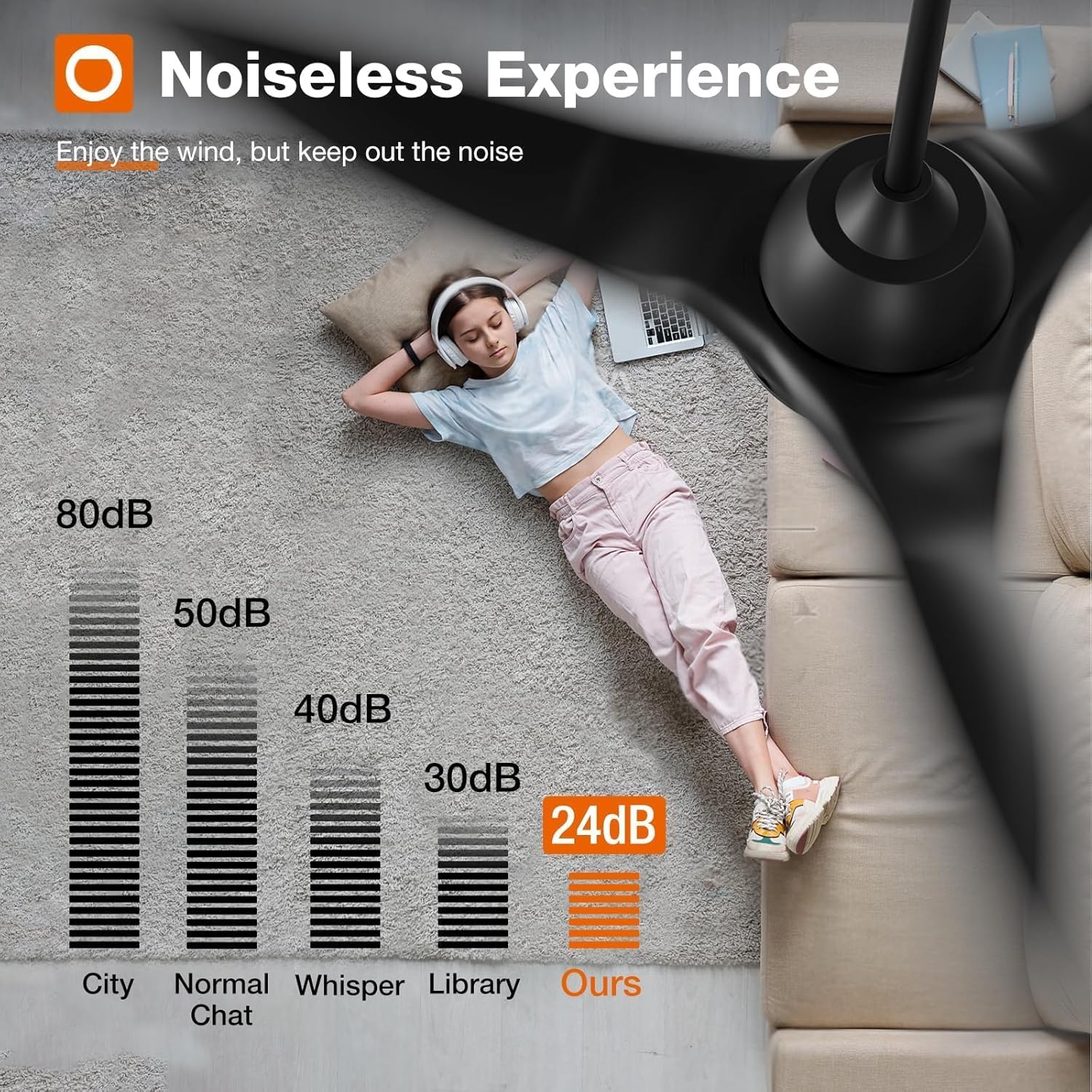
Figure 6.10: Noise Level Comparison
7. Penjagaan dan Penyelenggaraan
Regular care and maintenance will prolong the life and performance of your ceiling fan.
- Pembersihan: Bersihkan bilah kipas dan perumah motor secara berkala dengan lap lembutamp kain. Jangan gunakan pembersih atau pelarut yang melelas.
- Pemeriksaan: Check all connections and mounting hardware annually to ensure they are secure.
- Pelinciran: The fan's motor is permanently lubricated and does not require additional oiling.
8. Penyelesaian masalah
If you encounter issues with your fan, refer to the following common troubleshooting steps:
- Kipas Tidak Bermula: Check power supply, ensure all wiring connections are secure, and verify remote control battery.
- Light Does Not Work: Check light kit wiring, ensure light is turned on via remote/app, and verify dimming settings.
- Bergoyang berlebihan: Ensure all blade screws are tightened, check blade balance, and verify mounting bracket is securely installed.
- Remote/App/Voice Control Issues: Ensure the fan is properly paired with the remote/app. For app control, confirm your Wi-Fi is 2.4Ghz and the fan is within range. For voice control, ensure proper integration with Alexa/Google Home.
Untuk bantuan lanjut, sila hubungi khidmat pelanggan.
9. Waranti dan Sokongan
addlon stands behind the quality of its products.
- Waranti Motor: Waranti sehingga 120 bulan (10 tahun) untuk motor.
- Waranti Bahagian Lain: Waranti 2 tahun untuk semua komponen kipas yang lain.
- Sokongan Pelanggan: 24-hour customer support is available to assist with any questions during installation or use.
Please contact addlon customer support for warranty claims or technical assistance.