
1. Pengenalan
Thank you for choosing the SearchPean Johanan K99 Digital Coffee Scale. This high-precision scale is designed for accurate measurement of coffee, espresso, and other kitchen ingredients, offering a weighing range from 0.1g to 2kg. It features an integrated timer, two operating modes (Auto Timing and Manual Timing), a pressure wake-up function, and a long-lasting rechargeable battery with Type-C charging. This manual provides essential information for the safe and efficient use of your scale.
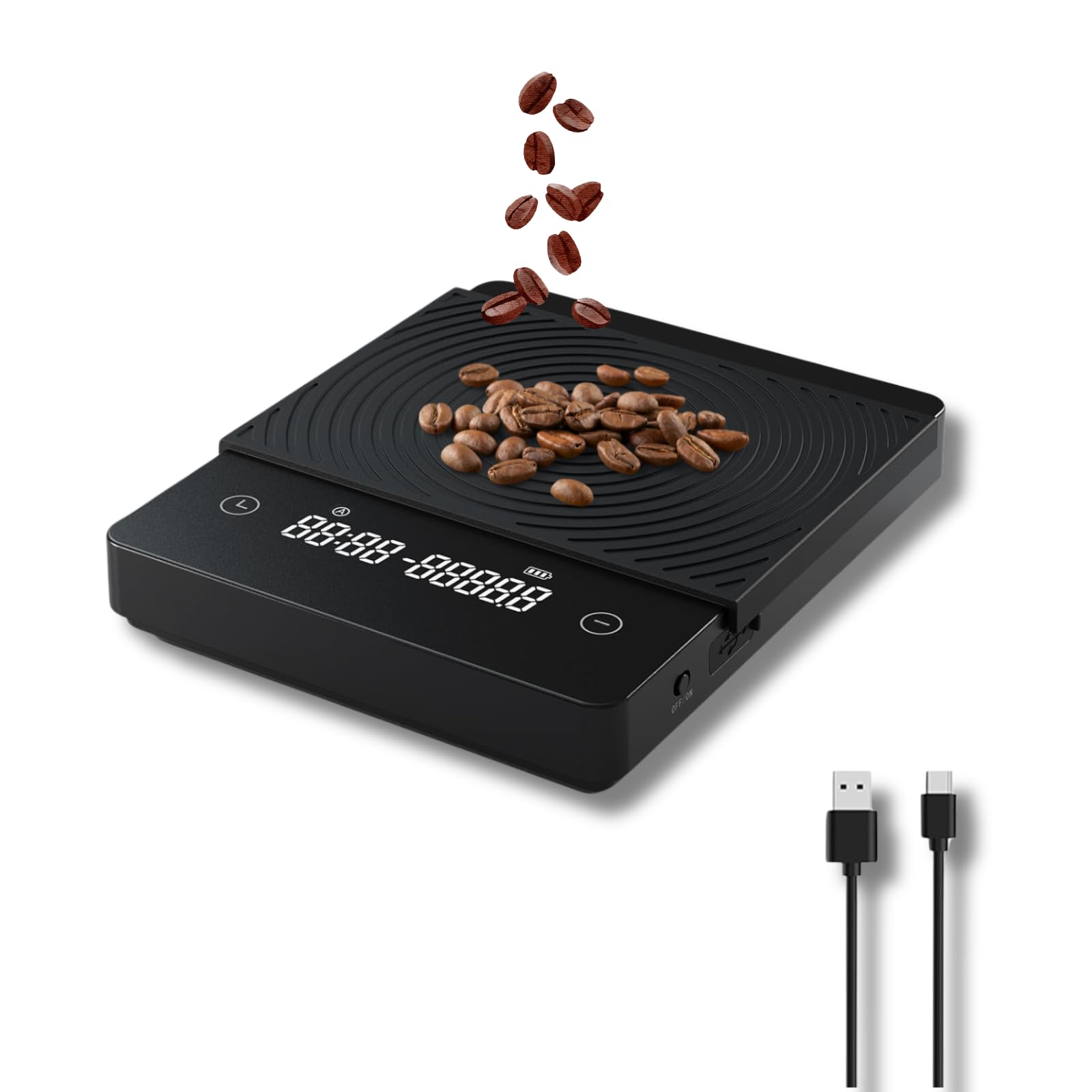
Image 1.1: The SearchPean Johanan K99 Digital Coffee Scale in a pour-over coffee brewing setup, demonstrating its use for precise coffee preparation.
2. Ciri-ciri Produk
- Ketepatan Tinggi: Measures from 0.1g to 2kg with accuracy.
- Pressure Wake Up: Automatically activates when items weighing over 20g or applying light pressure (>0.2N) are placed on the scale.
- Mod Masa Dwi: Includes Auto Timing and Manual Timing for convenient coffee preparation.
- Bateri boleh dicas semula: Built-in 1600mAh lithium battery with Type-C charging port protection.
- Tidur Automatik: Enters sleep mode after 5 minutes of standby to conserve battery.
- Pelbagai fungsi: Suitable for hand pour coffee, espresso, tea, and general kitchen use.
- Suis Hidup/Mati Fizikal: Provides reliable power control.
- Suis Suara: Option to enable or disable operational sounds.
- Perlindungan kalis air: Designed with protection against splashes.

Imej 2.1: Tamatview of the SearchPean Johanan K99 Digital Coffee Scale's main features, including its accuracy, smart functions, and durability.
3. Persediaan
3.1 Membongkar
Carefully remove the scale and all accessories from the packaging. Ensure all components are present and undamaged.
3.2 Pengecasan Awal
Before first use, fully charge the scale. Connect the provided Type-C USB cable to the charging port on the scale and to a 5V, 1A-2A USB power adapter (not included). The charging indicator will show the charging status. A full charge ensures optimal battery performance.

Image 3.1: The scale's Type-C charging port, illustrating the charging process and battery specifications.
3.3 Penempatan
Place the scale on a flat, stable, and level surface to ensure accurate measurements. Avoid placing it near strong electromagnetic fields or in areas with significant air currents, which can affect stability.
4. Arahan Operasi
4.1 Hidupkan/Mati Kuasa
Use the physical switch located on the side or bottom of the scale to turn it on or off. The scale will automatically enter sleep mode after 5 minutes of inactivity.
4.2 Penimbangan Asas
- Letakkan skala pada permukaan yang stabil.
- Tekan butang kuasa untuk menghidupkan penimbang.
- Place the item to be weighed on the center of the weighing platform. The weight will be displayed on the LED screen.
4.3 Fungsi Tara
To subtract the weight of a container, place the empty container on the scale and press the 'Tare' button (usually indicated by a 'T' or 'Z' symbol). The display will reset to zero, allowing you to weigh only the contents.
4.4 Pressure Wake Up
When the scale is in sleep mode, placing an item weighing more than 20g or applying light pressure (greater than 0.2 Newtons) will automatically wake up the scale, making it ready for immediate use.
4.5 Timing Modes (Coffee Preparation)
The scale offers two timing modes for coffee brewing:
- Auto Timing Mode: This mode automatically starts the timer when it detects the first pour of water, simplifying the brewing process.
- Manual Timing Mode: Allows you to manually start and stop the timer, providing full control over your brewing time.
Refer to the on-screen indicators and specific button functions for switching between modes and operating the timer.

Image 4.1: The scale's display showing a precise measurement, highlighting its accuracy for small quantities.
5. Penyelenggaraan
5.1 Pembersihan
To clean the scale, wipe it with a soft, damp cloth. Do not use abrasive cleaners or immerse the scale in water. The anti-slip mat can be removed for separate cleaning.

Image 5.1: The scale's anti-slip mat, which can be easily removed for cleaning.
5.2 Pengecasan dan Penjagaan Bateri
Recharge the scale when the battery indicator is low. Always use a 5V, 1A-2A adapter for charging. Avoid overcharging or completely draining the battery to prolong its lifespan. Ensure the Type-C charging port cover is properly sealed when not charging to protect against moisture.
5.3 Penyimpanan
Store the scale in a cool, dry place away from direct sunlight and extreme temperatures. Do not place heavy objects on the scale during storage.
6. Penyelesaian masalah
- Bacaan Tidak Tepat:
- Ensure the scale is on a flat, stable, and level surface.
- Avoid strong air currents (e.g., from fans or open windows) that can affect sensitive measurements.
- Recalibrate if a calibration function is available (refer to product specifications or manufacturer for details).
- Ensure no objects are touching the scale or platform during weighing. - Skala Tidak Dihidupkan:
- Check if the battery is charged. Connect the scale to a power source using the Type-C cable and allow it to charge for some time.
- Ensure the physical on/off switch is in the 'On' position. - Bateri Tidak Memegang Caj:
- Verify that the charging cable and adapter are functioning correctly (5V, 1A-2A).
- Ensure the charging port is clean and free of debris.
- If the issue persists after following charging instructions, contact customer support. - Ralat Paparan:
- If an error code appears, try turning the scale off and then on again.
- Overload: If 'EEEE' or similar appears, the weight limit (2kg) has been exceeded. Remove the item immediately.
7. Spesifikasi
| Ciri | Spesifikasi |
|---|---|
| Jenama | SearchPean |
| Model | K99 |
| Had berat | 2 Kilogram |
| Ketepatan Bacaan | 0.1 Gram |
| Jenis Paparan | LED |
| bahan | Akrilonitril Butadiena Stirena |
| Bateri | Bateri Litium Boleh Dicas Semula 1600mAh |
| Port Pengecasan | Jenis-C |
| Saiz Produk | 16.5 x 13.5 x 3 cm (6.5 x 5.3 x 1.1 inci) |
| Ciri Khas | Pressure Wake Up, Auto/Manual Timing, Physical Switch, Sound Switch, Waterproof Protection |
8. Waranti dan Sokongan
8.1 Maklumat Waranti
The SearchPean Johanan K99 Digital Coffee Scale comes with a standard manufacturer's warranty. Please retain your proof of purchase for warranty claims. Specific warranty terms and duration may vary by region and retailer. For detailed warranty information, please refer to the documentation included with your purchase or contact the retailer.
8.2 Sokongan Pelanggan
If you encounter any issues or have questions regarding your SearchPean Johanan K99 Digital Coffee Scale that are not addressed in this manual, please contact your retailer or the manufacturer's customer support for assistance. Please have your model number (K99) and purchase details ready when contacting support.