
EBTOOLS Q33
User Manual: EBTOOLS Q33 Cordless Open Ear Headphones
Model: Q33
1. Pengenalan
Thank you for choosing the EBTOOLS Q33 Cordless Open Ear Headphones. These headphones utilize air conduction technology, providing a unique listening experience that allows you to remain aware of your surroundings, making them ideal for outdoor activities such as sports, running, hiking, driving, and cycling. This manual provides detailed instructions for the proper use and maintenance of your device.
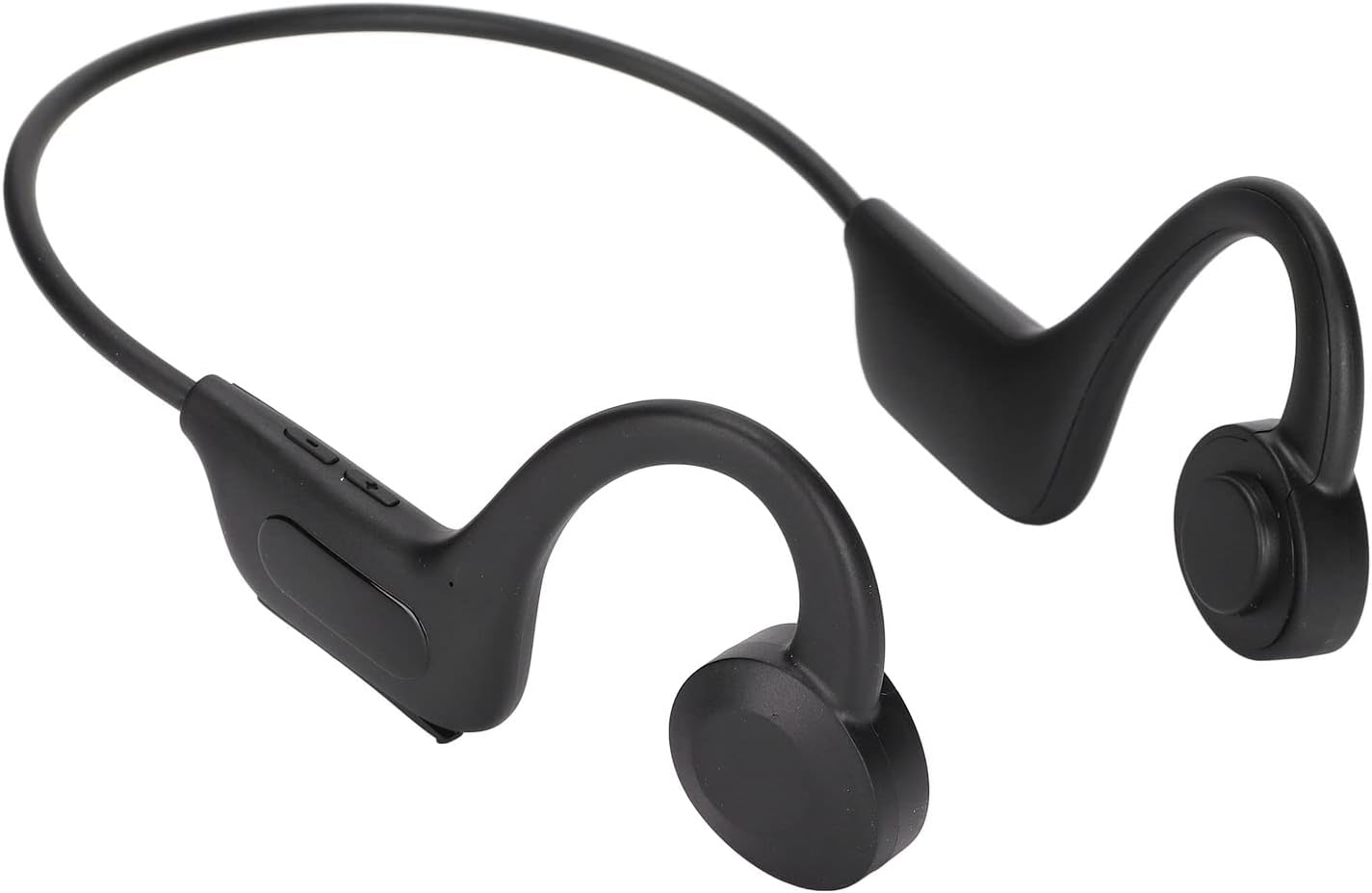
Image 1.1: EBTOOLS Q33 Cordless Open Ear Headphones. These black, lightweight headphones feature an open-ear design with a flexible band connecting the two earpieces, which rest comfortably over the ears.
2. Kandungan Pakej
Sila sahkan bahawa semua item terdapat dalam pakej anda:
- 1 x Cordless Open Ear Headphones (Model Q33)
- 1 x Kabel Data USB
- 1 x Manual Pengguna (Bahasa Cina dan Inggeris)
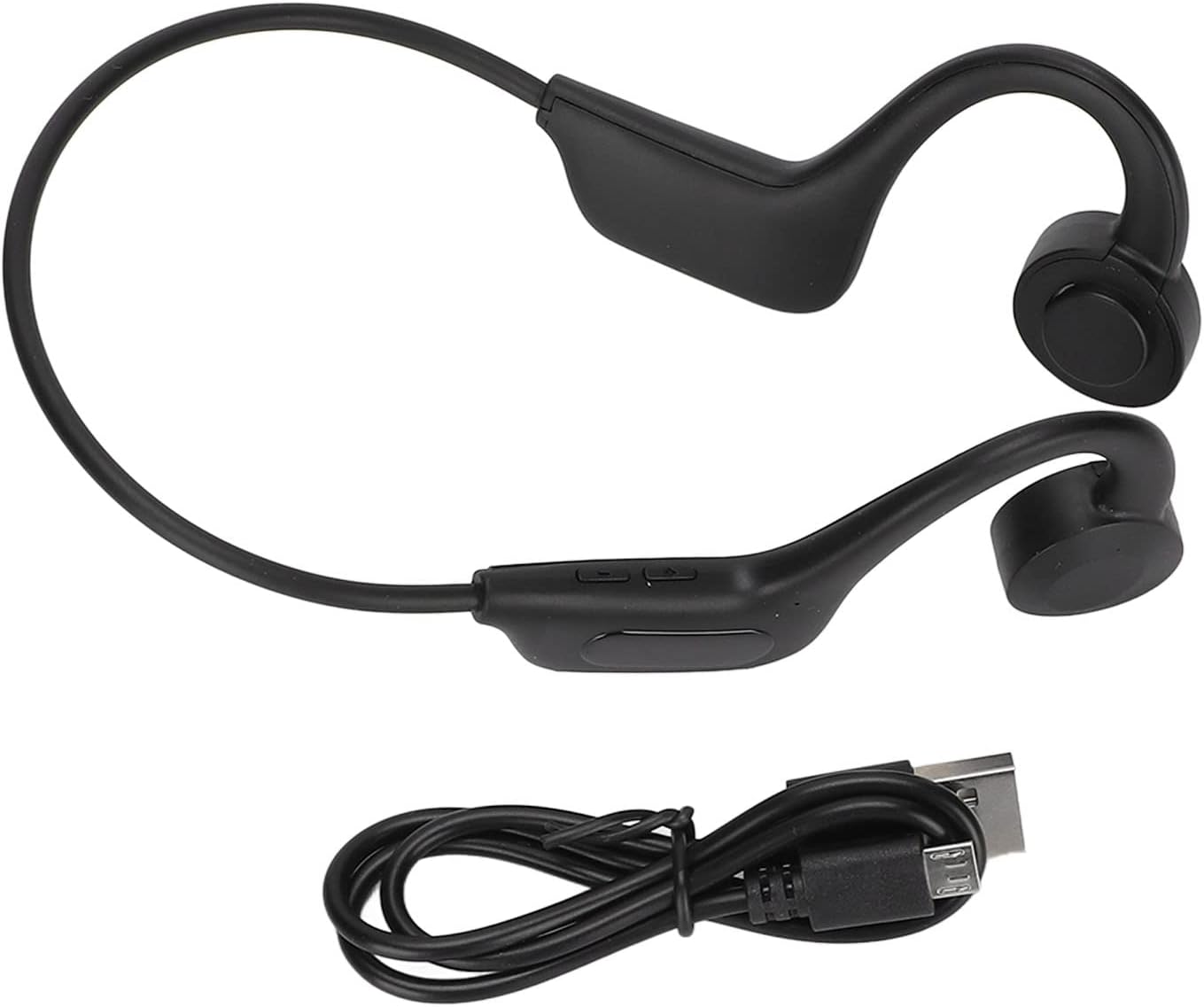
Image 2.1: The EBTOOLS Q33 headphones shown alongside the included USB charging cable. The headphones are black with a flexible neckband, and the cable is a standard black USB-A to micro-USB.
3. Spesifikasi
| Ciri | Spesifikasi |
|---|---|
| Model | Q33 (EBTOOLSpxquhg2zcg-11) |
| bahan | Plastik ABS |
| Jenis Sambungan | Bluetooth V5.1 |
| Jarak Tanpa Wayar | ≥10m / 32.8kaki |
| Protokol yang Disokong | A2DP1.3/HFP1.6/HSP1.2/AVRCP1.6/D11.3 |
| Jenis Bateri | Built-in 180mAh Lithium-ion Battery |
| Masa Main Semula | Lebih kurang 8 Jam |
| Masa Tunggu Sedia | Lebih kurang 80 Jam |
| Masa Mengecas | Lebih kurang 1 Jam |
| Faktor Bentuk | In Ear (Open Ear Design) |
| warna | Hitam |
| Ciri Khas | Lightweight, Air Conduction |
4. Persediaan
4.1. Pengecasan Awal
Before first use, fully charge your EBTOOLS Q33 headphones. Connect the provided USB data cable to the charging port on the headphones and the other end to a USB power source (e.g., computer USB port, wall adapter). The charging indicator light will typically show charging status and turn off or change color when fully charged.

Imej 4.1: Jarak dekat view of the charging port and control buttons on the EBTOOLS Q33 headphones. The micro-USB charging port is visible under a protective flap, alongside volume and power buttons.
4.2. Berpasangan dengan Peranti Bluetooth
- Pastikan fon kepala dimatikan.
- Long press the V+ button (Power button) until the indicator light flashes, indicating pairing mode.
- Pada peranti anda (telefon pintar, tablet, dll.), dayakan Bluetooth dan cari peranti yang tersedia.
- Select "Q33" from the list of found devices.
- Once connected, the indicator light on the headphones will typically stop flashing or change to a steady light.
5. Arahan Operasi
5.1. Hidupkan/Mati Kuasa
- Hidupkan kuasa: Long press the V+ button. The headphones will power on and enter play mode.
- Matikan: Long press the V+ button again.
5.2. Kawalan Main Semula
- Main/Jeda: (Specific button not detailed in input, typically a single press on a multi-function button or V+).
- Kelantangan: Short press V+ button.
- Perlahankan suara: Short press V- button.
- Lagu Seterusnya: (Specific button not detailed in input, typically long press V+ or double press).
- Trek Sebelumnya: (Specific button not detailed in input, typically long press V- or triple press).
5.3. Switching Modes (Bluetooth / Memory Card)
The Q33 headphones support both Bluetooth mode and Memory Card mode (if a memory card is inserted). To switch between these modes:
- Double click the V- button to toggle between Bluetooth mode and Memory Card mode.

Imej 5.1: Terperinci view of the control buttons on the left earpiece of the EBTOOLS Q33 headphones. The buttons include V+ (volume up/power), V- (volume down/mode switch), and a central multi-function button.
6. Penyelenggaraan
- Pembersihan: Use a soft, dry cloth to wipe the headphones. Do not use abrasive cleaners or immerse the device in water.
- Storan: Simpan fon kepala di tempat yang sejuk dan kering jauh dari cahaya matahari langsung dan suhu yang melampau.
- Penjagaan Bateri: To prolong battery life, avoid fully discharging the battery frequently. Charge the headphones regularly, even if not in use for extended periods.
7. Penyelesaian masalah
| Masalah | Penyelesaian yang Mungkin |
|---|---|
| Fon kepala tidak dihidupkan. | Ensure the battery is charged. Connect to a power source and charge for at least 1 hour. |
| Tidak boleh berpasangan dengan peranti. | Ensure headphones are in pairing mode (indicator light flashing). Turn off and on Bluetooth on your device. Move closer to the headphones. |
| Tiada bunyi. | Check volume levels on both headphones and connected device. Ensure headphones are properly connected via Bluetooth. |
| Kualiti bunyi yang buruk. | Ensure there are no obstructions between the headphones and the connected device. Move closer to the device. Check for interference from other wireless devices. |
8. Waranti dan Sokongan
Untuk maklumat waranti dan sokongan pelanggan, sila rujuk dokumentasi yang diberikan bersama pembelian anda atau hubungi terus penjual. Simpan bukti pembelian anda untuk sebarang tuntutan waranti.
For further assistance, you may visit the official EBTOOLS store on Amazon: EBTOOLS Store
Ask a question about this manual
Ask about setup, troubleshooting, compatibility, parts, safety, or missing instructions. Manuals+ will review the question and use this page’s manual context to help answer it.