
1. Pengenalan
The BOTSLAB W302 Outdoor Dual-Lens Security Camera is designed to provide comprehensive surveillance for your home or business. Featuring advanced dual-lens technology, it offers a 170° super-wide viewing angle and crystal-clear 4MP resolution. This manual provides detailed instructions for setting up, operating, and maintaining your security camera to ensure optimal performance.
2. Kandungan Pakej
Sila sahkan bahawa semua item yang disenaraikan di bawah disertakan dalam pakej anda. Jika ada item yang hilang atau rosak, sila hubungi sokongan pelanggan.
- Unit kamera x 1
- Kurungan x 1
- Pelekat kedudukan x 1
- Warning sticker x 1
- Panduan permulaan cepat x 1
- Penyesuai kuasa x 1
- Pek skru x 1

Figure 2.1: All components included in the BOTSLAB W302 camera package.
3. Ciri-ciri Produk
- Dual-Lens Vision: Captures a wide 170° super-wide viewing angle with 4MP (2MP+2MP) resolution for seamless panoramic images without blind spots.
- Penglihatan Malam Warna: Provides continuous color views 24/7, even in low light, thanks to automatic light adaptation (ColorGuard) and up to 100ft night vision range.
- Smart Security & Precise Alerts: Detects people and vehicles with motion detection, sending precise alerts. Features a customizable siren and light alarm for enhanced security.
- AI-Powered Tracking: Intelligently focuses on humans, offering close-up views and dual live views (wide panorama and close-up) simultaneously via the Botslab app.
- Ketersambungan yang lancar: Supports faster and more stable dual-band Wi-Fi (2.4GHz/5GHz).
- Audio Dua hala: Stay connected and communicate with visitors or deter intruders.
- Reka Bentuk Kalis Cuaca: IP66 rated, ensuring reliable performance in temperatures from -20°C to 60°C.
- Integrasi Rumah Pintar: Seamlessly integrates with Amazon Alexa and Google Assistant for voice control.

Figure 3.1: Dual-Lens Vision with 170° Super-Wide Angle.

Figure 3.2: Non-Stop Color Night Vision.

Figure 3.3: Smart Security with Person, Vehicle, and Motion Detection.
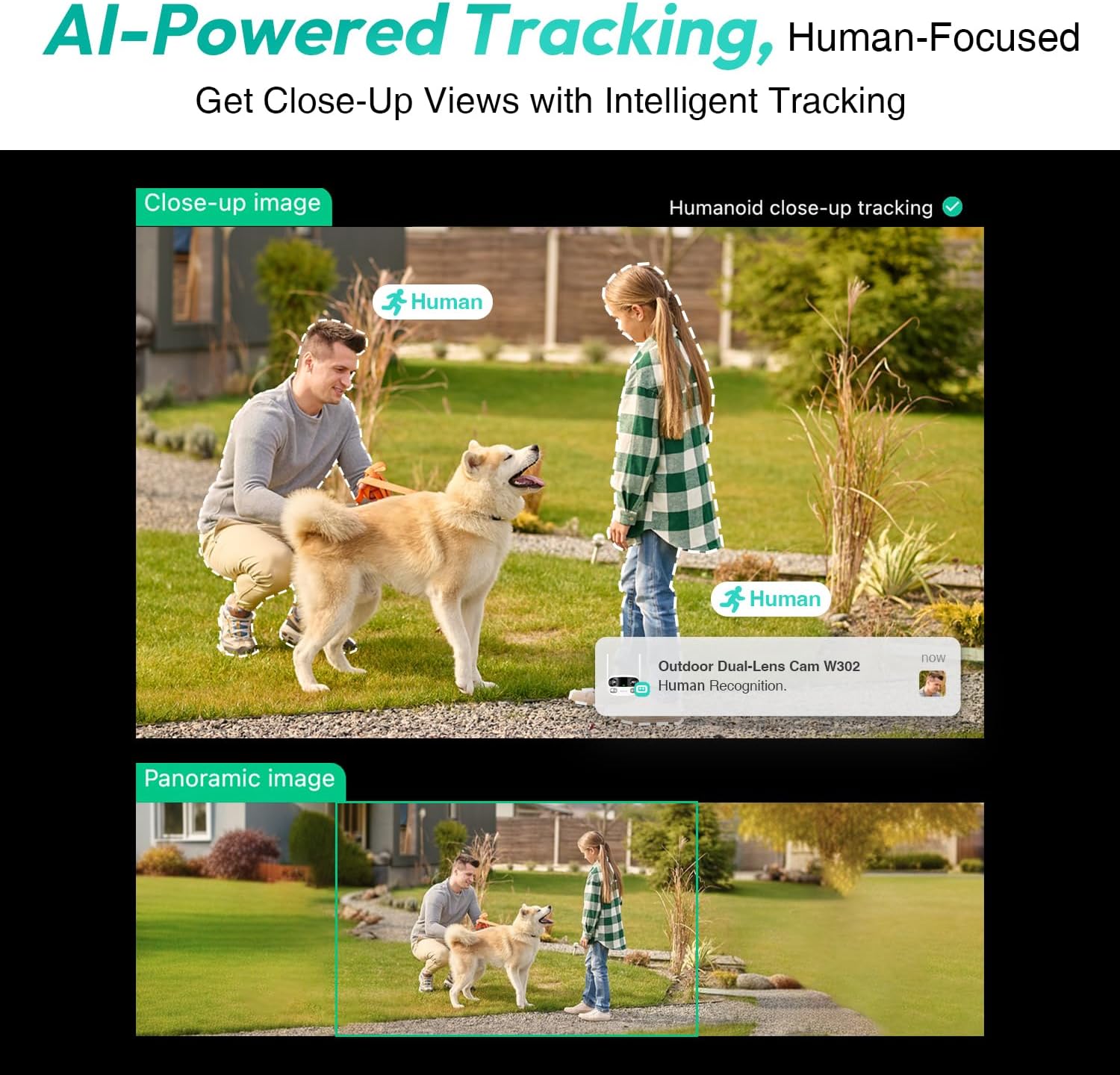
Figure 3.4: AI-Powered Human Tracking with Dual Live Views.
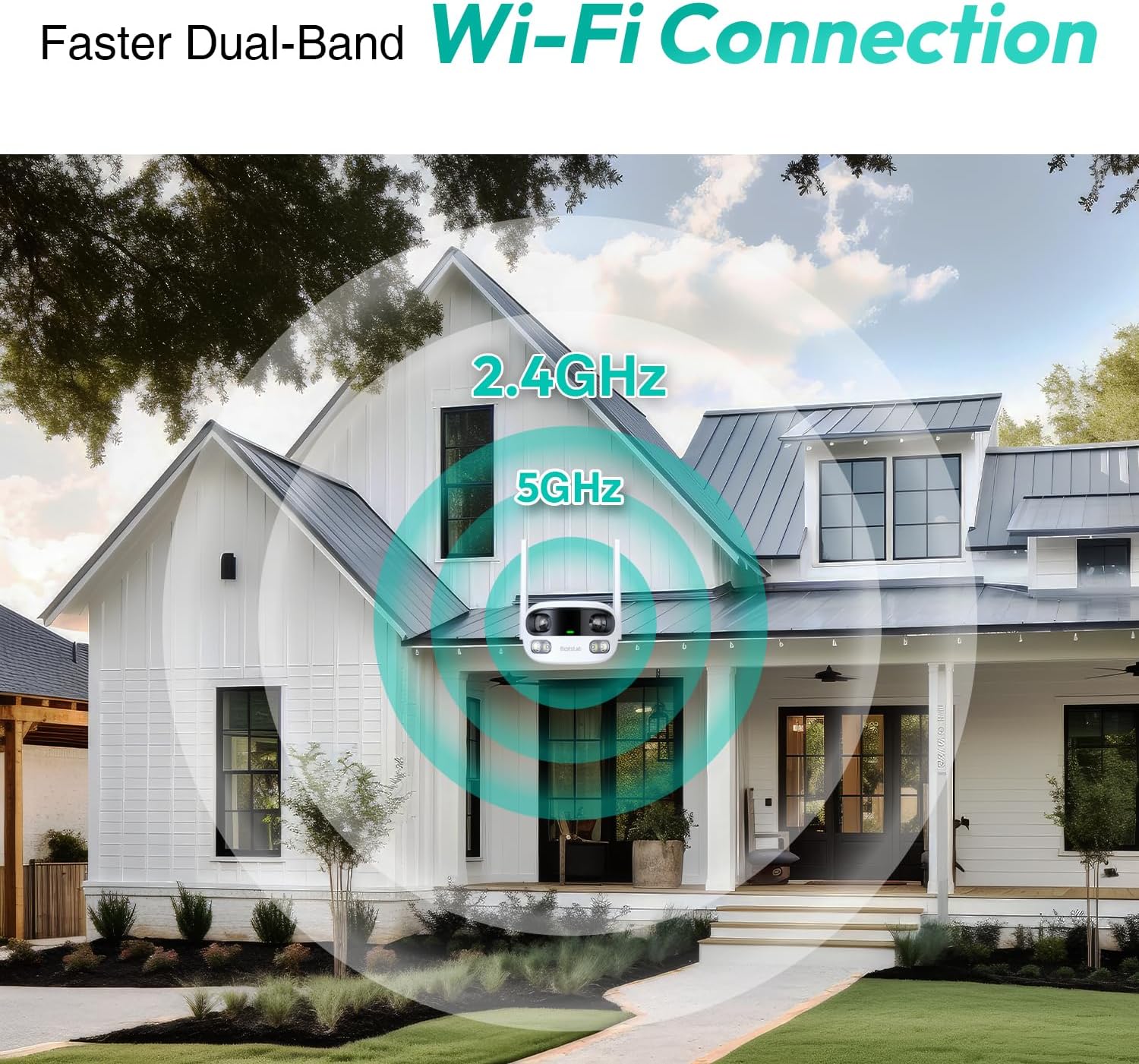
Figure 3.5: Faster Dual-Band Wi-Fi Connection.

Rajah 3.6: Komunikasi Audio Dua Hala.

Figure 3.7: IP66 Weatherproof Design.

Figure 3.8: Alexa & Google Assistant Integration.
4. Persediaan dan Pemasangan
Follow these steps to properly install your BOTSLAB W302 camera.
- Pilih Lokasi: Pilih lokasi luar yang bersih view of the area you wish to monitor. Ensure it's within Wi-Fi range and near a power outlet.
- Lekapkan Pendakap: Use the provided positioning sticker to mark drill holes on the wall or ceiling. Drill the holes, insert expansion tubes, and securely fasten the bracket with screws.
- Pasang Kamera: Rotate the camera body and screw it onto the bracket. Adjust the camera's position and tighten the bracket.
- Sambungkan Kuasa: Plug the power adapter into the camera and then into a power outlet. The indicator light will turn green and start flashing when ready for pairing.

Figure 4.1: Versatile Installation Options (Wall and Ceiling).
Video 4.1: Tamatview of the Botslab Security Camera Outdoor, including its features and installation process. This video is provided by Botslab Security.
5. Konfigurasi Apl
The Botslab app is essential for controlling and monitoring your camera. Download and install the app on your smartphone (available on App Store and Google Play).
- Daftar/Log Masuk: Open the Botslab app and register a new account or log in with an existing one.
- Tambah Peranti: Tap 'Add Device' or the '+' icon in the app.
- Imbas Kod QR: Imbas kod QR yang terdapat di bahagian bawah kamera anda.
- Sambung ke Wi-Fi: Follow the in-app instructions to connect the camera to your 2.4GHz or 5GHz Wi-Fi network. Ensure your phone is near the camera during this process.
- Pengikatan Peranti: The app will bind the device to your account. Once connected, the indicator light on the camera will turn solid blue.
Video 5.1: Satu kajian terperinciview of the Botslab W302 Outdoor Dual Lens Security Camera, including app setup and features. This video is provided by Galaxy Tech Review.
6. Arahan Operasi
Once configured, you can access and control your camera through the Botslab app.
- Langsung View: Access the live feed from both lenses. You can switch between close-up and panoramic views, or use the left/right mode for individual lens feeds.
- Sorot/Zum: In panoramic mode, slide the bottom image to pan left or right. Pinch to zoom on the close-up image.
- Audio Dua hala: Tap the phone icon to speak through the camera's speaker. Tap the mute icon to silence audio from the camera's microphone.
- Siren & Light Alarm: Activate the siren and floodlights manually from the app to deter intruders.
- Motion/Vehicle/Person Detection: Enable these features in the app settings to receive precise alerts.
- Zon Privasi: Set specific areas within the camera's view that will not be monitored for privacy.
- Penglihatan Malam: The camera automatically adapts to low light. You can choose between full-color night vision (using floodlights) or infrared night vision.

Figure 6.1: Dual Live Views on the Botslab App.

Figure 6.2: Siren & Light Alarm for Instant Deterrence.

Figure 6.3: Configuring Privacy Zones.

Figure 6.4: Smart Security with Precise Alerts.
7. Pilihan Storan
The BOTSLAB W302 offers flexible storage solutions for your recorded footage.
- Botslab Cloud Storage: Includes a one-year trial with 7-day storage for motion-detected clips at 5-minute intervals.
- Storan Setempat: Supports up to 256GB MicroSD cards (not included). The MicroSD card slot is located under a protective cover at the bottom of the camera.

Figure 7.1: Cloud and Local Storage Options.
8. Spesifikasi
| Ciri | Spesifikasi |
|---|---|
| Resolusi Tangkapan Video | 4 MP |
| Viewsudut | 170 Darjah |
| Teknologi Ketersambungan | Wi-Fi 2.4GHz/5GHz |
| Penilaian Perlindungan Antarabangsa | IP66 |
| Suhu Operasi | -20°C hingga 60°C |
| Keserasian Rumah Pintar | Amazon Alexa, Pembantu Google |
| Storan Tempatan | Up to 256GB MicroSD (Not Included) |
| Sumber Kuasa | Wired (AC power cord included) |
| warna | White Pro |
| Berat Barang | 1.63 paun |
9. Penyelenggaraan
- Pembersihan: Lap kanta dan badan kamera secara berkala dengan kain lembutamp kain untuk menghilangkan habuk dan kotoran. Jangan gunakan bahan kimia yang keras.
- Kemas kini Firmware: Check the Botslab app periodically for firmware updates to ensure optimal performance and security.
- Bekalan Kuasa: Ensure the camera is connected to a stable power source. Avoid using unofficial power adapters.
- Pengurusan Kad SD: If using local storage, regularly back up important footage and format the MicroSD card to maintain performance.
10. Penyelesaian masalah
- Kamera Luar Talian: Check Wi-Fi connection and power supply. Try restarting the camera and your router.
- Kualiti Video Lemah: Ensure the lens is clean. Check your Wi-Fi signal strength. Adjust camera placement if necessary.
- Isu Pengesanan Gerakan: Verify detection zones are correctly set in the app. Adjust sensitivity settings.
- Masalah Audio Dua Hala: Check microphone and speaker settings in the app. Ensure volume levels are adequate.
- Kad SD Tidak Merakam: Ensure the MicroSD card is inserted correctly and is not full. Format the card if issues persist.
11. Waranti dan Sokongan
BOTSLAB komited untuk menyediakan produk berkualiti tinggi dan perkhidmatan pelanggan yang cemerlang.
- Jaminan Kualiti: Enjoy a 365-day quality guarantee.
- Bantuan Teknikal: Sokongan teknikal seumur hidup disediakan.
- Pulangan: 30-day free returns.
- Fast Support: Expect support within 48 hours.
Untuk bantuan lanjut, sila layari global.botslab.com atau hubungi service@botslab.com.