
OLEVS XBC-G1106GH-HH
OLEVS XBC-G1106GH-HH Men's Chronograph Analog-Digital Watch Instruction Manual
Model: XBC-G1106GH-HH
pengenalan
Thank you for choosing the OLEVS XBC-G1106GH-HH Men's Chronograph Analog-Digital Watch. This timepiece combines a classic analog display with modern digital functions, including chronograph, alarm, day, and date. This manual provides detailed instructions for setting up and operating your watch to ensure optimal performance and longevity.

Image: The OLEVS XBC-G1106GH-HH watch featuring a black band and black dial, showcasing reka bentuknya yang mantap.
Produk Selesaiview
Familiarize yourself with the main components and controls of your OLEVS watch.
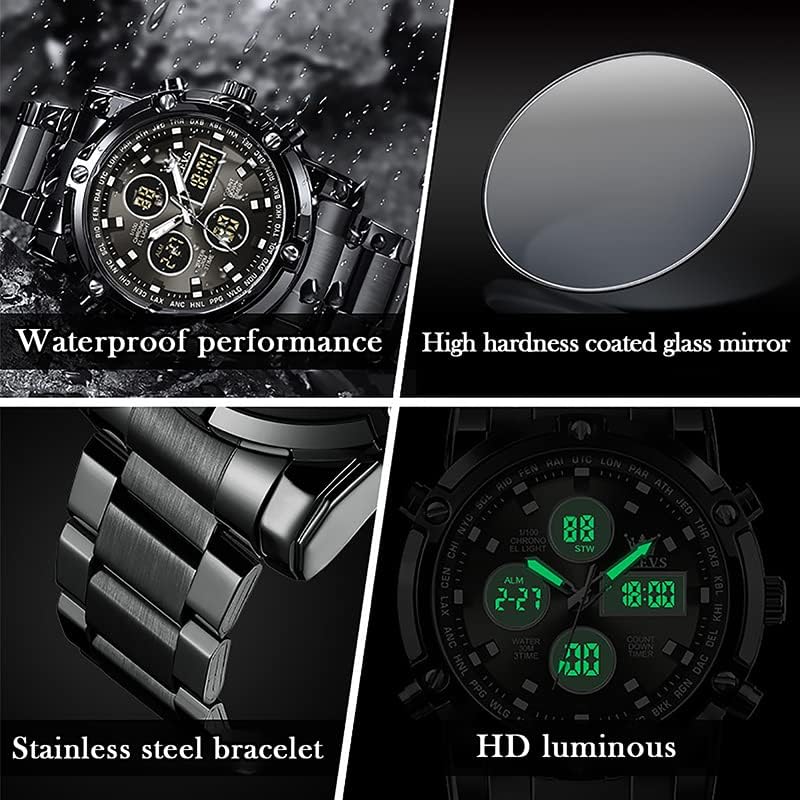
Image: Detailed diagram illustrating the various buttons and digital display functions of the OLEVS watch, including time, date, alarm, and chronograph indicators.
Watch Components and Functions:
- Mahkota: Used for setting analog time (pull out to adjust).
- Butang (Penolak): Control digital functions such as mode selection, setting adjustments, and chronograph operations.
- Paparan Analog: Jarum jam, minit dan saat tradisional.
- Paparan Digital: Multiple digital screens showing time, date, day, alarm, stopwatch, and countdown timer.
- Lampu latar: Illuminates the digital display for visibility in low light conditions.
- Paparan Minggu: Indicates the current day of the week (MON, TUE, WED, THU, FRI, SAT, SUN).
- Penunjuk Mod: AL (Alarm mode), ST (Stopwatch mode), TR (Countdown mode).
Persediaan
1. Menetapkan Masa Analog
- Tarik keluar mahkota yang terletak di sebelah kanan jam tangan.
- Putar mahkota untuk menggerakkan jarum jam dan minit ke masa yang dikehendaki.
- Tolak mahkota kembali ke dalam untuk memastikan tetapan masa.
2. Menetapkan Masa dan Tarikh Digital
The digital display allows for precise time, date, and day settings. Refer to the product overview imej untuk lokasi butang.
- Masukkan Mod Tetapan: Press and hold the button labeled "Long press to enter settings" (typically bottom-right) until the digital display starts flashing.
- Pilih Item untuk Dilaraskan: Press the button labeled "Convert hours, minutes when setting week, month, day, etc." (typically top-left) to cycle through the settings: seconds, hours, minutes, year, month, day, and week.
- Laraskan Nilai: Use the button labeled "Increment value when setting" (typically top-right) to increase the selected value.
- Sahkan dan Keluar: Once all settings are correct, press the button labeled "Long press to enter settings" again to exit the setting mode.
3. Menetapkan Penggera
- Masukkan Mod Penggera: Press the mode button (typically bottom-left, labeled "Convert seconds, timing Functions such as normal time" or similar) until "AL" (Alarm mode) is displayed on the digital screen.
- Enter Alarm Setting: Press and hold the button labeled "Long press to enter settings" until the alarm time starts flashing.
- Laraskan Masa Penggera: Use the button labeled "Convert hours, minutes when setting week, month, day, etc." to select hours or minutes, and the button labeled "Increment value when setting" to adjust the values.
- Aktifkan / Nyahaktifkan Penggera: While in Alarm mode (AL), press the button labeled "Alarm on" (typically bottom-right) to toggle the alarm on or off. An alarm icon will appear when activated.
- Tetapan Penggera Keluar: Press the button labeled "Long press to enter settings" to save and exit.
Fungsi Operasi
1. Menggunakan Kronograf (Jam Randik)
Fungsi kronograf membolehkan anda mengukur masa berlalu.
- Masuk ke Mod Jam Rantai: Press the mode button (typically bottom-left) until "ST" (Stopwatch mode) is displayed.
- Mula/Berhenti: Press the button labeled "Convert seconds, timing functions such as normal time" (typically bottom-left) to start the stopwatch. Press it again to stop.
- Tetapkan semula: While the stopwatch is stopped, press the button labeled "Increment value when setting" (typically top-right) to reset the stopwatch to zero.
2. Menggunakan Pemasa Undur
The countdown timer allows you to set a specific duration and will alert you when it reaches zero.
- Masuk ke Mod Undur: Press the mode button (typically bottom-left) until "TR" (Countdown mode) is displayed.
- Tetapkan Masa Undur: Press and hold the button labeled "Long press to enter settings" until the countdown time flashes. Use the button labeled "Convert hours, minutes when setting week, month, day, etc." to select hours or minutes, and the button labeled "Increment value when setting" to adjust the values. Press the button labeled "Long press to enter settings" again to save.
- Mula/Berhenti: Press the button labeled "Convert seconds, timing functions such as normal time" to start the countdown. Press it again to pause/resume.
- Tetapkan semula: While the countdown is paused, press the button labeled "Increment value when setting" to reset to the preset time.
3. Fungsi Lampu Belakang
To illuminate the digital display in dark conditions, press the button labeled "Backlit keys" (typically top-left). The backlight will typically stay on for a few seconds.
Garis Panduan Ketahanan Air
Your OLEVS XBC-G1106GH-HH watch is rated for 30 meters (3ATM) water resistance. This means it is suitable for daily use and can withstand splashes, rain, and brief immersion in water. However, it is bukan sesuai untuk berenang, menyelam atau mandi dengan air panas, kerana perubahan wap dan suhu boleh menjejaskan anjing laut.
- jangan operate any buttons or pull out the crown while the watch is wet or submerged.
- Avoid exposing the watch to extreme temperature changes.
- If the watch comes into contact with saltwater, rinse it with fresh water and dry thoroughly.

Image: The OLEVS watch demonstrating its water-resistant capabilities, suitable for splashes and rain.
Penyelenggaraan
Proper care will extend the life and maintain the appearance of your watch.
- Pembersihan: Wipe the watch case and strap regularly with a soft, dry cloth. For stainless steel, a slightly damp kain boleh digunakan, diikuti dengan pengeringan segera.
- Elakkan Bahan Kimia: Jangan dedahkan jam tangan kepada pelarut, detergen, pewangi atau semburan kosmetik, kerana ini boleh merosakkan bekas, tali atau pengedap.
- Suhu: Avoid exposing the watch to extreme temperatures (above 60°C / 140°F or below 0°C / 32°F) or sudden temperature changes.
- Medan Magnet: Keep the watch away from strong magnetic fields, which can affect the accuracy of the quartz movement.
- Penggantian Bateri: When the watch battery runs low, the digital display may dim or the watch may stop. Have the battery replaced by a qualified watch technician to ensure water resistance is maintained.
Menyelesaikan masalah
| Masalah | Kemungkinan Punca | Penyelesaian |
|---|---|---|
| Tangan analog tidak bergerak | Battery depleted; Crown pulled out; Mechanical issue. | Check if crown is pushed in. Replace battery. Contact service if issue persists. |
| Paparan digital kosong atau malap | Bateri habis. | Gantikan bateri. |
| Incorrect time/date displayed | Time/date not set correctly; Watch exposed to strong magnetic fields. | Reset time and date according to instructions. Keep watch away from magnets. |
| Butang tidak bertindak balas | Watch is wet; Internal malfunction. | Ensure watch is dry before operating buttons. If issue persists, contact service. |
Spesifikasi
- Jenama: OLEVS
- Nombor Model: XBC-G1106GH-HH
- Jenis Paparan: Analog-Digital
- Pergerakan: Kuarza
- Sumber Kuasa: Dikuasakan Bateri
- Bahan kes: Keluli Tahan Karat
- Bahan Band: Keluli Tahan Karat
- Kristal: Hardlex
- Diameter Sarung: 48 Milimeter
- Ketebalan Sarung: 16 Milimeter
- Lebar jalur: 23 Milimeter
- Kedalaman Rintangan Air: 30 Metres (3ATM)
- Jenis Kancing: Tekan Butang Lipat Pengapit Dengan Keselamatan
- Fungsi: Chronograph, LED Backlight, Day, Date, Alarm, Stopwatch, Countdown Timer
Waranti dan Sokongan
For warranty information and customer support, please refer to the documentation provided with your purchase or contact the retailer where you purchased the OLEVS XBC-G1106GH-HH watch. Keep your proof of purchase for any warranty claims.
For further assistance, you may also visit the official OLEVS webtapak atau hubungi terus bahagian perkhidmatan pelanggan mereka.
Ask a question about this manual
Ask about setup, troubleshooting, compatibility, parts, safety, or missing instructions. Manuals+ will review the question and use this page’s manual context to help answer it.