
pengenalan
The GOOVIS D4H1 is a portable stream media player designed to deliver a cinema-quality 4K entertainment experience. Powered by Android 11 and featuring an Amlogic S905Y4 SoC, it supports advanced decoding formats such as AV1, VP9, H.264, and H.265 (HEVC) at up to 4K resolution and 60Hz. With HDR10 and HLG support, it provides vivid contrast and rich colors. The device includes a built-in 8000mAh battery for extended playback and Chromecast for seamless wireless casting.
Apa yang ada dalam Kotak
Upon unboxing your GOOVIS D4H1 Portable Stream Media Player, you should find the following items:

Imej: Contents of the GOOVIS D4H1 box. From left to right: Remote Control, Portable Media Player (Powerbank Base), USB-C to USB-C Cable, and Quick Reference Guide (User Manual).
- Alat Kawalan Jauh
- Powerbank Base (Portable Media Player)
- Kabel USB-C ke USB-C
- User Manual (Quick Reference Guide)
Ciri-ciri Produk
Ultra-Smooth 4K Decoding with HDR Support
The GOOVIS D4H1 is powered by an advanced Amlogic S905Y4 SoC, enabling smooth and efficient decoding of modern video formats such as AV1, VP9, H.264, and H.265 (HEVC) at up to 4K resolution and 60Hz. Support for HDR10 and HLG technologies enhances the viewing experience with vibrant contrast, deeper blacks, and richer colors.

Imej: A user enjoying streaming content on a large virtual screen, highlighting the 4K decoding and HDR capabilities of the device.
Android TV with Built-in Streaming Apps
Running on Android 11, the D4H1 provides access to a wide range of major video streaming platforms through the integrated Google Play Store. Enjoy movies, TV shows, and other entertainment content with ease.
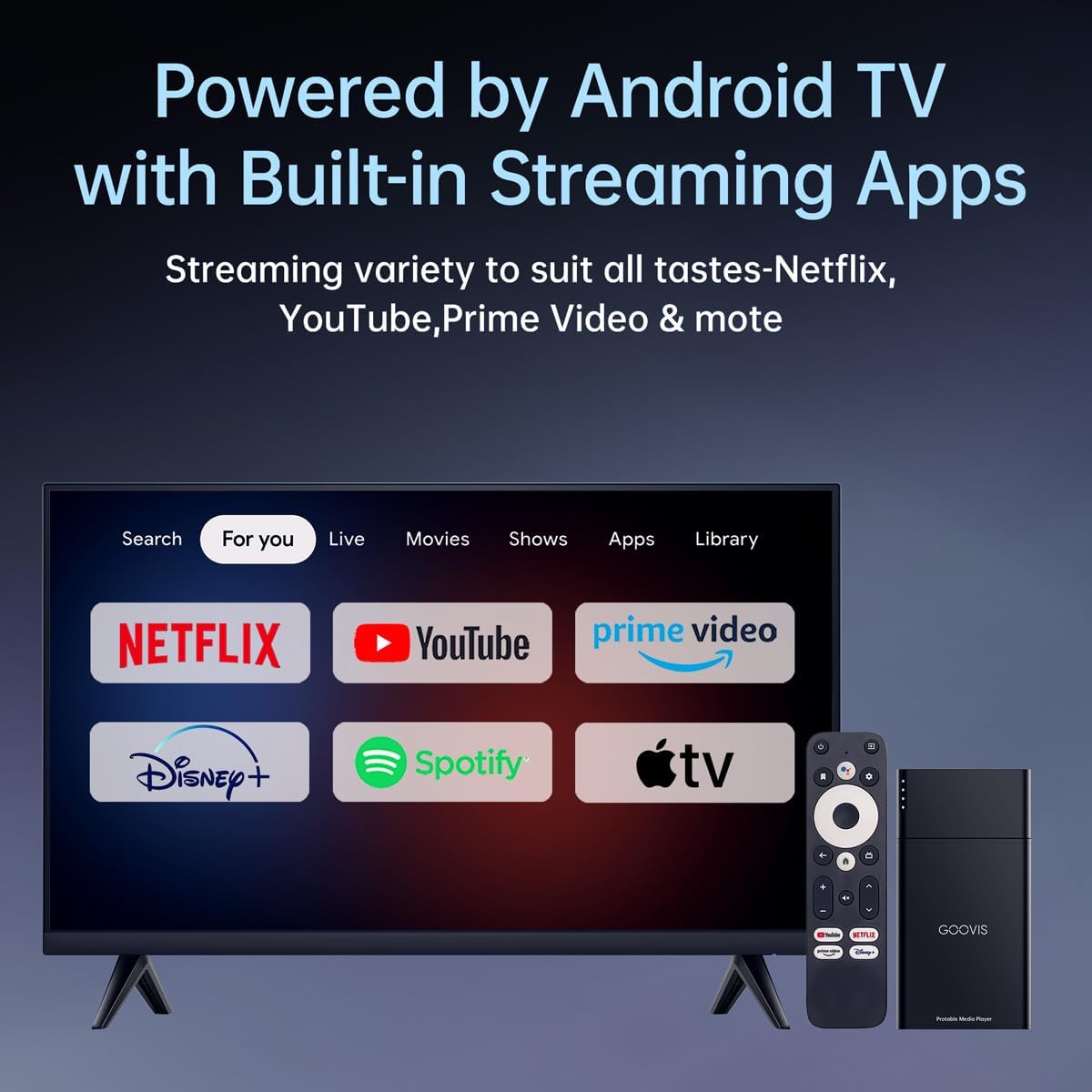
Imej: A television screen showing popular streaming service logos, indicating the device's compatibility with various apps via Android TV.
Built-in 8000mAh Battery for On-the-Go Streaming
Equipped with an 8000mAh battery, the D4H1 offers up to 6 hours of continuous video playback, sufficient for multiple movies on a single charge. This feature makes it ideal for travel, commuting, or outdoor use.

Imej: A user watching a movie on an airplane with a VR headset, powered by the portable media player, emphasizing its battery life for travel.
Wireless Casting with Chromecast Built-in
Chromecast built-in allows for seamless wireless casting from Android devices, iPhones, tablets, and laptops. You can stream videos, apps, or mirror your entire screen to a connected display, such as a GOOVIS HMD, TV, or projector, without needing to switch inputs or plug in additional devices.
Expandable Storage for Local Playback
The device comes with 16GB of internal storage and supports microSD expansion, providing convenient options for local media storage and offline playback.

Imej: Satu jarak dekat view of the microSD card slot on the GOOVIS D4H1, illustrating its expandable storage capability.
Persediaan dan Sambungan
Connecting to a TV or Projector (HDMI)
To connect your GOOVIS D4H1 to a television or projector:
- Connect one end of the HDMI cable (not included) to the HDMI port on the GOOVIS D4H1.
- Connect the other end of the HDMI cable to an available HDMI input port on your TV or projector.
- Connect the USB-C power cable to the D4H1 and a power source (e.g., USB wall adapter, power bank).
- Select the corresponding HDMI input on your TV or projector.
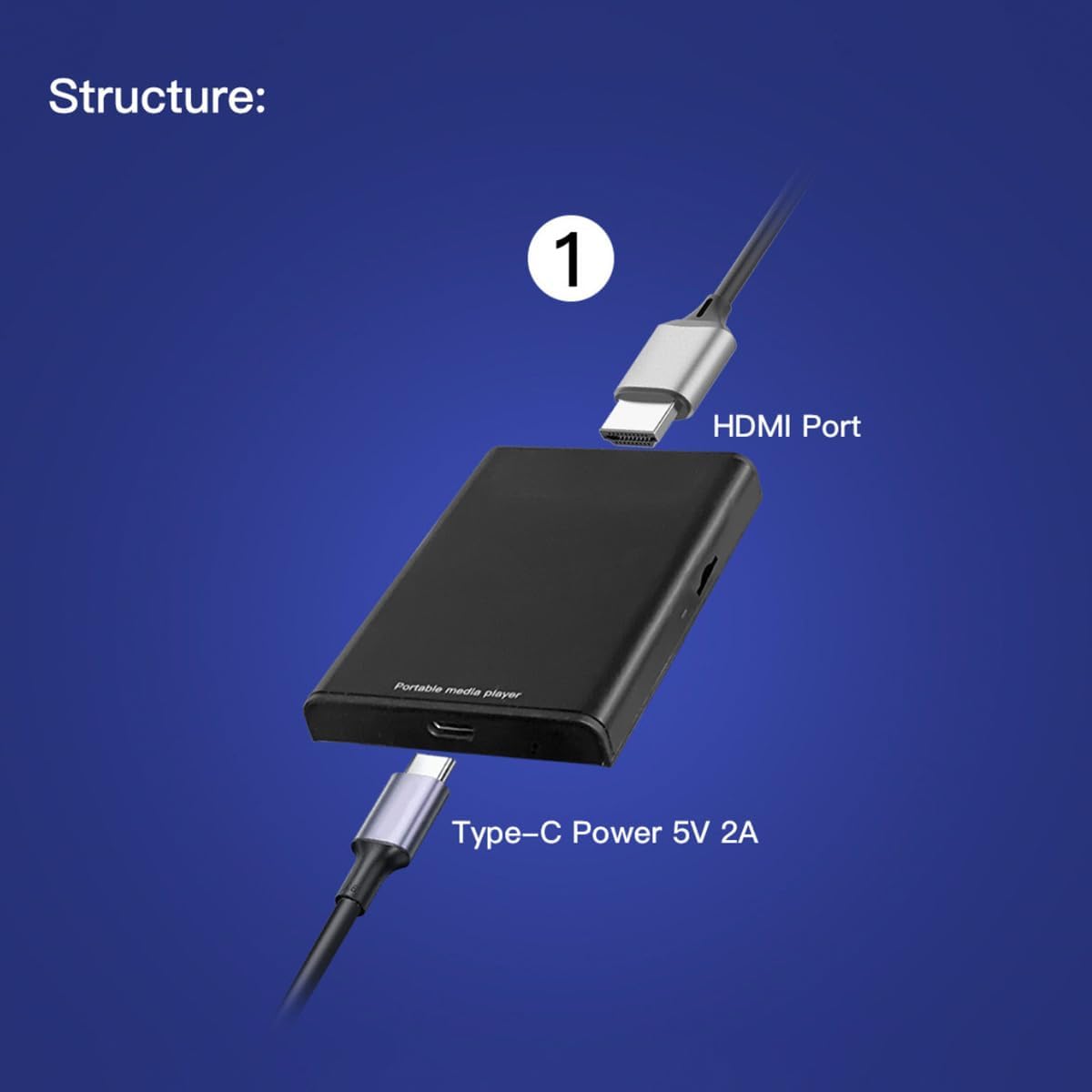
Imej: A visual guide demonstrating how to connect the GOOVIS D4H1 to a TV or projector using an HDMI cable and a USB-C power cable.
Connecting to GOOVIS HMDs or AR Glasses (via Adapter)
If you are connecting to a GOOVIS Head-Mounted Display (HMD) or AR Glasses, you will need a GOOVIS HC 2.0 HDMI to USB-C Adapter (sold separately):
- Connect the HDMI cable from the GOOVIS D4H1 to the HDMI input on the GOOVIS HC 2.0 adapter.
- Connect a USB-C cable from the USB-C output of the adapter to your GOOVIS HMD or AR Glasses.
- Ensure the GOOVIS D4H1 is powered on.

Imej: A diagram illustrating the connection of the GOOVIS D4H1 to GOOVIS HMDs or AR glasses using an HDMI to USB-C adapter.
Arahan Operasi
Hidupkan/Mati Kuasa
To power on the GOOVIS D4H1, ensure it is connected to a power source. The device will typically power on automatically or can be activated using the remote control's power button. To power off, use the power button on the remote control.
Menggunakan Alat Kawalan Jauh
The included remote control allows you to navigate the Android TV interface, select apps, control media playback (play, pause, skip), and adjust volume. Familiarize yourself with the button layout for optimal use.
Menavigasi Android TV
The Android TV interface is user-friendly. Use the directional pad on the remote to move between apps and menus. Press the 'OK' or 'Select' button to open an app or confirm a selection. The 'Back' button will return you to the previous screen.
Menstrim Kandungan
Open your desired streaming application (e.g., Netflix, YouTube) from the home screen. Browse or search for content and select to play. Ensure you have an active internet connection for streaming.
Wireless Casting (Chromecast)
To cast content from your mobile device or computer:
- Ensure your mobile device/computer and the GOOVIS D4H1 are connected to the same Wi-Fi network.
- Open a Chromecast-enabled app on your mobile device/computer.
- Tap the Cast icon (usually a rectangle with a Wi-Fi symbol) and select your GOOVIS D4H1 from the list of available devices.
- The content will begin playing on the connected display.
Local Media Playback
To play media from expandable storage:
- Insert a microSD card into the TF card slot or connect a USB drive to the USB port.
- Navigasi ke a file manager app or a media player app on the Android TV interface.
- Browse to the inserted storage device and select the media file anda ingin bermain.
Spesifikasi
| Ciri | Perincian |
|---|---|
| Jenama | Goovis |
| Nama Model | D4H1 |
| Berat Barang | 10.9 auns (0.31 Kilogram) |
| Dimensi Produk | 2.2 x 1.5 x 0.3 inci |
| warna | Hitam |
| Teknologi Ketersambungan | HDMI |
| Jenis Penyambung | HDMI |
| Resolusi | 1080p, 4K |
| Perkhidmatan Internet yang Disokong | Netflix (and other Android TV apps) |
| Jenis Pengawal | Alat Kawalan Jauh |
| Faktor Bentuk | Batang TV |
| Sistem Operasi | Android 11 |
| Storan Dalaman | 16GB |
| Bateri | 8000mAh |
Penyelenggaraan
- Pembersihan: Gunakan kain lembut dan kering untuk membersihkan peranti. Elakkan pembersih cecair atau bahan yang melelas.
- Storan: Simpan peranti di tempat yang sejuk dan kering jauh dari cahaya matahari langsung dan suhu yang melampau.
- Penjagaan Bateri: For optimal battery life, avoid fully discharging the battery frequently. Charge the device regularly, even when not in use for extended periods.
Menyelesaikan masalah
- Tiada Kuasa: Ensure the USB-C power cable is securely connected to the device and a working power source.
- Tiada Isyarat pada Paparan: Verify that the HDMI cable is correctly connected to both the D4H1 and the display. Check that the correct HDMI input is selected on your TV or projector. If using an adapter, ensure it is properly connected and powered.
- Apl Tidak Memuatkan/Ranap: Try restarting the D4H1. If the issue persists, clear the cache of the problematic app via Android TV settings or reinstall the app.
- Casting Issues: Confirm both the D4H1 and your casting device are on the same Wi-Fi network. Restart both devices if necessary.
Waranti dan Sokongan
The GOOVIS D4H1 Portable Stream Media Player comes with a standard manufacturer's warranty. For detailed warranty information, please refer to the documentation included in your product packaging or visit the official Goovis website. For technical support or any inquiries, please contact Goovis customer service.
Video Produk Rasmi
Watch this short official video for a quick overview of the GOOVIS D4 Portable Media Player:
Video: Selesai taklimatview of the GOOVIS D4 Portable Media Player, showcasing its key features and portability.