
pengenalan
This manual provides instructions for the Brizled Smart Christmas Tree Topper, Model STPRGB001. This device is designed to enhance your holiday decorations with customizable lighting effects, controlled via a smartphone application or voice commands through compatible smart home assistants.

Figure 1: Brizled Smart Christmas Tree Topper with app control interface.
Maklumat Keselamatan Penting
- Ensure the product is used indoors or in a protected outdoor environment suitable for electronic devices.
- Jangan dedahkan peranti kepada kelembapan berlebihan atau suhu yang melampau.
- Jauhkan daripada kanak-kanak dan haiwan peliharaan.
- Putuskan sambungan kuasa sebelum membersihkan atau melakukan sebarang penyelenggaraan.
- Use only with the specified power adapter.
Kandungan Pakej
Sila sahkan bahawa semua barang ada:
- Brizled Smart Christmas Tree Topper (1 unit)
- Penyesuai Kuasa (1 unit)
- Manual Pengguna (dokumen ini)
Spesifikasi
| Ciri | Perincian |
|---|---|
| Nombor Model | STPRGB001 |
| Saiz | 7.5 inci (19.4 cm) |
| Kuantiti LED | 11 LED |
| Panjang Plumbum | 9.84 kaki |
| Ketersambungan | Wi-Fi (2.4GHz sahaja) |
| Kaedah Kawalan | Kawalan Apl, Kawalan Suara (Alexa, Google Assistant) |
| Pilihan Warna | 16 Juta Warna RGB |
| Sumber Kuasa | AC Power Adapter (No batteries required) |
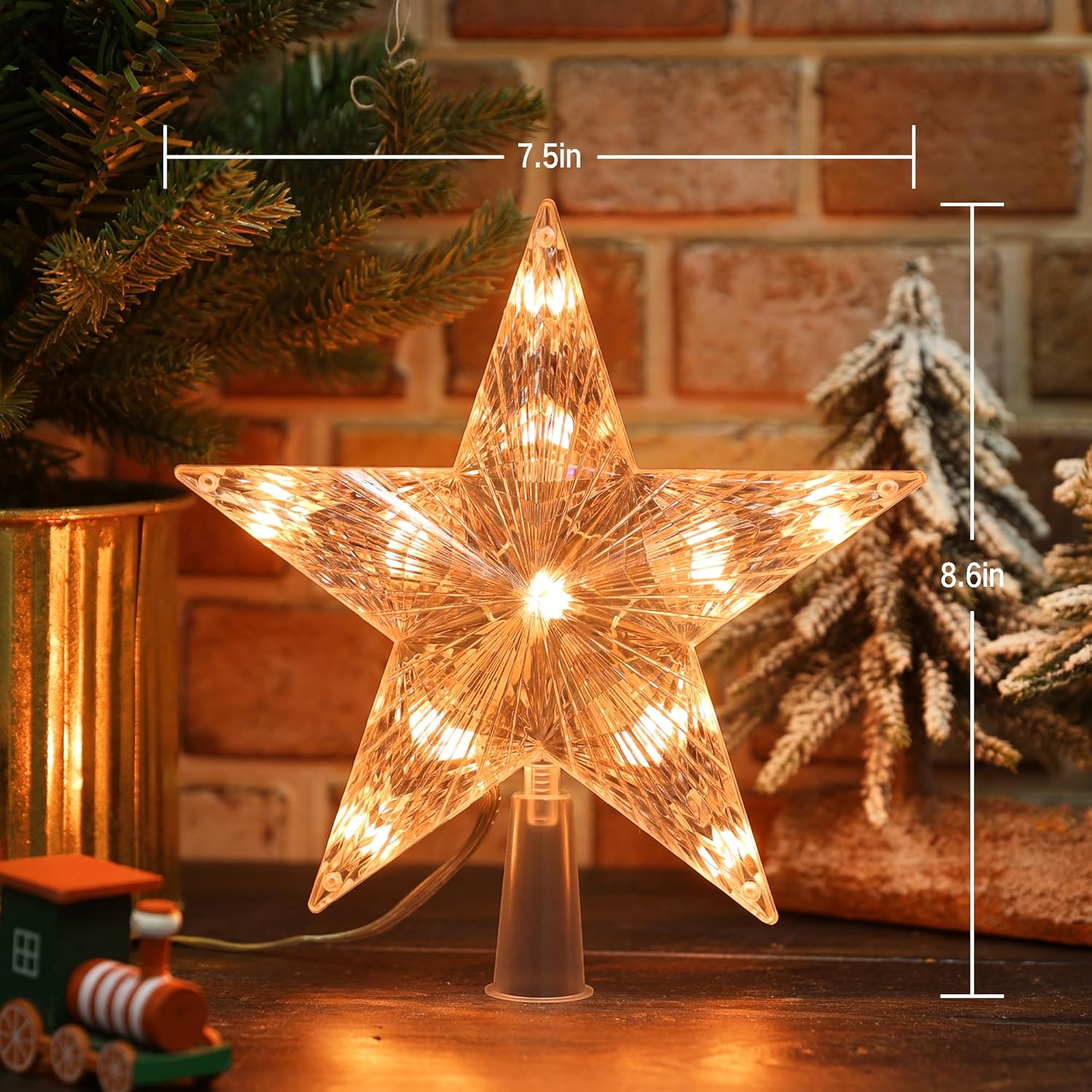
Figure 2: Product dimensions for the Brizled Smart Christmas Tree Topper.
Arahan Persediaan
1. Pemasangan Fizikal
- Carefully remove the Brizled Smart Christmas Tree Topper from its packaging.
- Place the base of the star topper securely onto the top of your Christmas tree. Ensure it is stable and upright.
- Connect the power adapter to the tree topper and then plug it into a standard electrical outlet.
2. Muat Turun dan Pemasangan Apl
The Brizled Smart Christmas Tree Topper is controlled via a dedicated smartphone application. Cari untuk "Brizled" or "Smart Tree Topper" in your device's app store.
- For iOS devices: Download from the Apple App Store.
- For Android devices: Download from the Gedung Google Play.
Install the application and create an account if you are a new user.

Figure 3: App interface showing Wi-Fi connection status for the tree topper.
3. Connecting to Wi-Fi and Pairing
- Ensure your smartphone is connected to a 2.4GHz Wi-Fi network. 5GHz networks are not supported.
- Buka aplikasi yang dipasang.
- Follow the in-app instructions to add a new device. This typically involves selecting "Lighting" or "Christmas Lights" and then following prompts to put the tree topper into pairing mode (often indicated by a blinking light).
- Masukkan kata laluan rangkaian Wi-Fi anda apabila digesa.
- Once connected, you can rename your device for easier identification.
Arahan Operasi
1. Kawalan Apl
The Brizled app provides comprehensive control over your tree topper:
- Pilihan Warna: Choose from 16 million RGB colors using a color wheel or preset options.
- Pelarasan Kecerahan: Laraskan keamatan cahaya dari 0% hingga 100%.
- Mod Dinamik: Select from various pre-programmed lighting effects such as fades, flashes, chases, and more.
- Custom DIY Modes: Create and save your own unique lighting patterns and color sequences.
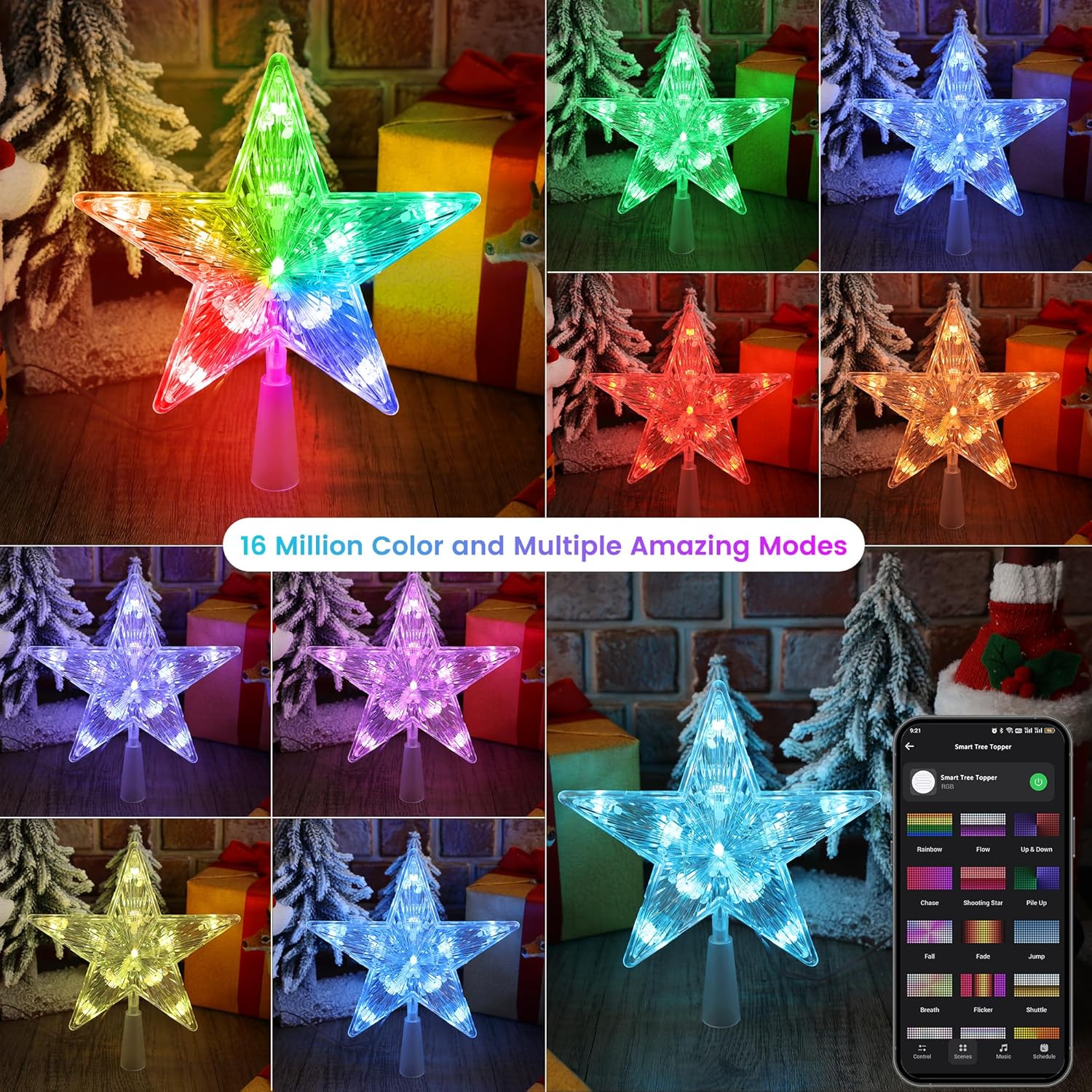
Gambar 4: Cthamples of 16 million color options and multiple dynamic modes available via the app.

Figure 5: The app interface showing various preset stunning modes for the tree topper.
2. Kawalan Suara (Alexa & Google Assistant)
Integrate your tree topper with Amazon Alexa or Google Assistant for hands-free control. Ensure your device is linked within the respective smart home app.
Perintah Suara Biasa:
- "Alexa, hidupkan [Nama Peranti]."
- "Ok Google, matikan [Nama Peranti]."
- "Alexa, set [Device Name] to red."
- "Hey Google, brighten [Device Name] to 75%."
- "Alexa, dim [Device Name]."

Figure 6: Voice control integration with smart assistants like Alexa and Google Home.
3. Automations and Schedules
Set up custom schedules and automations within the app to control when your tree topper turns on/off, changes colors, or activates specific modes.
- Jadual: Program specific times for the topper to operate daily or on selected days.
- Automasi: Create rules based on conditions like sunrise/sunset, or in conjunction with other smart devices.
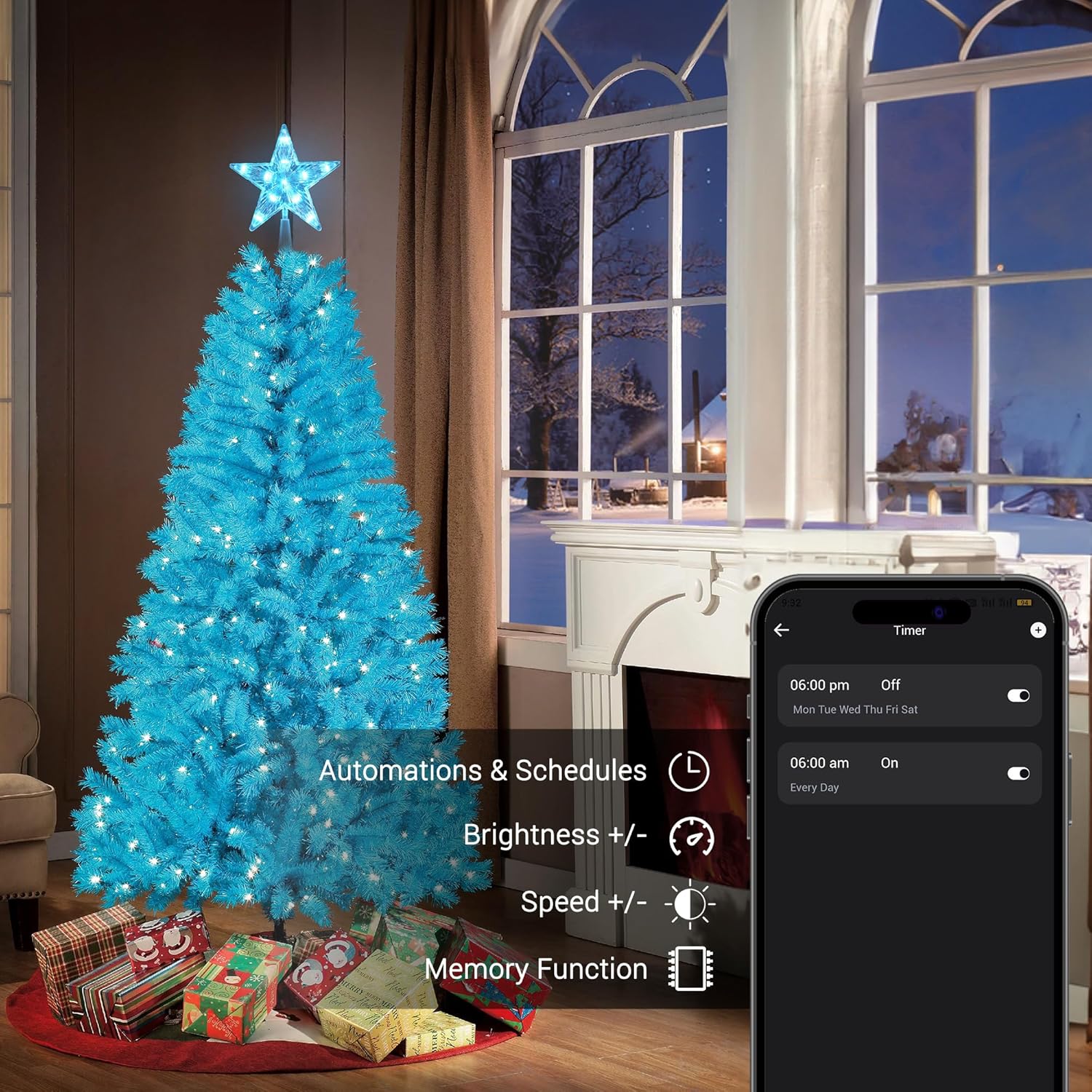
Figure 7: App interface for setting automations and schedules, including brightness and speed adjustments.
4. Music Sync
The tree topper can synchronize its lighting effects with music played through your smartphone's microphone or a connected audio source. Select from various rhythm types within the app.

Figure 8: The app's music sync feature, allowing lights to dance to music.
5. Kawalan Kumpulan
If you have multiple Brizled smart lighting products, you can group them within the app to control them simultaneously. This allows for synchronized color changes, brightness adjustments, and scene activations across all grouped devices.
Penyelenggaraan
- Pembersihan: Gently wipe the tree topper with a soft, dry cloth. Do not use abrasive cleaners or solvents.
- Storan: When not in use, store the tree topper in its original packaging or a protective container in a cool, dry place.
- Pemeriksaan: Periodically check the power cord and connections for any signs of damage. Discontinue use if damage is found.
Menyelesaikan masalah
| Masalah | Kemungkinan Punca | Penyelesaian |
|---|---|---|
| Topper does not light up. | No power, loose connection, or device malfunction. | Ensure the power adapter is securely plugged into the topper and the wall outlet. Check if the outlet is functional. |
| Tidak dapat menyambung ke Wi-Fi. | Incorrect Wi-Fi band, wrong password, or too far from router. | Confirm your router is broadcasting a 2.4GHz network. Re-enter Wi-Fi password carefully. Move the topper closer to the router during setup. |
| Kawalan suara tidak berfungsi. | Not linked to smart assistant, incorrect device name, or internet connectivity issues. | Verify the topper is linked in your Alexa/Google Home app. Use the exact device name. Check your internet connection. |
| Lights are flickering or behaving erratically. | Unstable power supply or software glitch. | Unplug the topper for 30 seconds, then plug it back in. Ensure the power source is stable. |
Waranti dan Sokongan
Brizled products are designed for quality and reliability. For warranty information, technical support, or customer service inquiries, please refer to the contact information provided on the product packaging or visit the official Brizled webtapak.
Anda juga boleh melawat Brizled Store on Amazon untuk maklumat produk tambahan dan sumber sokongan.