
1. Produk Lebihview
The Tenveo VHD20U is a professional 1080P Full HD 60FPS video conference camera featuring a 20x optical zoom and AI tracking capabilities. Equipped with a 1/2.8-inch SONY CMOS sensor and 2.38 megapixels, it delivers crystal-clear images with accurate color reproduction. Its ultra-wide 60° viewing angle ensures all participants are visible. The camera supports smooth and silent pan/tilt movements, with 350° horizontal rotation (±175°) and 180° vertical rotation (±90°).
The VHD20U offers versatile connectivity options including USB3.0, HDMI, RS485, and RS232, making it suitable for various scenarios such as business meetings, educational institutions, medical applications, and live streaming events. It is compatible with popular conferencing software like Zoom, Microsoft Teams, Google Meet, Skype, and OBS, and supports Windows, Mac OS, Linux, and Android operating systems.
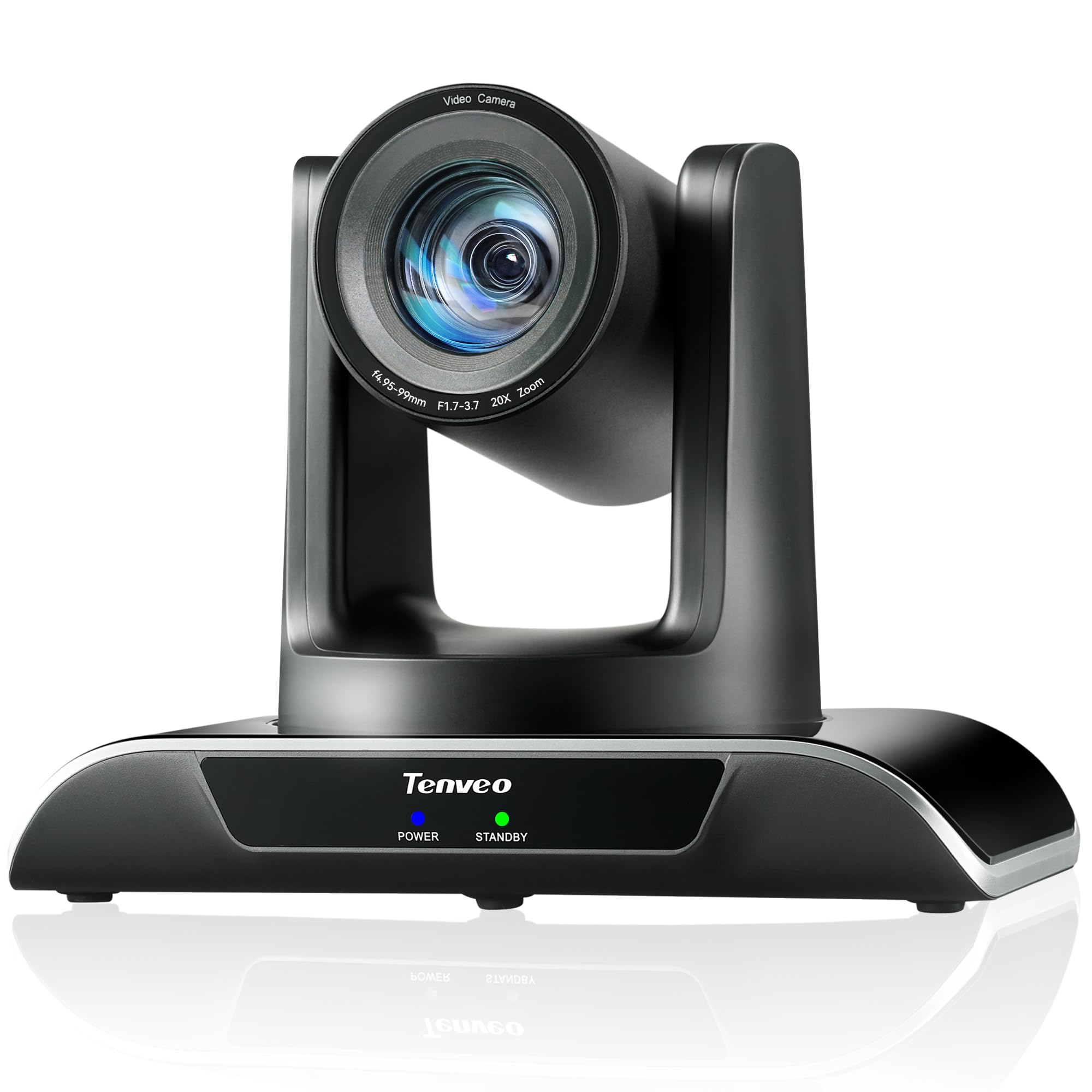
Figure 1: Tenveo VHD20U PTZ Conference Camera.

Figure 2: Tenveo VHD20U Conference Camera highlighting 20X Optical Zoom.
2. Kandungan Pakej
Sila tandai kotak untuk item berikut:
- Tenveo VHD 20X HDMI PTZ Camera
- IR Remote Control (batteries not included)
- Kabel USB
- Wall Mount Bracket with Screws
- Penyesuai Kuasa DC 12V/2A
- Manual Arahan
3. Arahan Persediaan
Follow these steps to set up your Tenveo VHD20U camera:
- Sambungan Kuasa: Connect the DC 12V/2A power adapter to the camera's power input port and then plug it into a power outlet.
- Output Video:
- Sambungan USB: For direct connection to a computer, use the provided USB cable to connect the camera's USB3.0 port to your computer. This is plug-and-play for most operating systems.
- Sambungan HDMI: For high-definition video output to a display or video switcher (e.g., Blackmagic ATEM Mini), connect an HDMI cable from the camera's HDMI port to your display device.
- Sambungan Kawalan (Pilihan):
- RS232/RS485: For professional control systems, connect the appropriate serial cables to the RS232 or RS485 ports.
- Pemasangan: The camera can be installed in various ways to suit your environment: desktop, tripod, ceiling, or wall mount. Use the included wall mount bracket and screws for wall installation. Ensure the camera is securely fastened in your chosen position.

Figure 3: Various installation methods for the Tenveo VHD20U camera.

Figure 4: HDMI 2.0 connectivity for video conferencing and live streaming.
4. Arahan Operasi
4.1 Fungsi Kawalan Jauh
The included IR remote control allows for easy adjustment of camera settings and movement:
- Kekunci Kawalan PTZ: Use the arrow keys to pan (horizontal movement) and tilt (vertical movement) the camera.
- Zoom Keys: Use the '+' and '-' buttons to zoom in and out. The camera features 20x optical zoom.
- Focus Keys: Adjust the focus manually using the dedicated focus buttons. Auto-focus is the default setting.
- Preset Keys: The camera supports up to 10 presets via the IR remote. To set a preset, move the camera to the desired position, then press the 'PRESET' button followed by a number (0-9). To recall a preset, press the number button.
- Butang Menu: Access the On-Screen Display (OSD) menu for advanced settings.
- PTZ Reset Key: Mengembalikan kamera ke kedudukan asalnya.

Rajah 5: Susun atur dan fungsi alat kawalan jauh.
4.2 Keserasian Perisian
The Tenveo VHD20U camera is designed for broad compatibility with leading video conferencing and streaming platforms:
- Zum
- Pasukan Microsoft
- Google Meet
- Skype
- Cisco WebEx
- BlueJeans
- OBS Studio
- vMix
- And most other compatible conferencing software.

Figure 6: Universal compatibility with various platforms and operating systems.
5. Penyelenggaraan
To ensure optimal performance and longevity of your Tenveo VHD20U camera, follow these maintenance guidelines:
- Pembersihan: Use a soft, dry cloth to clean the camera body. For the lens, use a specialized lens cleaning cloth and solution. Avoid abrasive cleaners or solvents that could damage the surface.
- Storan: When not in use for extended periods, store the camera in a cool, dry place away from direct sunlight and excessive dust.
- Pengendalian: Handle the camera with care to prevent physical damage. Avoid dropping or subjecting it to strong vibrations.
- Kuasa: Always use the provided power adapter. Disconnect power during electrical storms or when the camera is not in use.
6. Penyelesaian masalah
If you encounter issues with your Tenveo VHD20U camera, refer to the following common troubleshooting tips:
- Tiada Output Imej/Video:
- Ensure the camera is powered on and the power indicator light is active.
- Check all cable connections (USB, HDMI) are secure and correctly plugged into the camera and the receiving device.
- Verify that the correct input source is selected on your display or conferencing software.
- Try connecting the camera to a different USB port or computer.
- Alat Kawalan Jauh Tidak Menjawab:
- Ensure batteries are inserted correctly and are not depleted. Replace batteries if necessary.
- Point the remote directly at the camera's IR receiver.
- Remove any obstructions between the remote and the camera.
- Kualiti Video Lemah:
- Pastikan pencahayaan yang mencukupi di persekitaran.
- Bersihkan lensa kamera dengan kain lembut dan tidak berbulu.
- Check your internet connection speed if streaming or conferencing online.
- Adjust camera settings (e.g., exposure, white balance) via the OSD menu if needed.
- Camera Not Detected by Computer:
- Restart your computer and the camera.
- Pastikan sistem pengendalian anda dikemas kini.
- Cuba kabel USB atau port USB yang berbeza.
7. Spesifikasi
| Ciri | Spesifikasi |
|---|---|
| Jenama | Tenveo |
| Nombor Model | VHD20U |
| Teknologi Sensor | CMOS |
| Saiz Penderia Optik | 1/2.8 inci |
| Effective Capture Resolution | 2.38 Megapiksel |
| Resolusi Rakaman Video | 1080p |
| Resolusi Video Berkesan | 1080 Piksel |
| Resolusi Paparan Maksimum | HD Penuh |
| Zum Optik | 20x |
| Viewsudut | 60 Darjah |
| Pergerakan Pan | ±175° |
| Pergerakan Condongkan | ±90° |
| Teknologi Ketersambungan | HDMI, USB, RS485, RS232 |
| Jenis USB | USB3.0 |
| Sistem Operasi yang Disokong | Windows 7/8.1/10, Mac OS X 10.4 or higher, Linux, Android |
| Penggunaan Produk yang Disyorkan | Meetings, Education, Medical, Live Streaming, Conference |
| Penstabilan Imej | Tidak |
| Jenis Fokus | Manual, Auto |
| Panjang Fokus Maksimum | 60.0 mm |
| Panjang Fokus Minimum | 10.0 mm |
| Apertur Maksimum | f/3.9 |
| Aperture minimum | f/1.8 |
| Format Gambar yang Disokong | JPEG |
| Format Video yang Disokong | MP4 or MOV |
8. Waranti dan Sokongan
Tenveo provides comprehensive support for your VHD20U camera:
- Waranti: Produk ini disertakan dengan waranti 3 tahun yang meliputi bahagian dan buruh.
- Jaminan Wang Dikembalikan: A 30-day no-questions-asked money-back guarantee is offered.
- Sokongan Teknikal: Nikmati sokongan teknikal seumur hidup untuk produk anda.

Figure 7: Warranty and money-back guarantee information.

Figure 8: Lifetime technical support available.