
SOLIDEE 68-Key Hot-Swappable Wired Mechanical Gaming Keyboard User Manual
Model: 68 Pink
1. Pengenalan
This manual provides instructions for the SOLIDEE 68-Key Hot-Swappable Wired Mechanical Gaming Keyboard. This compact keyboard features a 65% layout, hot-swappable pink mechanical switches, customizable RGB backlighting, and a dedicated volume control knob. It is designed for both gaming and office environments, offering a responsive and quiet typing experience.
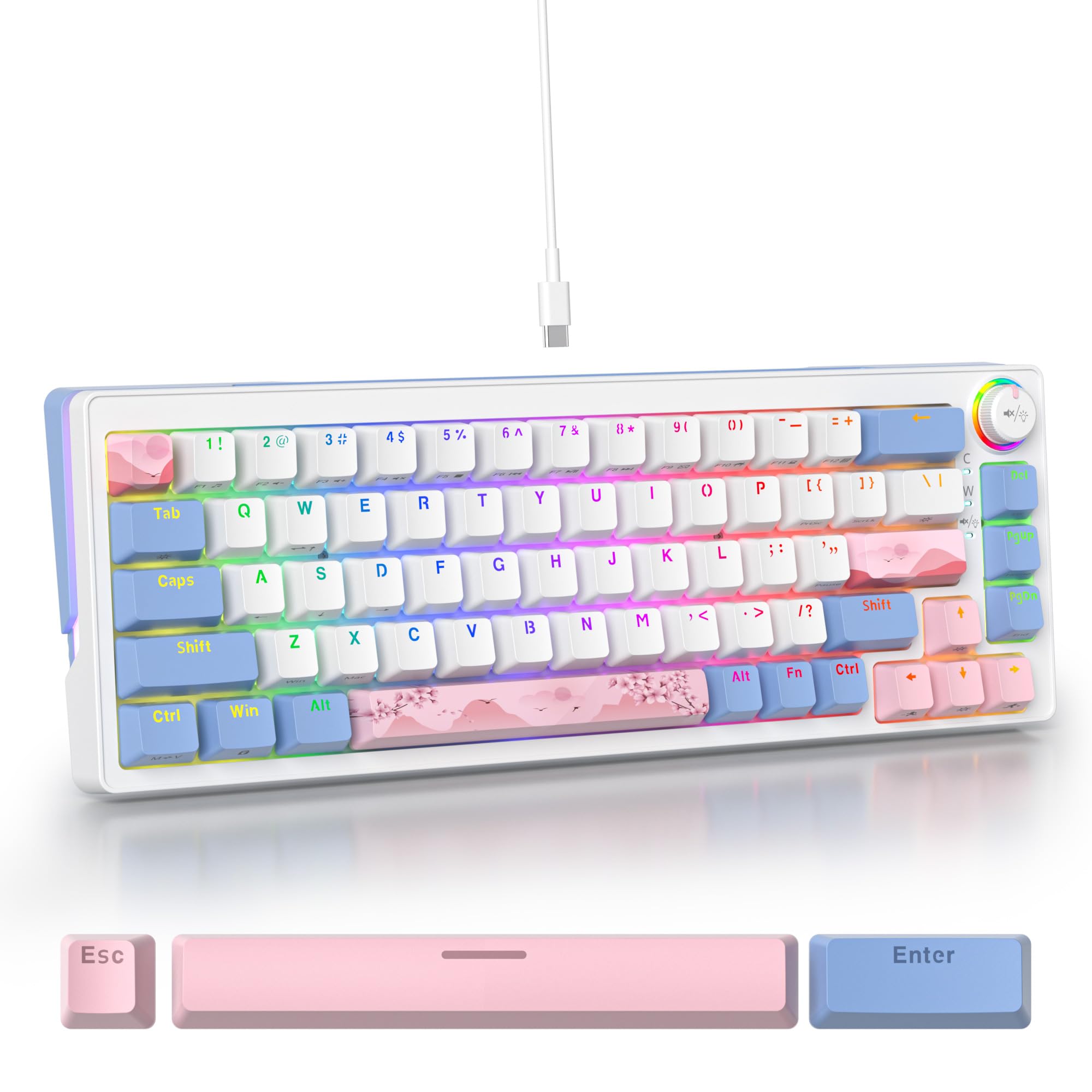
Figure 1: SOLIDEE 68-Key Mechanical Gaming Keyboard Overview
2. Ciri-ciri Produk
- Suis Boleh Tukar Panas: Equipped with advanced sockets supporting 3 or 5-pin mechanical switches, allowing for easy switch replacement without soldering.
- Pink Mechanical Switches: Linear switches with a soft tactile press, optimized for a quiet typing experience suitable for office or quiet environments.
- N-Key Rollover (NKRO): Ensures all key presses are registered accurately, even when multiple keys are pressed simultaneously, preventing ghosting.
- Lampu Latar RGB Boleh Disesuaikan: Features 18 RGB backlight modes and 8 monochrome options, along with RGB light strips on the left and right sides for enhanced aesthetics.
- Kekunci PBT Tahan Lama: Double-shot PBT keycaps offer wear resistance and durability. Includes both front-engraved and side-engraved keycaps for unique aesthetics.
- Tombol Kawalan Kelantangan: A dedicated knob for convenient volume adjustment.
- Sound-Absorbing Design: Incorporates a PC material positioning plate and a bottom silent sponge to minimize typing noise.
- Reka bentuk ergonomik: Features a compact 65% layout (68 keys) and a double-section footrest for adjustable typing angles.
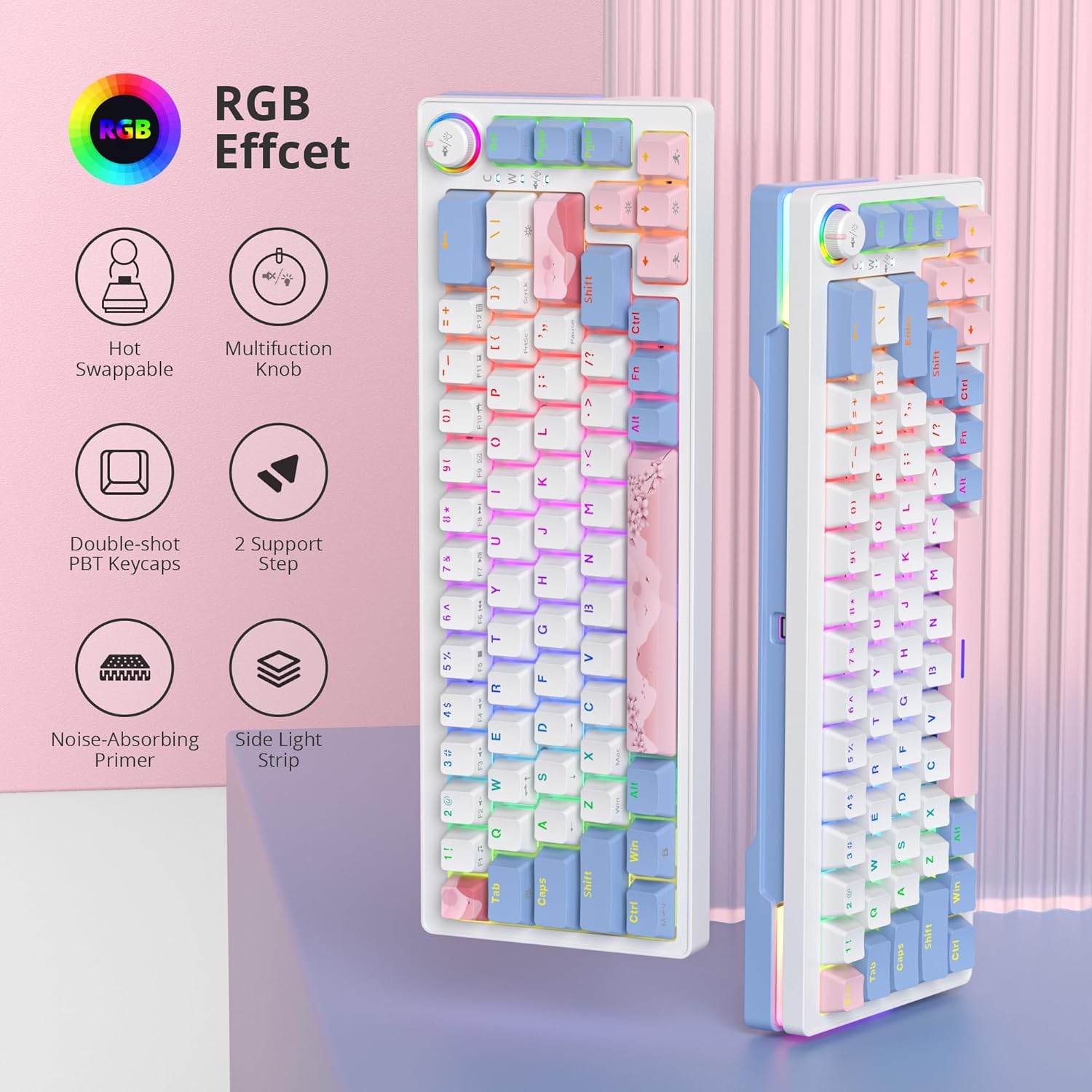
Gambar 2: Lebihview daripada Ciri Utama
3. Kandungan Pakej
Sahkan bahawa semua item terdapat dalam pakej anda:
- SOLIDEE 68-Key Mechanical Gaming Keyboard
- Kabel USB-C
- Penarik Penutup Kunci (mungkin disertakan)
- Penarik Suis (mungkin disertakan)
4. Persediaan dan Sambungan
4.1 Menyambung Papan Kekunci
- Cari port USB-C di bahagian belakang papan kekunci.
- Sambungkan satu hujung kabel USB-C yang disediakan ke port USB-C papan kekunci.
- Sambungkan hujung kabel USB-C yang satu lagi ke port USB yang tersedia pada komputer anda.
- The keyboard will be automatically recognized by your operating system (Windows 7/8/10 or higher, Mac).
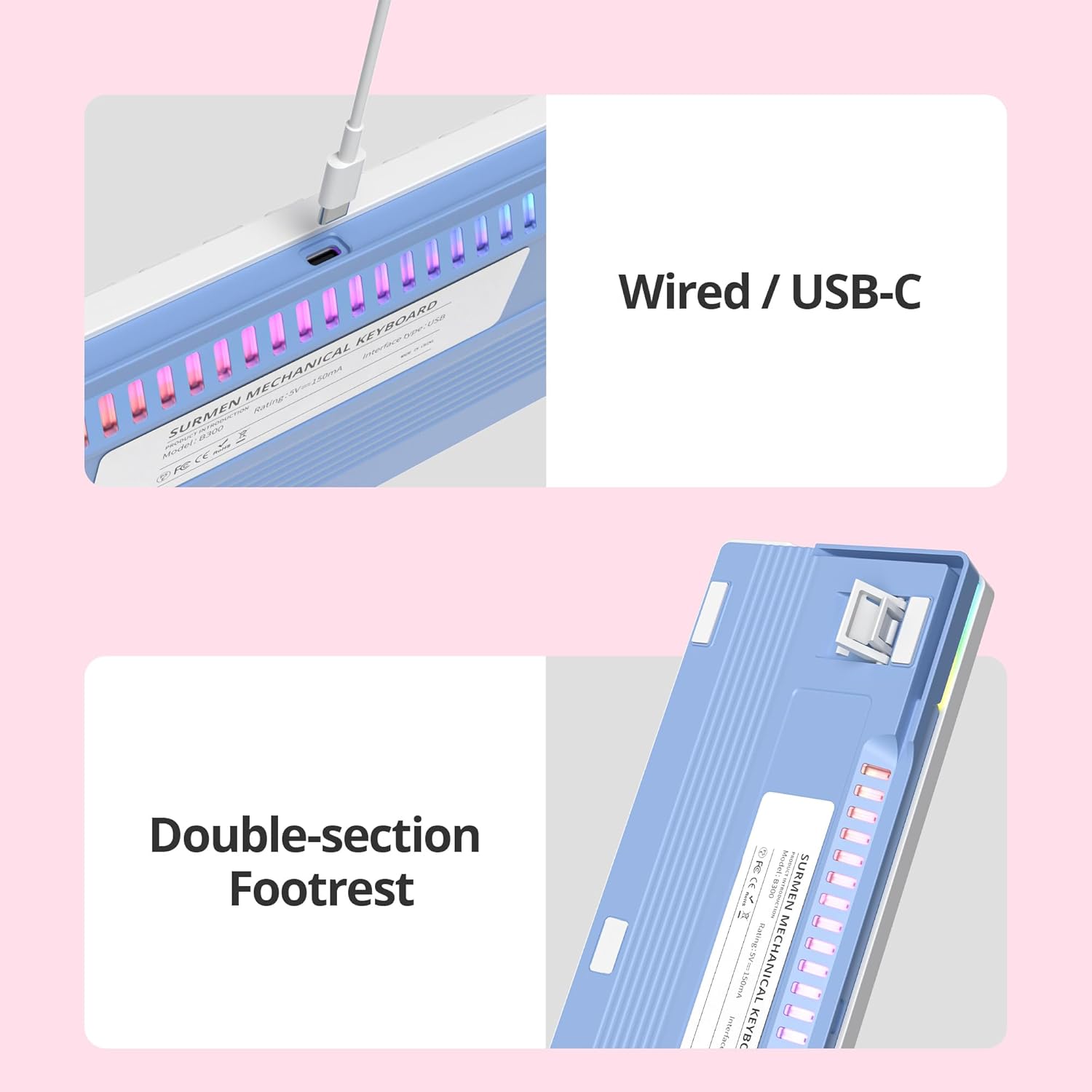
Figure 3: USB-C Connection and Adjustable Footrest
4.2 Melaraskan Sudut Papan Kekunci
The keyboard features a double-section footrest on the underside. You can adjust these feet to achieve your preferred typing angle for improved ergonomics.
5. Key Functions and Controls
5.1 Kawalan Pencahayaan RGB
The keyboard offers multiple RGB backlight modes and side lighting effects. Specific key combinations (often involving the Fn key) are used to cycle through modes, adjust brightness, and change colors. Refer to the keycap legends for specific function key assignments related to lighting.
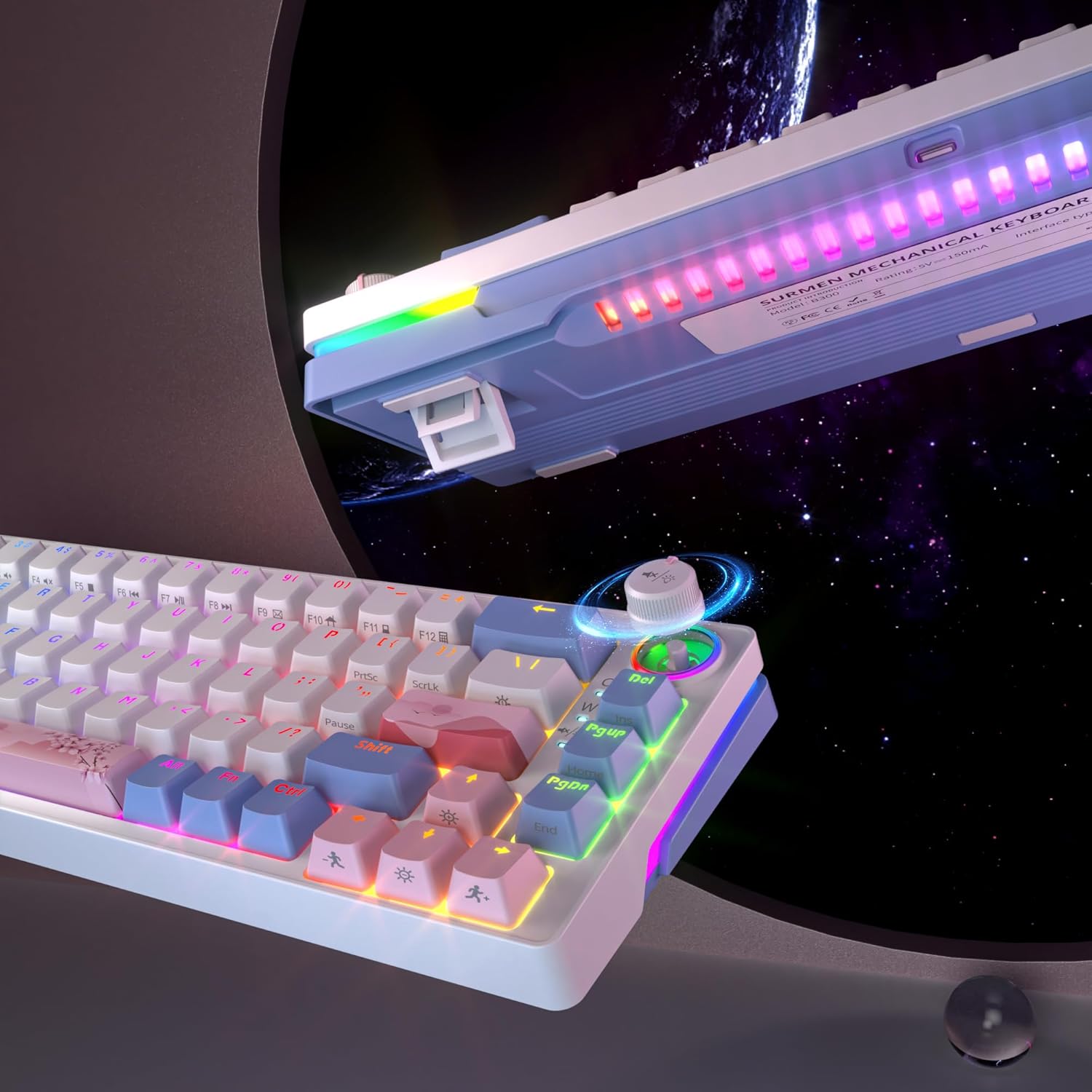
Figure 4: RGB Backlighting and Volume Control Knob
5.2 Tombol Kawalan Kelantangan
Rotate the dedicated knob located on the top right of the keyboard to adjust the system volume. Pressing the knob typically mutes or unmutes the audio.

Rajah 5: Terperinci View of Volume Knob and RGB Effects
5.3 Penggulingan N-Key (NKRO)
The keyboard supports N-Key Rollover, meaning every key press is registered independently. This feature is automatically active and ensures high accuracy during fast typing or complex gaming inputs.
5.4 Suis Boleh Tukar Panas
The keyboard's hot-swappable design allows you to change mechanical switches without soldering. This enables customization of typing feel and sound.
- Menanggalkan Penutup Kekunci: Use a keycap puller to gently remove the desired keycap.
- Mengeluarkan Suis: Use a switch puller to carefully grip the top and bottom clips of the switch. Pull the switch straight up to remove it from the PCB.
- Installing a New Switch: Align the pins of the new 3-pin or 5-pin mechanical switch with the holes on the PCB. Gently press the switch down until it clicks into place. Ensure the pins are not bent.
- Replacing a Keycap: Letakkan penutup kekunci pada batang suis baharu dan tekan ke bawah dengan kuat.

Figure 6: Hot-Swappable Switch Replacement
6. Penyelenggaraan
6.1 Membersihkan Papan Kekunci
- Putuskan sambungan papan kekunci daripada komputer anda sebelum membersihkan.
- Gunakan berus lembut atau udara termampat untuk membuang habuk dan serpihan dari antara penutup kekunci.
- For stubborn dirt, gently wipe the keycaps and keyboard surface with a slightly damp, kain bebas bulu. Elakkan kelembapan berlebihan.
- Jangan gunakan bahan kimia atau pembersih kasar.
6.2 Penjagaan Papan Kekunci dan Suis
- When removing keycaps, use a keycap puller to prevent damage.
- When replacing switches, ensure the switch pins are straight before inserting them to avoid bending or damaging the hot-swap sockets.
7. Penyelesaian masalah
- Papan kekunci tidak bertindak balas: Pastikan kabel USB-C disambungkan dengan selamat ke kedua-dua papan kekunci dan komputer. Cuba port USB atau kabel lain.
- Keys not registering or double-clicking: This may indicate a faulty switch. Utilize the hot-swappable feature to replace the affected switch. Ensure the new switch is properly seated.
- Pencahayaan RGB tidak berfungsi: Check the lighting control key combinations (e.g., Fn + specific keys) to ensure it hasn't been turned off or set to a very dim mode.
- Isu keserasian: Ensure your operating system is Windows 7/8/10 or higher, or a compatible Mac OS.
8. Spesifikasi
| Ciri | Penerangan |
|---|---|
| Jenama | SOLIDEE |
| Model | 68 Merah jambu |
| warna | 68 Pink/Pink Switch |
| Ketersambungan | Wired, USB-C |
| Penerangan Papan Kekunci | mekanikal |
| Ciri Khas | Backlit, Hot-Swappable, N-Key Rollover, Volume Knob |
| Backlight Color Management | RGB |
| Peranti Serasi | Komputer riba, PC |
| Komponen yang Disertakan | RGB Hot-Swappable Mechanical Keyboard, Type-C Cable |
9. Waranti dan Sokongan
For warranty information and technical support, please refer to the documentation provided with your purchase or contact SOLIDEE customer service through their official webtapak atau peruncit tempat produk dibeli. Sila simpan bukti pembelian anda untuk tuntutan jaminan.