
1. Pengenalan
This manual provides comprehensive instructions for the installation, operation, and maintenance of your Raymarine Axiom 2 Pro 16 RVM Chartplotter/Fishfinder. The Axiom 2 Pro series offers enhanced performance with an ultra-fast 6-core processor, HybridTouch control, and advanced RealVision MAX sonar capabilities. Its HydroTough display ensures reliable operation in challenging marine environments. This device integrates seamlessly with other marine electronics through the LightHouse 4 operating system.
Sila baca manual ini dengan teliti sebelum menggunakan produk ini bagi memastikan operasi yang selamat dan cekap.
2. Maklumat Keselamatan
Arahan Keselamatan Penting:
- Always ensure proper installation by qualified personnel to prevent damage or injury.
- Putuskan sambungan kuasa sebelum melakukan sebarang prosedur penyelenggaraan atau pemasangan.
- Do not expose the unit to extreme temperatures or direct sunlight for prolonged periods when not in use.
- Use only Raymarine approved accessories and parts.
- Observe all local and international maritime regulations when operating this device.
3. Kandungan Pakej
Sahkan bahawa semua item yang disenaraikan di bawah terdapat dalam pakej produk anda:
- 1 x Raymarine Axiom 2 Pro 16 RVM Monitor
- Perkakasan Pemasangan (skru, gasket, dll.)
- Kabel Kuasa
- Pek Dokumentasi (termasuk manual ini)
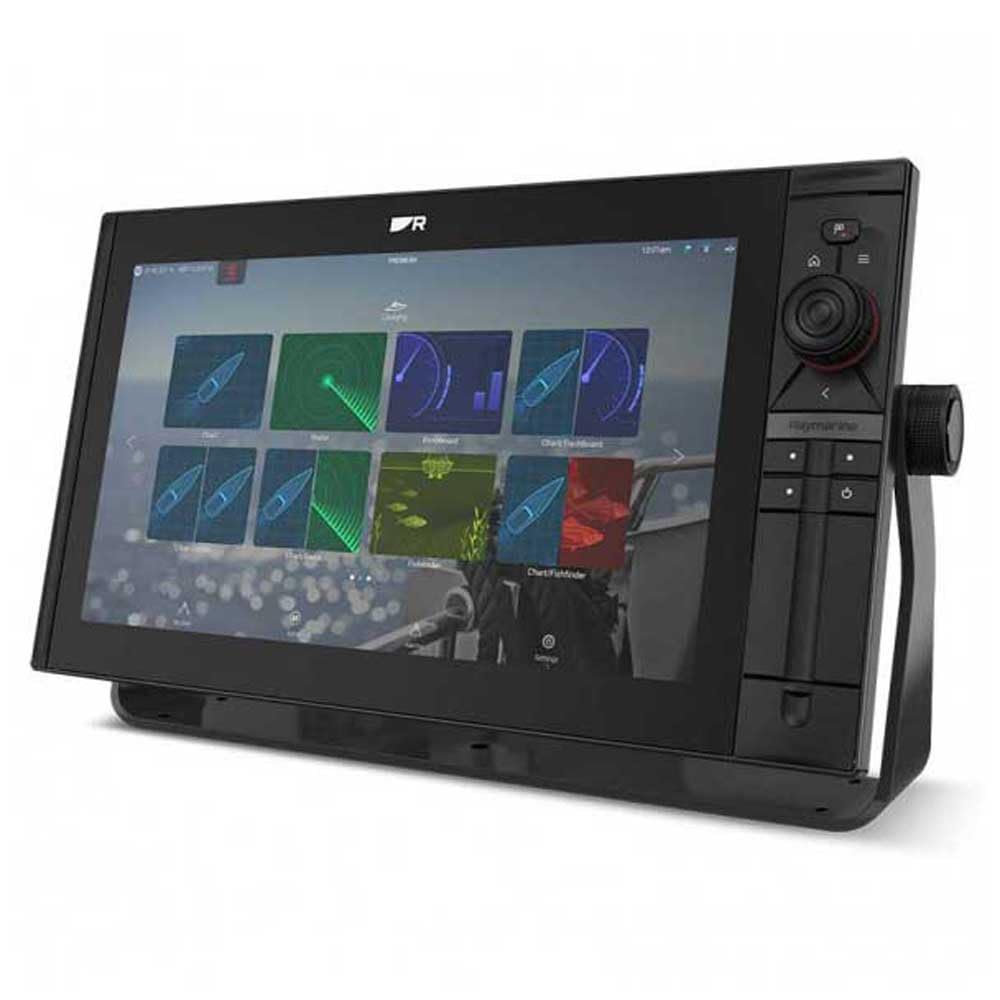
Image 1: Raymarine Axiom 2 Pro 16 RVM Chartplotter/Fishfinder unit. This image shows the main display unit, which is the primary component of the package.
4. Persediaan dan Pemasangan
The Axiom 2 Pro 16 RVM is designed for panel mount installation. Ensure you have adequate space and access for wiring before beginning.
4.1 Memasang Paparan
- Choose a suitable location on your boat's dashboard or panel, ensuring clear visibility and access.
- Use the provided template (if applicable) to cut the mounting hole.
- Secure the display unit into the panel using the supplied mounting hardware.
4.2 Sambungan Elektrik
- Connect the power cable to a suitable 12V DC power source on your vessel. Ensure proper polarity.
- Connect any external sensors or transducers (sold separately) according to their respective manuals.
- For network integration, connect Ethernet cables to other compatible Raymarine devices.
- The unit supports HDMI connectivity for remote displays.
5. Arahan Operasi
5.1 Menghidupkan/Mematikan
- Press and hold the Power button to turn the unit on or off.
- The automatic display brightness sensor adjusts screen illumination based on ambient light conditions.
5.2 HybridTouch Control
The Axiom 2 Pro features HybridTouch, allowing control via the fluid touchscreen or reliable keypad. Use the touchscreen for quick navigation and planning, and the keypad for precise control in rough seas. An interchangeable keypad field offers options for autopilot controls or user-programmable soft keys.
5.3 LightHouse 4 Operating System
Navigate seamlessly through chartplotter, sonar, radar, autopilot, and video functions using the intuitive LightHouse 4 OS. Customize your display with multiple Axiom displays and advanced video options, including HDMI output.
5.4 RealVision MAX Sonar
RealVision MAX optimizes DownVision, SideVision, and 3D sonar for greater range, improved resolution, and sharper target identification. This feature enhances fishfinding capabilities.
5.5 Fungsi Carta Plotter
The unit supports Navionics/C-Map cartography. Plan and create your course directly on the display. Utilize GPS for accurate positioning and navigation.
6. Penyelenggaraan
6.1 Membersihkan Paparan
The HydroTough display features nanocoating technology that repels water, ensuring reliable touchscreen operation and vibrant colors. Clean the screen with a soft, damp kain. Jangan gunakan pembersih atau pelarut yang melelas.
6.2 Kemas Kini Perisian
Periksa Raymarine secara berkala webtapak untuk kemas kini perisian bagi memastikan prestasi optimum dan akses kepada ciri baharu.
7. Penyelesaian masalah
| Masalah | Kemungkinan Punca | Penyelesaian |
|---|---|---|
| Unit tidak dihidupkan. | Tiada bekalan kuasa; pendawaian yang salah; fius yang ditiup. | Check power connections; verify fuse; ensure battery is charged. |
| No sonar data. | Transducer not connected; transducer faulty; incorrect settings. | Ensure transducer is properly connected; check transducer for damage; verify sonar settings. |
| Skrin sentuh tidak bertindak balas. | Screen dirty; temporary software glitch. | Clean screen with a soft cloth; restart the unit. |
8. Spesifikasi
| Ciri | Perincian |
|---|---|
| Jenama | Raymarine |
| Nama Model | Axiom 2 Pro |
| Saiz Skrin | 16 Inci |
| Jenis Paparan | Touch Screen (HydroTough) |
| Kaedah Kawalan | Touchscreen, Keypad (HybridTouch) |
| Ciri Khas | RealVision MAX |
| Teknologi Ketersambungan | HDMI, Ethernet |
| Jenis Peta | Nautical (Navionics/C-Map) |
| Jenis Pemasangan | Pemasangan Panel |
| Sistem Navigasi Satelit yang Disokong | GPS |
| Komponen yang Disertakan | 1 x Monitor |
| UPC | 723193843567 |
| ASIN | B0CFWVQBVC |
9. Waranti dan Sokongan
Untuk maklumat jaminan terperinci, sila rujuk kad jaminan yang disertakan dengan produk anda atau lawati laman web rasmi Raymarine. website. Raymarine offers technical support and service for its products.
Maklumat Hubungan:
- Visit the Raymarine official weblaman web untuk sumber sokongan, Soalan Lazim dan butiran perhubungan.
- For service inquiries, please contact your authorized Raymarine dealer.