
1. Produk Lebihview
The Tristar Princess Dynamic Storm is a versatile cordless vacuum cleaner designed for efficient home cleaning. It features a powerful 220W brushless DC motor, providing strong suction for various surfaces. The unit can easily convert from a stick vacuum to a handheld vacuum for targeted cleaning. Its motorized brush head includes LED lights to illuminate dust and debris, ensuring thorough cleaning. The 0.6-liter dustbin offers hygienic emptying with a simple button press, minimizing contact with dirt. With a battery life of up to 30 minutes and three speed settings, this vacuum is suitable for daily cleaning tasks.
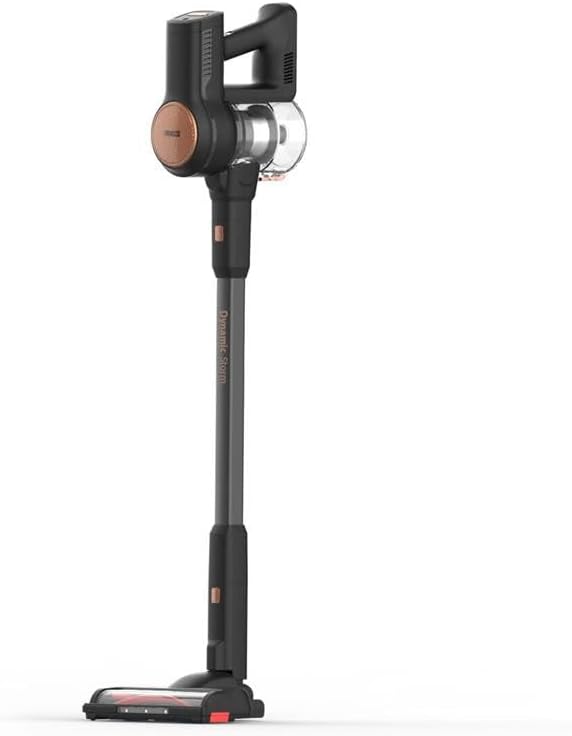
Rajah 1: Penuh view of the Princess Dynamic Storm Cordless Vacuum Cleaner.
2. Arahan Keselamatan
Please read all safety instructions carefully before using the appliance. Retain this manual for future reference.
- Pastikan penyesuai kuasa serasi dengan bekalan kuasa tempatan anda.
- Jangan gunakan pembersih vakum pada permukaan basah atau untuk mengambil cecair.
- Jauhkan rambut, pakaian longgar, jari dan semua bahagian badan daripada bukaan dan bahagian yang bergerak.
- Do not pick up burning or smoking materials, such as cigarettes, matches, or hot ashes.
- Do not use without the dustbin and filters properly in place.
- Perkakas ini tidak dimaksudkan untuk digunakan oleh orang (termasuk kanak-kanak) yang kurang keupayaan fizikal, deria atau mental, atau kurang pengalaman dan pengetahuan, melainkan mereka telah diberi pengawasan atau arahan mengenai penggunaan perkakas oleh orang yang bertanggungjawab untuk keselamatan mereka.
- Kanak-kanak harus diawasi untuk memastikan bahawa mereka tidak bermain dengan perkakas.
- Hanya gunakan aksesori yang disyorkan oleh pengilang.
3. Kandungan Pakej
Sahkan bahawa semua komponen terdapat dalam pakej:
- Main Vacuum Unit (motor and dustbin assembly)
- Tiub Sambungan
- Motorized Brush Head with LED Lights
- Alat Celah
- Berus Perabot
- Penyesuai Pengecasan
- Wall Mount (if included, check packaging)
- Manual Pengguna
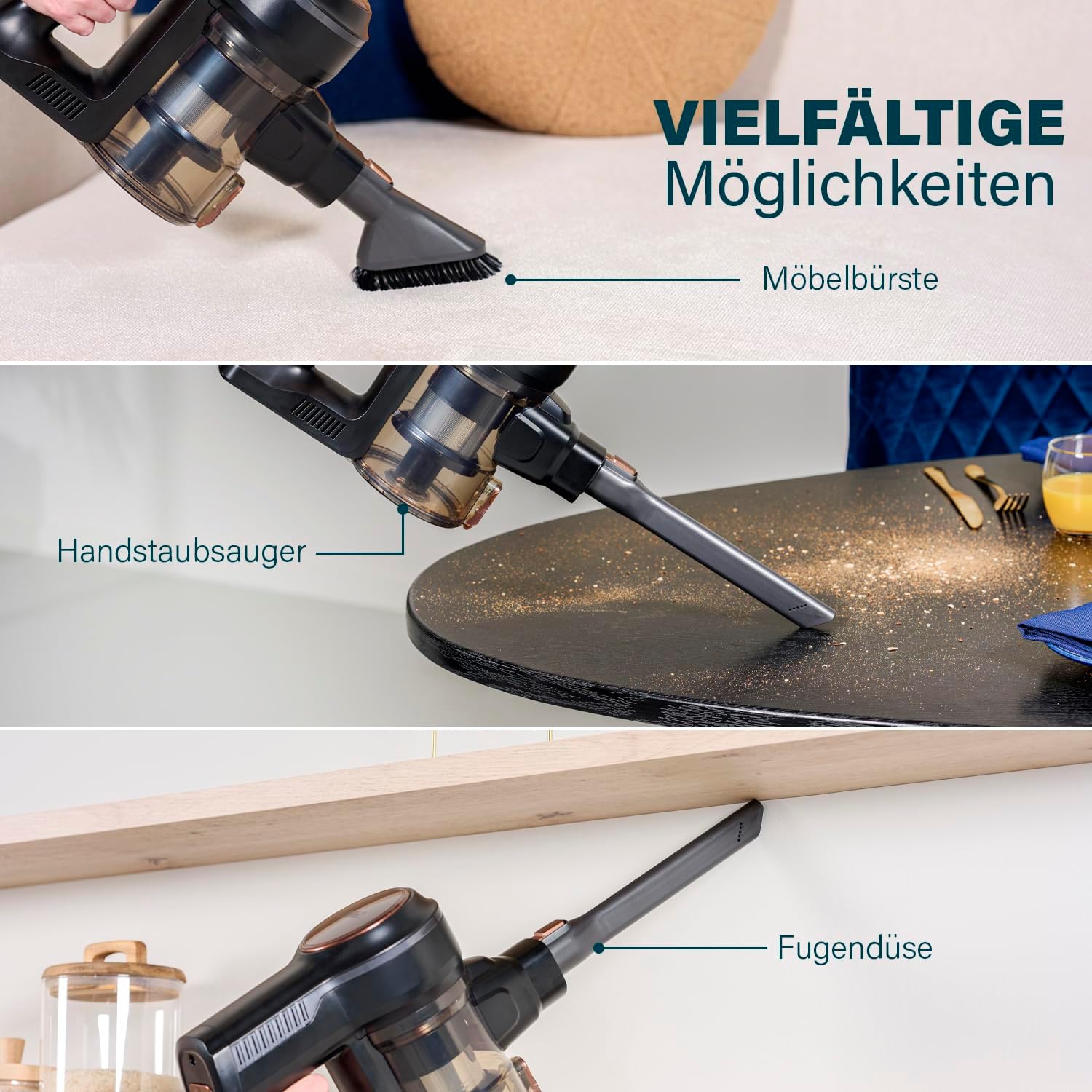
Figure 2: The vacuum cleaner shown with its versatile attachments, including the furniture brush, handheld vacuum configuration, and crevice tool.
4. Pemasangan & Persediaan
4.1 Memasang Vakum
- Pasangkan Tiub Sambungan: Masukkan tiub sambungan ke dalam unit vakum utama sehingga ia klik dengan selamat ke tempatnya.
- Pasangkan Kepala Berus Bermotor: Connect the motorized brush head to the other end of the extension tube, ensuring it clicks firmly.
- Mod pegang tangan: For handheld use, detach the extension tube and connect accessories like the crevice tool or furniture brush directly to the main vacuum unit.
Rajah 3: Jarak dekat view of the motorized brush head, showing its design and LED lights.
4.2 Mengecas Bateri
Before first use, fully charge the vacuum cleaner. A full charge takes approximately 105 minutes.
- Connect the charging adapter to the charging port on the main vacuum unit.
- Pasangkan penyesuai ke soket dinding.
- The charging indicator light will show the charging status. Refer to the indicator light section in the manual for specific light patterns.
- Once fully charged, disconnect the adapter.
5. Arahan Operasi
5.1 Powering On/Off and Speed Selection
- Hidupkan kuasa: Press the power button located on the main unit to turn on the vacuum cleaner. It will start in the lowest speed setting.
- Tukar Kelajuan: Press the speed selection button (if separate) or press the power button again to cycle through the 3 available speed settings (Low, Medium, High).
- Matikan: Press the power button until the unit turns off.
5.2 Using the Motorized Brush Head with LED Lights
The motorized brush head is ideal for cleaning various floor types, including hard floors and carpets. The integrated LED lights illuminate dust and debris, making it easier to spot and clean hidden dirt.

Figure 4: The motorized brush head with its LED lights activated, highlighting dust and debris on the floor.
5.3 Menggunakan Aksesori
The included accessories enhance the vacuum's versatility:
- Alat Celah: Use for narrow gaps, corners, and hard-to-reach areas.
- Berus Perabot: Ideal for cleaning upholstery, curtains, and delicate surfaces.
These accessories can be attached directly to the main vacuum unit for handheld use or to the extension tube for extended reach.
5.4 Stable Parking Mode
The vacuum cleaner is designed with a stable parking mode, allowing it to stand upright on its own without needing to be leaned against a wall or placed in a dock. This provides convenient temporary storage during cleaning breaks.

Figure 5: The Princess Dynamic Storm vacuum cleaner standing upright independently, demonstrating its stable parking mode.
6. Penyelenggaraan
Penyelenggaraan tetap memastikan prestasi optimum dan memanjangkan jangka hayat pembersih vakum anda.
6.1 Mengosongkan Tong Sampah
Empty the 0.6-liter dustbin regularly, especially when the MAX line is reached, to maintain suction power.
- Pegang unit vakum utama di atas tong sampah.
- Press the dustbin release button to open the bottom flap of the dustbin.
- Allow the contents to fall into the trash. Close the flap securely.

Figure 6: Illustration of the hygienic dustbin emptying process, showing the dustbin detached and being emptied with a button press.
6.2 Membersihkan Penapis
The filters should be cleaned regularly to prevent clogging and maintain suction. It is recommended to clean them after every few uses.
- Twist and pull to remove the dustbin from the main unit.
- Remove the filter assembly from the dustbin.
- Ketuk penapis perlahan-lahan ke atas tong sampah untuk membuang habuk yang longgar.
- If necessary, rinse the filters under cold running water. Ensure they are completely dry before reassembling.
- Pasang semula penapis dan tong sampah, kemudian pasang semula pada unit utama.
6.3 Membersihkan Gulungan Berus
Periksa gulungan berus secara berkala untuk rambut atau serpihan yang kusut. Untuk membersihkan:
- Matikan dan cabut plag pembersih vakum.
- Locate the brush roll access cover on the bottom of the motorized brush head.
- Open the cover (refer to diagrams in the full manual if available) and remove the brush roll.
- Carefully cut and remove any tangled hair or fibers using scissors.
- Reinsert the brush roll and close the access cover securely.
7. Penyelesaian masalah
Jika anda menghadapi masalah dengan pembersih vakum anda, rujuk kepada masalah dan penyelesaian biasa berikut:
| Masalah | Kemungkinan Punca | Penyelesaian |
|---|---|---|
| Vakum tidak dihidupkan | Bateri habis Butang kuasa tidak ditekan dengan betul | Cas bateri sepenuhnya Pastikan butang kuasa ditekan dengan kuat |
| Daya sedutan berkurang | Tong sampah penuh Penapis tersumbat Hos atau muncung tersumbat | Kosongkan tong sampah Bersihkan atau gantikan penapis Semak dan keluarkan sebarang sekatan |
| Gulungan berus tidak berputar | Gulung berus macet Brush roll motor issue | Clean hair and debris from the brush roll Hubungi sokongan pelanggan jika masalah berterusan |
| Bateri tidak dicas | Pengecas tidak disambungkan dengan betul Pengecas atau bateri rosak | Ensure charger is securely connected to vacuum and outlet Hubungi sokongan pelanggan untuk mendapatkan bantuan |
8. Spesifikasi
- Nombor Model: 01.339390.01.001
- Jenama: Tristar (Manufacturer: Princess)
- Kuasa: 220 Watts (Brushless DC Motor)
- Voltage: 21.6 Volt
- Jenis Bateri: 1 Litium-ion (termasuk)
- Masa Larian: Sehingga 30 minit
- Masa Pengecasan: Lebih kurang 105 minit
- Bilangan Kelajuan: 3
- Kapasiti tong sampah: 0.6 Liter
- Dimensi (L x W x H): 23 x 21 x 112 cm
- Berat Barang: 1 Kilogram
- Tahap Bunyi: 1 Decibel (as per product specifications)
- Jenis Penapis: Penapis cakera
- Ciri Khas: Portable, Cordless, Motorized brush with LEDs, Stable parking
- Permukaan Disyorkan: Semua tingkat
- International Article Code (UPC): 08712836981461
9. Waranti & Sokongan
This product comes with a standard manufacturer's warranty. For detailed warranty information, please refer to the warranty card included in your product packaging or visit the official Tristar/Princess website. For technical support, spare parts, or service inquiries, please contact the customer service department using the contact information provided in your warranty documentation.