
1. Pengenalan
This manual provides comprehensive instructions for the assembly, operation, and maintenance of your CaDA C61036W HUUMVEE Vehicle Building Block Set. This 1:8 scale model is an advanced building kit featuring remote control capabilities and power functions. Please read this manual thoroughly before beginning assembly to ensure correct construction and optimal performance.
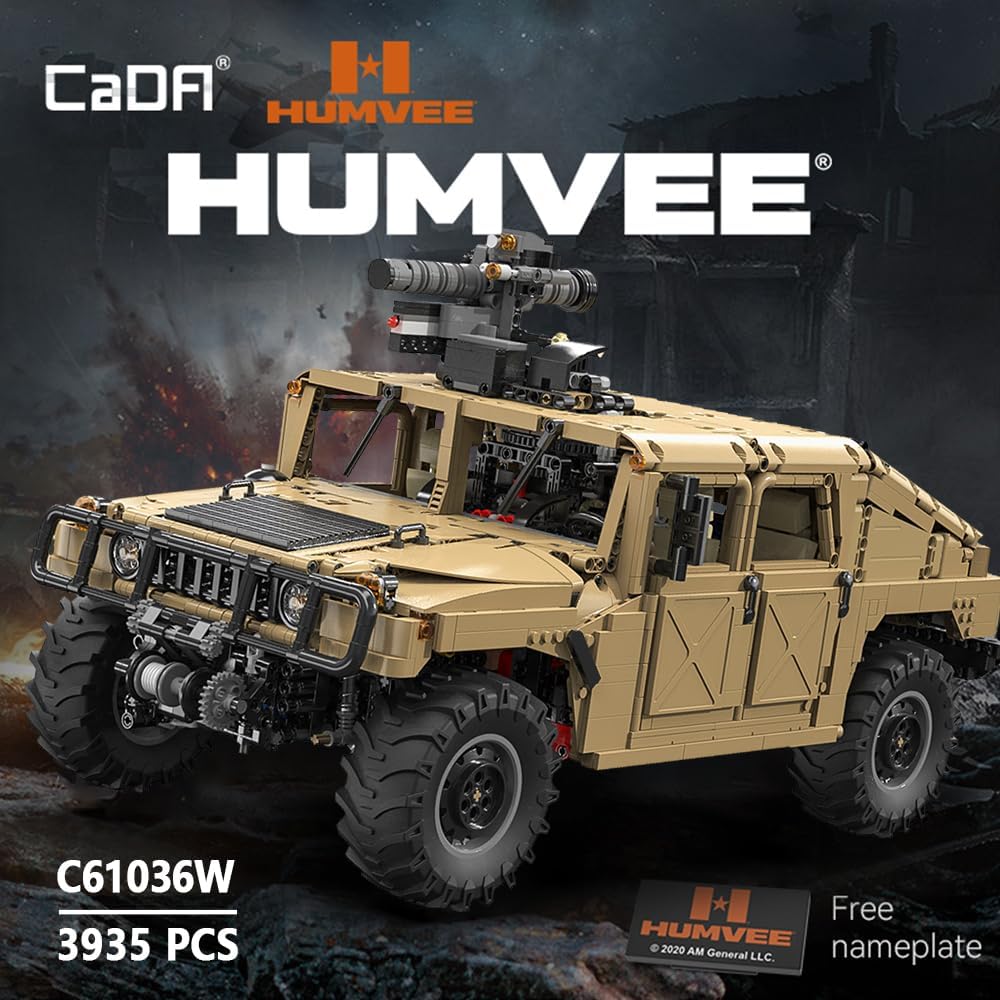
Image 1.1: The CaDA C61036W HUUMVEE Building Block Set, showcasing the assembled model and the 3935 pieces included.

Image 1.2: A comparison illustrating the 1:8 scale of the CaDA HUUMVEE model against a real vehicle, highlighting its detailed replication.
2. Maklumat Keselamatan
AMARAN: BAHAYA TERSEKIK - Bahagian kecil. Bukan untuk kanak-kanak di bawah 3 tahun.
This product contains small components that may pose a choking hazard. Keep all parts out of reach of young children. Adult supervision is recommended during assembly and operation, especially for users under the recommended age of 14 years.
- Sentiasa ikut arahan pemasangan dengan teliti.
- Jangan menelan mana-mana bahagian.
- Buang bahan pembungkusan secara bertanggungjawab.
- Ensure batteries are installed correctly and handled safely.
3. Kandungan Pakej
Sahkan bahawa semua komponen hadir sebelum memulakan pemasangan. Pakej harus mengandungi:
- Building blocks (approximately 3935 pieces)
- Power Function components (motors, battery box, remote control)
- Manual Arahan
- Helaian pelekat (jika berkenaan)

Imej 3.1: Selesaiview of the CaDA C61036W set, including the main vehicle model, remote control, battery box, and various power function motors and cables.
4. Persediaan dan Pemasangan
Follow the step-by-step instructions provided in the included printed manual for detailed assembly. This section provides general guidance for key stages.
4.1. Building the Chassis
Begin by constructing the vehicle's chassis, which forms the foundation for all other components. Pay close attention to the independent suspension system for each wheel.
4.2. Power Function Integration
The power functions enable remote control operation. Carefully integrate the motors, battery box, and wiring into the chassis as indicated in the manual. Ensure all connections are secure.

Imej 4.1: Meletup view showing the modular components for optional motorization, including the weapon system, car shell, engine, and chassis, illustrating how power functions are integrated.
The set includes 1 Lithium Ion battery. Install it into the battery box according to the polarity markings.
4.3. Bodywork and Details
Attach the body panels, cockpit details, and external accessories. This includes the radiator grille, engine compartment, center console, steering wheel, rearview mirrors, and seating.
5. Arahan Operasi
Once assembled, the CaDA C61036W HUUMVEE can be operated using the provided remote control. Ensure the vehicle's battery box is switched ON and the remote control has fresh batteries.
5.1. Fungsi Alat Kawalan Jauh
The remote control allows for various movements and functional operations:
- Memandu: Kawal pergerakan ke hadapan, ke belakang, kiri dan kanan.
- Putaran Turret: Rotate the top-mounted turret.
- Shell Firing: Activate the firing mechanism for the rocket launcher.
- Machine Gun Rotation: Rotate the machine gun.
- Differential Lock: Engage or disengage the differential lock for improved off-road traction.
- Front Winch: Operate the front-mounted winch.
- Lampu LED: Control the vehicle's LED lighting.
5.2. Gearbox Functions
The vehicle features a 4-speed gearbox controlled by a manual knob. Each gear activates a specific function:

Image 5.1: Diagram illustrating the 4-speed gearbox functions: 1st gear for rocket launcher firing, 2nd gear for winch control, 3rd gear for 360° rotation of the machine gun/rocket launcher, and 4th gear for engaging the locking differential.
- Gear Pertama: Activates the rocket launcher firing mechanism.
- Gear ke-2: Controls the front winch.
- Gear ke-3: Rotates the machine gun turret or rocket launcher 360 degrees.
- Gear ke-4: Engages the locking differential for enhanced off-road capability.
5.3. Ciri-ciri Manual
Several parts of the model offer interactive manual operation:

Image 5.2: Visual guide to the manual features of the CaDA C61036W, including opening doors, opening trunk, opening hood, and the interchangeable rocket launcher/machine gun tower.
- Membuka Pintu: The vehicle doors can be opened and closed manually.
- Batang Pembukaan: The rear trunk can be opened manually.
- Tudung Pembukaan: The engine hood can be opened to reveal internal details.
- Interchangeable Weaponry: The rocket launcher and machine gun can be swapped on the turret.

Image 5.3: Key external features of the CaDA C61036W HUUMVEE, including the engine hood, traction winch, rocket artillery, elastic door, elastic tailgate, and military off-road tires.

Image 5.4: Rear and side view of the CaDA C61036W HUUMVEE, highlighting the tail lights, function gear lever, rearview mirror, and rear bumper details.
6. Penyelenggaraan
Proper maintenance ensures the longevity and performance of your building block set.
- Pembersihan: Use a soft, dry cloth to gently wipe dust from the model. Avoid using water or chemical cleaners, as these can damage the plastic or electronic components.
- Storan: Store the assembled model and any spare parts in a cool, dry place away from direct sunlight and extreme temperatures.
- Penjagaan Bateri: Remove batteries from the battery box and remote control if the model will not be used for an extended period.
- Semakan Komponen: Periodically inspect connections for the power functions to ensure they remain secure.
7. Penyelesaian masalah
Rujuk jadual berikut untuk isu biasa dan penyelesaiannya.
| Masalah | Kemungkinan Punca | Penyelesaian |
|---|---|---|
| Kenderaan tidak bertindak balas terhadap alat kawalan jauh. |
|
|
| Power functions (e.g., winch, turret) are not working. |
|
|
| Bahagian yang hilang semasa pemasangan. |
|
|
8. Spesifikasi
| Ciri | Perincian |
|---|---|
| Nombor Model | C61036W |
| Skala | 1:8 |
| Bilangan Kepingan | 3935 |
| Dimensi Produk (L x W x H) | 20.71 x 10.71 x 8.35 inci (52.6 x 27.2 x 21.2 cm) |
| Berat Barang | 15.44 paun |
| Umur Disyorkan | 14 tahun dan ke atas |
| Bateri Diperlukan | 1 bateri Lithium Ion (termasuk) |
| Jenis Kawalan | Remote Control with Power Functions |

Image 8.1: Diagram showing the key dimensions of the assembled CaDA C61036W HUUMVEE model: length (52.6cm), width (27.2cm), and height (21.2cm).
9. Waranti dan Sokongan
For warranty information, missing parts, or technical support, please contact CaDA customer service. Retain your proof of purchase for any warranty claims.
You can typically find contact information on the product packaging or the official CaDA webtapak.