
ALLWEI SGR-PPS300-2
Manual Pengguna Stesen Janakuasa Mudah Alih ALLWEI 300W
Model: SGR-PPS300-2
1. Pengenalan
The ALLWEI 300W Portable Power Station is a versatile 280Wh solar generator designed for various power needs, from emergency backup at home to outdoor activities like camping and RV trips. It features a silent cooling fan and a 3-level LED light with an SOS mode, making it a reliable power bank for diverse situations. This manual provides essential information for safe and efficient operation.
2. Kandungan Pakej
Sila semak pakej untuk memastikan semua item ada:
- 1x ALLWEI 300W 280Wh Portable Power Station
- Penyesuai Kuasa 1x AC
- 1x AC Power US Cord
- 1x Car Cable
- 1x Manual Pengguna

Figure 2.1: Package Contents of the ALLWEI 300W Portable Power Station.
3. Produk Lebihview
The ALLWEI 300W Portable Power Station is designed with multiple output ports and safety features for reliable power delivery.

Rajah 3.1: Depan view of the ALLWEI 300W Portable Power Station.
3.1. Port Output
- Cawangan AC: 2x 110V 60Hz AC output ports (300W continuous, 600W surge).
- Output DC: 3x DC 5521 output 12V 3A.
- Port USB-A: 2x USB-A QC3.0 fast charge ports.
- Port USB-C: 1x PD 60W USB-C port.
- Outlet Kereta: 1x DC car outlet.
3.2. Pelabuhan Input
- 1x 110V 60Hz DC 5521MM input for charging.
3.3. Mudah alih
The power station is designed for easy transport:
- Berat Bersih: lbs anggaran 6.
- Saiz padat: 8.86 x 4.53 x 8.07 inci.

Figure 3.2: The compact and lightweight design of the power station.
3.4. Protection System
Equipped with a built-in Battery Management System (BMS) and MPPT controller, the power station offers comprehensive protection for your devices:
- Perlindungan litar pintas
- Perlindungan lebihan arus
- Perlindungan lebihan beban
- Vol-rendahtage perlindungan
- Lebih-voltage perlindungan
- Perlindungan terlalu panas
These protections are indicated by icon flashes on the LCD screen.

Gambar 3.3: Lebihview of the BMS and MPPT controller protection features.
3.5. Mod Lampu LED
Lampu LED bersepadu menawarkan pelbagai mod untuk pelbagai situasi:
- 3-level adjustable brightness (low, medium, high)
- SOS mode for emergencies
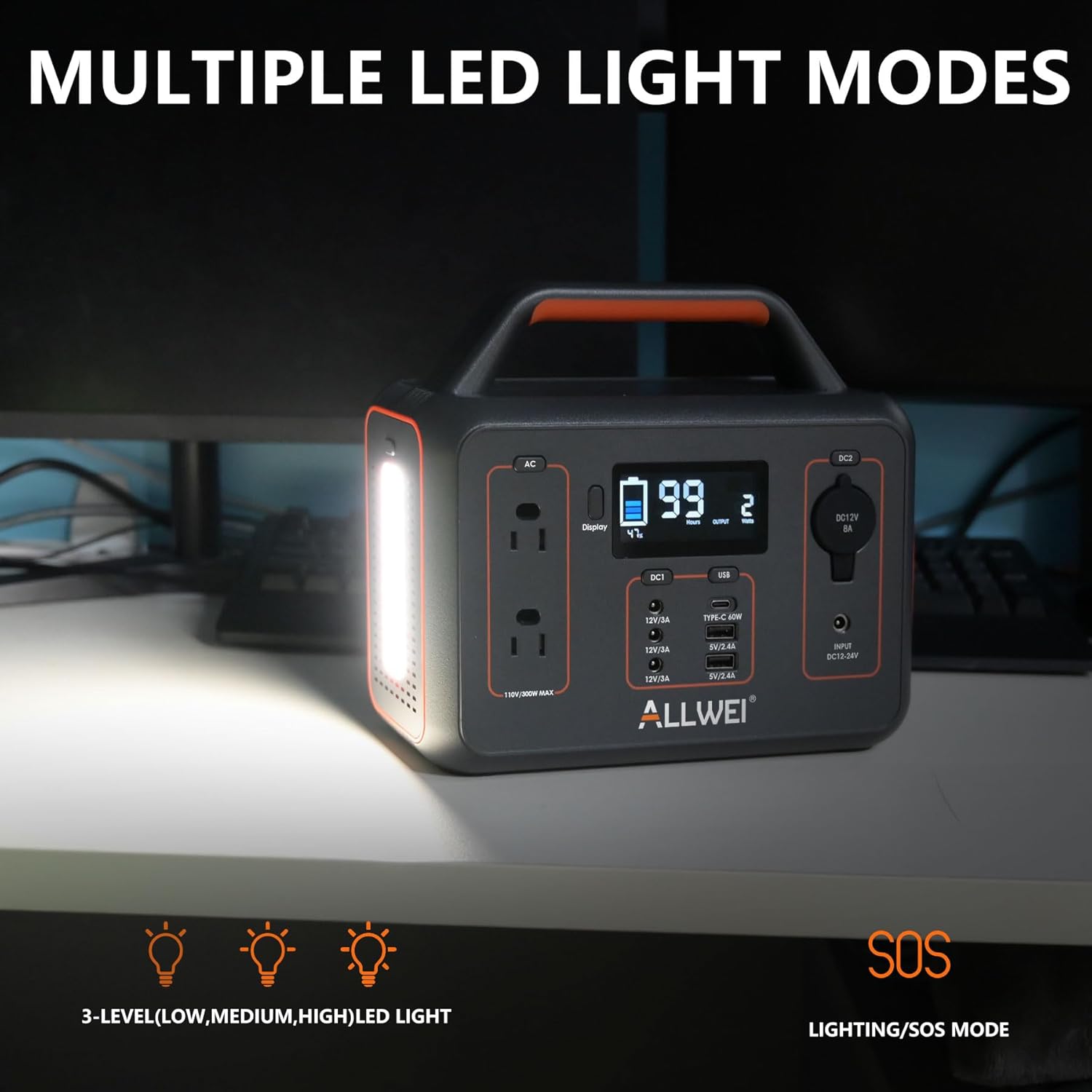
Figure 3.4: The power station's multiple LED light modes.
4. Persediaan
Before using your ALLWEI Portable Power Station for the first time, it is recommended to fully charge it. This ensures optimal battery performance and longevity.
- Unpack the power station and all accessories from the box.
- Connect the AC power adapter to the DC input port on the power station.
- Pasangkan kabel kuasa AC ke soket dinding standard.
- The LCD display will show charging progress. Once fully charged, the display will indicate 100%.
5. Mengecas Stesen Janakuasa
Stesen Janakuasa Mudah Alih ALLWEI menawarkan pelbagai kaedah pengecasan yang mudah:
- Pengecasan Dinding AC: Fully charged in approximately 5.5-6.5 hours.
- Pengecasan Kereta: Fully charged in approximately 4.5-5.5 hours using the included car cable.
- Pengecasan Panel Suria: Fully charged in approximately 3-4 hours with a 100W solar panel (solar panel not included).

Figure 5.1: Various methods for recharging the power station.
6. Arahan Operasi
To power your devices, connect them to the appropriate output ports on the power station. Ensure the total power consumption of your devices does not exceed the power station's rated output (300W continuous, 600W surge).
- Hidupkan: Press the main power button to activate the power station. The LCD display will light up.
- Pilih Keluaran: Press the button corresponding to the desired output type (AC, DC, USB) to enable it.
- Sambungkan Peranti: Plug your device's power cable into the activated port.
- Penggunaan Monitor: The LCD display shows real-time input/output power, battery capacity, and remaining charge/discharge time.
- Matikan: After use, disconnect your devices and press the output buttons again to disable them, then press the main power button to turn off the power station.

Figure 6.1: The power station powering various devices in an outdoor setting.
7. Penyelenggaraan
Penyelenggaraan yang betul memastikan jangka hayat dan prestasi optimum stesen janakuasa anda.
- Storan: Simpan stesen janakuasa di tempat yang sejuk dan kering, jauh daripada cahaya matahari langsung dan suhu yang melampau.
- Mengecas semula: If not in regular use, recharge the power station every 3-6 months to maintain battery health and prevent deep discharge.
- Pembersihan: Use a dry, soft cloth to clean the exterior. Do not use abrasive cleaners or immerse the unit in water.
- Pengudaraan: Pastikan bukaan pengudaraan bebas daripada habuk dan serpihan untuk mengelakkan pemanasan melampau.
8. Penyelesaian masalah
Jika anda menghadapi masalah dengan Stesen Janakuasa Mudah Alih ALLWEI anda, rujuk masalah dan penyelesaian biasa berikut:
| Masalah | Kemungkinan Punca | Penyelesaian |
|---|---|---|
| Power station not turning on. | Bateri habis sepenuhnya. | Connect to an AC charger and allow it to charge for a few minutes before attempting to turn on. |
| Devices not charging/powering. | Output port not activated; device exceeds wattage limit; cable issue. | Ensure the specific output port (AC/DC/USB) is turned on. Check if the device's power consumption is within the 300W limit. Try a different cable or device. |
| LCD screen shows error icon. | Overload, over-temperature, or other protection activated. | Disconnect all devices. Allow the unit to cool down if it's hot. Restart the power station. If the issue persists, consult the full user manual for specific error codes. |
| Slow charging time. | Using a low-power charger; environmental factors (for solar). | Ensure you are using the original AC adapter. For solar charging, ensure the panel is in direct sunlight and properly angled. |
9. Spesifikasi
Detailed technical specifications for the ALLWEI 300W Portable Power Station:
| Ciri | Spesifikasi |
|---|---|
| Jenama | SEMUAWEI |
| Nama Model | Stesen Janakuasa Mudah Alih |
| Nombor Model Item | SGR-PPS300-2 |
| Wattage (Berlari) | 300 Watt |
| Wattage (Starting/Surge) | 600 Watt |
| Kapasiti Tenaga | 280Wj |
| Jenis Bahan Api | Elektrik |
| Sumber Kuasa | Dikuasakan Bateri |
| Voltage | 120 Volt (AC) |
| Kekerapan | 60 Hz |
| Jumlah Outlet Kuasa | 9 |
| Berat Barang | 6.5 paun |
| Dimensi Produk | 8.8"L x 4.5"W x 8"H |
| bahan | PC+ABS |
| warna | Hitam |
| Charge Cycle Life | 1500 times (to 80% capacity) |
| Penggunaan yang Disyorkan | Camping, Komersial, Kediaman |
10. Waranti & Sokongan
The ALLWEI 300W Portable Power Station is designed for durability, offering over 1500 charge cycles before its capacity drops to 80%. This indicates an expected service life of approximately 5 years under normal usage conditions.
For warranty claims, technical support, or further assistance, please refer to the contact information provided in the physical user manual included with your product or visit the official ALLWEI website. Please have your model number (SGR-PPS300-2) and purchase details ready when contacting support.
Ask a question about this manual
Ask about setup, troubleshooting, compatibility, parts, safety, or missing instructions. Manuals+ will review the question and use this page’s manual context to help answer it.