
pengenalan
This manual provides detailed instructions for the safe and efficient operation of your YABER E1 Mini Projector. Please read this manual thoroughly before using the product and retain it for future reference.
Maklumat Keselamatan Penting
- Jangan lihat terus ke dalam kanta projektor apabila lamp sedang aktif.
- Pastikan pengudaraan yang betul di sekeliling projektor untuk mengelakkan terlalu panas.
- Gunakan hanya penyesuai kuasa yang disediakan bersama projektor.
- Jauhkan projektor daripada air atau cecair lain.
- Elakkan meletakkan projektor pada permukaan yang tidak stabil.
- Jangan cuba membuka atau membaiki projektor sendiri. Hubungi khidmat pelanggan untuk mendapatkan bantuan.
Apa yang ada dalam Kotak
Selepas membongkar, sila sahkan bahawa semua item berikut disertakan:
- 1 E1 Projector
- Alat Kawalan Jauh
- Kord Kuasa
- Kabel HDMI
- Kit Pembersihan
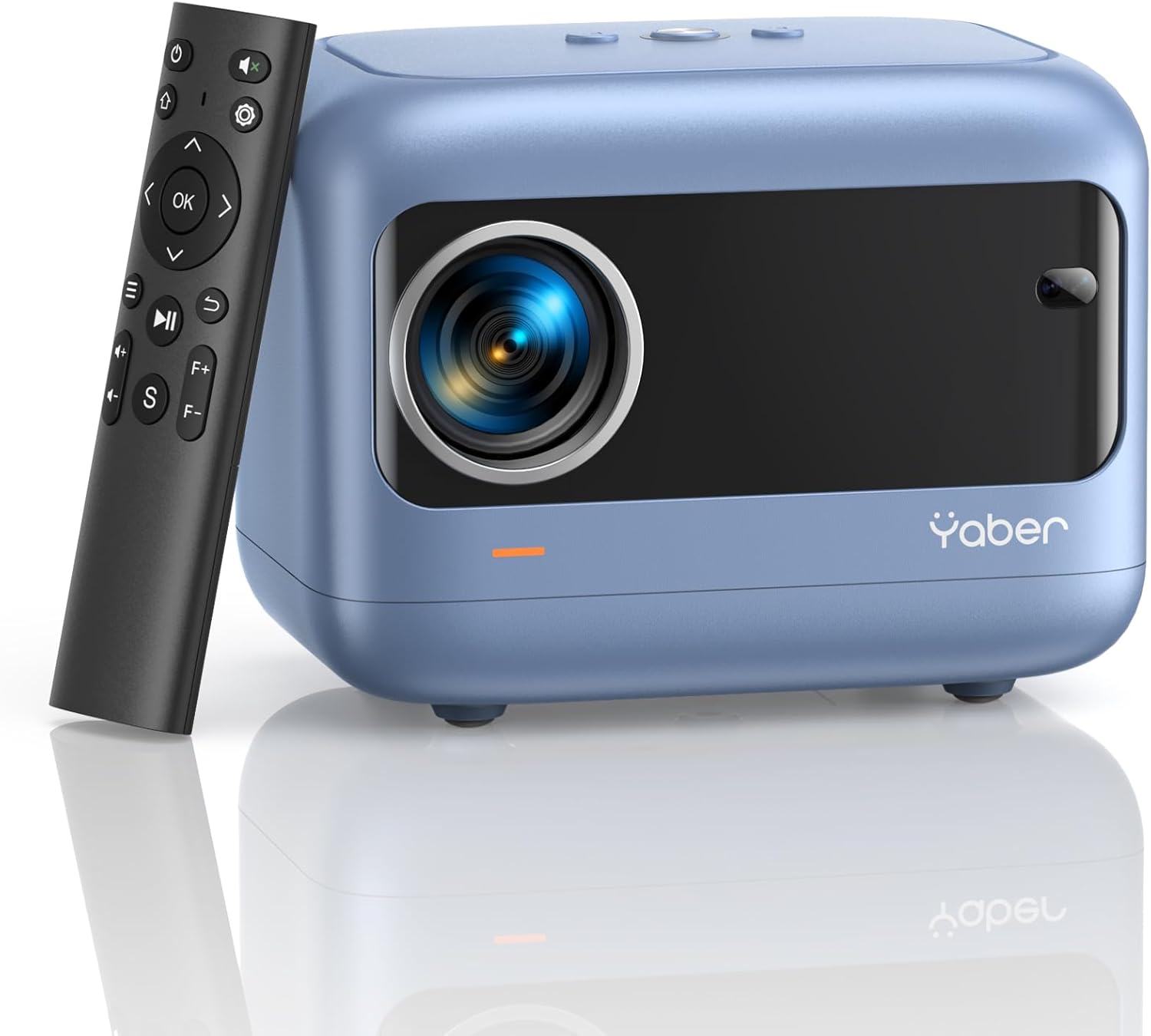
Image: YABER E1 Mini Projector with its remote control.
Panduan Persediaan
1. Penempatan Fizikal
Place the projector on a stable, flat surface. Ensure there is adequate space around the projector for ventilation. The optimal projection distance ranges from 2.6 feet to 16.4 feet, allowing for a screen size of 50 to 200 inches.
2. Sambungan Kuasa
Connect the provided power cord to the projector's power input and then to a power outlet.
3. Initial Adjustments: Electric Focus and Keystone Correction
The YABER E1 features advanced electric focus and keystone correction for optimal image clarity and shape. Use the remote control or the buttons on the projector panel to adjust these settings.
- Fokus Elektrik: Automatically adjusts the lens position for precise focus.
- Pembetulan Keystone: Corrects image distortion (up to ±40° vertical) when the projector is not perfectly perpendicular to the screen.

Image: Adjusting electric focus using the remote control.

Image: Illustrating vertical keystone correction.
Arahan Operasi
1. Pilihan Kesambungan
The YABER E1 offers various connectivity methods to display your content.
- Wireless Connectivity (5GHz WiFi): Supports wireless screen mirroring for iOS, Android, and Windows devices. Navigate to the WiFi settings in the projector menu to connect to your home network and enable screen mirroring from your device.
- Bluetooth 5.2: Connect external Bluetooth speakers, headphones, or other audio equipment for an enhanced sound experience. Access Bluetooth settings in the menu to pair devices.
- Sambungan Berwayar: The projector includes multiple ports for wired connections:
- 2 x port USB
- 1 x port HDMI
- 1 x 3.5mm audio port
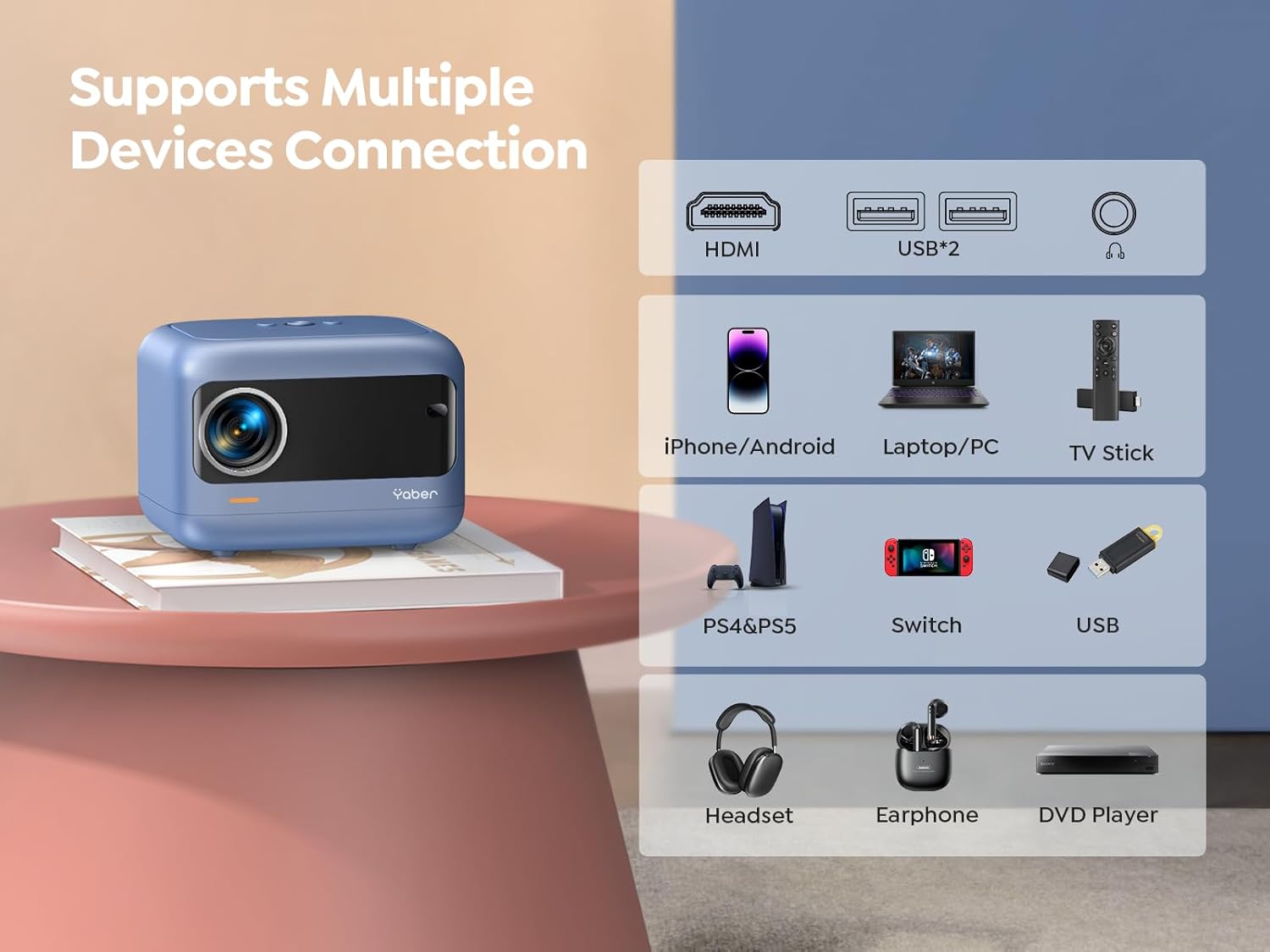
Imej: Selesaiview of available ports and compatible devices.

Image: Demonstrating 5G and 2.4G WiFi connectivity for streaming.

Image: Connecting external audio devices via Bluetooth 5.2.
2. Screen Zoom Function
The zoom function allows you to adjust the screen size without moving the projector. This is useful for fine-tuning the image to fit your projection surface.
3. Keluaran Audio
The YABER E1 includes dual 6W built-in speakers. For a more immersive audio experience, connect external speakers or headphones via Bluetooth 5.2 or the 3.5mm audio jack.
Penyelenggaraan
- Pembersihan Kanta: Use the provided cleaning kit or a soft, lint-free cloth to gently clean the projector lens. Avoid abrasive materials that could scratch the lens.
- Penyingkiran habuk: Regularly clean the projector's vents to ensure proper airflow and prevent dust buildup, which can affect performance and lifespan.
- Storan: When not in use, store the projector in a cool, dry place, ideally with the lens cap on to protect it from dust and damage.
Menyelesaikan masalah
For common issues such as signal loss, sound problems, or connectivity difficulties, please refer to the detailed troubleshooting guide available on the product detail page or contact YABER customer support.
- Tiada Imej/Isyarat: Check all cable connections (HDMI, USB) and ensure the correct input source is selected on the projector. For wireless connections, verify WiFi settings and screen mirroring activation on your device.
- Imej Kabur: Use the electric focus function to sharpen the image. Ensure the projector is placed within the recommended projection distance.
- Imej Terherot: Utilize the keystone correction feature to adjust the image shape.
- Tiada Bunyi: Periksa tetapan kelantangan pada kedua-dua projektor dan peranti yang disambungkan. Jika menggunakan pembesar suara luaran, pastikan ia disambungkan dan dihidupkan dengan betul. Sahkan pasangan Bluetooth jika berkenaan.

Image: General troubleshooting tips for quick resolution.
Spesifikasi
| Ciri | Perincian |
|---|---|
| Dimensi Produk | 6.26 x 4.92 x 4.61 inci |
| Berat Barang | 2.11 paun |
| Nombor Model | YABER E1 |
| Resolusi Paparan | 1920 x 1080 (HD Penuh) |
| Teknologi Ketersambungan | Wireless (5G WiFi), Bluetooth 5.2, HDMI, USB |
| Ciri Khas | Electric Focus, ±40° Keystone Correction, Dual 6W Speakers, Wireless Screen Mirroring |
| Penggunaan yang Disyorkan | Pawagam Rumah |
Waranti dan Sokongan
YABER offers comprehensive customer support for your E1 Mini Projector.
- Perkhidmatan: 24/7 customer service team.
- Penggantian: 3-year free replacement policy.
- Sokongan: Sokongan teknikal seumur hidup.
- Hubungi: For any questions or assistance, please contact us via email at support03@yaberauto.com.

Imej: Selesaiview of YABER's customer service commitments.