
CAMMHD Z3
CAMMHD Z3 1440P Body Mounted Camera User Manual
Model: Z3
pengenalan
This manual provides detailed instructions for the operation and maintenance of your CAMMHD Z3 Body Mounted Camera. Please read this manual thoroughly before using the device to ensure proper function and to maximize its lifespan. The CAMMHD Z3 is designed for security and personal recording, featuring high-definition video, audio recording, and night vision capabilities.
Kandungan Pakej
- CAMMHD Z3 Body Mounted Camera
- Kabel Data USB
- Klip Bahu
- Klip Belakang
- Manual Pengguna (dokumen ini)
- Built-in 3000mAh Battery (pre-installed)
Persediaan
1. Pengecasan Awal
Before first use, fully charge the camera. Connect the camera to a power source using the provided USB data cable. The charging indicator will show the charging status and turn off or change color when fully charged. A full charge provides approximately 8-10 hours of continuous recording (with infrared off at 1080p resolution).
2. Attaching the Camera
Select either the shoulder clip or the back clip based on your preference. Attach the chosen clip to the camera and then secure it to your clothing or gear. The camera is lightweight, weighing only 0.2 pounds, ensuring comfortable wear.
3. Simpanan Memori
The CAMMHD Z3 comes with built-in memory (available in 32GB, 64GB, or 128GB options). No external SD card is required for operation. Ensure sufficient storage is available for your recording needs.
Arahan Operasi
1. Hidupkan/Mati Kuasa
- Untuk menghidupkan: Tekan dan tahan butang Kuasa sehingga skrin menyala.
- To power off: Press and hold the Power button until the device shuts down.
2. Rakaman Video
- From the main screen, press the Record button to start video recording. The recording indicator will activate.
- Tekan butang Rakam sekali lagi untuk menghentikan rakaman.
- The camera supports 1440P resolution for high-definition video capture and a 130° wide-angle view.
3. Rakaman Audio
The camera records audio simultaneously with video. There may be an option in the settings to record audio only; refer to the on-screen menu for specific audio-only recording functions.
4. Penglihatan Malam
- The camera features built-in infrared lights for night vision.
- Night vision can be switched manually or set to automatic mode. In automatic mode, the camera senses light levels and adjusts accordingly.
- Effective night vision range is up to 50 feet.
5. Local Playback and File Pengurusan

Imej: File Viewing, Transmission, and Storage options for the CAMMHD Z3 Body Camera. This includes local playback on the device, connecting to a PC, connecting via OTG to a phone, and the internal memory card.
- The 2.0-inch display screen allows for one-key operation to playback and view direkodkan files terus pada peranti.
- Navigasi melalui files using the camera's control buttons.
6. Menyambung ke Komputer
- Connect the camera to a computer (Windows or macOS) using the provided USB data cable.
- The camera will appear as a removable storage device, allowing you to view, transfer, and manage recorded files.
7. Ciri Lanjutan
- Pengesanan Pergerakan: Activates recording when motion is detected. This feature can be enabled/disabled in the camera settings.
- Rakaman Gelung: When memory is full, the camera will automatically overwrite the oldest files. This ensures continuous recording without manual deletion.
- Independent Volume Adjustment: Adjust audio recording levels through the camera's menu.
- Rakaman Lanjutan: The camera supports extended recording sessions, ideal for long shifts or continuous monitoring.
Penyelenggaraan
- Pembersihan: Use a soft, dry cloth to clean the camera body. For the lens, use a specialized lens cleaning cloth and solution. Avoid abrasive materials or harsh chemicals.
- Storan: Simpan kamera di tempat yang sejuk dan kering jauh dari cahaya matahari langsung dan suhu yang melampau.
- Penjagaan Bateri: Untuk memanjangkan hayat bateri, elakkan daripada menyahcas sepenuhnya bateri dengan kerap. Cas kamera dengan kerap, walaupun tidak digunakan untuk tempoh yang lama.
- Tahan Air: The camera is waterproof; however, avoid submerging it beyond its rated depth or for prolonged periods. Ensure all ports are securely closed before exposure to water.
Menyelesaikan masalah
- Kamera tidak dihidupkan:
- Pastikan bateri dicas sepenuhnya. Sambungkan ke sumber kuasa dan cuba lagi.
- Tekan dan tahan butang Kuasa selama sekurang-kurangnya 5 saat.
- Recording issues (e.g., not recording, poor quality):
- Check available memory. If full, loop recording should overwrite old files, but ensure it's enabled.
- Pastikan kanta bersih dan bebas daripada halangan.
- Verify recording settings (resolution, night vision mode).
- Tidak dapat menyambung ke komputer:
- Pastikan kabel USB disambungkan dengan kukuh pada kamera dan komputer.
- Cuba port USB atau kabel lain.
- Restart both the camera and the computer.
- Ensure the camera is powered on when connected.
- Hayat bateri pendek:
- Pastikan kamera dicas sepenuhnya sebelum digunakan.
- Continuous recording at higher resolutions or with infrared night vision enabled will consume more power.
- Check battery health; if significantly degraded, contact support.
Spesifikasi
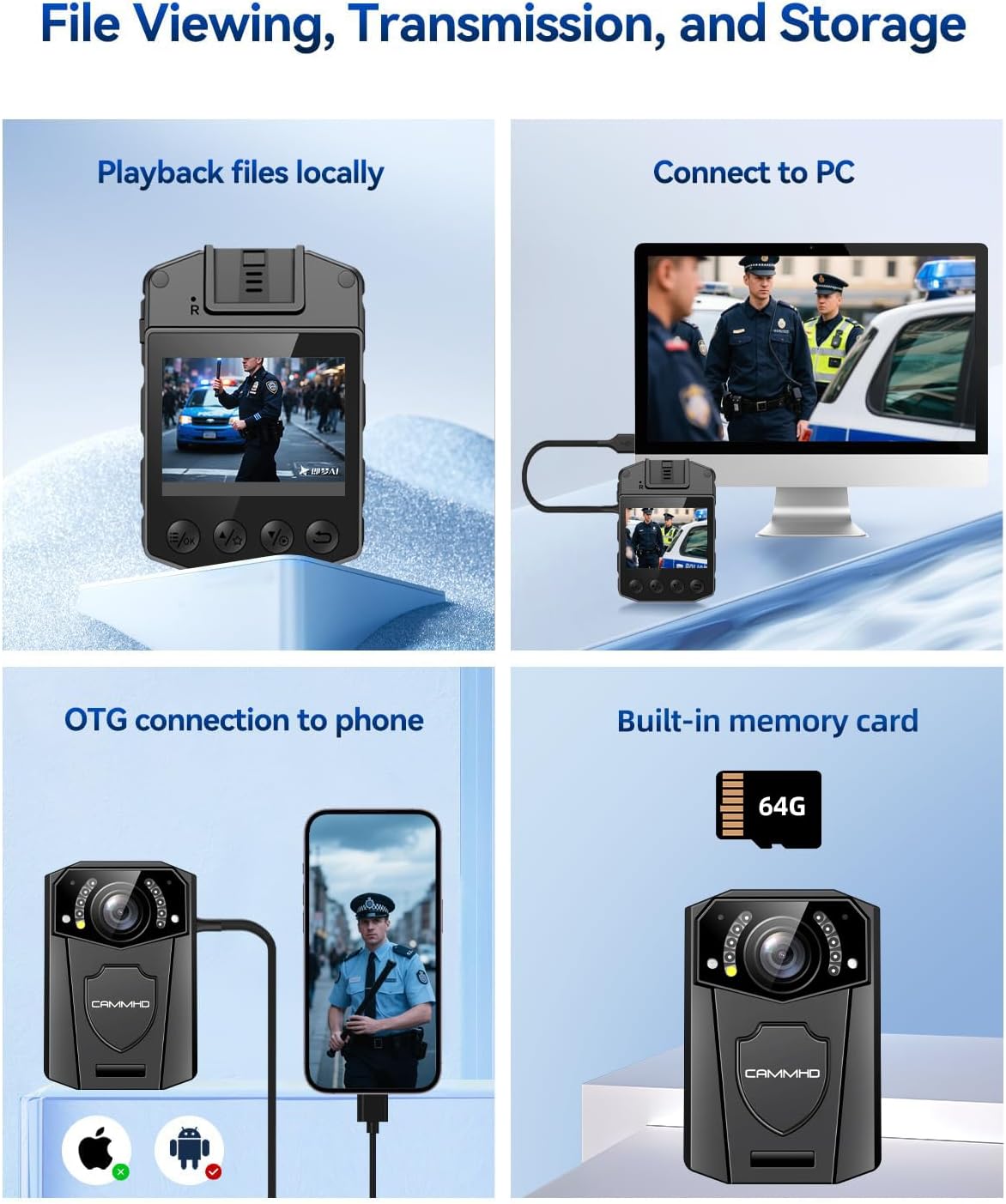
Image: The CAMMHD Z3 Body Camera demonstrating its versatile applications, including law enforcement, personal security, and recreational recording.
| Ciri | Perincian |
|---|---|
| Nombor Model | Z3 |
| Resolusi Video | 1440P (Effective), 1080p (Capture) |
| Resolusi Imej Pegun | 48 MP |
| Jenis Kanta | Sudut Lebar 130° |
| Skrin Paparan | 2.0 Inci |
| Kapasiti Bateri | 3000mAh |
| Masa Rakaman Berterusan | 8-10 hours (1080p, IR off) |
| Julat Penglihatan Malam | Sehingga 50 kaki |
| Ketersambungan | USB (untuk sambungan PC) |
| Jenis Memori | Built-in (32G, 64G, 128G options) |
| Dimensi | 2.07 x 2.99 x 1.03 inci |
| Berat badan | 0.2 paun |
| Keserasian Sistem Pengendalian | Windows, macOS |
| File Format | MP4 |
Waranti dan Sokongan
The CAMMHD Z3 Body Mounted Camera comes with a waranti setahun from the date of purchase. Additionally, CAMMHD provides sokongan teknikal seumur hidup for this product. If you encounter any issues or have questions regarding your device, please contact CAMMHD customer service for assistance.
For technical support or warranty claims, please refer to the contact information provided on the CAMMHD official webtapak atau dokumentasi pembelian anda.
Ask a question about this manual
Ask about setup, troubleshooting, compatibility, parts, safety, or missing instructions. Manuals+ will review the question and use this page’s manual context to help answer it.