
TEYES CC3 2K
TEYES CC3 2K Car Radio Multimedia System User Manual
Model: CC3 2K
pengenalan
This manual provides comprehensive instructions for the installation, operation, and maintenance of your TEYES CC3 2K Car Radio Multimedia Video Player Navigation Stereo GPS Headunit. Please read this manual thoroughly before using the device to ensure proper functionality and safety.
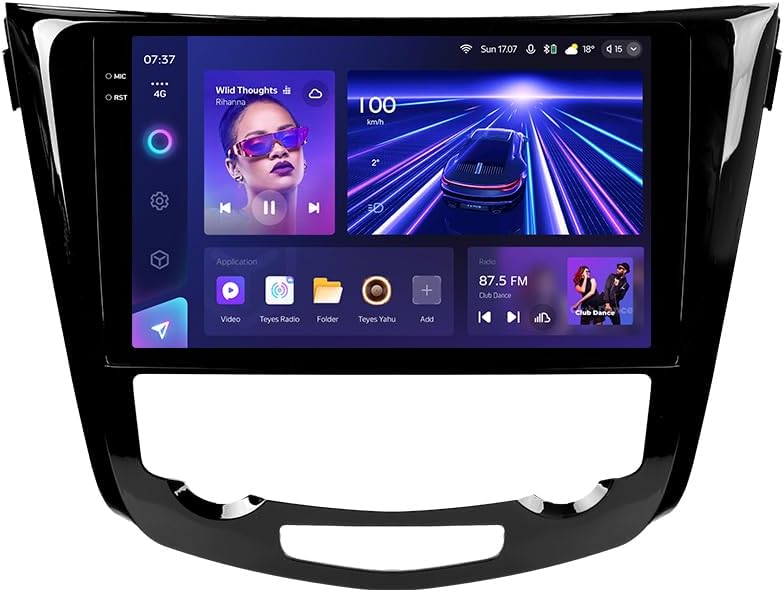
Imej: Depan view of the TEYES CC3 2K Car Radio Multimedia System, showcasinpaparannya yang besar dan reka bentuknya yang anggun.
Kandungan Pakej
Sahkan bahawa semua item yang disenaraikan di bawah disertakan dalam pakej anda. Jika ada item yang hilang atau rosak, sila hubungi sokongan pelanggan.
- 1x TEYES CC3 2K Head Unit
- 1x OEM Panel (Frame)
- 1x Kabel Kuasa
- 1x Kabel USB
- 1x Antena GPS
- Kabel AUX 1x
- 1x 4G WiFi Antenna
- 1x AHD 1080p Rear Camera
- 1x E-book (Digital Manual)
- 1x Wiring Diagram
- 1x Kain Pembersih
Persediaan dan Pemasangan
Professional installation is recommended for this device. Ensure the vehicle's battery is disconnected before beginning installation.
Keserasian
This unit is designed for Nissan X-Trail 3 (T32) 2013-2022 and Qashqai 2 (J11) models. Please verify your vehicle's compatibility before installation.
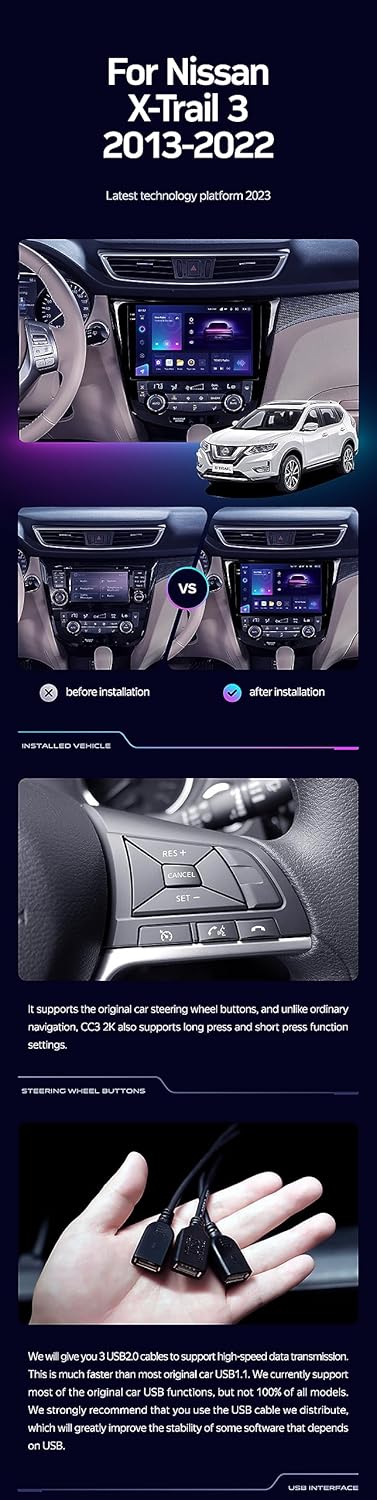
Image: A side-by-side comparison showing a car's dashboard before and after the installation of the TEYES CC3 2K unit, highlighting the integrated look.
Langkah Pemasangan (Umum)
- Putuskan Sambungan Bateri: Sebelum memulakan, cabut terminal negatif bateri kenderaan anda untuk mengelakkan seluar pendek elektrik.
- Keluarkan Unit Ketua Lama: Tanggalkan radio kereta dan panel trim sedia ada dengan berhati-hati. Rujuk manual servis kenderaan anda untuk arahan khusus.
- Sambungkan Wiring Harness: Connect the provided power cable, USB cable, GPS antenna, AUX cable, and 4G WiFi antenna to the TEYES CC3 2K head unit. Ensure all connections are secure.
- Pasang Kamera Belakang: If installing the AHD 1080p rear camera, route its cable to the desired mounting location (typically near the license plate) and connect it to the head unit.
- Unit Kepala Pemasangan: Secure the TEYES CC3 2K head unit into the dashboard using the provided OEM panel (frame) and mounting hardware.
- Sambung semula Bateri: Once all connections are made and the unit is securely mounted, reconnect the vehicle's battery.
- Kefungsian Ujian: Turn on the vehicle and test all functions of the new head unit, including audio, navigation, camera, and connectivity.
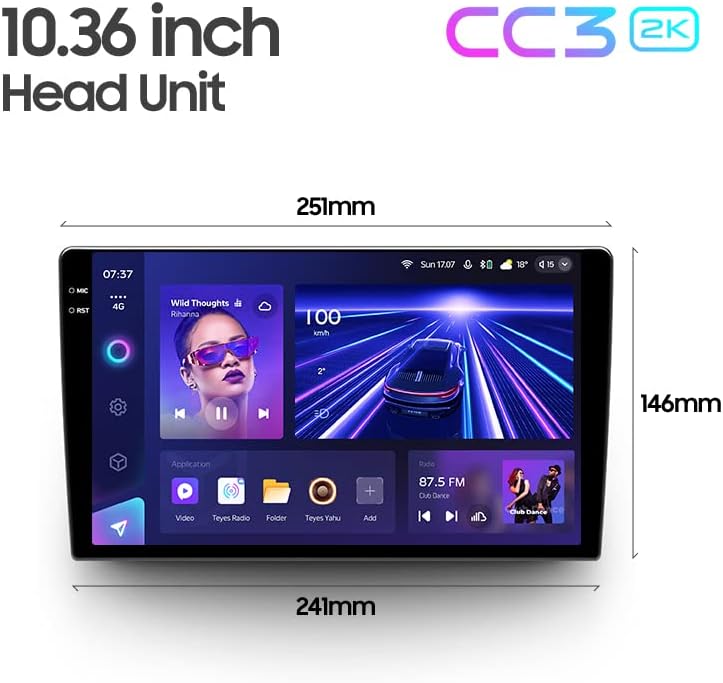
Image: The OEM panel (frame) included with the TEYES CC3 2K, designed for seamless integration into compatible vehicle dashboards.
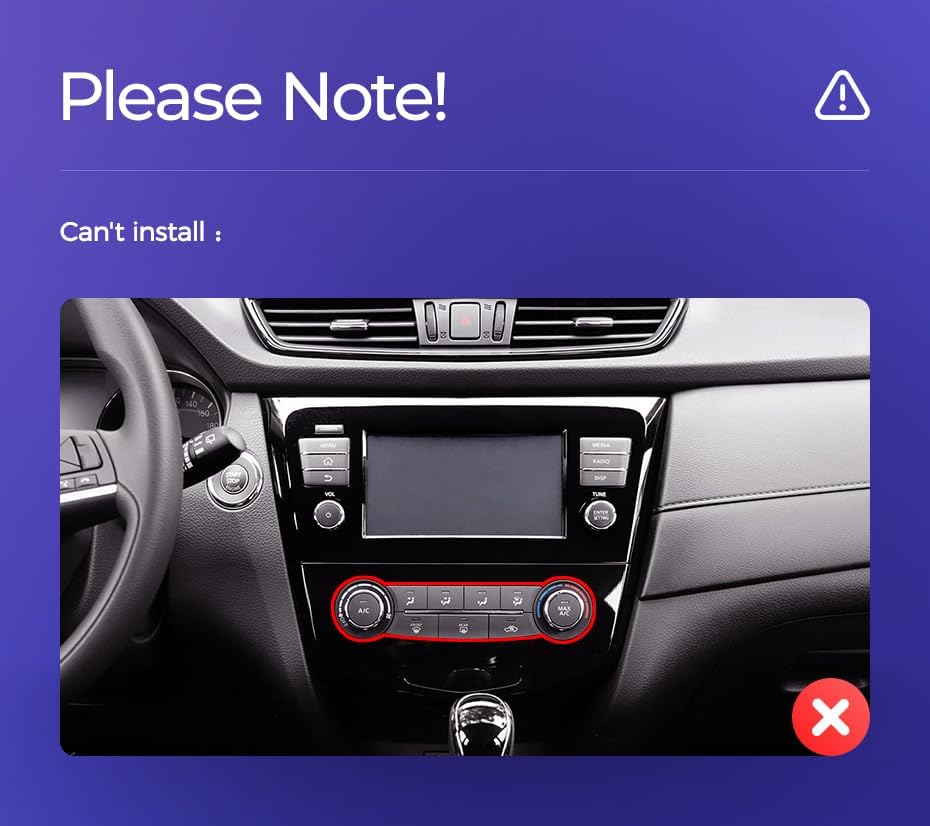
Image: Technical drawing showing the dimensions of the TEYES CC3 2K head unit, including its 10.36-inch screen size.
Nota Pemasangan Penting
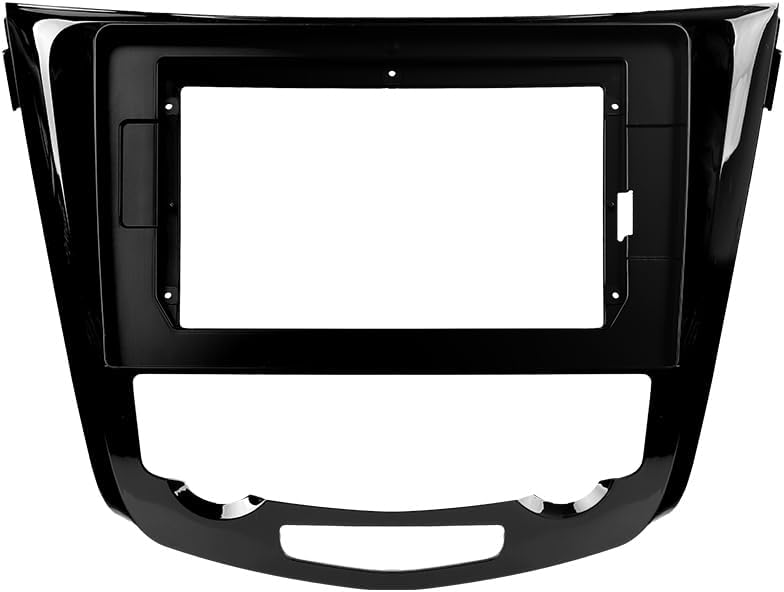
Image: Three USB output cables provided with the TEYES CC3 2K for data transfer and connectivity.
The unit provides multiple USB outputs for data transfer. While designed for broad compatibility, some original car USB functions may not be fully supported across all vehicle models. An included USB adapter cable can be used to ensure compatibility where needed.
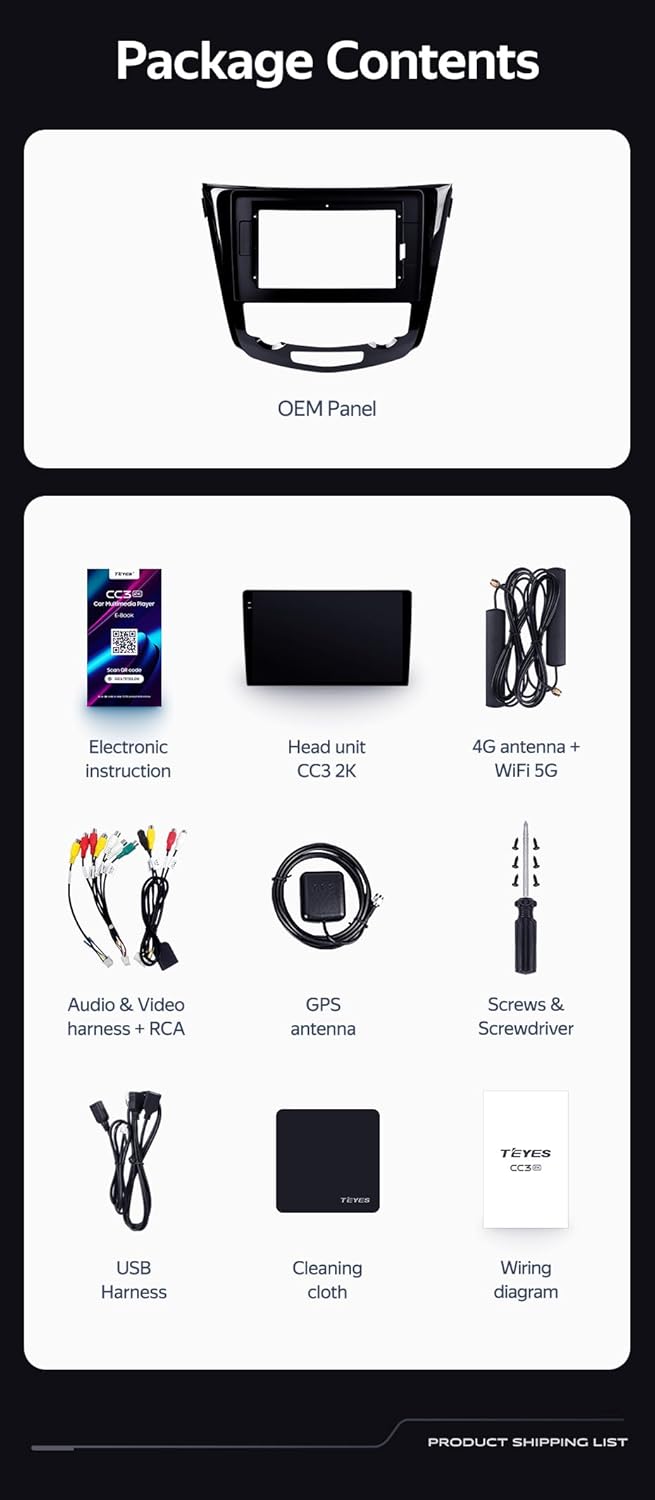
Image: A close-up of a car's steering wheel with controls, indicating support for steering wheel button integration with the TEYES CC3 2K.
The unit supports original car steering wheel buttons. Basic functions like volume and track control are supported. Advanced functions may require additional configuration or may not be fully compatible with all vehicle models.
Arahan Operasi
Paparan dan Antara Muka
The TEYES CC3 2K features a 10.36-inch 2K In-cell display, offering vivid colors and accurate touch response. The Android 10 operating system provides a user-friendly interface.
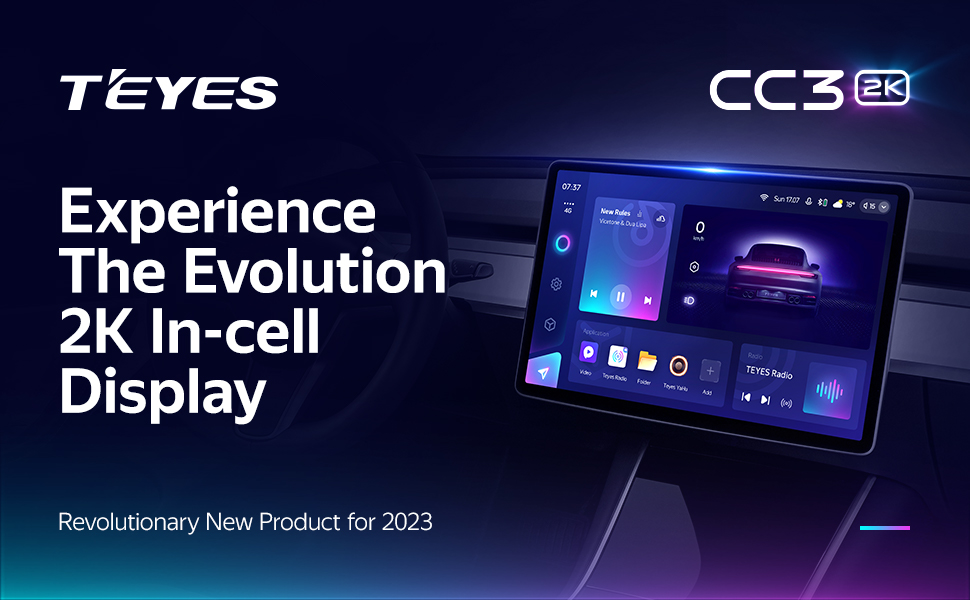
Image: A promotional image highlighting the TEYES CC3 2K's 2K In-cell display, showing a vibrant user interface.
Ketersambungan
- Bluetooth: Connect your smartphone via the upgraded Qualcomm QCC3031QFN Bluetooth module for hands-free calling and audio streaming.
- Wi-Fi/4G Internet: The unit supports 4G internet connectivity (SIM card not included) and Wi-Fi for online navigation, app downloads, and streaming.
- USB: Use the USB ports for media playback, data transfer, and connecting external devices.
Navigasi dan Multimedia
- GPS: Built-in GPS with North America map type support for accurate navigation.
- CarPlay & Android Auto: Enjoy seamless integration with your smartphone via built-in wireless Apple CarPlay and Android Auto.
- Radio: Access local radio stations with the premium local radio feature.
- Mod Skrin Pisah: Utilize the freestyle combination split screen mode to run two applications simultaneously, such as navigation and media playback.

Image: The TEYES CC3 2K display showing split-screen functionality, with navigation on one side and video playback on the other.

Image: The TEYES CC3 2K display showing the premium local radio interface with various station icons.
Ciri Audio
The unit is equipped with dual DSP (ADAU1701 + ROHM32107) for enhanced audio processing, offering optical and coaxial digital audio output.
- 27-Segment EQ: Fine-tune your audio experience with the comprehensive 27-segment equalizer.
- Sound Filtering: Advanced sound filtering options are available to optimize audio output.

Image: The TEYES CC3 2K display showing the DSP audio settings interface, indicating dual DSP processors.
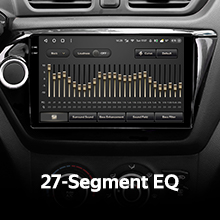
Image: The TEYES CC3 2K display showing the 27-segment equalizer interface for detailed audio customization.

Image: The TEYES CC3 2K display showing audio output settings, indicating support for optical and coaxial digital audio output.
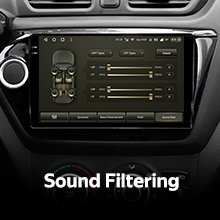
Image: The TEYES CC3 2K display showing sound filtering options, allowing users to refine audio quality.
Kamera dan Rakaman
The unit supports real-time viewing of the vehicle's rear view and video recording with the included AHD 1080p rear camera.

Image: The TEYES CC3 2K display showing the real-time feed from the rear view camera, with recording options.
Penyelenggaraan
- Pembersihan Skrin: Use the provided cleaning cloth or a soft, lint-free cloth to gently wipe the screen. Avoid abrasive cleaners or solvents.
- Kemas Kini Perisian: Periodically check for software updates from TEYES to ensure optimal performance and access to new features.
- Keadaan Persekitaran: Elakkan daripada mendedahkan unit kepada suhu yang melampau, cahaya matahari langsung untuk tempoh yang lama, atau kelembapan yang berlebihan.
Menyelesaikan masalah
If you encounter issues with your TEYES CC3 2K, refer to the following common problems and solutions:
| Masalah | Kemungkinan Punca | Penyelesaian |
|---|---|---|
| Unit tidak dihidupkan. | Sambungan kuasa longgar, fius pecah, masalah bateri kenderaan. | Periksa sambungan kabel kuasa. Periksa fius kenderaan. Pastikan bateri kenderaan dicas. |
| Tiada output audio. | Volume too low, incorrect audio source selected, speaker wiring issue. | Tingkatkan kelantangan. Pilih sumber audio yang betul. Semak sambungan pembesar suara. |
| Isyarat GPS hilang atau tidak tepat. | Antena GPS terhalang atau tidak dipasang dengan betul. | Pastikan antena GPS mempunyai jernih view langit dan disambungkan dengan selamat. |
| Skrin sentuh tidak bertindak balas. | Gangguan perisian sementara, gangguan pelindung skrin. | Restart the unit. Remove any screen protectors to test. |
| Isu sambungan Bluetooth. | Device not in pairing mode, interference, outdated firmware. | Ensure device is in pairing mode. Move closer to the unit. Check for firmware updates. |

Image: An icon representing Frequently Asked Questions, indicating further support resources.
Spesifikasi
| Ciri | Perincian |
|---|---|
| Nombor Model | CC3 2K |
| Sistem Operasi | Android 10 |
| Pemproses | 8 Teras 2.0GHz |
| RAM | 6GB |
| ROM | 128GB |
| Saiz Paparan | 10.36 Inci |
| Jenis Paparan | 2K In-cell Display |
| Ketersambungan | Bluetooth (QCC3031QFN Qualcomm), USB, Wi-Fi, Hotspot, 4G Internet |
| Mod Keluaran Audio | Stereo |
| DSP | 2*DSP ADAU1701 + ROHM32107 |
| Output Audio | Optical and Coaxial Digital Audio Output |
| Navigasi | Built-in GPS, North America Map Type |
| Ciri Khas | Touchscreen, Bluetooth, Wireless CarPlay, Android Auto, RDS, Real-time Rear View, Video Recording, TEYES Vision & TEYES Yahu software. |
| Jenis Perkhidmatan Kenderaan | kereta |
Waranti dan Sokongan
The TEYES CC3 2K comes with a Waranti 1 tahun dari tarikh pembelian. Waranti ini meliputi kecacatan pembuatan dan kerosakan dalam penggunaan biasa.
For technical support, troubleshooting assistance, or warranty claims, please contact TEYES customer service through the official TEYES store on Amazon or their official webtapak.
Lawati TEYES Store on Amazon untuk mendapatkan maklumat lanjut dan sumber sokongan.
Ask a question about this manual
Ask about setup, troubleshooting, compatibility, parts, safety, or missing instructions. Manuals+ will review the question and use this page’s manual context to help answer it.