
pengenalan
Thank you for choosing the AWEI A996BL Bluetooth Over-Ear Headphones. This manual provides detailed instructions for setting up, operating, and maintaining your headphones to ensure optimal performance and longevity. Please read this manual carefully before use.
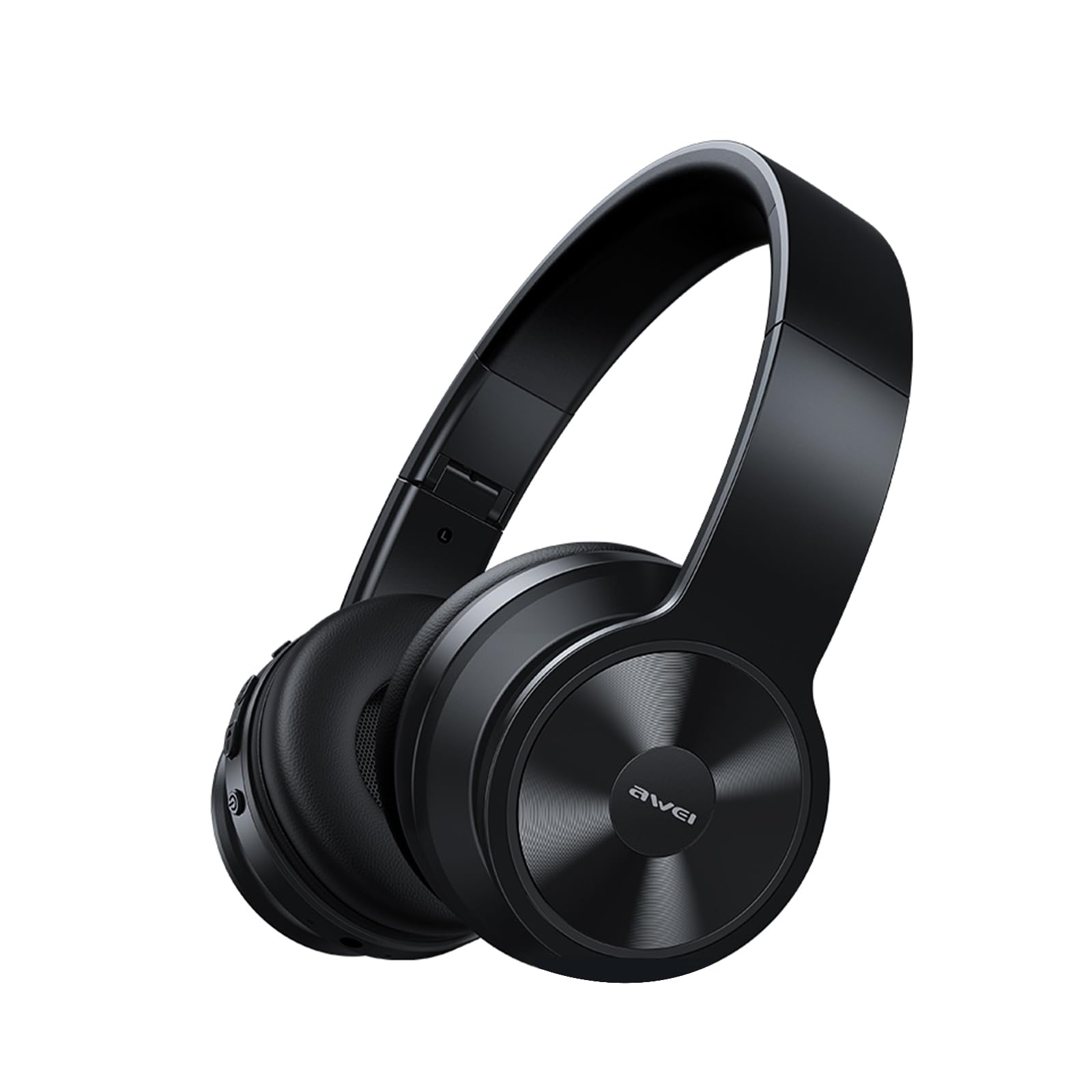
Image: AWEI A996BL over-ear headphones, showcasing reka bentuk mereka.
The AWEI A996BL headphones feature advanced Bluetooth 5.3 technology for stable connections, 40mm drivers for immersive stereo sound, and a comfortable, foldable design with soft protein earpads. Enjoy up to 16 hours of playtime on a single charge, with the flexibility of both wireless and wired (AUX) listening modes.
Kandungan Pakej
- AWEI A996BL Bluetooth Over-Ear Headphones
- Kabel Pengecas USB
- Manual Pengguna
- (Note: An AUX cable may be included for wired connection, depending on the specific package.)
Produk Selesaiview
Familiarize yourself with the headphone components and controls.

Image: Right earcup of the AWEI A996BL headphones, highlighting the control buttons.
Kawalan dan Penunjuk:
- Butang berbilang fungsi (MFB): Power On/Off, Play/Pause, Answer/End Call, Reject Call, Activate Voice Assistant.
- Butang Naikkan Kelantangan / Trek Seterusnya: Tekan sebentar untuk Naikkan Kelantangan, Tekan lama untuk Trek Seterusnya.
- Butang Kelantangan Kurang / Trek Sebelumnya: Tekan sebentar untuk Kurangkan Kelantangan, Tekan lama untuk Trek Sebelumnya.
- Penunjuk LED: Menunjukkan status kuasa, mod berpasangan dan status pengecasan.
- mikrofon: Untuk panggilan bebas tangan.
- Port Pengecasan USB-C: Untuk mengecas fon kepala.
- Port AUX 3.5mm: Untuk sambungan audio berwayar.
Persediaan
1. Mengecas Fon Kepala
Sebelum penggunaan pertama, cas sepenuhnya fon kepala. Cas penuh mengambil masa kira-kira 2 jam.
- Connect the USB charging cable to the USB-C charging port on the headphones.
- Sambungkan hujung kabel yang satu lagi ke penyesuai kuasa USB (tidak disertakan) atau port USB komputer.
- The LED indicator will show a red light during charging and turn off or blue when fully charged.

Image: Visual representation of the 300mAh battery capacity, indicating long battery life.
2. Menghidupkan/Mematikan
- Hidupkan kuasa: Press and hold the Multi-function Button (MFB) for approximately 3 seconds until the LED indicator flashes blue and a voice prompt confirms "Power On".
- Matikan: Press and hold the Multi-function Button (MFB) for approximately 3 seconds until the LED indicator flashes red and a voice prompt confirms "Power Off".
3. Penggandingan Bluetooth (Mod Tanpa Wayar)
The headphones use Bluetooth 5.3 for a stable connection.
- Pastikan fon kepala dicas sepenuhnya dan dimatikan.
- Press and hold the Multi-function Button (MFB) for approximately 5-7 seconds until the LED indicator flashes blue and red alternately. This indicates pairing mode.
- Pada peranti anda (telefon pintar, tablet, PC), dayakan Bluetooth dan cari peranti yang tersedia.
- Pilih "AWEI A996BL" daripada senarai peranti yang ditemui.
- Once paired, the LED indicator will flash blue slowly, and a voice prompt will confirm "Connected".
- Jika kata laluan diperlukan, masukkan "0000".

Image: Headphones connected wirelessly to a laptop and smartphone, demonstrating a stable Bluetooth connection. Note: The product features Bluetooth 5.3 for enhanced performance.
4. Sambungan Berwayar (Mod AUX)
You can use the headphones in wired mode even when the battery is depleted or with non-Bluetooth devices.
- Connect one end of a 3.5mm audio cable (not included) to the AUX port on the headphones.
- Sambungkan hujung satu lagi ke bicu output audio 3.5mm peranti anda.
- The headphones will automatically switch to wired mode. Note that controls on the headphones (volume, play/pause) may not function in wired mode; control playback from your connected device.

Image: Headphones showing both USB-C charging port and 3.5mm AUX port, illustrating wired and wireless options.
Arahan Operasi
Memakai Fon Kepala
Adjust the headband for a comfortable fit. The soft protein earpads are designed for extended wear.

Image: A person wearing the AWEI A996BL headphones, highlighting their lightweight and comfortable design with adjustable headband and bendable earmuffs.
Basic Functions (Wireless Mode)
| Fungsi | Operasi |
|---|---|
| Main/Jeda Muzik | Tekan pendek Butang Pelbagai fungsi (MFB). |
| Kelantangan Naik | Tekan sebentar butang "Naikkan Kelantangan / Trek Seterusnya". |
| Kelantangan Kurang | Tekan sebentar butang "Kelantangan Turun / Trek Sebelumnya". |
| Trek Seterusnya | Tekan lama butang "Naikkan Kelantangan / Trek Seterusnya". |
| Trek Sebelumnya | Tekan lama butang "Kelantangan Turun / Trek Sebelumnya". |
| Jawab/Tamatkan Panggilan | Tekan pendek Butang Pelbagai fungsi (MFB). |
| Tolak Panggilan | Tekan lama Butang Pelbagai fungsi (MFB). |
| Aktifkan Pembantu Suara | Tekan dua kali Butang Pelbagai fungsi (MFB). |
Penyelenggaraan
Pembersihan
- Lap fon kepala dengan kain lembut, kering dan tidak berbulu.
- Jangan gunakan pembersih yang melelas, alkohol atau pelarut kimia.
- Elakkan mendapatkan kelembapan ke dalam mana-mana bukaan.
Penyimpanan
- Apabila tidak digunakan, simpan fon kepala di tempat yang sejuk dan kering, jauh daripada cahaya matahari langsung dan suhu yang melampau.
- Fon kepala ini mempunyai reka bentuk yang boleh dilipat untuk penyimpanan dan kebolehgunaan yang mudah.
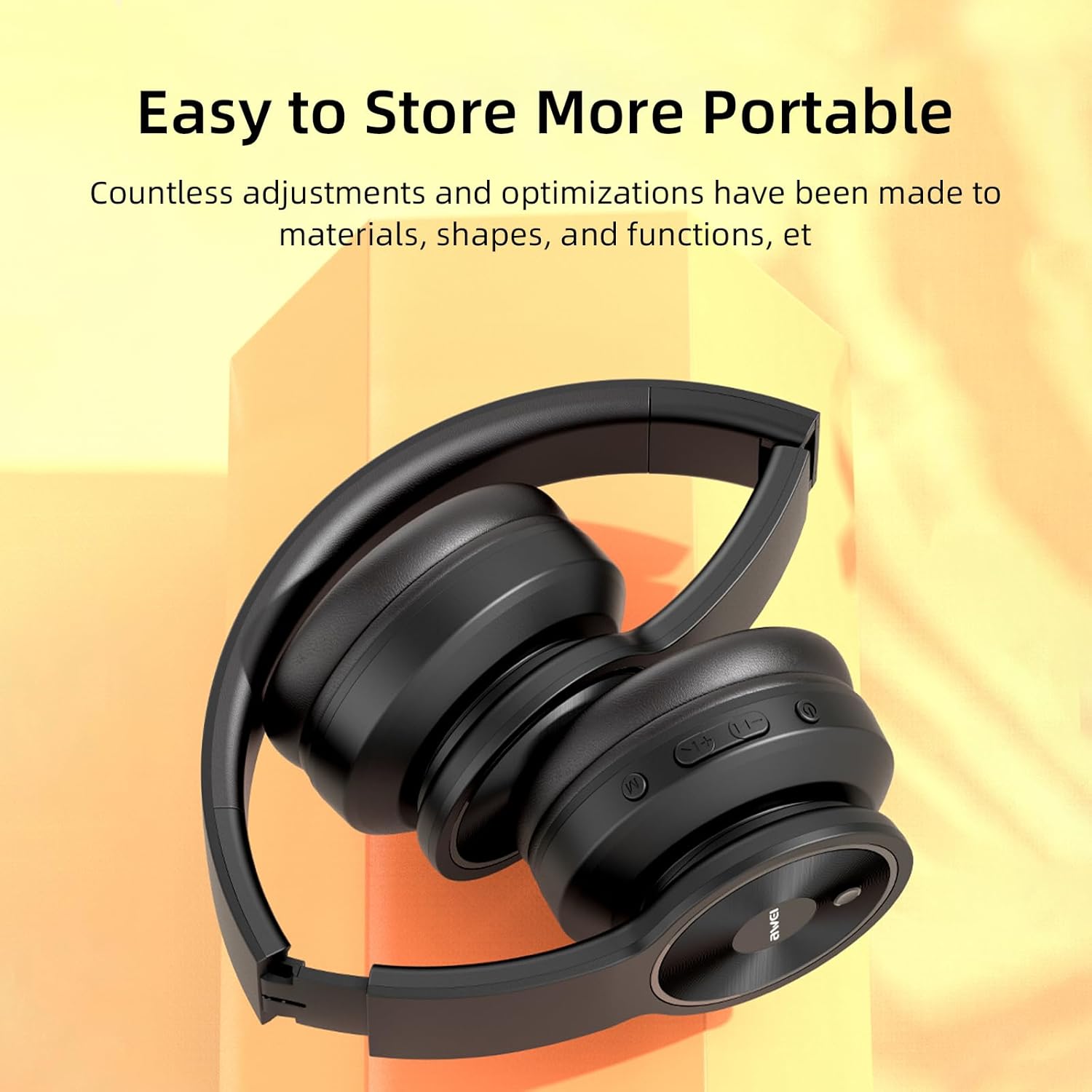
Image: The AWEI A996BL headphones in a folded position, demonstrating their portable and easy-to-store design.
Penjagaan Bateri
- To preserve battery life, charge the headphones regularly, even if not used frequently.
- Elakkan daripada mencas bateri sepenuhnya untuk tempoh yang lama.
- Jangan dedahkan bateri kepada suhu tinggi.
Menyelesaikan masalah
| Masalah | Penyelesaian |
|---|---|
| Fon kepala tidak dihidupkan. | Pastikan fon kepala dicas. Sambungkan ke sumber kuasa menggunakan kabel USB. |
| Tidak boleh berpasangan dengan peranti. |
|
| Tiada bunyi atau kelantangan rendah. |
|
| Kualiti bunyi kurang baik atau terputus-putus. |
|
| Mikrofon tidak berfungsi. |
|
Spesifikasi
| Ciri | Perincian |
|---|---|
| Model | A996BL |
| Versi Bluetooth | 5.3 |
| Saiz Pemandu | 40mm |
| Kapasiti Bateri | 300mAh |
| Masa Main | Sehingga 16 jam |
| Masa Mengecas | Lebih kurang 2 jam |
| Julat Tanpa Wayar | Sehingga 33 kaki (10 meter) |
| Ketersambungan | Tanpa Wayar (Bluetooth), Berwayar (AUX 3.5mm) |
| Ciri Khas | Ergonomic, Lightweight, Foldable design |
| Penempatan Telinga | Atas Telinga |
Waranti dan Sokongan
AWEI provides a 12-month warranty for the A996BL headphones from the date of purchase, covering manufacturing defects. A 30-day return policy is also available. For any questions, technical support, or warranty claims, please contact our customer service team.
Sokongan Pelanggan:
- e-mel: support@awei.com
- Webtapak: www.awei.com
Kami berhasrat untuk membalas semua pertanyaan dalam masa 12 jam.