
pengenalan
This manual provides detailed instructions for the operation and maintenance of your Cuifati Portable Cassette Player with Auto Reverse. Please read this manual thoroughly before using the device to ensure proper functionality and to maximize your listening experience.
Kandungan Pakej
Sahkan bahawa semua item yang disenaraikan di bawah disertakan dalam pakej anda:
- 1 x Cuifati Portable Cassette Player
- 1 x Fon kepala
- 1 x Kabel Kuasa USB
- 1 x Manual Pengguna
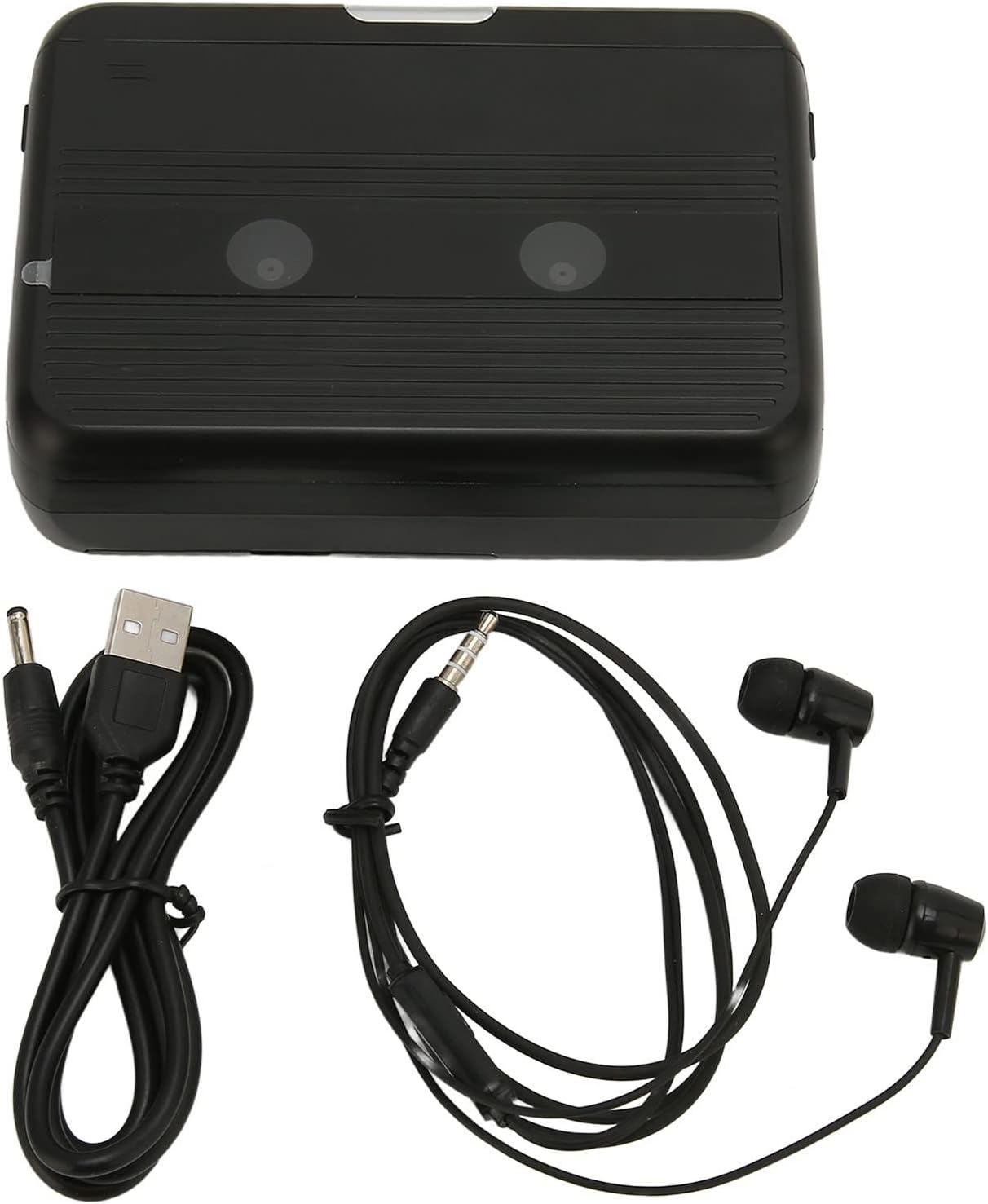
The Cuifati Portable Cassette Player shown alongside its included USB power cord and wired headphones.
Produk Selesaiview
Familiarize yourself with the various parts and controls of your cassette player.
Depan View (Buka)
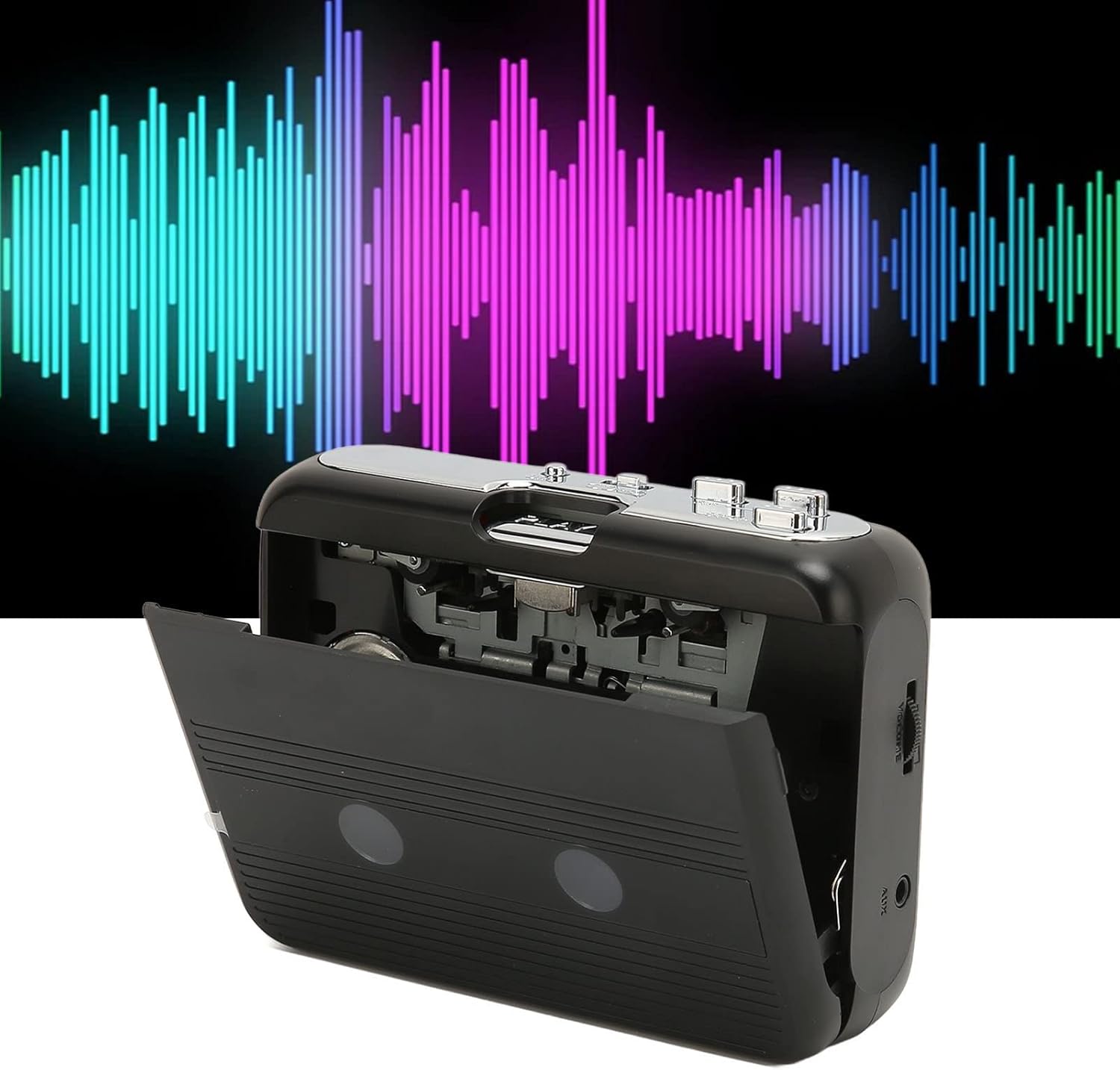
Depan view of the Cuifati Portable Cassette Player with the cassette compartment door open, revealing the tape mechanism.
Depan View (Ditutup)
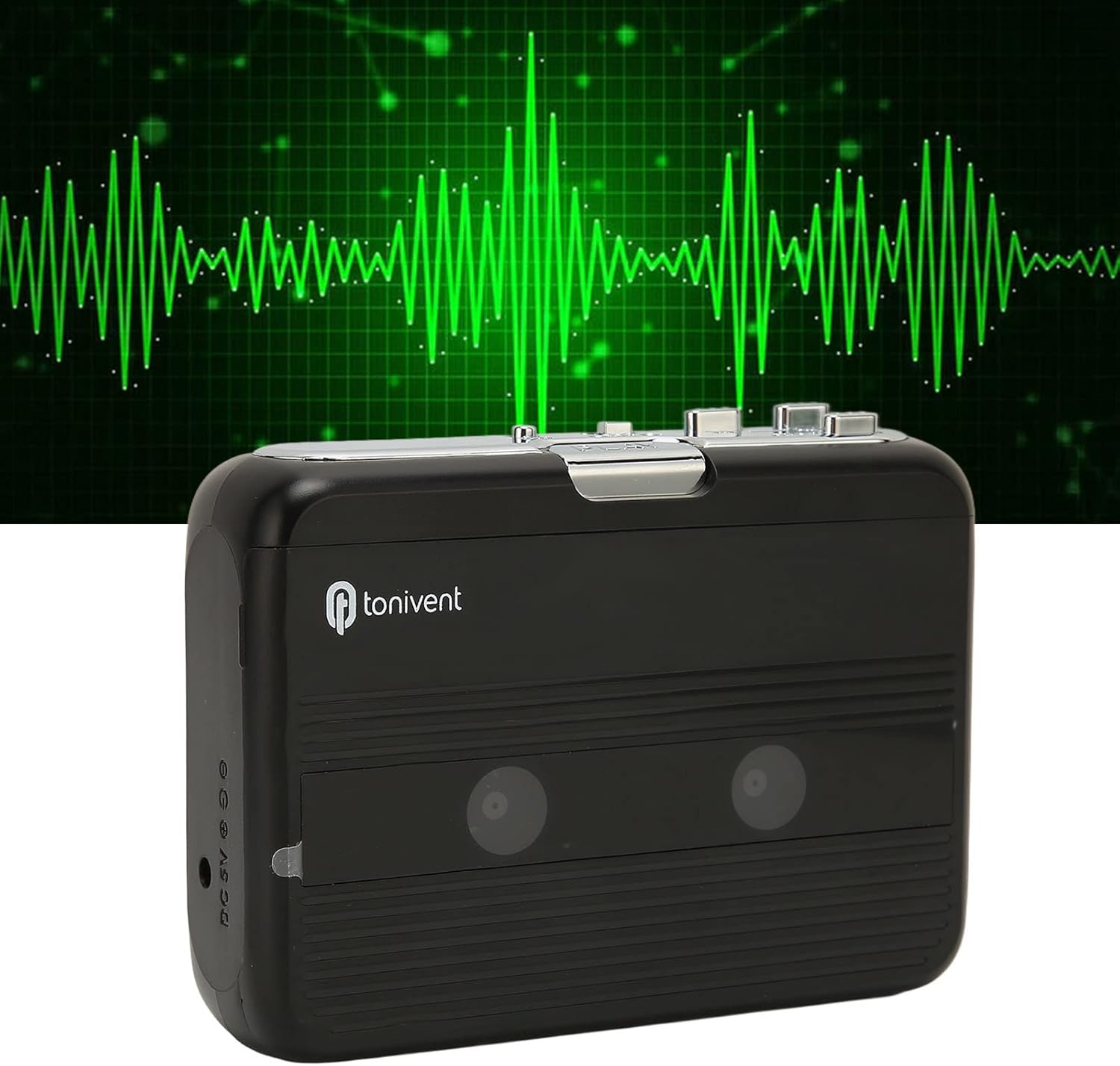
Depan view of the Cuifati Portable Cassette Player with the cassette compartment door closed.
Cassette Mechanism

jarak dekat view of the cassette player's internal mechanism, showing the tape heads and rollers.
sebelah View (Controls and Ports)

sebelah view of the cassette player, highlighting the volume control wheel and the AUX output port.
Kawalan Utama:
- Butang Main: Memulakan main balik kaset.
- Butang Berhenti: Halts playback.
- Butang Maju Pantas (FF): Memajukan pita dengan cepat.
- Rewind (REW) Button: Menggulung semula pita dengan cepat.
- Auto Reverse Button: Changes tape direction during playback.
- Roda Kawalan Kelantangan: Melaraskan tahap output audio.
- FM/Tape Switch: Selects between FM radio and cassette playback mode.
- Headphone/AUX Output Jack: Connects headphones or external audio devices.
- Input DC 5V: Untuk bekalan kuasa USB.
Persediaan
Bekalan Kuasa
The cassette player can be powered by two (2) AA batteries or via a USB power supply.
- Pemasangan Bateri:
- Buka penutup petak bateri yang terletak di belakang peranti.
- Masukkan dua bateri AA, pastikan kekutuban (+/-) betul seperti yang ditunjukkan di dalam petak.
- Tutup penutup petak bateri dengan selamat.
- USB Power Connection:
- Connect the small end of the included USB power cord to the DC 5V input port on the cassette player.
- Connect the standard USB end to a USB power adapter (not included) or a computer's USB port.
Inserting a Cassette Tape
- Gently open the cassette compartment door.
- Insert a cassette tape with the exposed tape facing upwards and the side you wish to play facing the front.
- Close the cassette compartment door until it clicks securely.
Arahan Operasi
Bermain Kaset
- Ensure a cassette tape is properly inserted.
- Set the FM/Tape switch to the "Tape" position.
- Tekan ke Main butang untuk memulakan main semula.
- Laraskan Roda Kawalan Kelantangan ke tahap pendengaran yang anda inginkan.
- Untuk menghentikan main balik, tekan Berhenti butang.
- Untuk ke hadapan pantas, tekan butang FF button. To rewind, press the REW butang. Tekan Berhenti untuk melepaskan diri.
Auto Reverse Function
The player features an auto-reverse function, allowing the tape to play in both directions without needing to manually flip the cassette.
- Semasa main semula, tekan butang Auto Songsang button to switch the tape direction. The player will automatically reverse and continue playing the other side of the tape.
Menggunakan Radio FM
- Set the FM/Tape switch to the "FM" position.
- Use the tuning dial (if present, otherwise the FF/REW buttons might serve as tuning) to scan for FM radio stations.
- Laraskan Roda Kawalan Kelantangan ke tahap pendengaran yang anda inginkan.
Using the Built-in Speaker
The device includes a built-in speaker for direct audio output. No special action is required; audio will play through the speaker unless headphones are connected.
Connecting Headphones or External Audio Devices
For private listening or connecting to external speakers, use the 3.5mm headphone/AUX output jack.
- Plug the included headphones or your own 3.5mm audio cable into the Headphone/AUX Output Jack.
- When headphones are connected, audio will automatically switch from the built-in speaker to the headphones.

A person listening to music with headphones, illustrating the headphone usage.
Penyelenggaraan
Proper care ensures the longevity and optimal performance of your cassette player.
- Pembersihan: Gunakan kain lembut dan kering untuk membersihkan bahagian luar peranti. Jangan gunakan pembersih cecair atau bahan kasar.
- Kepala Pita: Periodically clean the tape heads with a specialized cassette head cleaner to maintain sound quality.
- Storan: Apabila tidak digunakan untuk tempoh yang lama, tanggalkan bateri untuk mengelakkan kebocoran. Simpan peranti di tempat yang sejuk dan kering, jauh daripada cahaya matahari langsung dan suhu yang melampau.
- Elakkan Debu: Keep the cassette compartment closed when not in use to prevent dust accumulation.
Menyelesaikan masalah
If you encounter issues with your cassette player, refer to the following common problems and solutions:
| Masalah | Kemungkinan Punca | Penyelesaian |
|---|---|---|
| Tiada kuasa | Dead batteries; USB cable not connected; faulty power source. | Replace batteries; ensure USB cable is securely connected to a working power source. |
| Tiada bunyi daripada pembesar suara/fon kepala | Volume too low; headphones not fully plugged in; FM/Tape switch in wrong position; dirty tape heads. | Increase volume; ensure headphones are fully inserted; set switch to correct mode (Tape/FM); clean tape heads. |
| Poor sound quality (cassette) | Dirty tape heads; worn-out tape; incorrect tape insertion. | Clean tape heads; try a different tape; re-insert tape correctly. |
| FM radio static/poor reception | Isyarat lemah; gangguan. | Relocate the player to an area with better reception; try adjusting the player's orientation. |
| Tape not playing/moving | Tape jammed; mechanism issue; tape not inserted correctly. | Check for tape jams; ensure tape is inserted correctly; if issue persists, contact support. |
Spesifikasi
| Ciri | Perincian |
|---|---|
| Jenama | Cuifati |
| Nombor Model | Cuifatibi73wk0z4p |
| ASIN | B0CDD42V9J |
| Bekalan Kuasa | 2 x AA Batteries or USB DC 5V |
| Fungsi | Cassette Playback, Auto Reverse, FM Radio, Built-in Speaker, Headphone Output |
| Output Audio | 3.5mm Headphone/AUX Jack |
| Berat Barang | 10.3 auns |
Maklumat Keselamatan Penting
- Jangan dedahkan peranti kepada air, lembapan atau suhu yang melampau.
- Elakkan daripada menjatuhkan atau meletakkan peranti kepada kesan yang kuat.
- Jangan cuba membuka atau membaiki peranti ini sendiri. Rujuk semua servis kepada kakitangan yang berkelayakan.
- Buang bateri secara bertanggungjawab mengikut peraturan tempatan.
- Mendengar berpanjangan pada tahap kelantangan tinggi boleh menyebabkan kerosakan pendengaran. Laraskan kelantangan ke tahap yang selamat.
Waranti dan Sokongan
Untuk maklumat waranti atau sokongan teknikal, sila rujuk dokumentasi yang diberikan semasa pembelian atau hubungi peruncit anda. Simpan resit pembelian anda sebagai bukti pembelian.