
FOREVER Colorum
Manual Pengguna Jam Tangan Pintar FOREVER Colorum CW-300
Your comprehensive guide to setting up and using your new smartwatch.
1. Pengenalan
The FOREVER Colorum CW-300 Smartwatch is designed to seamlessly integrate with most smartphones, offering a wide range of features for fitness tracking, communication, and daily convenience. Its intuitive 1.20-inch touchscreen display and Bluetooth 5.0 connectivity ensure a fast and stable connection.

Image: The FOREVER Colorum CW-300 Smartwatch in green, shown with its matching round carrying case. The watch face displays time, distance, and step count.
2. Apa yang ada di dalam Kotak
Upon unboxing your FOREVER Colorum CW-300 Smartwatch, please ensure all components are present:
- Jam pintar CW-300
- Sarung tangan yang elegan
- Kabel pengecas USB
- Manual pengguna

Image: The FOREVER Colorum CW-300 Smartwatch, its USB charging cable, and the matching round carrying case, laid out to show the contents of the product box.
3. Persediaan
3.1 Mengecas Jam Pintar
Before first use, fully charge your smartwatch. Connect the provided USB charging cable to the charging port on the back of the watch and plug the other end into a USB power adapter (not included) or a computer's USB port. The watch display will indicate charging status.
3.2 Berpasangan dengan Telefon Pintar Anda
- Download the official FOREVER companion application from your smartphone's app store (available for Android and iOS).
- Pastikan Bluetooth didayakan pada telefon pintar anda.
- Open the FOREVER app and follow the on-screen instructions to search for and pair with your Colorum CW-300 smartwatch.
- Sahkan permintaan berpasangan pada telefon pintar anda dan jam tangan pintar.
Sebaik sahaja dipasangkan, jam tangan akan menyegerakkan masa dan data dengan telefon pintar anda.
4. Mengendalikan Jam Pintar
4.1 Navigasi Asas
The Colorum CW-300 features a responsive touchscreen. Swipe left, right, up, or down to navigate through menus and access different functions. Tap to select an option or confirm an action. The side button typically serves as a power button or a return-to-home function.
4.2 Penjejakan Kecergasan
Your smartwatch functions as a comprehensive fitness tracker, monitoring various health metrics:
- Pembilang Langkah: Menjejaki langkah harian anda secara automatik.
- Calorie Burn: Anggaran kalori yang dibakar berdasarkan aktiviti anda.
- Pemantau Kadar Jantung: Continuously or on-demand measures your heart rate.
- Analisis Tidur: Memantau corak dan kualiti tidur anda.
- Menstrual Monitor: (For female users) Integrated feature to track menstrual cycles.
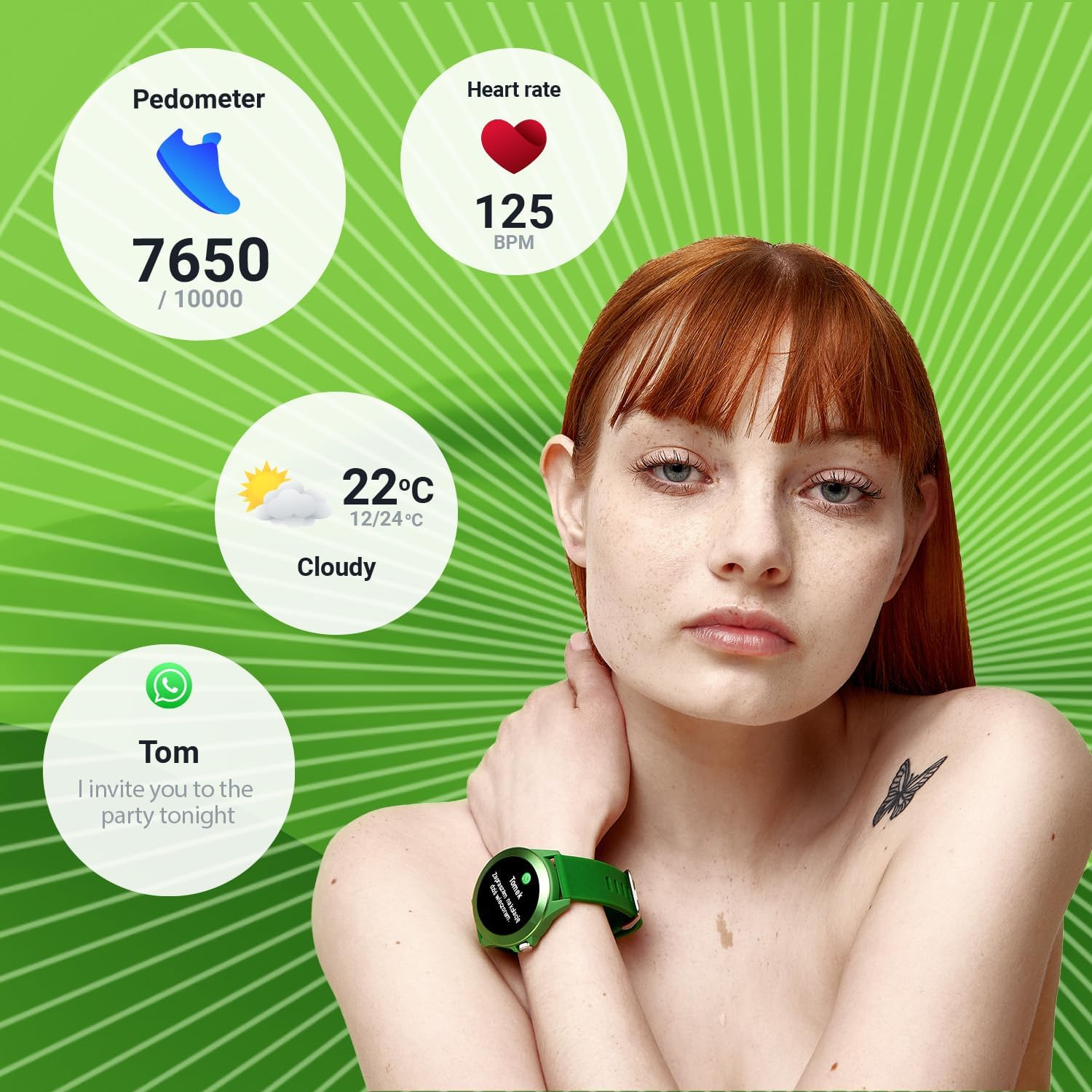
Image: A person wearing the smartwatch, with overlaid graphics showing pedometer steps, heart rate, current weather, and a message notification, illustrating the watch's tracking capabilities.

Image: Close-up of the smartwatch displaying a heart rate graph on its screen, with the green optical sensor on the back of the watch visible, indicating active heart rate measurement.
4.3 Mod Sukan
The watch offers 14 different sport modes to track your workouts effectively. Select the appropriate mode before starting your activity for accurate data collection.
- Berlari
- Kecergasan
- Berbasikal
- Berenang
- Mendaki
- Berarak
- tangga
- Golf
- Yoga
- Mendaki
- mengorbit
- Badminton
- Latihan
- Berkayak
- Treadmill
- Melangkau

Image: The smartwatch displaying a workout summary (duration, heart rate, calories burned) surrounded by icons representing various sport modes like running, cycling, swimming, and yoga.
4.4 Ciri Pintar
- Pemberitahuan: Receive call, message, and app notifications directly on your wrist.
- Kawalan Muzik: Kawal main balik muzik pada telefon pintar anda (main, jeda, langkau trek).
- Jauh Kamera: Use your smartwatch as a remote shutter for your smartphone's camera.
5. Penyelenggaraan
5.1 Membersihkan Jam Tangan Pintar Anda
Regularly clean your smartwatch to maintain its appearance and functionality. Use a soft, lint-free cloth. For stubborn dirt, slightly dampen the cloth with water. Avoid using harsh chemicals, abrasive materials, or strong detergents, as these can damage the watch's finish and seals.
5.2 Rintangan Air (IP68)
The Colorum CW-300 is IP68 rated, meaning it is resistant to dust and can withstand immersion in water up to 1.5 meters for up to 30 minutes. While suitable for swimming and daily splashes, avoid prolonged submersion, hot water, or steam, which can compromise the water resistance over time. Do not press buttons underwater.
5.3 Penjagaan Bateri
Untuk memanjangkan hayat bateri, elakkan daripada kerap mencas jam tangan sepenuhnya. Caskannya apabila paras bateri rendah. Simpan jam tangan di tempat yang sejuk dan kering apabila tidak digunakan untuk tempoh yang lama.
6. Penyelesaian masalah
6.1 Jam Tangan Tidak Menyala
- Pastikan jam tangan dicas sepenuhnya. Sambungkannya ke pengecas selama sekurang-kurangnya 30 minit.
- Tekan dan tahan butang sisi selama beberapa saat untuk cuba memulakan semula secara paksa.
6.2 Isu Ketersambungan (Bluetooth)
- Pastikan Bluetooth diaktifkan pada telefon pintar dan jam tangan anda.
- Pastikan jam tangan berada dalam julat Bluetooth telefon anda (biasanya 10 meter).
- Mulakan semula telefon pintar dan jam tangan pintar anda.
- If issues persist, try unpairing the device from your phone's Bluetooth settings and then re-pairing through the FOREVER app.
6.3 Bacaan Tidak Tepat (Kadar Denyutan Jantung, Langkah)
- Pastikan jam tangan dipakai dengan kemas pada pergelangan tangan anda, tidak terlalu longgar atau terlalu ketat.
- Bersihkan penderia di belakang jam tangan.
- Ensure your personal information (height, weight) is accurately entered in the companion app.
6.4 Hayat Bateri Pendek
- Kurangkan kecerahan skrin.
- Limit the number of notifications received.
- Lumpuhkan pemantauan kadar denyutan jantung berterusan jika tidak diperlukan.
- Pastikan jam tangan dicas sepenuhnya setiap kali.
7. Spesifikasi
| Ciri | Perincian |
|---|---|
| Jenama | SELAMANYA |
| Nombor Model | Colorum |
| warna | hijau |
| Saiz Paparan | 1.20 inches (240 x 240 px resolution) |
| Sistem Operasi | Wear OS (unknown version) |
| Ketersambungan | Bluetooth 5.0 |
| Peranti Serasi | Telefon pintar (Android, iOS) |
| Ciri Khas | Text Messaging, Alarm Clock, Notifications, Menstrual Monitor |
| Jenis Bateri | Litium-ion |
| Kapasiti Bateri | 200 mAh |
| Tahan Air | IP68 |
| Storan Dalaman | 128 MB |
| GPS | Melalui telefon pintar |
| bentuk | Bulat |
8. Waranti dan Sokongan
For information regarding the product warranty, please refer to the warranty card included in your product packaging or visit the official FOREVER website. If you encounter any issues not covered in this manual or require further assistance, please contact FOREVER customer support through their official channels.
Note: Availability of spare parts information is not provided. Software updates are not guaranteed beyond initial release.
Ask a question about this manual
Ask about setup, troubleshooting, compatibility, parts, safety, or missing instructions. Manuals+ will review the question and use this page’s manual context to help answer it.