
1. Pengenalan
Terima kasih kerana membeliasing the Herneum 0202B-BK1 Bluetooth CD Player Boombox. This device offers versatile audio playback options including CD, Bluetooth, FM radio, USB, and Aux-in. It features a built-in rechargeable battery for portability and comes with a remote control for convenient operation. Please read this manual carefully before using the product to ensure proper operation and to maximize its lifespan.
2. Maklumat Keselamatan
- Jangan dedahkan unit kepada hujan, lembapan atau cahaya matahari langsung.
- Elakkan meletakkan unit berhampiran sumber haba seperti radiator, daftar haba, dapur, atau radas lain (termasuk amppenghidup) yang menghasilkan haba.
- Gunakan hanya lampiran/aksesori yang ditentukan oleh pengilang.
- Cabut plag radas ini semasa ribut petir atau apabila tidak digunakan untuk jangka masa yang lama.
- Jangan sekat sebarang bukaan pengudaraan. Pasang mengikut arahan pengilang.
- Lindungi kord kuasa daripada berjalan atau tersepit, terutamanya pada palam, bekas kemudahan dan tempat keluar dari radas.
- Rujuk semua servis kepada kakitangan perkhidmatan yang berkelayakan. Servis diperlukan apabila radas telah rosak dalam apa jua cara, seperti kord bekalan kuasa atau palam rosak, cecair telah tertumpah atau objek jatuh ke dalam radas, radas telah terdedah kepada hujan atau lembapan, tidak beroperasi seperti biasa. , atau telah digugurkan.
- Penting: Before playing a CD, ensure you remove any protective cardboard or film covering the CD reader laser lens. Failure to do so may prevent the CD player from functioning correctly.
3. Kandungan Pakej
Sila semak pakej untuk item berikut:
- Herneum CD Player Boombox
- Alat kawalan jauh
- Penyesuai Kuasa
- Kabel Audio 3.5mm
- Manual Arahan (dokumen ini)

Image: Herneum Boombox and its accessories, including the remote, power adapter, and cables.
4. Produk Lebihview (Controls and Ports)
Familiarize yourself with the various controls and connection ports on your boombox.

Imej: Atas view of the boombox, highlighting the CD lid and main control buttons.
Kawalan Panel Hadapan/Atas:
- Butang kuasa: Menghidupkan atau mematikan unit.
- Butang MOD: Bertukar antara mod CD, Bluetooth, FM, USB dan AUX.
- PLAY/PAUSE Button (►/❚❚): Memulakan atau menjeda main balik.
- STOP Button (■): Menghentikan main balik.
- PREVIOUS/REWIND Button (◀◀): Skips to the previous track or rewinds during playback.
- NEXT/FAST FORWARD Button (►►): Skips to the next track or fast forwards during playback.
- Butang BUKA/TUTUP: Opens the CD compartment lid.
- Skrin Paparan: Menunjukkan mod semasa, nombor trek, frekuensi FM, dsb.
Side/Rear Panel Ports:
- AUX IN Jack: Connects external audio devices using a 3.5mm audio cable.
- Port USB: Connects USB flash drives for MP3 playback.
- Bicu Fon Kepala (3.5mm): Connects headphones for private listening.
- Pelabuhan DC IN: Connects the power adapter for charging and AC power.
- Antena FM: Antena boleh dipanjangkan untuk penerimaan radio FM.
Imej: Sisi view of the boombox, detailing the Aux-in, USB-in, and headphones jack.
5. Persediaan dan Pengecasan
Pengecasan Awal:
The boombox features a built-in 2000mAh rechargeable battery. Before first use, it is recommended to fully charge the device.
- Connect the provided power adapter to the DC IN port on the boombox.
- Plug the power adapter into a standard AC power outlet.
- The charging indicator light (if available) will illuminate. The unit is fully charged when the indicator changes color or turns off (refer to specific product behavior).
- Cas penuh memberikan masa main balik selama kira-kira 5 jam.
Image: Illustration showing the internal rechargeable battery of the boombox.
Menghidupkan/Mematikan:
- Tekan ke KUASA butang pada unit untuk menghidupkannya.
- Tekan ke KUASA butang sekali lagi untuk mematikannya.
6. Arahan Operasi
Pemilihan Mod:
Tekan ke MODE button repeatedly to cycle through the available modes: CD, Bluetooth, FM, USB, and AUX.
Main balik CD:
- Tekan ke BUKA/TUTUP button to open the CD compartment lid.
- Penting: Ensure any protective cardboard or film covering the CD laser lens is removed before inserting a CD.
- Place a CD (standard CD, CD-R/RW, MP3 CD, or audiobook CD) onto the spindle with the label side facing up.
- Gently close the CD compartment lid.
- Tekan ke MODE button to select CD mode. The display will show "CD" and begin reading the disc.
- Main balik akan bermula secara automatik. Gunakan MAIN/JEDA, BERHENTI, SEBELUMNYA/REWIND, dan SETERUSNYA/FAST FORWARD butang untuk mengawal main balik.
- The boombox supports random play, repeat play (single track/all tracks), and resume play functions. Refer to the remote control section for specific button functions.
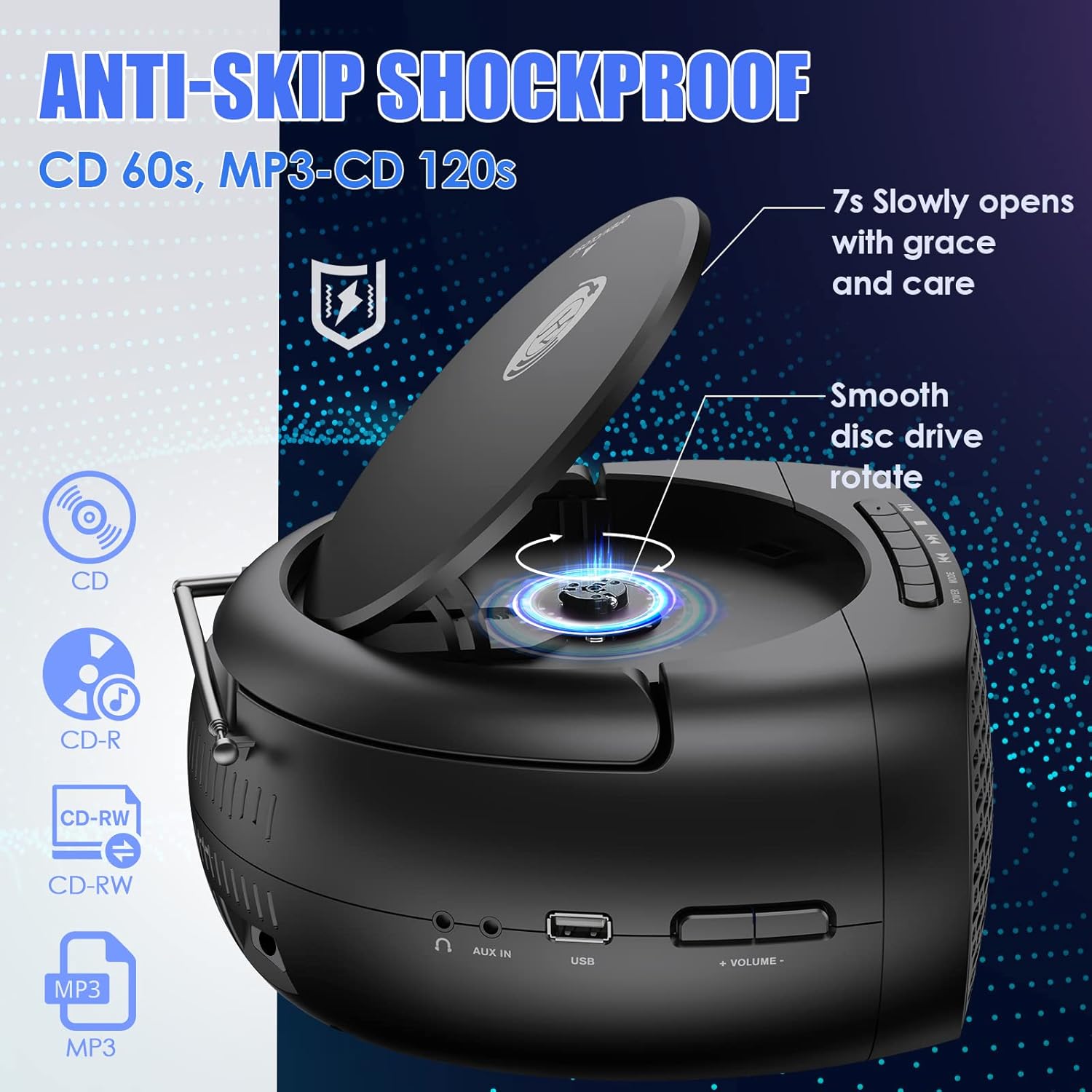
Image: The boombox with its CD lid open, illustrating the smooth disc rotation and compatibility with various CD formats.
Mod Bluetooth:
- Tekan ke MODE button to select Bluetooth mode. The display will show "BT" or a Bluetooth icon, and the unit will enter pairing mode.
- Pada peranti berdaya Bluetooth anda (telefon pintar, tablet, dll.), dayakan Bluetooth dan cari peranti yang tersedia.
- Select "Herneum Boombox" (or similar name) from the list of devices.
- Once paired, the boombox will emit a confirmation sound, and the display will indicate a successful connection.
- You can now stream audio from your device to the boombox. Use your device or the boombox controls for playback.

Image: The boombox connected via Bluetooth 5.1 to a smartphone, illustrating wireless audio streaming.
Mod Radio FM:
- Panjangkan antena FM sepenuhnya untuk penerimaan optimum.
- Tekan ke MODE button to select FM radio mode. The display will show the FM frequency.
- Untuk mengimbas dan menyimpan stesen secara automatik: Tekan dan tahan MAIN/JEDA button. The unit will scan for available stations and save them automatically.
- Untuk menala secara manual: Gunakan SEBELUMNYA/REWIND dan SETERUSNYA/FAST FORWARD butang untuk memperhalusi frekuensi.
- To navigate saved stations: Briefly press the SEBELUMNYA/REWIND or SETERUSNYA/FAST FORWARD butang.
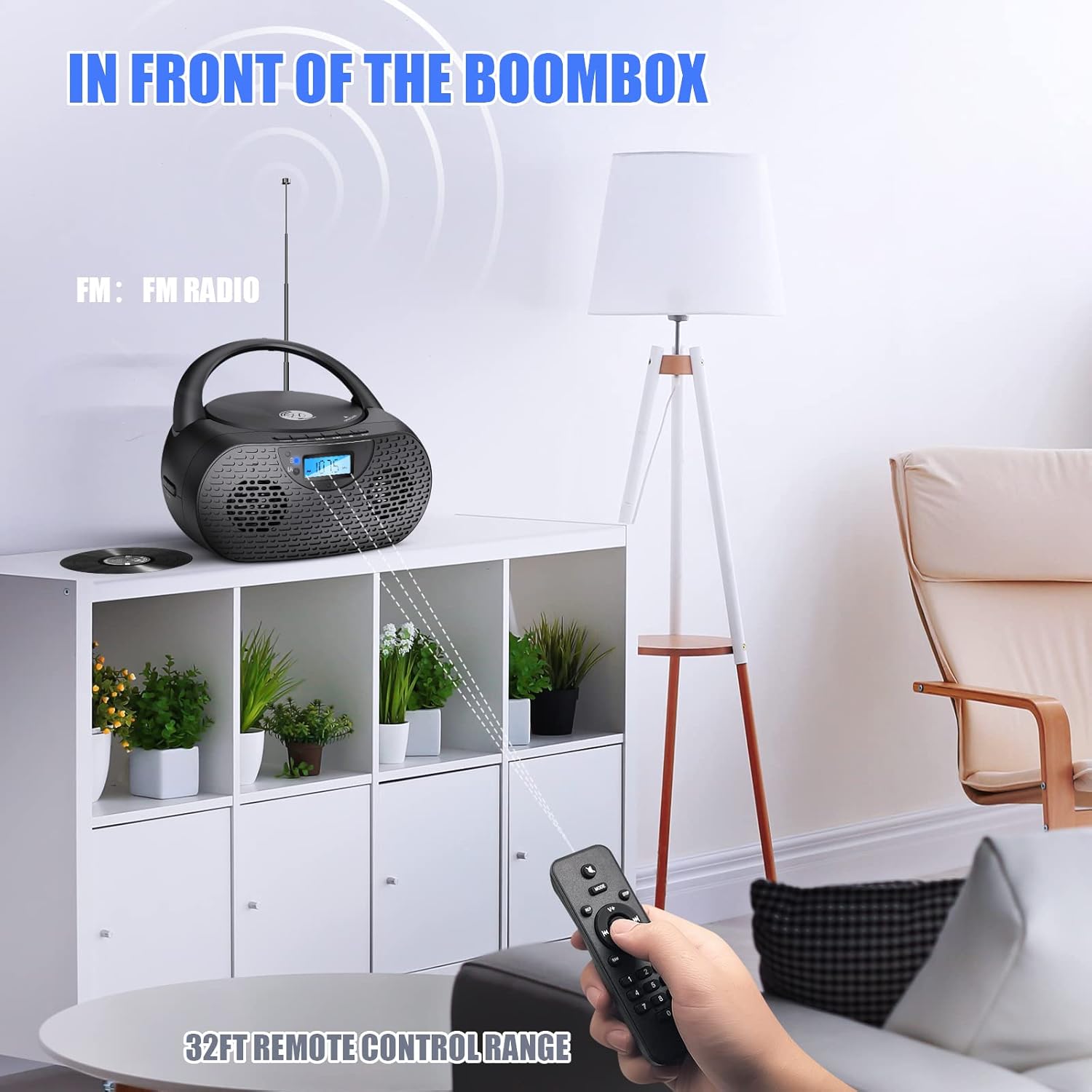
Image: The boombox receiving FM radio signals, with the remote control being used.
Mod Main Semula USB:
- Masukkan pemacu kilat USB yang mengandungi audio MP3 files ke dalam port USB.
- Tekan ke MODE button to select USB mode. The unit will automatically detect and begin playing MP3 files daripada pemacu USB.
- Use the playback control buttons (PLAY/PAUSE, NEXT, PREVIOUS) to manage your music.
Mod Input AUX:
- Connect one end of the 3.5mm audio cable to the AUX IN jack on the boombox.
- Connect the other end of the 3.5mm audio cable to the headphone jack or audio output of your external audio device (e.g., MP3 player, smartphone).
- Tekan ke MODE butang untuk memilih mod AUX.
- Start playback on your external device. Audio will be routed through the boombox speakers.
- Volume can be controlled via the boombox or your external device.
Penggunaan Fon Kepala:
- Plug your 3.5mm headphones into the Headphones Jack on the boombox.
- Audio akan bertukar secara automatik daripada pembesar suara ke fon kepala.
- Laraskan kelantangan ke tahap pendengaran yang selesa.
Operasi Kawalan Jauh:
The included remote control allows for convenient operation from a distance. Ensure the remote has working AAA batteries (included) and is pointed towards the front of the boombox.
- Kuasa: Turns the unit on/off (Note: Some units may require manual power on/off from the device itself).
- Mod: Bertukar antara sumber input.
- Jilid +/-: Melaraskan tahap kelantangan.
- Play/Pause, Stop, Next, Previous: Mengawal main balik media.
- Repeat/Random: Cycles through repeat modes (repeat one, repeat all) or enables random playback for CDs/USB.
- Butang Nombor: For direct track selection on CD/USB or direct station input on FM (if supported).
7. Penyelenggaraan
- Pembersihan: Gunakan kain lembut dan kering untuk membersihkan bahagian luar boombox. Jangan gunakan pembersih atau pelarut yang kasar.
- Penjagaan Kanta CD: If CD playback issues occur, use a specialized CD lens cleaner disc to clean the laser lens. Do not touch the lens directly.
- Storan: When not in use for extended periods, store the boombox in a cool, dry place. Remove batteries from the remote control if storing for a long time.
- Penjagaan Bateri: To prolong battery life, avoid fully discharging the battery frequently. Charge the unit regularly, even if not in use.
8. Penyelesaian masalah
| Masalah | Kemungkinan Punca | Penyelesaian |
|---|---|---|
| Unit tidak dihidupkan. | Battery is depleted; Power adapter not connected or faulty. | Charge the battery; Ensure power adapter is securely connected and working. |
| CD tidak dimainkan atau dilangkau. | CD is dirty, scratched, or inserted incorrectly; Protective cardboard not removed; CD lens is dirty. | Clean or replace CD; Insert CD correctly; Remove protective cardboard; Use a CD lens cleaner. |
| Bluetooth tidak bersambung. | Boombox not in Bluetooth mode; Device too far; Device already connected to another unit. | Switch to Bluetooth mode; Move device closer; Disconnect from other devices and try again. |
| Penerimaan radio FM yang lemah. | Antena tidak dipanjangkan; Kawasan isyarat lemah. | Panjangkan dan laraskan sepenuhnya antena FM; Cuba alihkan unit ke lokasi lain. |
| Tiada bunyi dari pembesar suara. | Kelantangan terlalu rendah; Fon kepala disambungkan; Mod salah dipilih. | Increase volume; Disconnect headphones; Ensure correct mode is selected. |
| Alat kawalan jauh tidak berfungsi. | Bateri habis atau tidak dimasukkan dengan betul; Halangan antara alat kawalan jauh dan unit. | Replace batteries; Ensure correct polarity; Remove obstructions; Point remote directly at the unit. |
9. Spesifikasi
| Ciri | Perincian |
|---|---|
| Nombor Model | 0202B-BK1 |
| Dimensi Produk (L x W x H) | 10 x 9 x 5.1 inci |
| Berat Barang | 2.79 paun |
| Teknologi Ketersambungan | Bluetooth 5.1, Bantu, USB |
| Jenis Pembesar Suara | Stereo (5W output) |
| Keserasian CD | CD, CD-R/RW, MP3 CD, Audiobook CD |
| Bateri | 1 bateri Litium Ion (2000mAh, disertakan) |
| Play Time (on battery) | Lebih kurang 5 jam |
| Radio FM | Yes, with extendable antenna |
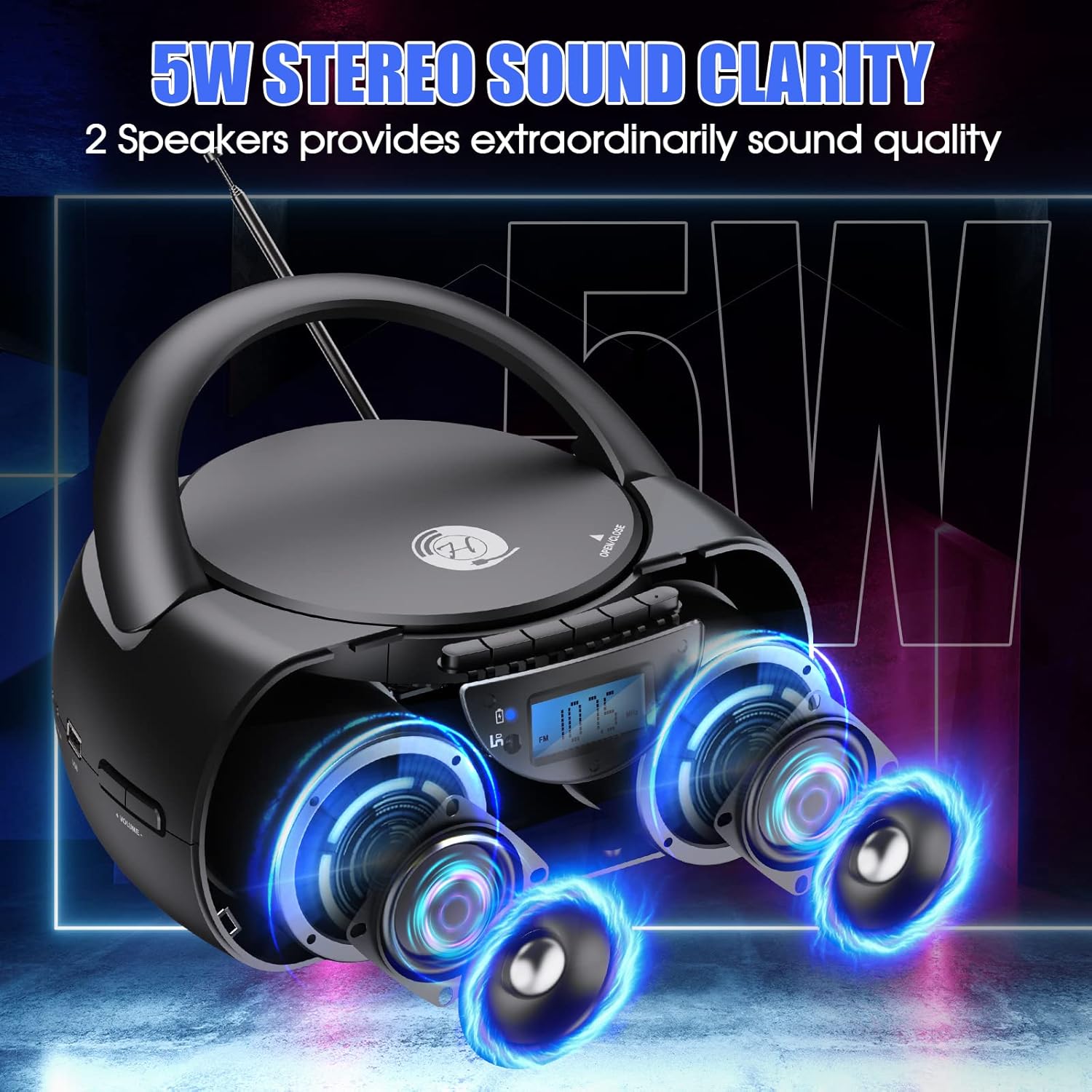
Image: The boombox showcasing its 5W stereo sound system.
10. Video Produk Tamatview
Video: Jeneral berakhirview of the Herneum Bluetooth CD Player Boombox, demonstrating its features and design.
11. Waranti dan Sokongan
Herneum products are designed for reliability and performance. For warranty information, technical support, or any questions regarding your Herneum 0202B-BK1 Bluetooth CD Player Boombox, please refer to the contact information provided with your purchase documentation or visit the official Herneum webtapak.
Sila simpan bukti pembelian anda untuk tuntutan waranti.