
Kinganda Q71
Kinganda Bluetooth Headphones User Manual
Model: Q71
Jenama: Kinganda
pengenalan
Thank you for choosing Kinganda Bluetooth Headphones. This user manual provides detailed instructions on how to set up, operate, and maintain your new headphones. Please read this manual thoroughly before use to ensure optimal performance and longevity of your device.
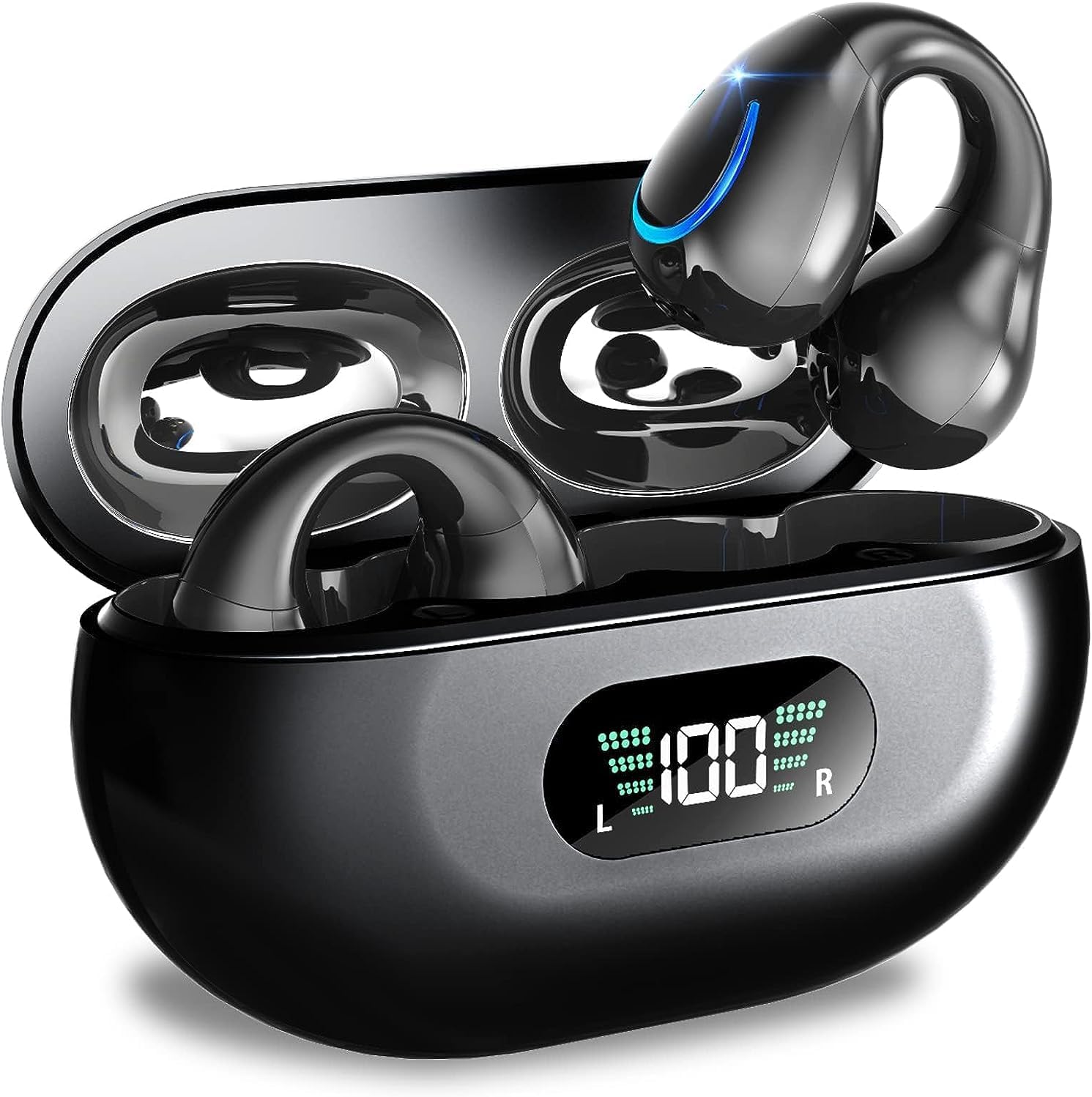
Image: Kinganda Bluetooth Headphones (Model Q71) in their charging case, showcasing the sleek design and LED display.
Apa yang ada dalam Kotak
Sila semak kandungan pakej untuk memastikan semua item ada:
- Wireless Headphones (Left and Right)
- Sarung Pengecas Tanpa Wayar
- Kabel Pengecas USB-C
- Manual Pengguna

Image: An illustration showing the Kinganda headphones, charging case, USB-C cable, and user manual, representing the package contents.
Maklumat Keselamatan
To ensure safe operation and prevent damage to your headphones, please observe the following safety guidelines:
- Do not swim underwater or take hot baths with the headphones. Exposure to high temperatures or prolonged submersion can cause damage to the internal components.
- Keep the headphones and charging case away from extreme temperatures, direct sunlight, and high humidity.
- Elakkan daripada menjatuhkan atau meletakkan peranti kepada kesan yang kuat.
- Do not attempt to disassemble, repair, or modify the headphones yourself. Contact qualified service personnel for any repairs.
- Jauhkan daripada kanak-kanak dan haiwan peliharaan.
Produk Selesaiview dan Ciri
The Kinganda Q71 headphones are designed for comfort and high-quality audio, featuring advanced technology for an enhanced listening experience.
Ciri-ciri Utama:
- Teknologi Bluetooth 5.3 Lanjutan: Ensures a stable, low-latency connection with lower power consumption and faster transmission.
- Comfortable Open Ear Clip Design: Ergonomically designed to fit the contours of the ear, providing a secure and comfortable fit without entering the ear canal. This design allows you to remain aware of your surroundings.
- 36 Jam Masa Main: Enjoy up to 6 hours of continuous playback on a single charge, with an additional 30 hours provided by the compact magnetic charging case.
- Paparan Digital LED: The charging case features an LED screen that clearly shows the remaining power of both the headphones and the charging case.
- Penilaian Kalis Air IPX7: Designed to withstand sweat and light rain, making them suitable for various activities.
- Pemacu 10mm: Deliver deep bass and stereo sound for a rich audio experience.
- Built-in ENC Mic: Enhanced Noise Cancellation microphone for clear calls.
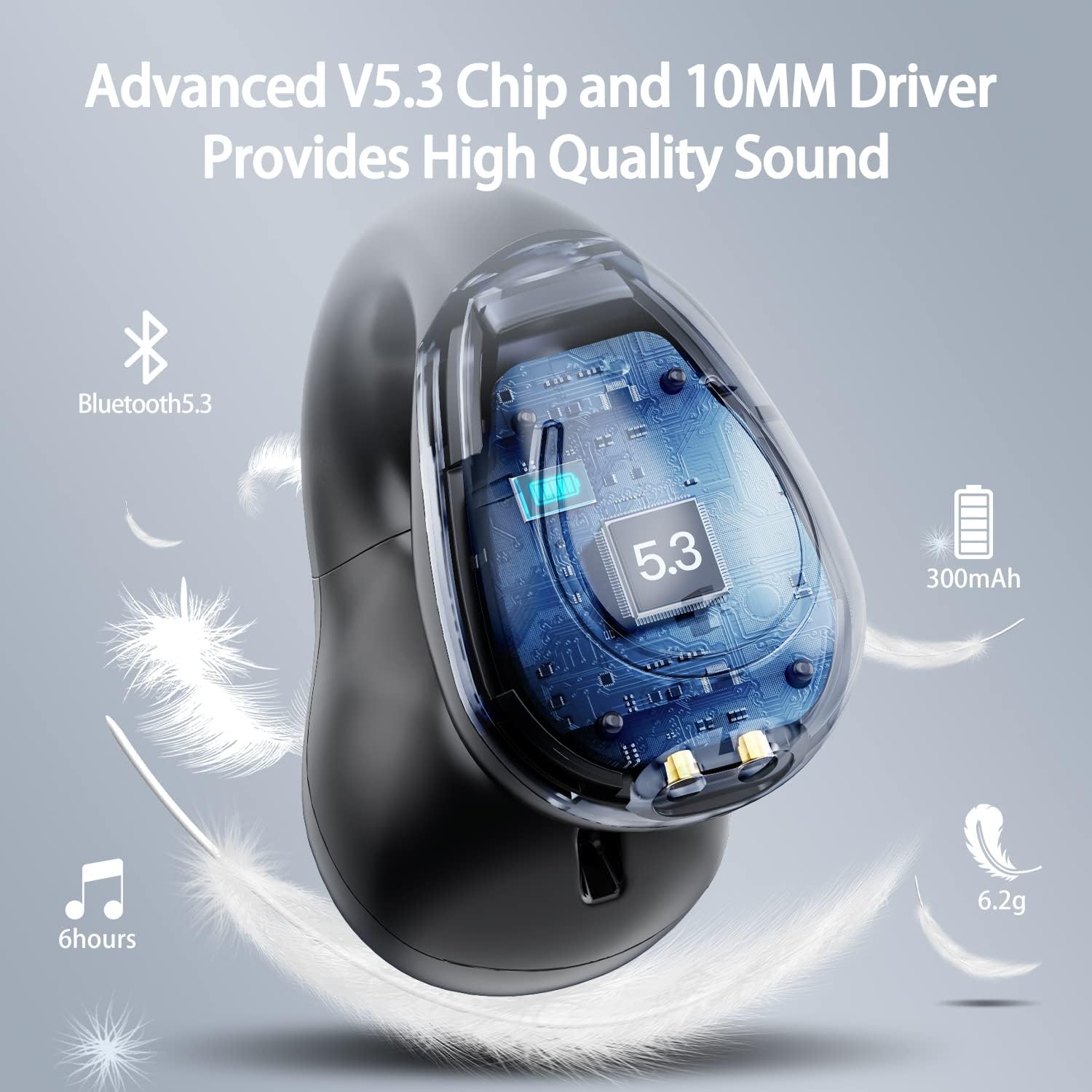
Imej: Potongan view of the Kinganda earbud, highlighting the advanced V5.3 chip and 10mm driver for high-quality sound.

Image: A person wearing the Kinganda Q71 headphones, demonstrating the comfortable and secure open-ear clip design.
Persediaan
Pairing Your Headphones:
- Cas Fon Kepala: Before first use, ensure both the headphones and the charging case are fully charged. Place the earbuds into the charging case and connect the USB-C cable to a power source. The LED display on the case will indicate charging status.
- Hidupkan kuasa: Open the charging case. The headphones will automatically power on and enter pairing mode.
- Aktifkan Bluetooth: On your device (smartphone, tablet, laptop, etc.), go to the Bluetooth settings and turn on Bluetooth.
- Pilih Peranti: In the list of available Bluetooth devices, look for "YYK-Q71" and select it to connect.
- Pengesahan: Once connected, you will hear an audio prompt from the headphones, and the device will show "YYK-Q71" as connected.
The headphones are widely compatible with iOS, Android, and Windows devices.

Image: An illustration demonstrating the simple one-step pairing process and wide compatibility of the Kinganda Q71 headphones with various devices.
Arahan Operasi
Charging the Headphones and Case:
- Pengecasan Fon telinga: Place the earbuds back into the charging case. They will automatically begin charging. The LED display on the case will show the charging status of each earbud.
- Pengecasan Kes: Connect the provided USB-C cable to the charging port on the case and the other end to a USB power adapter (not included). The LED display will show the battery percentage kes itu.
- A full charge of the earbuds provides approximately 6 hours of playtime. The charging case provides an additional 30 hours of battery life, allowing for multiple recharges on the go.
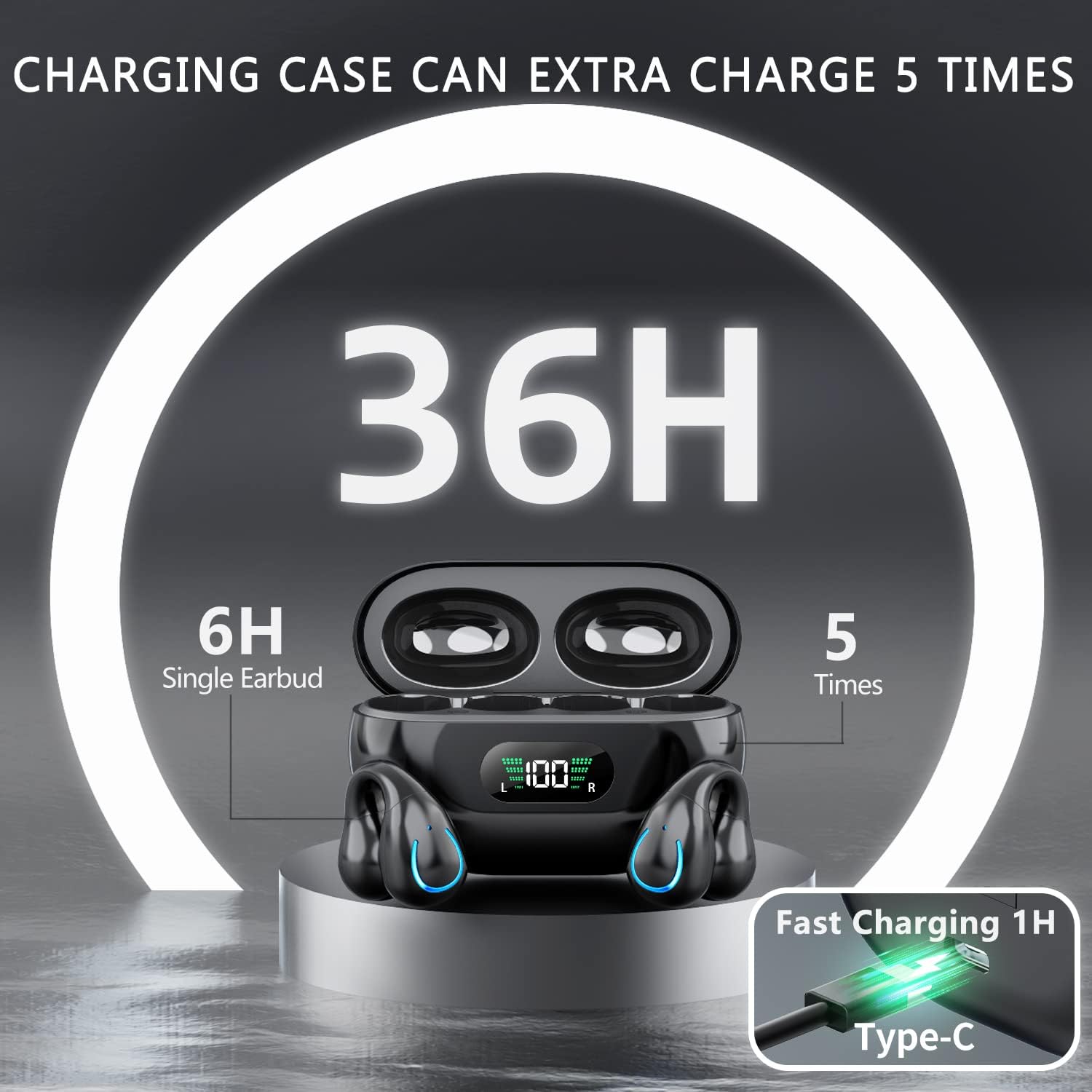
Image: The Kinganda charging case displaying "36H" total playtime, indicating 6 hours from a single earbud charge and 5 additional charges from the case.
Kawalan Sentuh:
The Kinganda Q71 headphones feature physical buttons for precise control, preventing accidental touches.
| Tindakan | Kawalan |
|---|---|
| Hidupkan/Mati Kuasa | Automatically On/Off when taken out/put into case. |
| Jawab/Tamatkan Panggilan | Click 1 time (either earbud) |
| Tolak Panggilan | Tekan dan tahan (sama ada fon telinga) |
| Main/Jeda Muzik | Click 1 time (either earbud) |
| Trek Seterusnya | Click Right earbud 2 times |
| Trek Sebelumnya | Click Left earbud 2 times |
| Aktifkan Pembantu Suara (Siri, Pembantu Google) | Click 3 times (either earbud) |

Image: Diagram illustrating the one-button physical controls for the Kinganda headphones, including call management, music playback, and voice assistant activation.
Penyelenggaraan
Proper maintenance will extend the life of your Kinganda headphones:
- Pembersihan: Use a soft, dry, lint-free cloth to clean the earbuds and charging case. Do not use harsh chemicals, cleaning solvents, or strong detergents.
- Storan: When not in use, store the headphones in their charging case to protect them from dust and damage. Store in a cool, dry place.
- Tahan Air: While the headphones are IPX7 waterproof (resistant to sweat and light rain), they are not designed for swimming or submersion in water. Avoid exposure to hot water or steam.
- Penjagaan Bateri: To preserve battery life, charge the headphones regularly, even if not used for extended periods. Avoid fully draining the battery frequently.
Menyelesaikan masalah
If you encounter any issues with your headphones, please refer to the following common problems and solutions:
Fon kepala tidak berpasangan:
- Pastikan kedua-dua fon telinga dicas sepenuhnya.
- Pastikan Bluetooth didayakan pada peranti anda.
- Letakkan semula fon telinga ke dalam bekas pengecasan, tutup penutupnya, tunggu beberapa saat, kemudian buka penutupnya sekali lagi untuk memasuki semula mod berpasangan.
- Forget "YYK-Q71" from your device's Bluetooth list and try pairing again.
- Ensure the headphones are within the effective Bluetooth range (typically 10 meters/33 feet) of your device.
Hanya satu fon telinga yang berfungsi:
- Place both earbuds back into the charging case and ensure they are charging correctly.
- Take both earbuds out simultaneously. They should automatically connect to each other.
- If the issue persists, try resetting the headphones (refer to the manufacturer's website or contact support for specific reset instructions if not detailed here).
Kualiti bunyi yang buruk atau terputus sambungan:
- Ensure there are no obstructions between your device and the headphones.
- Bergerak lebih dekat dengan peranti anda untuk mengurangkan gangguan.
- Check if the earbuds are clean and free of debris.
- Cuba mainkan audio daripada sumber atau aplikasi lain.
Fon kepala tidak dicas:
- Ensure the USB-C charging cable is securely connected to both the case and the power source.
- Cuba gunakan kabel USB-C atau penyesuai kuasa yang berbeza.
- Bersihkan sesentuh pengecas pada kedua-dua fon telinga dan di dalam bekas pengecas dengan kapas kering.
Spesifikasi
| Ciri | Perincian |
|---|---|
| Nombor Model | Q71 (YYK-Q71) |
| Jenama | Kiganda |
| Teknologi Ketersambungan | Wayarles (Bluetooth 5.3) |
| Penempatan Telinga | Buka Telinga |
| Faktor Bentuk | Klip Pada |
| Kawalan Bunyi | Sound Isolation (via ENC Mic) |
| Dimensi Produk | 3 x 3 x 3 cm; 6.2 g (per earbud) |
| Bateri | 2 bateri Litium Polimer (termasuk) |
| Komponen yang Disertakan | Wireless Headphones, User Manual, USB-C Charging Cable, Wireless Charging Case |
| warna | Hitam |
| Pengeluar | Kiganda |
Waranti dan Sokongan
Kinganda products are manufactured to the highest quality standards. For any warranty claims or technical support, please contact your original retailer or the manufacturer directly. Please retain your proof of purchase for warranty service.
For further assistance, please refer to the contact information provided with your purchase or visit the official Kinganda webtapak.
Ask a question about this manual
Ask about setup, troubleshooting, compatibility, parts, safety, or missing instructions. Manuals+ will review the question and use this page’s manual context to help answer it.