
pengenalan
The DOOGEE V31GT is a state-of-the-art 5G rugged smartphone designed for durability and high performance in challenging environments. It integrates advanced features such as a thermal imaging camera, a powerful processor, and a long-lasting battery, making it suitable for both professional and outdoor use.

The DOOGEE V31GT, showcasing its robust design and key features like thermal imaging and large memory capacity.
Apa yang ada dalam Kotak
Upon unboxing your DOOGEE V31GT, please ensure all the following items are present:
- DOOGEE V31GT Smartphone
- Kabel USB
- Power Adapter (not explicitly listed but implied for 66W charging)
- SIM Ejector Tool (implied for SIM card installation)
Panduan Persediaan
1. Pemasangan Kad SIM dan Kad TF
The DOOGEE V31GT supports dual Nano-SIM cards or one Nano-SIM and one TF (microSD) card for expandable storage.
- Cari dulang SIM di sisi peranti.
- Masukkan alat ejektor SIM ke dalam lubang kecil di sebelah dulang dan tolak perlahan-lahan sehingga dulang terkeluar.
- Place your Nano-SIM card(s) and/or TF card into the designated slots on the tray, ensuring proper orientation.
- Tolak dulang kembali ke dalam peranti dengan berhati-hati sehingga rata dengan sisi.

Illustration of the dual SIM and TF card slot, demonstrating how to insert the cards.
2. Pengecasan Awal
Before first use, it is recommended to fully charge your DOOGEE V31GT. The device supports 66W fast charging.
- Connect the USB cable to the charging port on the phone.
- Connect the other end of the USB cable to the power adapter, and then plug the adapter into a wall outlet.
- The charging indicator will appear on the screen. A full charge can provide up to 960 hours of standby time.

The DOOGEE V31GT features a 10800mAh battery with 66W Super Fast Charging, allowing for quick power-ups.
3. Menghidupkan/Mematikan
- Untuk Menghidupkan: Press and hold the Power button (usually on the side) until the DOOGEE logo appears.
- Untuk Mematikan: Tekan dan tahan butang Kuasa, kemudian pilih 'Matikan kuasa' daripada pilihan pada skrin.
Arahan Operasi
Paparan dan Navigasi
The DOOGEE V31GT features a 6.6-inch FHD+ display with a 120Hz refresh rate for smooth visuals.

The vibrant 6.58-inch FHD+ display with a 120Hz refresh rate provides a smooth and immersive viewpengalaman dalam.
Ciri Kamera
The DOOGEE V31GT is equipped with a versatile camera system:
- Kamera Utama AI 50MP: Untuk foto beresolusi tinggi.
- 8MP Fusion Camera (Thermal Imaging): Detects heat signatures with a measuring range of -15°C to 550°C and an ultra-high resolution of 1440x1080. It can detect objects up to 1,000 meters away.
- Kamera Penglihatan Malam 24MP: Captures clear images in low-light or complete darkness.
- Kamera Depan 32MP: Untuk swafoto dan panggilan video berkualiti tinggi.
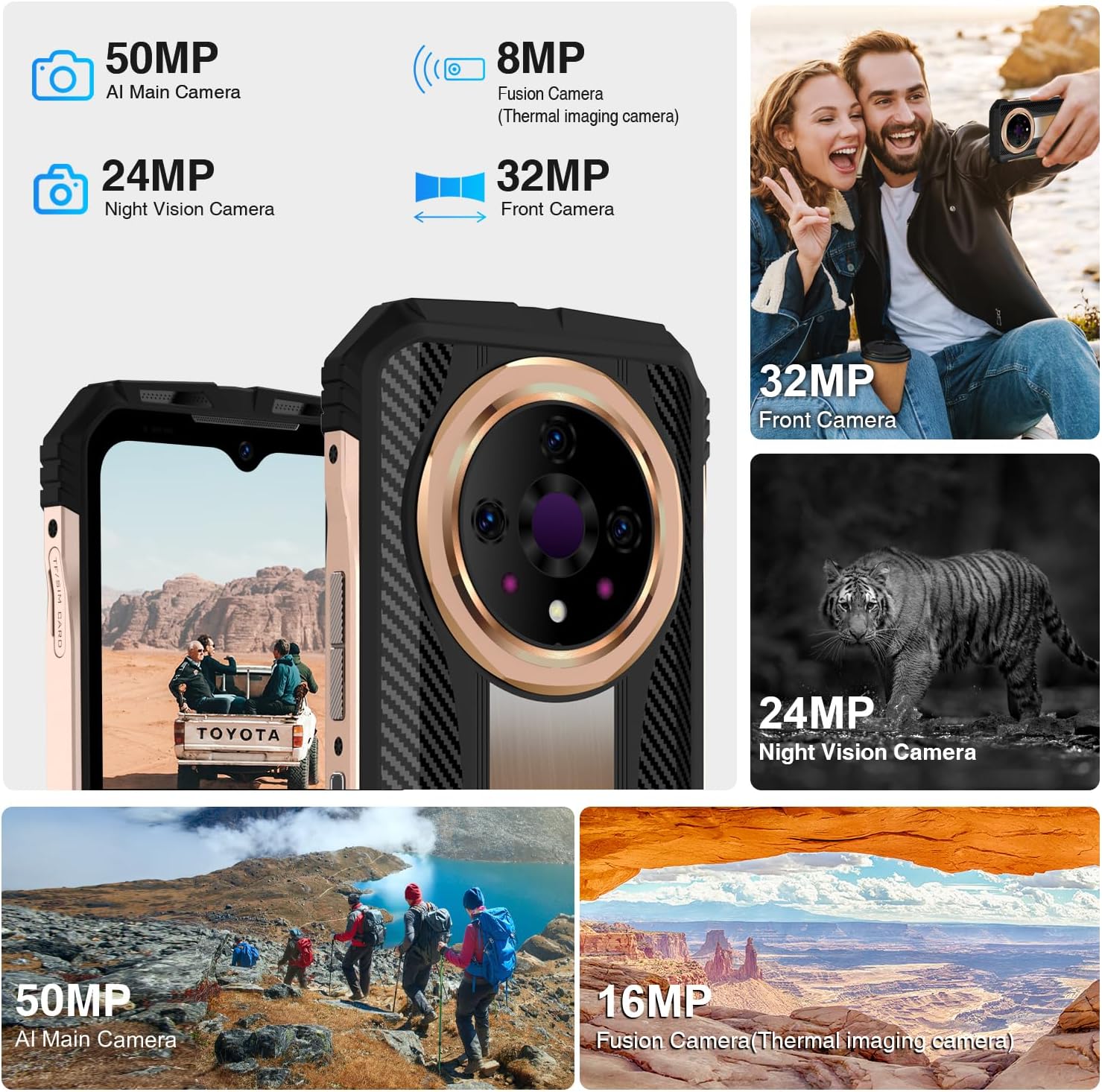
Berakhirview of the DOOGEE V31GT's advanced camera system, highlighting its multiple lenses for various photographic needs.
Penggunaan Pengimejan Terma
To use the thermal imaging camera, open the dedicated thermal camera application. You can switch between different display modes and measure temperatures within the specified range.

The thermal imaging interface, demonstrating its ability to capture heat signatures with high resolution and a wide measuring range.

Various practical applications of the thermal imaging camera, from detecting wildlife to assisting first responders and identifying electrical issues.
Rakaman Video
The device supports 4K video capture, allowing for high-definition video recording.

The camera interface offers various modes including 4K video capture, HDR, Pro Mode, Portrait, and Night Mode for diverse photographic needs.
Ketersambungan
The DOOGEE V31GT offers comprehensive connectivity options:
- Sokongan Rangkaian 5G: Untuk data mudah alih berkelajuan tinggi.
- Wi-Fi 6: Enhanced wireless internet connectivity.
- NFC: Untuk pembayaran tanpa sentuh dan pemindahan data.
- GPS: Supports GPS, Glonass, Galileo, Beidou, and AGPS for accurate navigation.

The DOOGEE V31GT supports NFC for convenient contactless payments and quick pairing with other devices.

The device offers robust GPS capabilities, supporting multiple satellite systems for precise navigation.
Ciri Keselamatan
For enhanced security and convenience, the DOOGEE V31GT includes:
- Pengecaman Cap Jari Sisi: A fast and secure way to unlock your device.
- Buka Kunci Wajah: Buka kunci telefon anda menggunakan pengecaman wajah.

The side fingerprint recognition feature provides convenient and secure access to your device.

Face Unlock offers another fast and secure method for accessing your smartphone.
Audio
Experience rich audio with the powerful dual speakers, enhanced by Hi-Res Audio support.

The DOOGEE V31GT is equipped with powerful dual speakers, delivering high-fidelity audio.
Penyelenggaraan
The DOOGEE V31GT is built to withstand harsh conditions, having passed IP68, IP69K, and MIL-STD-810H tests.
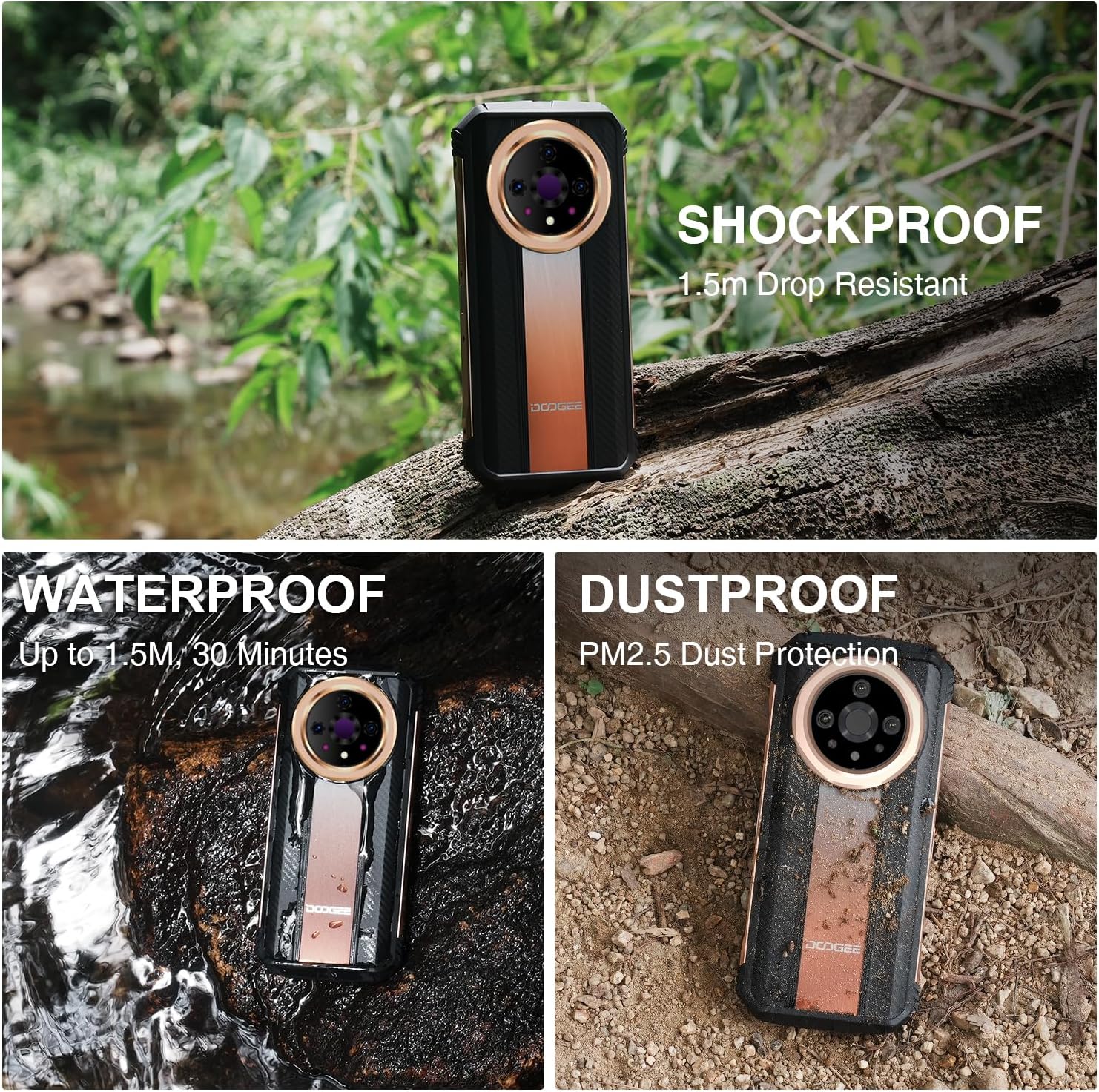
The DOOGEE V31GT is designed to be shockproof, waterproof, and dustproof, ensuring durability in extreme environments.
Arahan Pembersihan
- Gunakan kain lembut dan tidak berbulu untuk membersihkan skrin dan badan.
- Untuk kotoran degil, sedikit dampen kain dengan air. Elakkan bahan kimia yang keras atau bahan yang melelas.
- Pastikan semua port kering sebelum mengecas atau menyambungkan aksesori, terutamanya selepas terdedah kepada air.
Menyelesaikan masalah
If you encounter any issues with your DOOGEE V31GT, try the following basic troubleshooting steps:
- Peranti Tidak Responsif: Tekan dan tahan butang Kuasa selama kira-kira 10-15 saat untuk memaksa mulakan semula.
- Isu Rangkaian: Periksa sama ada kad SIM anda telah dimasukkan dengan betul. Cuba hidupkan dan matikan Mod Pesawat.
- Masalah Pengecasan: Ensure the USB cable and power adapter are securely connected and undamaged. Try a different outlet.
- Kerosakan Apl: Tutup dan buka semula aplikasi. Jika masalah berterusan, kosongkan cache aplikasi atau pasang semula.
Untuk isu yang lebih rumit, sila rujuk sumber sokongan rasmi DOOGEE atau hubungi khidmat pelanggan.
Spesifikasi
| Ciri | Spesifikasi |
|---|---|
| Nama Model | DOOGEE V31GT |
| Sistem Operasi | Android 13.0 |
| Pemproses | Dimensity 1080 Octa-core |
| Memori RAM | 20 GB (12GB fixed, 8GB virtual) |
| Storan Dalaman | 256 GB |
| Storan Boleh Dikembangkan | Sehingga 2 TB (Kad TF) |
| Saiz Skrin | 6.6 inches FHD+ (6.9 inches stated in specs, 6.6 inches in title/bullets - using 6.6 as more consistent with marketing) |
| Resolusi | 1440 x 1080 (Thermal Camera), 2408 x 1080 (Display) |
| Kadar Segar Semula | 120 Hz |
| Kamera Utama | 50 MP |
| Kamera Pengimejan Termal | 8 MP Fusion Camera (1440x1080 resolution, -15°C to 550°C range) |
| Kamera Penglihatan Malam | 24 MP |
| Kamera Depan | 32 MP |
| Kapasiti Bateri | 10800 mAh |
| Pengecasan Cepat | 66W |
| Penilaian Ketahanan | IP68, IP69K, MIL-STD-810H |
| Ketersambungan | 5G, Wi-Fi 6, NFC, GPS (Glonass, Galileo, Beidou, AGPS) |
| Keselamatan | Cap Jari Sisi, Buka Kunci Muka |
| Berat Barang | 1.52 paun |
| warna | emas |
Video Produk Rasmi
DOOGEE V31GT 5G Unlocked Smartphone Overview
Video ini memberikan gambaran umumview of the DOOGEE V31GT 5G Unlocked Smartphone, highlighting its design and key features.
Flagship 5G Thermal Imaging System - DOOGEE V31GT Rugged Phone
This video demonstrates the advanced thermal imaging capabilities of the DOOGEE V31GT, showcasing its use in various scenarios.
DOOGEE V31GT All-round Outdoor Photography System
This video highlights the comprehensive outdoor photography features of the DOOGEE V31GT, including its ruggedness and camera performance in different environments.
Waranti dan Sokongan
DOOGEE is committed to providing excellent customer service and product reliability.
- Jaminan Wang Dikembalikan 30 Hari: Jika anda tidak berpuas hati dengan pembelian anda, anda mungkin layak mendapat bayaran balik dalam masa 30 hari.
- Waranti Terhad 2 Tahun: Your DOOGEE V31GT is covered by a 2-year limited warranty against manufacturing defects.
- Sokongan Dalam Talian 24/7: Access 24/7 online support for any queries or assistance you may need.
For detailed warranty terms and to access support, please visit the official DOOGEE webtapak atau hubungi pasukan perkhidmatan pelanggan mereka.