
1. Pengenalan
The TEYES CC3 2K Car Radio Multimedia Player is an advanced in-car entertainment and navigation system designed to enhance your driving experience. This 9.5-inch Android 10 head unit offers a high-resolution 2K in-cell display, powerful processing capabilities, and seamless integration with your vehicle. It is specifically compatible with Renault Duster (2015-2021) and Lada Largus (2021) models.
This manual provides essential information on the installation, operation, and maintenance of your TEYES CC3 2K unit. Please read it thoroughly before use to ensure proper functionality and safety.

Image 1.1: TEYES CC3 2K main unit display showing the user interface.
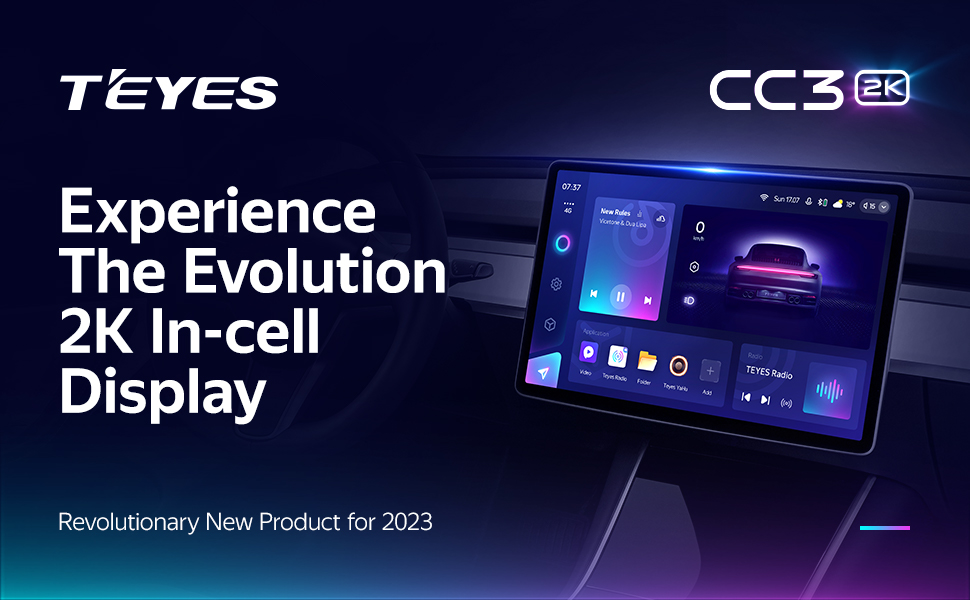
Image 1.2: TEYES CC3 2K unit installed in a car dashboard.
2. Kandungan Pakej
Sahkan bahawa semua item yang disenaraikan di bawah disertakan dalam pakej produk anda. Jika terdapat sebarang item yang hilang atau rosak, sila hubungi khidmat pelanggan.

Image 2.1: Visual representation of the TEYES CC3 2K package contents.
- 1x Head Unit (TEYES CC3 2K)
- 1x OEM Panel (Frame)
- 1x Kabel USB
- 1x Antena GPS
- Kabel AUX 1x
- 1x 4G WiFi Antenna
- 1x E-book (Digital Manual)
- 1x Kabel Kuasa
- 1x AHD 1080p Rear Camera
- 1x Audio & Video Harness + RCA
- 1x Screws & Screwdriver
- 1x USB Harness
- 1x Kain Pembersih
- 1x Wiring Diagram
3. Panduan Pemasangan
Installation of the TEYES CC3 2K unit requires technical knowledge and should ideally be performed by a qualified professional. Incorrect installation can lead to damage to the unit or your vehicle's electrical system. Always disconnect the vehicle's battery before starting installation.
3.1 Semakan Pra-Pemasangan
- Pastikan penyalaan kenderaan dimatikan dan bateri diputuskan.
- Confirm all package contents are present.
- Review the provided wiring diagram specific to your vehicle model.
3.2 Removing the Original Head Unit
Carefully remove the existing car radio or dashboard panel. Refer to your vehicle's specific service manual for detailed instructions on panel removal to avoid damage.

Image 3.1: Comparison of the dashboard before and after TEYES CC3 2K installation.
3.3 Mounting the Frame and Head Unit
The provided OEM panel (frame) is designed to fit your specific vehicle model. Secure the TEYES CC3 2K head unit into this frame using the supplied screws.
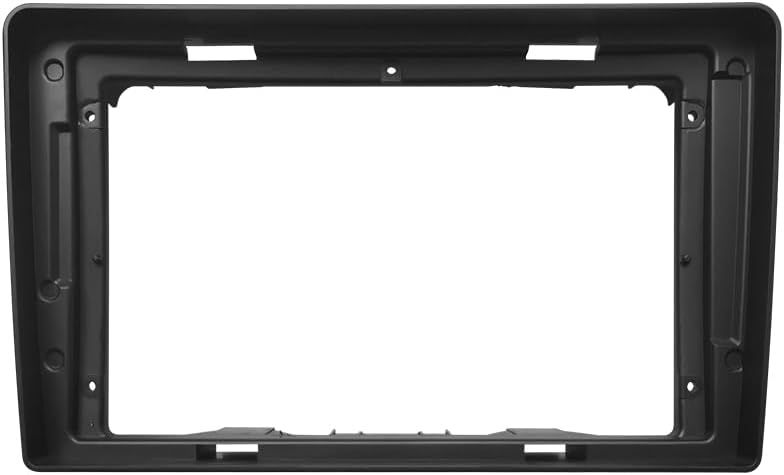
Image 3.2: The OEM panel frame for integrating the head unit into the dashboard.
3.4 Sambungan Pendawaian
Connect the power cable, USB cables, GPS antenna, 4G WiFi antenna, AUX cable, and the AHD rear camera according to the wiring diagram. Ensure all connections are secure to prevent intermittent issues.

Image 3.3: Multiple USB outputs for data transfer and connectivity.
3.5 Perhimpunan Akhir
Once all connections are made, carefully re-install the head unit assembly into the dashboard. Reconnect the vehicle battery and test the unit's functionality.
4. Arahan Operasi
The TEYES CC3 2K operates on an Android system, offering a user-friendly interface. Most functions are accessible via the touchscreen.
4.1 Power On/Off and Reset
- Hidupkan kuasa: The unit typically powers on automatically with the vehicle's ignition.
- Matikan: The unit powers off automatically when the vehicle's ignition is turned off.
- Tetapkan semula: A small 'RST' button (often recessed) is available for a system reset if the unit becomes unresponsive. Use a thin object (like a paperclip) to press it.
4.2 Navigasi Skrin Sentuh
Navigate through menus and applications by tapping, swiping, and pinching on the 2K touchscreen. The interface is similar to a standard Android tablet.
4.3 Fungsi Radio
Access the 'Radio' application to tune into FM/AM stations. The unit supports RDS (Radio Data System) for displaying station information.

Image 4.1: Display showing the premium local radio interface.
4.4 Kesambungan Bluetooth
Pair your smartphone via Bluetooth for hands-free calling and audio streaming. Go to 'Settings' > 'Bluetooth' to enable and connect devices.
4.5 CarPlay Wayarles & Android Auto
Connect your iPhone or Android device wirelessly to access CarPlay or Android Auto. This allows for integrated navigation, music, and communication apps directly on the head unit's display.
4.6 Navigasi
The unit comes with pre-installed navigation capabilities. You can also download and use other navigation apps from the Google Play Store.
4.7 Kawalan Roda Stereng
The unit supports integration with your vehicle's existing steering wheel controls for convenient operation of audio and other functions.

Image 4.2: Steering wheel with integrated controls for the multimedia system.
5. Ciri-ciri Utama
The TEYES CC3 2K is equipped with a range of features designed for performance and user convenience:
- Perkakasan Berprestasi Tinggi: Features 6GB RAM and 128GB ROM for smooth operation and ample storage. Powered by an 8-core 2.0GHz processor.
- 2K In-cell Display: A 2K touch screen with 157% gamut coverage provides vivid and accurate colors, integrating the display and touchscreen for a superior visual experience.
- Pemprosesan Audio Lanjutan: Incorporates 2*DSP ADAU1701 + ROHM32107 for enhanced sound quality, including optical and coaxial digital audio output. Features a 27-segment EQ for precise sound customization and sound filtering options.
- Upgraded Bluetooth Module: Features a QCC3031QFN Qualcomm Bluetooth module for stable and high-quality wireless connections.
- 4G Internet Support: Stay connected on the go with built-in 4G internet capabilities.
- Real-time Rear View & Video Recording: Menyokong masa nyata viewing from the included AHD 1080p rear camera and video recording functionality.
- Mod Skrin Pisah: Utilize the 'Freestyle Combination Split Screen Mode' to run two applications simultaneously, such as navigation and music playback.
- Antara Muka Boleh Disesuaikan: Choose from a variety of creative 3D software interfaces, including TEYES Vision and TEYES Yahu, and different color styles to personalize your user experience.

Image 5.1: Interface showing dual DSP audio processing settings.
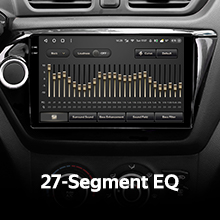
Image 5.2: Display of the 27-segment equalizer for audio tuning.

Image 5.3: Interface indicating optical and coaxial digital audio output options.
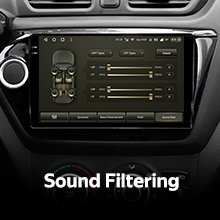
Image 5.4: Screen showing sound filtering adjustments.

Image 5.5: Display showing real-time rear view camera feed and video recording options.

Image 5.6: Screen demonstrating the split-screen functionality with two apps running concurrently.

Image 5.7: Various color styles and themes available for the user interface.
Video 5.8: Tamatview of the TEYES CC3 2K Car Radio Multimedia Player, showcasing its design, internal components, and user interface in action within a vehicle. This video highlights the unit's modern display and various functionalities.
6. Penyelenggaraan
Proper maintenance ensures the longevity and optimal performance of your TEYES CC3 2K unit.
- Membersihkan Skrin: Use the provided cleaning cloth or a soft, lint-free cloth to gently wipe the touchscreen. Avoid abrasive cleaners or solvents that could damage the display.
- Kemas Kini Perisian: Periodically check for software updates through the unit's settings or the official TEYES weblaman web untuk memastikan anda mempunyai ciri dan pembetulan pepijat terkini.
- Elakkan Suhu Melampau: Jangan dedahkan unit kepada haba atau sejuk yang melampau, kerana ini boleh menjejaskan prestasi dan jangka hayatnya.
- Lindungi daripada Kelembapan: Pastikan unit kering dan jauh daripada cecair.
7. Penyelesaian masalah
If you encounter issues with your TEYES CC3 2K unit, refer to the following common problems and solutions:

Image 7.1: A visual representation of a Frequently Asked Questions (FAQ) section.
- Tiada Kuasa:
- Periksa semua sambungan kuasa dan fius.
- Pastikan bateri kenderaan disambungkan dan dicas dengan betul.
- Tiada Bunyi:
- Sahkan sambungan pembesar suara.
- Periksa tahap kelantangan dan tetapan bisu.
- Pastikan sumber output audio yang betul dipilih.
- Skrin sentuh Tidak Responsif:
- Perform a system reset using the 'RST' button.
- Pastikan skrin bersih dan bebas daripada serpihan.
- Isyarat GPS Hilang:
- Pastikan antena GPS dipasang dengan betul dan mempunyai jelas view dari langit.
- Semak tetapan GPS dalam unit.
- Isu Sambungan Bluetooth:
- Pastikan Bluetooth diaktifkan pada kedua-dua unit dan peranti anda.
- Padamkan gandingan sebelumnya dan cuba sambungkan semula.
- Mulakan semula kedua-dua peranti.
For persistent issues, consult the digital e-book manual or contact TEYES customer support.
8. Spesifikasi
Detailed technical specifications for the TEYES CC3 2K Car Radio Multimedia Player:
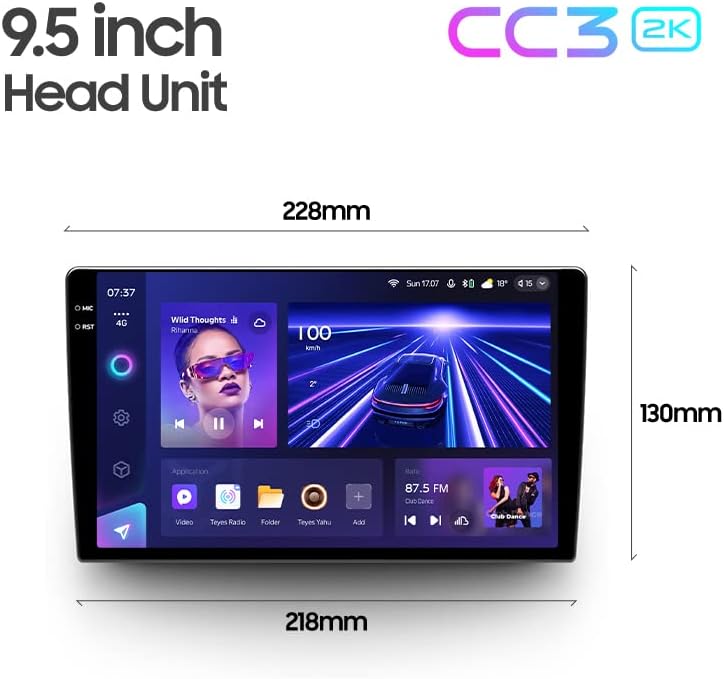
Image 8.1: Dimensions of the TEYES CC3 2K 9.5-inch head unit.
| Ciri | Spesifikasi |
|---|---|
| Nombor Model | CC3 2K |
| Saiz Paparan | 9.5 Inci |
| Sistem Operasi | Android |
| RAM | 6GB |
| ROM | 128GB |
| Pemproses | 8 Teras 2.0GHz |
| Teknologi Ketersambungan | Bluetooth, USB, WiFi, Hotspot, 4G |
| Ciri Khas | Bluetooth, Touchscreen, Wireless CarPlay, Android Auto, RDS, Dual DSP, Optical/Coaxial Audio Output, Real-time Rear View, Video Recording |
| Jenis Peta | North America (pre-installed) |
| Mod Keluaran Audio | Stereo |
| Jenis Pemasangan | Pemasangan Panel |
9. Waranti dan Sokongan
Your TEYES CC3 2K Car Radio Multimedia Player comes with a Waranti 1 tahun dari tarikh pembelian. Waranti ini meliputi kecacatan pembuatan dan kerosakan dalam penggunaan biasa.
For warranty claims, technical assistance, or any product-related inquiries, please contact TEYES customer support through their official webtapak atau maklumat hubungan yang diberikan bersama dokumentasi pembelian anda.
Manufacturer: Shenzhen TEYES High tech Co., Ltd.