
pengenalan
The Olelica Automatic Pet Feeder is designed to provide convenient and consistent meal delivery for your pets. With its programmable features, voice recording function, and secure design, it ensures your pet receives their meals on time, every time, promoting healthy eating habits and peace of mind for pet owners. This manual provides detailed instructions for setup, operation, and maintenance of your new pet feeder.

Depan view of the Olelica Automatic Pet Feeder, showcasing its design and a portion of kibble in the feeding bowl.
Ciri-ciri Produk
- Jadual Pemakanan Boleh Diprogramkan: Set up to 6 meals per day with adjustable portions from 0 to 8 per meal, ensuring precise feeding control. The feeder has a 5L capacity for dry food.

Visual representation of the feeder's programmable feeding schedule capabilities, highlighting meal frequency and portion control.
- 10-Second Voice Recording: Record a personalized message to call your pet to their meal, adding a familiar and comforting sound.

The feeder's voice recording feature, allowing owners to record a message for their pet at meal times.
- Twist-Lock Design: Features a secure lid mechanism to prevent pets from accessing the food reservoir and overeating.
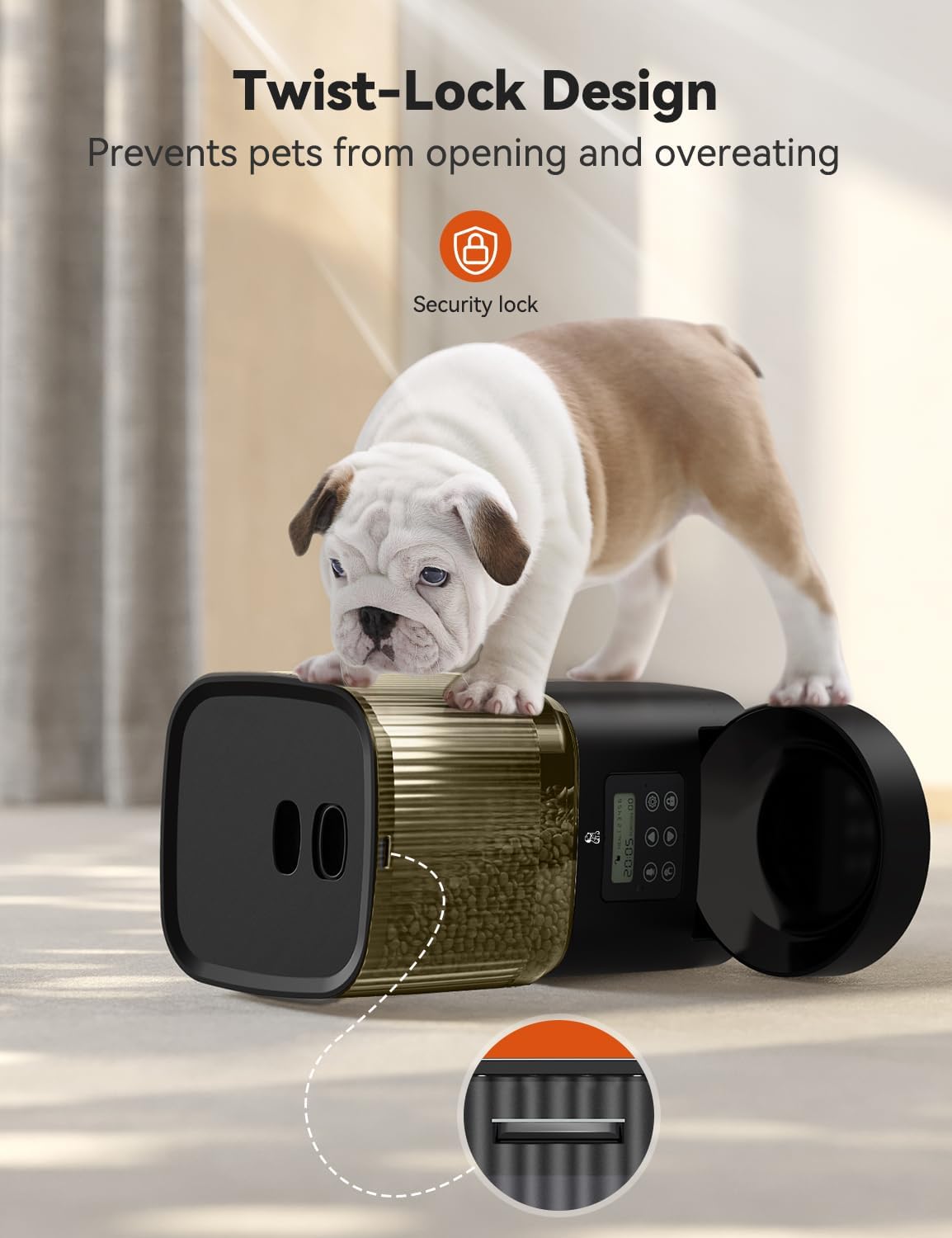
Illustration of the feeder's twist-lock design, designed to keep food secure from curious pets.
- Detachable Components for Easy Cleaning: The food container and bowl are easily detachable for thorough cleaning, ensuring hygiene and fresh food.

The feeder's components are designed for easy detachment and cleaning, promoting food freshness.
- Bekalan Kuasa Dwi: Operates via power adapter or 3 D-batteries (not included) for continuous operation, even during power outages.

The feeder offers dual power options: AC adapter for primary use and D-batteries for backup during power interruptions.
- Dry Food Compatibility: Suitable for various dry food types, with a recommended kibble size of 2-12mm to prevent clogging.

Guidance on compatible dry food types and recommended kibble sizes for optimal feeder performance.
Apa yang Termasuk
Upon unboxing your Olelica Automatic Pet Feeder, please ensure all the following components are present:
- Feeder Base Unit (with control panel and motor)
- Food Reservoir (transparent container)
- Mangkuk Makanan
- Lid for Food Reservoir
- Penyesuai Kuasa
- Desiccant Packet (for moisture absorption)
- Manual Arahan (dokumen ini)
Persediaan
Follow these steps to set up your Olelica Automatic Pet Feeder:
- Assemble the Base and Bowl: Place the feeding bowl onto the base unit. Ensure the plastic piece on the bowl aligns with the groove on the base unit for a secure fit.
- Attach the Food Reservoir: Carefully place the transparent food reservoir onto the base unit. Ensure it is seated firmly.
- Masukkan Paket Desiccant: Locate the compartment under the lid of the food reservoir. Insert the provided desiccant packet into this compartment. This helps absorb moisture and keep the food fresh.
- Selamatkan Tudung: Place the lid onto the food reservoir. Ensure the grooves on the lid align correctly with the reservoir for a tight, twist-lock seal.
- Sambungkan Kuasa: Plug the power adapter into the feeder and then into a wall outlet. For backup power, you may also insert 3 D-batteries into the battery compartment at the bottom of the unit.
- Fill with Food: Open the lid and fill the reservoir with your pet's dry kibble. Ensure the kibble size is between 2-12mm to prevent dispensing issues.
Arahan Operasi
The control panel allows you to program the feeder's functions. The display shows current time, meal number, and portion size.
- Tetapkan Masa Semasa:
- Tekan ke tetapan button (gear icon) to enter time setting mode.
- Gunakan Up dan Bawah arrows to adjust the hour (military time format).
- Tekan tetapan again to move to minutes, adjust with arrows.
- Tekan tetapan untuk mengesahkan dan keluar dari tetapan masa.
- Program Meal Times and Portions:
- Tekan ke tetapan button repeatedly until "MEAL 1" appears on the display.
- Gunakan Up dan Bawah arrows to set the desired feeding time for Meal 1.
- Tekan tetapan to move to portion adjustment for Meal 1. Use arrows to select portion size (0-8).
- Repeat this process for up to 6 meals ("MEAL 2" through "MEAL 6"). If you do not wish to set a meal, simply skip it by pressing the tetapan butang.
- After setting all desired meals, continue pressing tetapan sehingga paparan kembali ke waktu semasa.
- Record Voice Message:
- Tekan dan tahan butang Rekod button (microphone icon) until you hear a beep.
- Speak your message (up to 10 seconds) into the microphone.
- Lepaskan Rekod button to save. The message will play at each scheduled meal time.
- Pemakanan Manual:
- Tekan ke Suapan Manual button (hand icon) to dispense one portion of food immediately. You can press it multiple times for more portions.
- Lock/Unlock Control Panel:
- Untuk mengelakkan perubahan yang tidak disengajakan, tekan dan tahan butang Kunci button (padlock icon) for 3 seconds to lock the control panel. A lock icon will appear on the display.
- Untuk membuka kunci, tekan dan tahan butang Kunci butang sekali lagi selama 3 saat. Ikon kunci akan hilang.
Penyelenggaraan
Pembersihan berkala memastikan jangka hayat dan operasi bersih tempat makan haiwan peliharaan anda.
- Cleaning the Food Reservoir and Bowl: Detach the food reservoir and feeding bowl from the base unit. Wash them with mild soap and water. Rinse thoroughly and ensure they are completely dry before reassembling.
The feeder's components are designed for easy detachment and cleaning, promoting food freshness.
- Membersihkan Unit Pangkalan: Lap unit asas dengan iklanamp cloth. Do not submerge the base unit in water, as it contains electronic components.
- Desiccant Packet: Replace the desiccant packet periodically (e.g., every 1-2 months) to maintain optimal moisture absorption and food freshness.
Menyelesaikan masalah
If you encounter issues with your feeder, try the following solutions:
- Pengumpan tidak mengeluarkan makanan:
- Check if the food reservoir is empty.
- Ensure the kibble size is within the recommended 2-12mm range. Larger kibble may cause blockages.
- Verify that the feeder is properly powered (either plugged in or batteries are installed and charged).
- Check if the control panel is locked. Unlock it if necessary.
- Paparan tidak berfungsi:
- Pastikan penyesuai kuasa dipasang dengan selamat.
- If using batteries, check if they are correctly installed and have sufficient charge.
- Voice recording not playing:
- Ensure a message has been successfully recorded.
- Check the volume settings if available (not explicitly mentioned in data, but common).
Spesifikasi
| Ciri | Perincian |
|---|---|
| Jenama | Olelica |
| Nama Model | FT90 |
| Nombor Model Item | O09 |
| Kapasiti | 5 Liter |
| bahan | Bebas BPA |
| warna | Hitam |
| Dimensi Item (LxWxH) | 5.98 x 5 x 7 inci |
| Berat Barang | 4 paun |
| Sumber Kuasa | Power Adapter, 3 D-batteries (not included) |
| Ciri Khas | Voice Recording, Feeding Schedule |
| Spesies Sasaran | Anjing, Kucing |
| Saiz Kibble yang Disyorkan | 2-12mm |
Waranti & Sokongan
The Olelica Automatic Pet Feeder comes with a Waranti 1 tahun from the date of purchase. This warranty covers manufacturing defects and malfunctions under normal use. For warranty claims, technical support, or any inquiries, please contact Olelica customer service through the retailer's platform or the contact information provided in your product packaging.
Sila simpan bukti pembelian anda untuk pengesahan waranti.