
ATTACK SHARK X3
Manual Pengguna Tetikus Permainan Tanpa Wayar ATTACK SHARK X3
Model: X3
1. Produk Lebihview
The ATTACK SHARK X3 is an ultra-lightweight wireless gaming mouse designed for high performance and versatility. It features a PixArt PAW3395 sensor, multi-mode connectivity (wired, 2.4G wireless, Bluetooth), and a long-lasting battery, making it suitable for various computing environments and gaming needs.
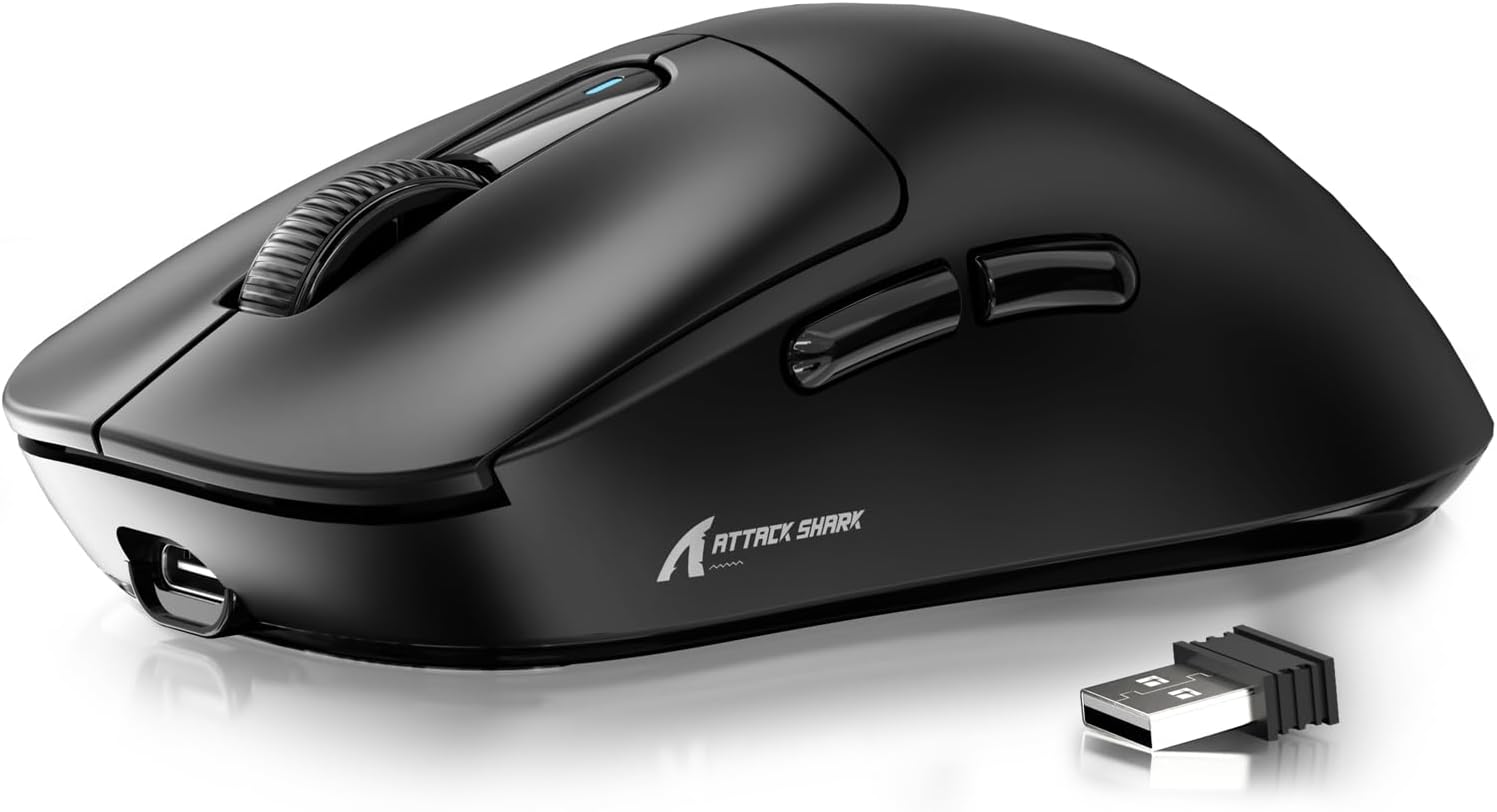
Figure 1: ATTACK SHARK X3 Wireless Gaming Mouse (Black)
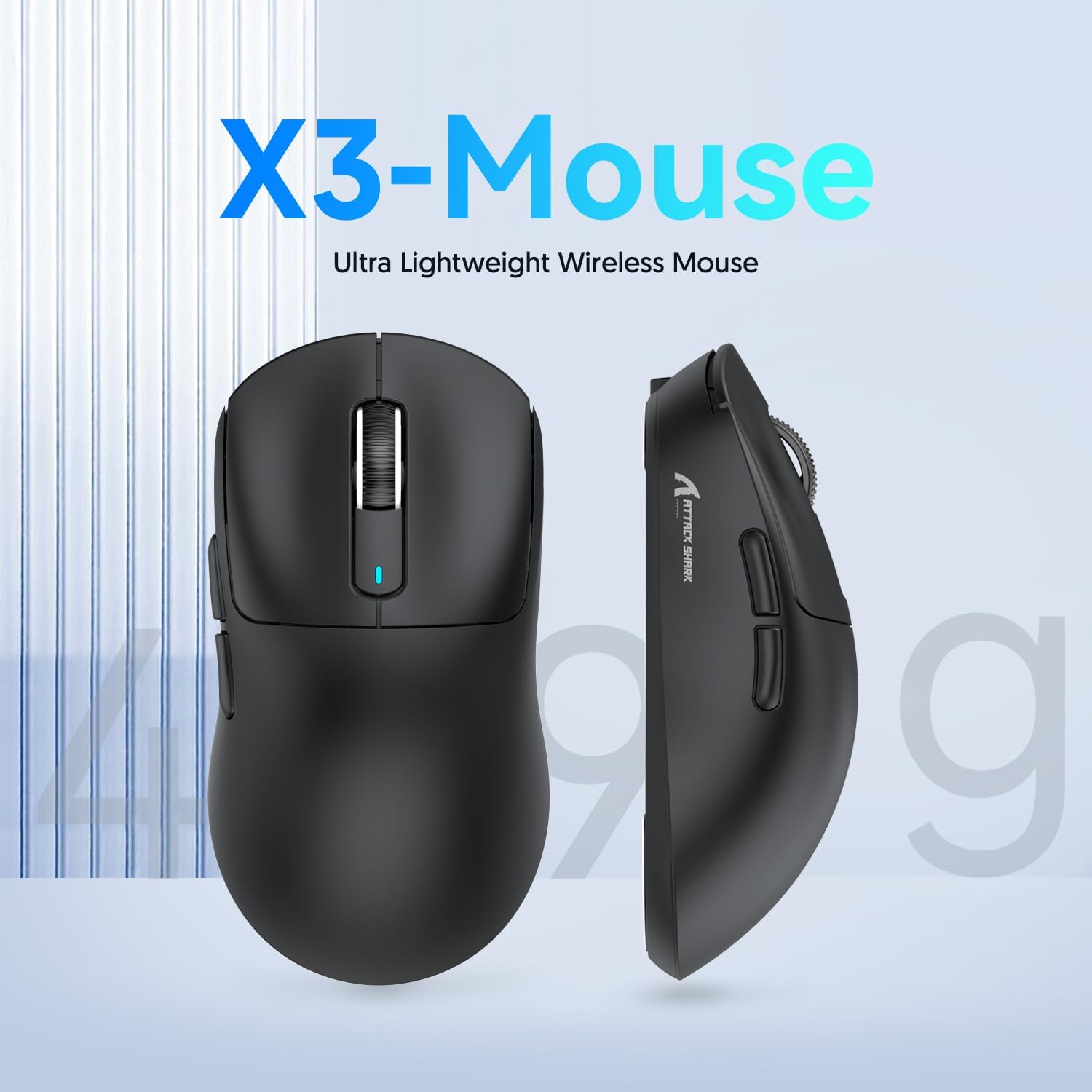
Figure 2: X3-Mouse Ultra Lightweight Design
2. Ciri-ciri Utama
- Reka Bentuk Ultra Ringan: Weighing approximately 49g, designed for comfortable and agile movement.
- PixArt PAW3395 Sensor: Flagship gaming sensor offering up to 26000 DPI for precise tracking.
- Kesambungan Tri-Mod: Supports wired (Type-C), 2.4G wireless, and Bluetooth (BT5.2) connections.
- Hayat Bateri yang Panjang: Sehingga 200 jam penggunaan berterusan dengan sekali cas.
- Suis Tahan Lama: Equipped with Kailh GM8.0 switches, rated for 80 million clicks.
- Customizable DPI: 6 adjustable DPI levels.
- Macro Drivers: Software support for macro customization and button remapping.
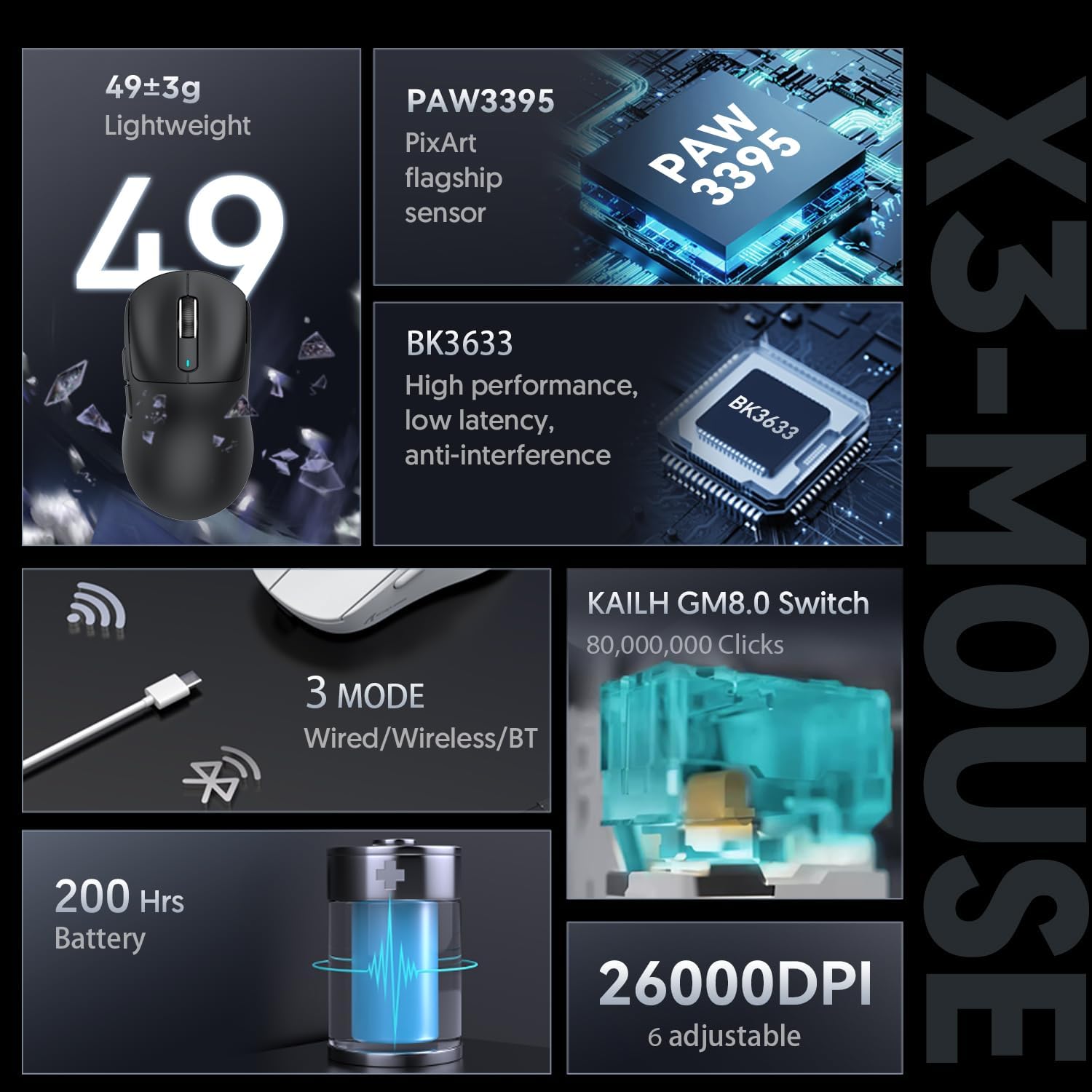
Figure 3: X3-Mouse Feature Overview

Figure 4: PixArt PAW3395 Flagship Sensor Details
3. Persediaan
3.1 Kandungan Pakej
- ATTACK SHARK X3 Wireless Gaming Mouse
- Kabel Jenis-C USB
- Penerima USB 2.4G
- Manual Pengguna (dokumen ini)
- Optional: Grip Tapes (may vary by package)
3.2 Pengecasan Awal
Before first use, it is recommended to fully charge the mouse. Connect the provided USB Type-C cable to the mouse's front port and the other end to a USB power source (e.g., computer USB port, USB wall adapter). The DPI indicator light will show charging status.
3.3 Menyambung Tetikus
The X3 mouse supports three connection modes: Wired, 2.4G Wireless, and Bluetooth.
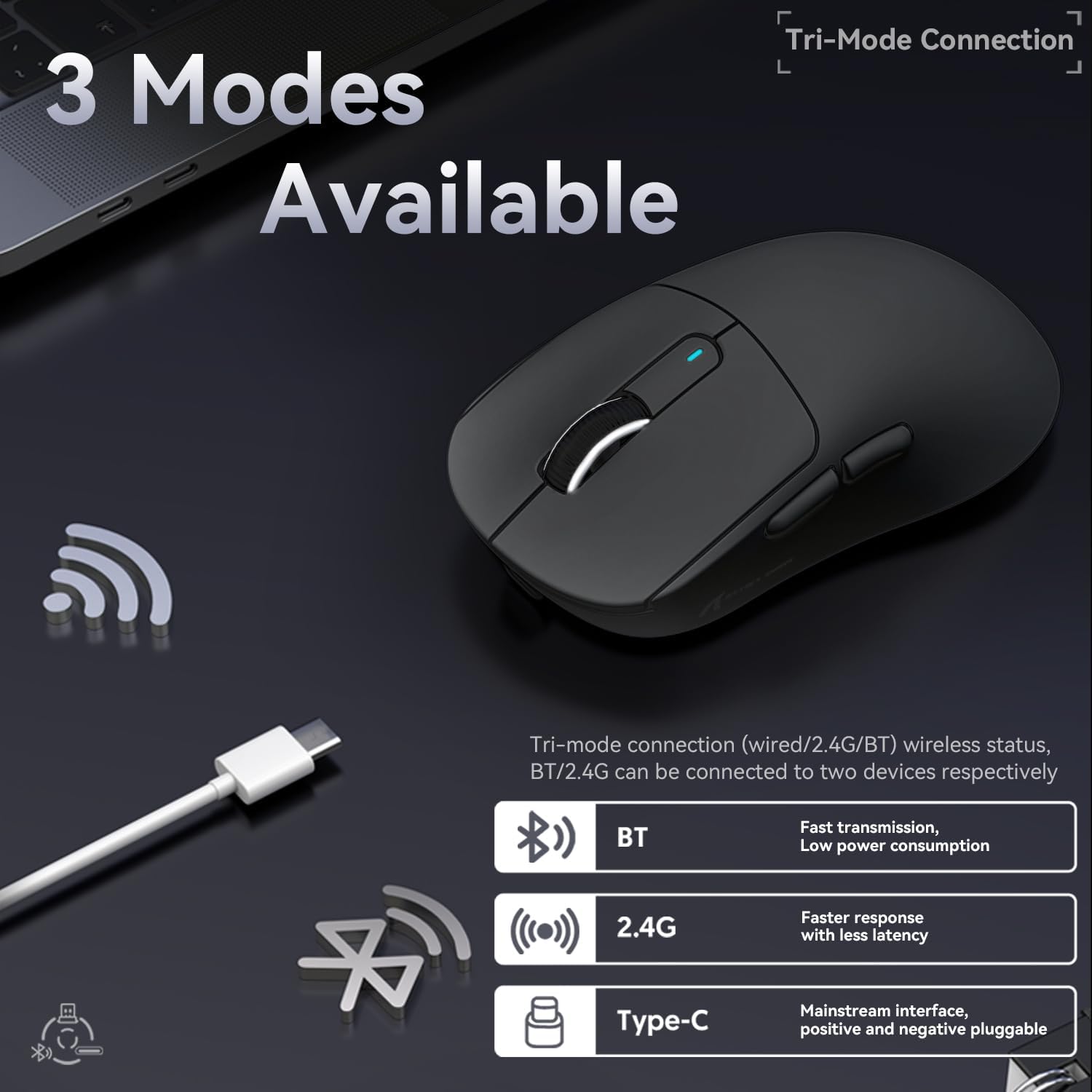
Figure 5: Tri-Mode Connection Options
- Mod Berwayar:
Connect the USB Type-C cable directly from the mouse to your computer. The mouse will automatically switch to wired mode and begin charging.
- Mod Wayarles 2.4G:
Locate the 2.4G USB receiver stored in the magnetic compartment on the bottom of the mouse. Plug the receiver into an available USB port on your computer. Slide the switch on the bottom of the mouse to the "2.4G" position. The mouse should connect automatically. If not, press and hold the mode switching key on the bottom for 3 seconds to initiate pairing.

Figure 6: Mouse Bottom Layout with Switch and Receiver Slot
- Mod Bluetooth:
Slide the switch on the bottom of the mouse to the "BT" position. On your computer or device, open Bluetooth settings and search for new devices. Select "ATTACK SHARK X3" from the list to pair. If pairing fails, press and hold the mode switching key on the bottom for 3 seconds to enter pairing mode.
4. Arahan Operasi
4.1 Pelarasan DPI
The mouse features a dedicated DPI switch button on the bottom (or top, depending on model variant) to cycle through preset DPI levels. The DPI indicator light will change color to indicate the current DPI setting. You can customize these levels using the official software.
4.2 Macro Customization
For advanced customization, download the official ATTACK SHARK software from the manufacturer's webtapak. Perisian ini membolehkan anda untuk:
- Remap mouse buttons.
- Create and assign macros for complex actions.
- Adjust DPI levels and polling rate.
- Monitor battery status.
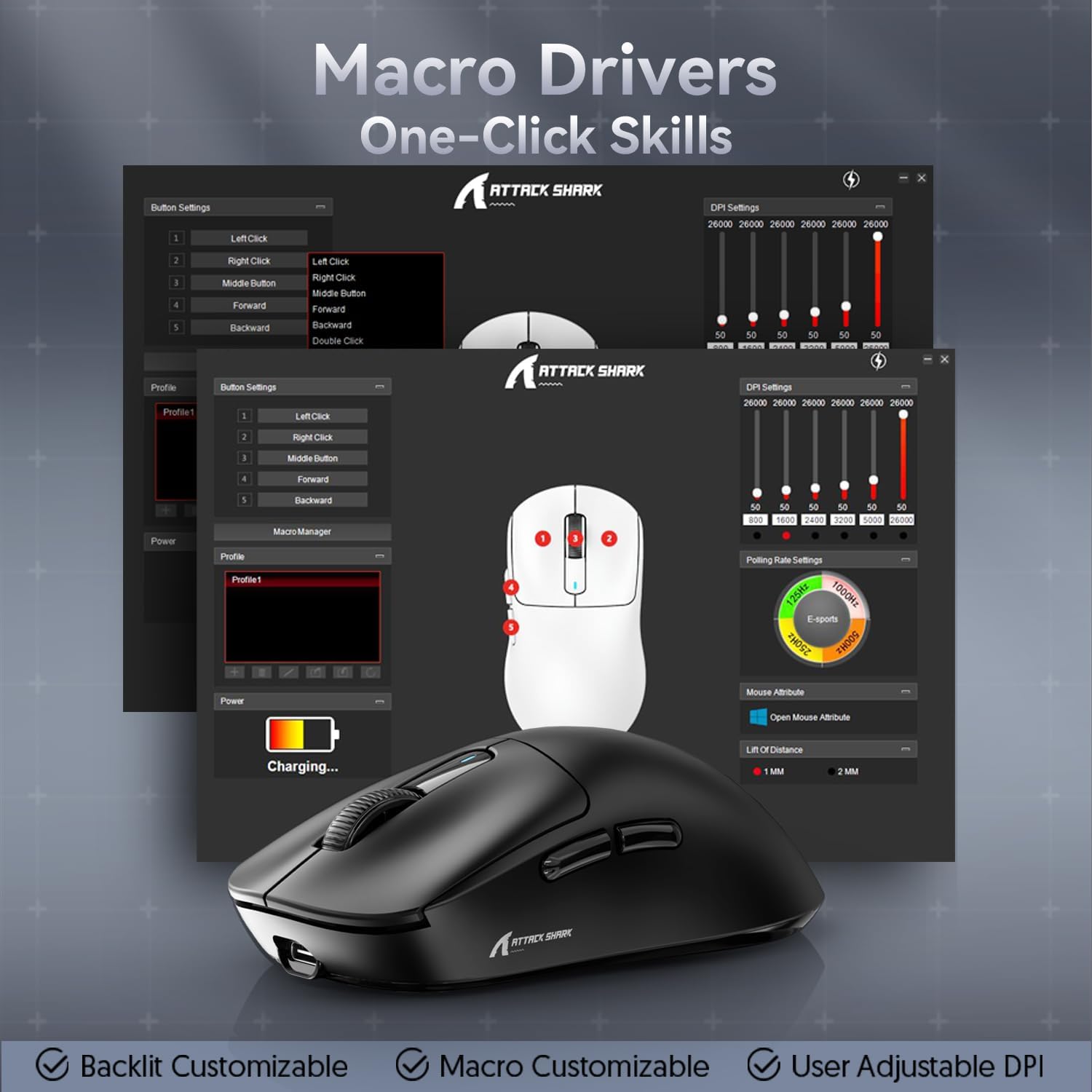
Figure 7: Macro Drivers and Software Interface
5. Pengurusan Bateri
The ATTACK SHARK X3 mouse is equipped with a high-capacity lithium battery providing up to 200 hours of usage. To preserve battery life:
- Turn off the mouse using the switch on the bottom when not in use for extended periods.
- Cas tetikus apabila penunjuk bateri menunjukkan kuasa rendah.
- Elakkan mendedahkan tetikus kepada suhu yang melampau.
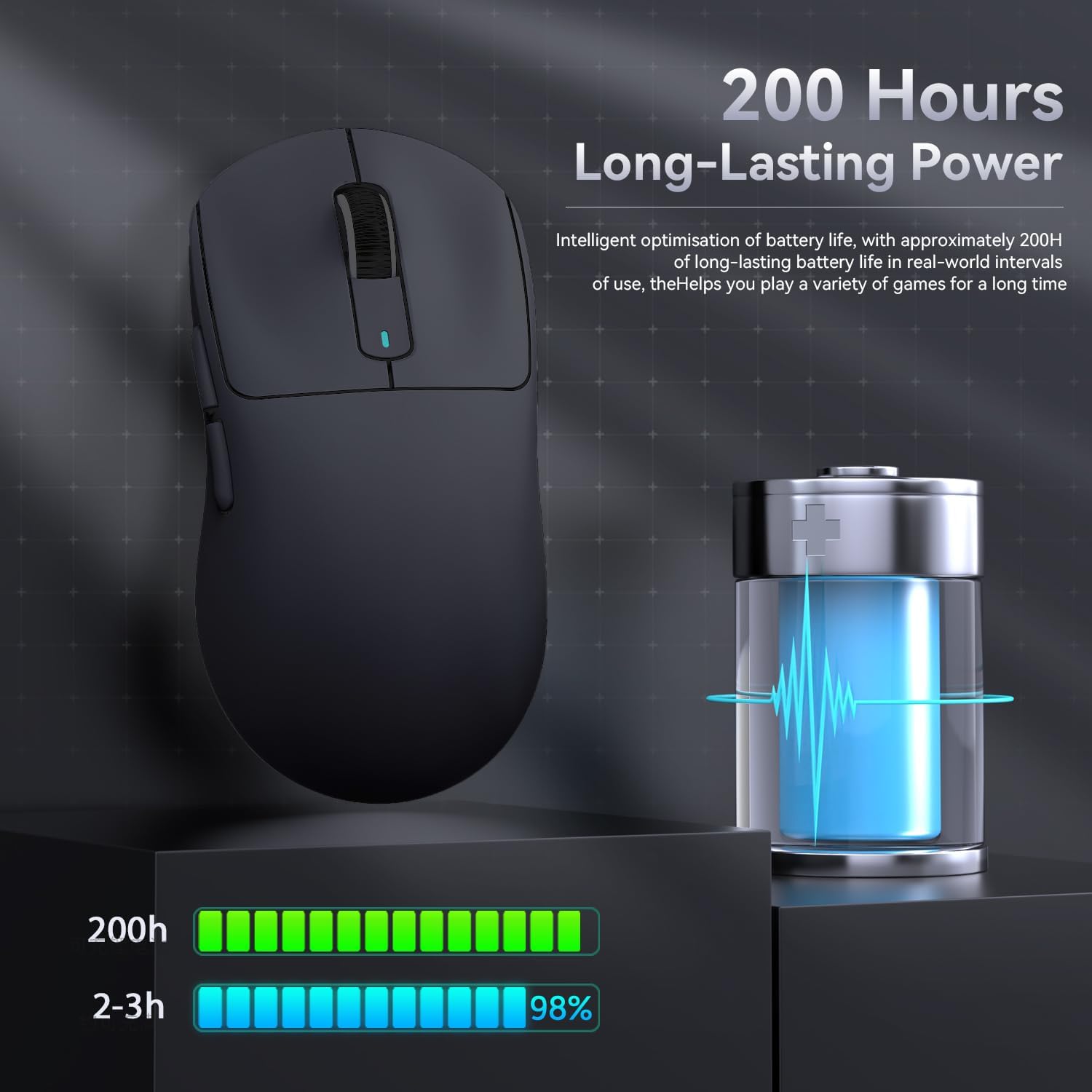
Figure 8: Battery Life Indication
6. Penyelenggaraan
- Pembersihan: Use a soft, dry cloth to clean the mouse. Do not use harsh chemicals or abrasive materials.
- Storan: Simpan tetikus di tempat yang sejuk dan kering jauh dari cahaya matahari langsung dan suhu yang melampau.
- Penjagaan Sensor: Keep the optical sensor on the bottom of the mouse clean and free from dust or debris for optimal tracking performance.
7. Penyelesaian masalah
| Masalah | Kemungkinan Punca | Penyelesaian |
|---|---|---|
| Tetikus tidak bertindak balas | Bateri lemah; Mod sambungan yang salah; Penerima USB tidak dipasang (2.4G); Bluetooth tidak digandingkan. | Charge the mouse; Ensure the switch on the bottom is in the correct mode (2.4G/BT); Re-insert USB receiver; Re-pair Bluetooth. |
| Sambungan ketinggalan atau terputus-putus | Gangguan; Jarak dari penerima/peranti; Bateri lemah. | Move closer to the receiver/device; Ensure no strong interference sources nearby; Charge the mouse. |
| DPI tidak berubah | DPI button malfunction; Software conflict. | Ensure the DPI button is pressed correctly; Restart the mouse and computer; Reinstall mouse software. |
| Perisian tidak mengesan tetikus | Driver issue; Connection problem. | Ensure mouse is connected via wired or 2.4G mode (Bluetooth might not be supported by all software features); Reinstall drivers/software. |
8. Spesifikasi
| Ciri | Perincian |
|---|---|
| Model | X3 |
| Sensor | PixArt PAW3395 |
| DPI | Up to 26000 (Adjustable) |
| Kelajuan Penjejakan | 650IPS |
| Pecutan | 50G |
| Kadar Mengundi | 1000Hz (Adjustable via software) |
| Ketersambungan | Wired (Type-C), 2.4G Wireless, Bluetooth 5.2 |
| Suis | Kailh GM8.0 (80 Million Clicks) |
| Hayat Bateri | lebih kurang 200 jam |
| Berat badan | lebih kurang 49g |
| Dimensi | 118.5mm x 61mm x 39.7mm (lebih kurang) |
| OS yang serasi | Windows 11, Xbox, PS, Mac (functionality may vary) |

Figure 9: ATTACK SHARK X3 Super Light Mouse Overview

Figure 10: X3MAX Exploded Diagram (Illustrative of X3 series internal components)
9. Video Produk Rasmi
Video 1: ATTACK SHARK X3 Mouse Product Overview. This video provides a visual demonstration of the mouse's features, unboxing, and usage scenarios.
10. Waranti dan Sokongan
For warranty information, technical support, or to download the latest software and drivers, please visit the official ATTACK SHARK webtapak atau hubungi perkhidmatan pelanggan mereka. Simpan resit pembelian anda untuk tuntutan waranti.
Kedai Jenama Rasmi: ATTACK SHARK Store
Ask a question about this manual
Ask about setup, troubleshooting, compatibility, parts, safety, or missing instructions. Manuals+ will review the question and use this page’s manual context to help answer it.