
pengenalan
Thank you for choosing the HOCO W40 Bluetooth Headphones. These wireless headphones are designed to provide a high-quality audio experience with deep bass, clear calls, and comfortable wear. This manual will guide you through the setup, operation, and maintenance of your new headphones.
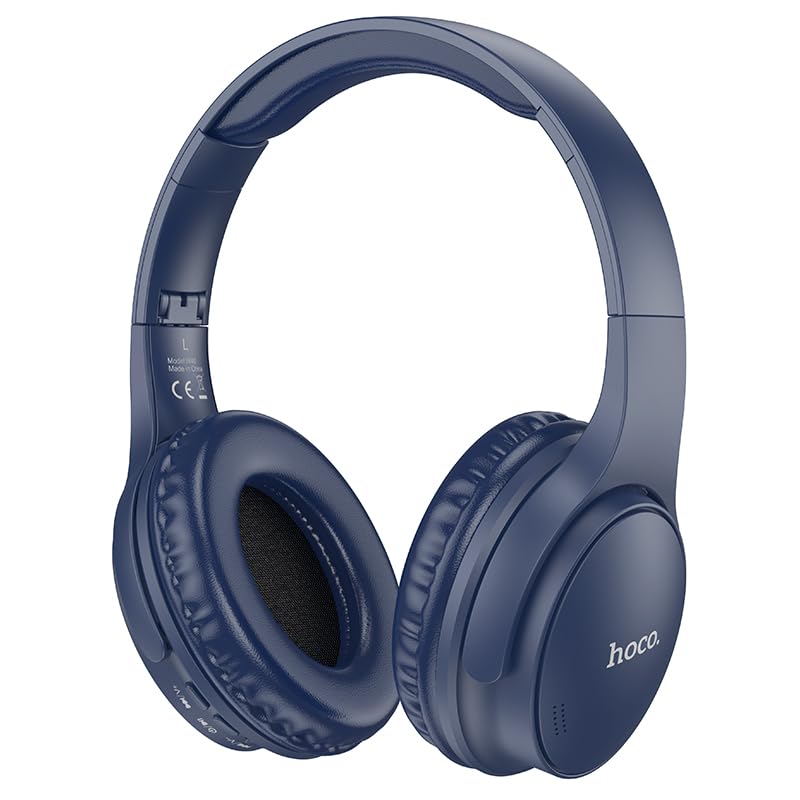
Image: HOCO W40 Bluetooth Headphones in a folded position, showcasing the earcups and headband. The headphones are blue.
Apa yang ada dalam Kotak
Sila semak kandungan pakej anda untuk memastikan semua item ada:
- HOCO W40 Bluetooth Headphones
- Kusyen Telinga
- Headband (integrated with headphones)
The package includes the HOCO W40 Bluetooth Headphones, along with ear cushions and the integrated headband for comfortable use.
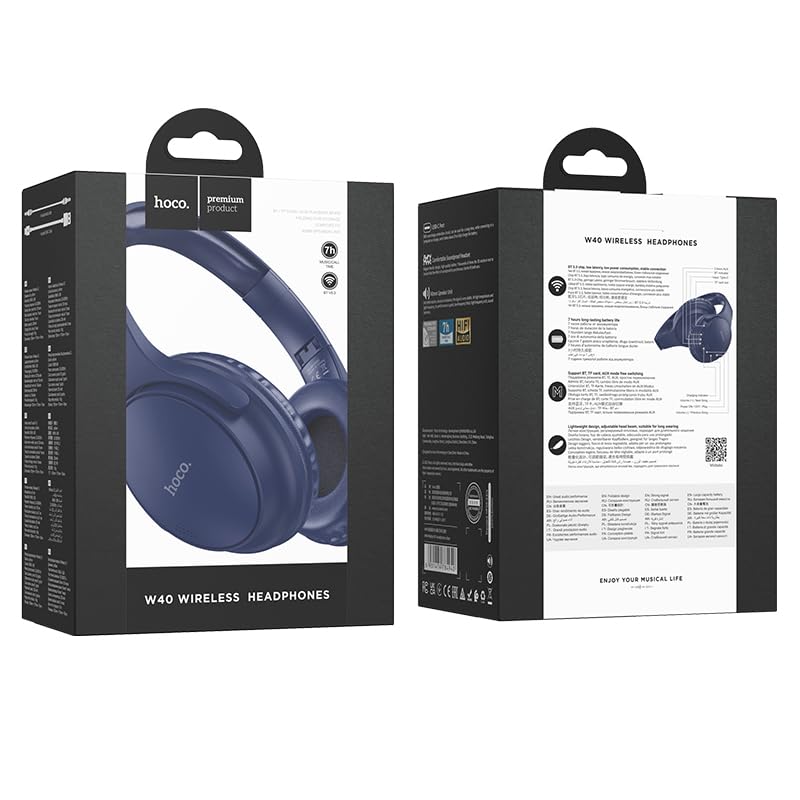
Image: Retail packaging for the HOCO W40 Wireless Headphones, showing the product image and some features on the box.
Produk Selesaiview
Familiarize yourself with the various parts and controls of your HOCO W40 headphones.
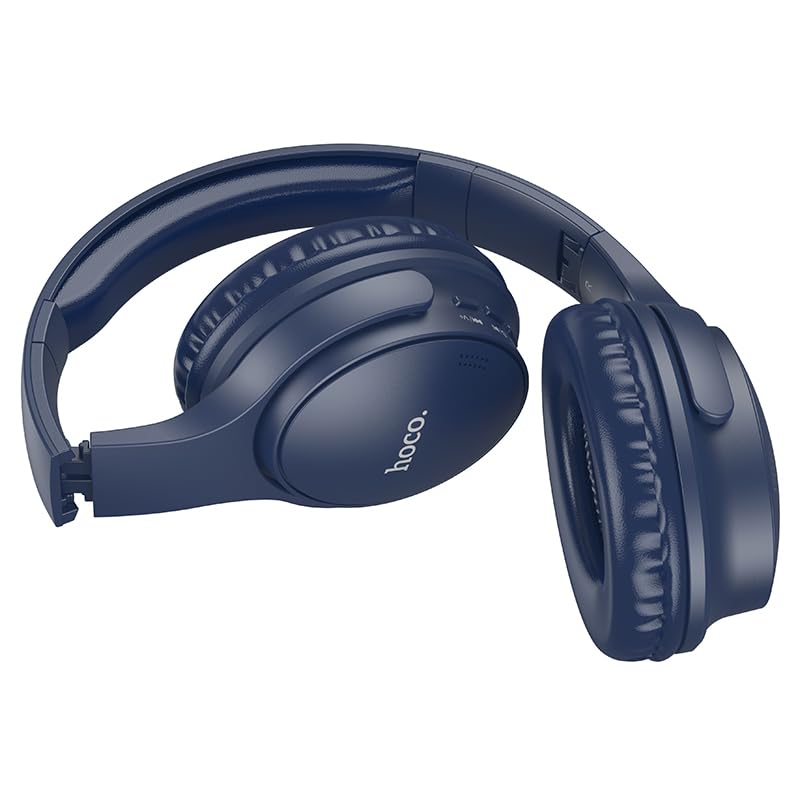
Imej: Sisi view of the HOCO W40 Bluetooth Headphones, highlighting the earcup and headband design. The controls are visible on the right earcup.
Kawalan dan Penunjuk:
- Butang Kuasa: Used to power the headphones on/off and initiate pairing.
- Kawalan Kelantangan: Adjusts the listening volume using touch controls.
- Butang berbilang fungsi (MFB): For play/pause, answer/end calls.
- mikrofon: Terbina dalam untuk panggilan bebas tangan.
- Port Pengecasan: Untuk menyambungkan kabel pengecasan.
- Penunjuk LED: Menunjukkan status kuasa, mod berpasangan dan status pengecasan.
The headphones feature touch controls for volume adjustment and other functions, along with a built-in microphone for clear communication.
Persediaan
1. Mengecas Fon Kepala
Before first use, fully charge your headphones. A full charge takes approximately 1 jam.
- Connect the charging cable (not included in the JSON's 'whats_in_the_box' but typically provided) to the charging port on the headphones.
- Sambungkan hujung kabel yang satu lagi ke sumber kuasa USB (cth., komputer, penyesuai dinding).
- The LED indicator will show the charging status (e.g., red while charging, blue/off when fully charged).
Once fully charged, the headphones provide up to 12 jam of continuous playtime.
2. Berpasangan dengan Peranti Bluetooth
The HOCO W40 headphones use Bluetooth 5.3 for stable and seamless connectivity. They are compatible with smartphones, tablets, laptops, and other Bluetooth-enabled devices (iOS, Android).
- Pastikan fon kepala dimatikan.
- Press and hold the Power Button until the LED indicator flashes rapidly (usually blue and red alternately), indicating pairing mode.
- Pada peranti anda, dayakan Bluetooth dan cari peranti yang tersedia.
- Pilih "HOCO W40" daripada senarai peranti yang ditemui.
- Once paired, the LED indicator will stop flashing and may turn solid blue or off, depending on the model.
- The headphones have a wireless range of up to 10 meter.
If pairing is unsuccessful, turn off both devices, wait a few seconds, and repeat the steps.
Arahan Operasi
Hidupkan/Mati Kuasa
- Hidupkan kuasa: Tekan dan tahan Butang Kuasa selama lebih kurang 3 saat sehingga penunjuk LED menyala.
- Matikan: Tekan dan tahan Butang Kuasa selama lebih kurang 5 saat sehingga penunjuk LED dimatikan.
Kawalan Muzik
- Main/Jeda: Tekan pendek Butang Pelbagai fungsi (MFB).
- Kelantangan: Tap the designated touch control area for volume up.
- Perlahankan suara: Tap the designated touch control area for volume down.
- Lagu Seterusnya: Double-tap the MFB or use the designated touch control.
- Trek Sebelumnya: Triple-tap the MFB or use the designated touch control.
Note: Specific touch control gestures may vary slightly. Refer to the quick start guide included with your product for precise details.
Kawalan Panggilan
- Jawab/Tamatkan Panggilan: Tekan pendek Butang Pelbagai fungsi (MFB).
- Tolak Panggilan: Tekan dan tahan MFB selama 2 saat.
- Dail Semula Nombor Terakhir: Double-press the MFB when not on a call.
Penyelenggaraan
Proper care will extend the life of your HOCO W40 headphones.
- Pembersihan: Gunakan kain lembut dan kering untuk membersihkan fon kepala. Jangan gunakan pembersih atau pelarut yang melelas.
- Storan: Simpan fon kepala di tempat yang sejuk dan kering jauh dari cahaya matahari langsung dan suhu yang melampau.
- Tahan Air: The headphones are water resistant, making them suitable for workouts and outdoor activities. However, they are not designed for submersion in water. Avoid prolonged exposure to heavy rain or direct water jets.
- Penjagaan Bateri: To preserve battery life, charge the headphones regularly, even if not in frequent use. Avoid fully discharging the battery for extended periods.
Menyelesaikan masalah
| Masalah | Penyelesaian yang Mungkin |
|---|---|
| Fon kepala tidak dihidupkan. | Ensure the headphones are charged. Connect them to a power source and try again after a few minutes. |
| Tidak boleh berpasangan dengan peranti. |
|
| Tiada bunyi atau kelantangan rendah. |
|
| Kualiti panggilan kurang baik. |
|
Spesifikasi
| Model | W40 |
| Jenama | HOCO |
| Teknologi Ketersambungan | Wayarles (Bluetooth 5.3) |
| Julat Bluetooth | 10 Meter |
| Hayat Bateri | Sehingga 12 Jam |
| Masa Mengecas | Lebih kurang 1 Jam |
| Jenis Pemacu Audio | Pemandu Dinamik |
| Kawalan Bunyi | Pengasingan Bunyi |
| Tahap Ketahanan Air | Tahan Air |
| Jenis Kawalan | Volume Control (Touch) |
| Mikrofon Terbina dalam | Yes, for Hands-Free Calls |
| Peranti Serasi | Smartphones, Tablets, Laptops (Universal Compatibility) |
| bahan | plastik |
| Berat Barang | 180 g |
Video Produk Rasmi
Tonton video produk rasmi untuk visual overview of the HOCO W40 Bluetooth Headphones and their key features.
Video: Produk rasmi tamatview of the HOCO W40 Bluetooth Headphones, demonstrating its features, battery life, design, and device compatibility.
Waranti dan Sokongan
For warranty information and customer support, please refer to the documentation included with your purchase or visit the official HOCO webtapak. Simpan bukti pembelian anda untuk sebarang tuntutan waranti.
Untuk bantuan lanjut, anda juga boleh menghubungi peruncit tempat produk itu dibeli.