
Produk Selesaiview
The Raddy SP4 4W Portable Solar Panel is designed to provide efficient and reliable power for your devices in outdoor and emergency situations. Its compact, foldable design makes it highly portable, ensuring you have access to solar energy whenever needed.
- Efficient Solar Power: Harness 4W of green energy with the SP4 portable solar panel, delivering a maximum output of 5V 0.8A for reliable charging.
- Padat dan boleh dilipat: The versatile solar panel easily folds and is lightweight, making it a breeze to take along. When folded, it is a compact 3.9''x6.7''x0.7'', at just 4.2oz. It also has four holes for hanging on your bag, ensuring easy solar power access.
- Keserasian Serbaguna: This emergency kit includes a 3-in-1 charging cable (micro USB, type-c, and lightning connectors), allowing you to charge a variety of devices such as mobile phones, emergency radios (e.g., SW10 SH-905 SW5 SL10), two-way radios, and portable shortwave radios. SP4 is an ideal expansion for your charging requirements.
- Essential Overlanding Companion: The SP4 is an ideal addition to your overlanding kit, ensuring a continuous power supply during outdoor adventures. Whether camping or facing unforeseen emergencies, the SP4 is a reliable companion to keep devices powered.
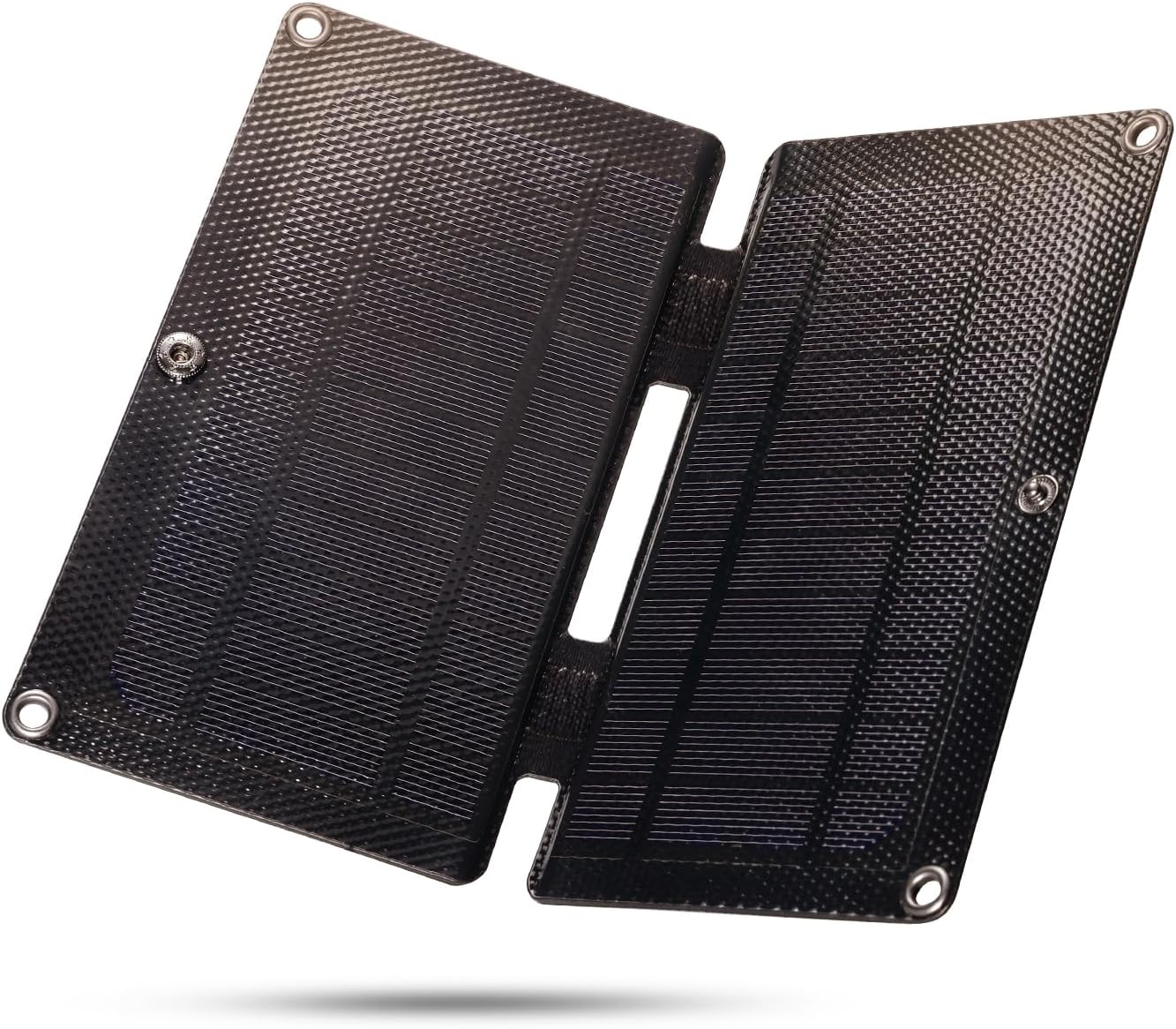
The Raddy SP4 portable solar panel in its compact, folded state, highlighting its small size and portability.
Kandungan Pakej
- 1 x SP4 Solar Panel
- 1 x 3-in-1 USB Charging Cable
Persediaan
Persediaan Awal
- Unfold the Raddy SP4 solar panel to expose the solar cells.
- Connect the integrated USB charging cable to the USB port on the solar panel.
- Position the solar panel in direct sunlight for optimal charging performance.
- Connect your device (e.g., mobile phone, emergency radio) to the appropriate connector on the 3-in-1 USB charging cable.

Satu jarak dekat view of the Raddy SP4 solar panel's USB port with the 3-in-1 charging cable connected, showing the micro USB, Type-C, and Lightning connectors.
Arahan Operasi
Optimal Sunlight Exposure
For maximum charging efficiency, ensure the Raddy SP4 solar panel is positioned directly facing the sun. The panel converts sunlight into electrical energy, and direct exposure maximizes power output.
Mengecas Peranti
Once connected and exposed to sunlight, the solar panel will begin charging your device. A small indicator light on the panel's USB output may illuminate to confirm power generation.
Kadar Pengecasan
The Raddy SP4 delivers a maximum output of 5V 0.8A (4W). Charging times will vary depending on sunlight intensity, device battery capacity, and the device's current power consumption. This panel is designed for trickle charging and maintaining power, rather than rapid charging.

The Raddy SP4 solar panel shown connected to and charging various compatible devices, including a mobile phone, power bank, emergency radio, and shortwave radio.

A person hiking with the Raddy SP4 solar panel attached to their backpack, demonstrating its portability and ability to charge on the go.
A video demonstrating the charging capability of a 5V 6W solar panel, showing it connected to a smartphone and indicating charging status.
A short video clip demonstrating the ease of use of a solar panel by simply placing it in direct sunlight to initiate charging.
Penyelenggaraan
Penjagaan dan Penyimpanan
- Pembersihan: Lap permukaan panel solar secara berkala dengan kain lembutamp cloth to remove dust and debris, ensuring optimal sunlight absorption. Avoid abrasive cleaners.
- Storan: Apabila tidak digunakan, lipat panel solar dan simpan di tempat yang sejuk dan kering, jauh daripada cahaya matahari langsung dan suhu yang melampau.
- Pengendalian: While durable, avoid dropping the panel or subjecting it to excessive force to prevent damage to the solar cells.
Menyelesaikan masalah
Peranti Tidak Mengecas
- Cahaya matahari langsung: Ensure the solar panel is in direct, unobstructed sunlight. Shading, even partial, can significantly reduce efficiency.
- Sambungan Kabel: Verify that the USB cable is securely connected to both the solar panel and your device.
- Keserasian Peranti: Confirm your device is compatible with 5V 0.8A (4W) charging.
- Tiada Bateri Dalaman: The Raddy SP4 does not have an internal battery to store power. It generates power only when exposed to sunlight. Charging will cease when sunlight is removed.
Low Charging Rate
- Keamatan cahaya matahari: Charging efficiency is directly related to sunlight intensity. Overcast conditions or indirect light will result in slower charging.
- Sudut Panel: Adjust the angle of the panel to be perpendicular to the sun's rays for maximum output.
- Device Power Requirements: Some devices require higher power input than the SP4 can provide for fast charging. The SP4 is best suited for maintaining charge or slow charging.
An instructional video explaining how solar cells generate power and the importance of a battery for storing energy, demonstrating the difference between direct solar power and battery-stored solar power for running a motor.
A video demonstrating a home project involving powering a motor with a solar cell, illustrating how solar panels convert light into electrical energy.
Spesifikasi
| Jenama | Raddy |
| Model | SP4 |
| Kuasa Maksimum | 4 Watt |
| Vol Maksimumtage | 5 Volt |
| Arus Penyesuai AC | 0.8 Amps |
| Dimensi Produk (Dilipat) | 3.9''L x 6.7''W x 0.7''H (100x170x17mm) |
| Dimensi Produk (Tidak dilipat) | 7.9''L x 6.7''W x 0.4''H (200x170x10mm) |
| Berat Barang | 4.2 Auns (120g) |
| bahan | Aluminum, Polycrystalline Silicon, Tempered Glass |
| Ciri Khas | Mudah alih |
| Penarafan Suhu Atas | 55 Darjah Celsius |
| Komponen yang Disertakan | SP4 Solar Panel, 3-in-1 USB Charging Cable |
Waranti dan Sokongan
For warranty details and customer support, please refer to the official Raddy webtapak atau hubungi peruncit anda. Simpan bukti pembelian anda untuk sebarang tuntutan waranti.