1. Pengenalan
The Atcall Fast Link Cell Phone Booster is designed to enhance cellular signal strength within your home, office, or other indoor spaces up to 5,000 sq ft. It supports all major Canadian carriers, including Bell, MTS, SaskTel, TELUS, Fido, and Rogers, across Band 12/17, 13, 5, 2/25, and 4/66, and is 5G compatible. This device aims to provide improved voice quality, fewer dropped calls, and faster data speeds by amplifying existing weak signals.

Figure 1: Atcall Fast Link Cell Phone Booster Kit, including the booster unit, outdoor antenna, and cables.
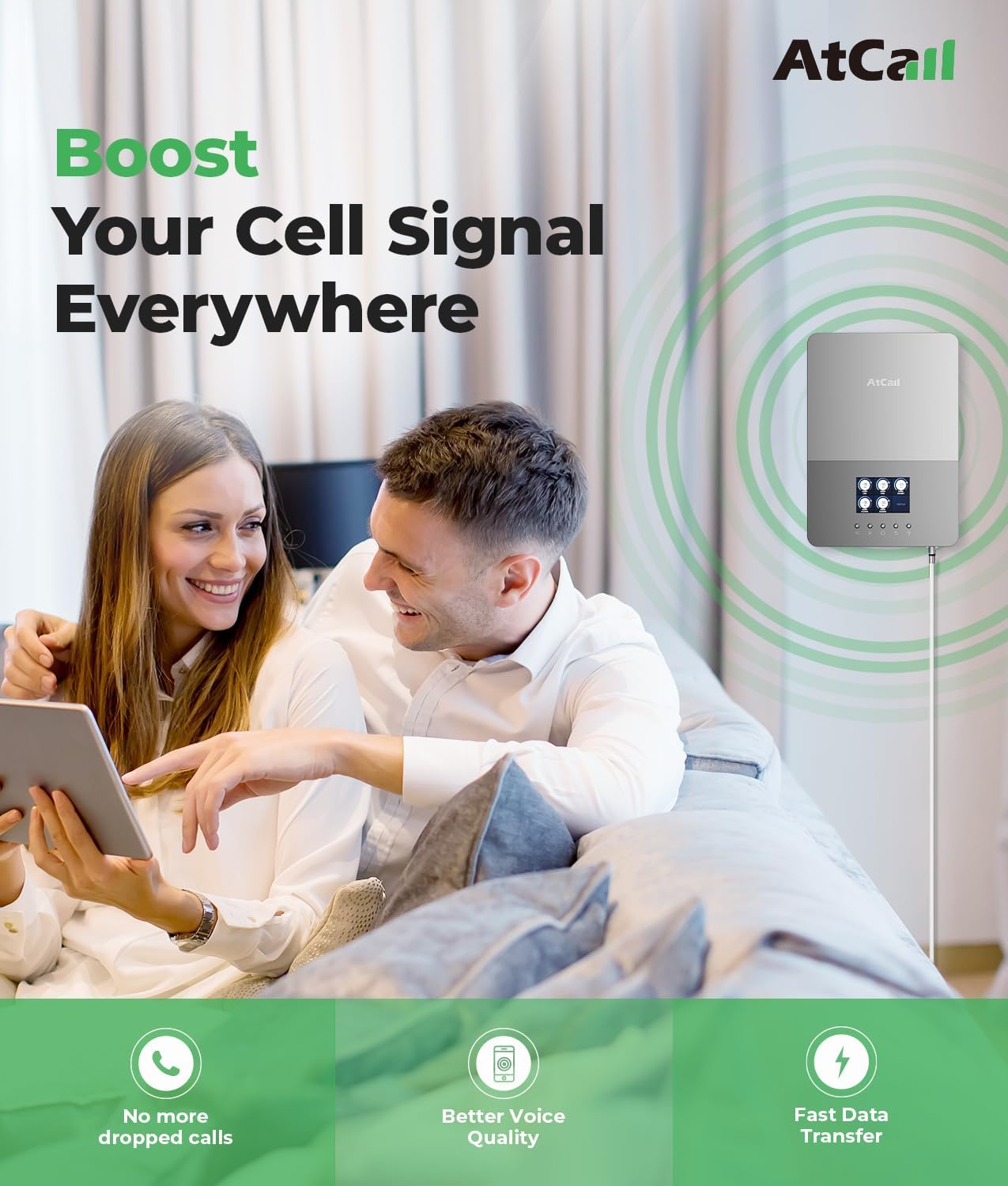
Figure 2: The booster improves voice quality, reduces dropped calls, and enables faster data transfer.

Figure 3: The Atcall booster provides 5G compatible coverage up to 5,000 square feet.
2. Maklumat Keselamatan
Please read all safety warnings and instructions before installing and operating this device. Failure to follow these instructions may result in injury or damage to the product.
- Do not expose the booster or antennas to extreme temperatures, direct sunlight for prolonged periods, or excessive moisture.
- Gunakan hanya bekalan kuasa yang disediakan bersama unit ini.
- Ensure all cable connections are secure and properly tightened.
- Avoid placing the booster near heat sources or in enclosed spaces without adequate ventilation.
- Jauhkan peranti daripada capaian kanak-kanak.
- This device must be operated in a fixed location for in-building use.
3. Kandungan Pakej
Sahkan bahawa semua item yang disenaraikan di bawah disertakan dalam pakej anda:
- 1 x Signal Booster (Built-in Indoor Antenna)
- 1 x Outdoor Antenna
- Kabel Sepaksi 1 x 60 kaki
- 1 x Bekalan Kuasa
- 1 x Mounting Kit (for roof/pole mount)
- 1 x Manual Pengguna (dokumen ini)

Figure 4: Visual representation of all components included in the Atcall Fast Link Cell Phone Booster package.
4. Persediaan & Pemasangan
Follow these steps for a hassle-free installation. No technical experience is required.
4.1 Pre-Installation: Check Signal Strength
Before installation, it is crucial to identify the strongest outdoor signal. Use your smartphone to check signal strength in different outdoor locations, especially on your roof or highest point. You can use field test mode on your phone:
- Untuk iPhone: Dial *3001#12345#* then press the call button. Navigate to 'All Metrics' and then 'Serving Cell Info' to check 'Band Info'.
- Untuk Android: Download a signal strength app like "Network Cell Info Lite" to check 'GAUGE' and 'BAND' information.
Aim for a signal strength between -50 dBm and -80 dBm for optimal performance. A signal weaker than -100 dBm may not be sufficient for the booster to operate effectively.
4.2 Outdoor Antenna Installation
Install the outdoor antenna at the highest point possible, such as a roof or pole, where the signal is strongest. Point the antenna towards the nearest cell tower. Ensure it is securely mounted using the provided mounting kit.
4.3 Booster Unit (Indoor Antenna) Placement
The booster unit has a built-in indoor antenna. Place the booster in a central location within your home where you need improved signal. For best performance and to prevent oscillation, maintain a significant separation distance between the outdoor antenna and the indoor booster unit.

Figure 5: For optimal performance, maintain a horizontal distance of >20ft (6m) and a vertical distance of >20ft (6m) between the outdoor antenna and the indoor booster unit. A straight-line distance of >30ft (9m) is recommended.
4.4 Sambungan Kabel
- Connect one end of the 60ft coaxial cable to the outdoor antenna.
- Route the cable indoors and connect the other end to the 'Outdoor' port on the Atcall booster unit.
- Ensure all connections are finger-tight.
4.5 Menghidupkan
Connect the power supply to the booster unit and then plug it into a standard electrical outlet. The booster will power on, and the LCD display will illuminate.
5. Arahan Operasi
The Atcall Fast Link booster features an HD LCD display for real-time monitoring and easy troubleshooting.
5.1 Memahami Paparan LCD
The LCD screen provides critical information about the booster's status and signal strength for each supported frequency band.
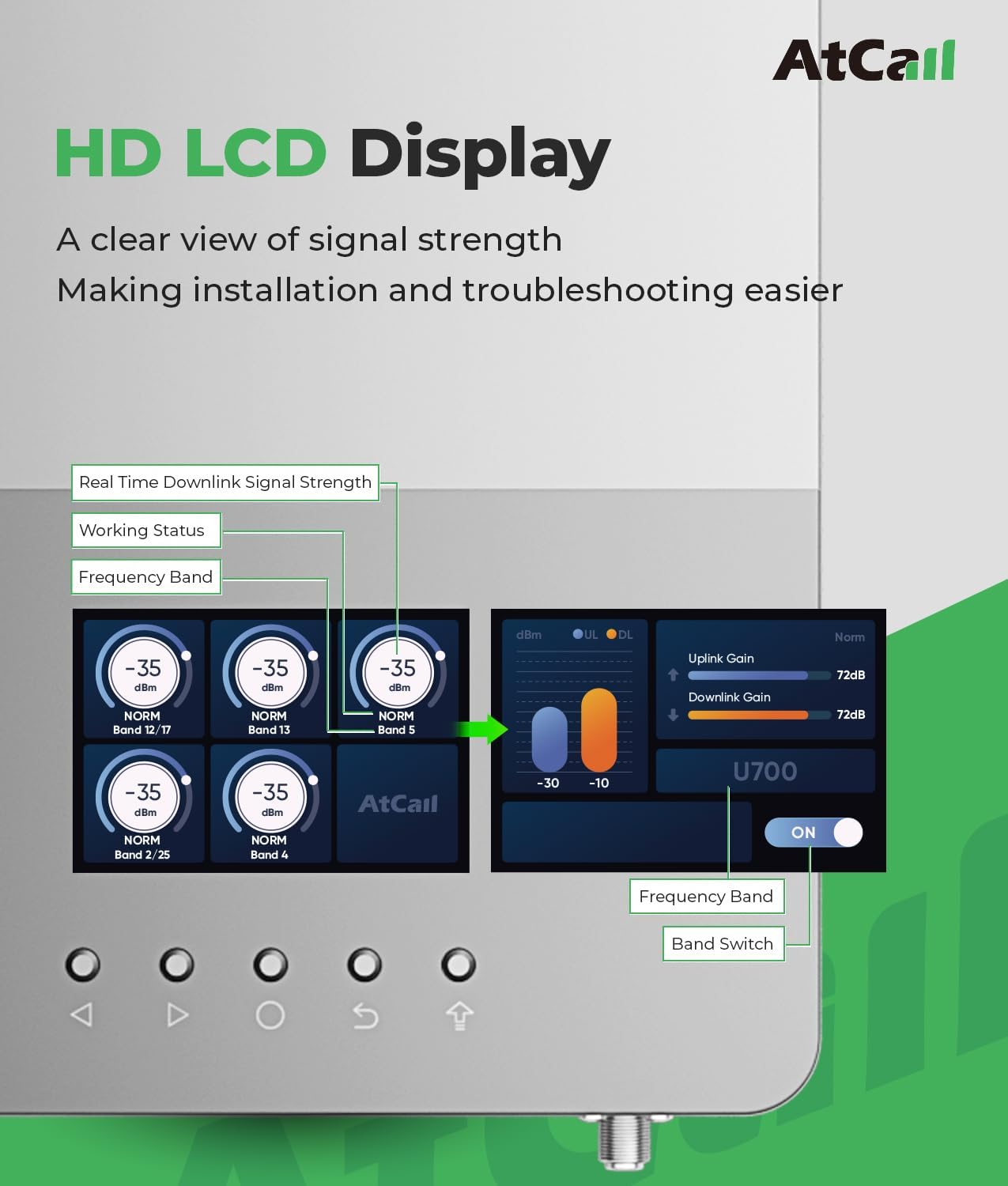
Figure 6: The HD LCD display shows real-time downlink signal strength (dBm), working status (NORM/OSC), frequency band, uplink gain, and downlink gain. It also allows for band switching and power control.
- Signal Strength (dBm): Indicates the strength of the received signal for each band. A higher (less negative) number means a stronger signal.
- Status Bekerja: Displays 'NORM' for normal operation or 'OSC' if oscillation is detected.
- Jalur Kekerapan: Shows the specific cellular band being boosted (e.g., Band 12/17, Band 13).
- Uplink/Downlink Gain: Menunjukkan amplification level for signals going to and from the cell tower.
5.2 Automatic Gain Control (AGC)
The booster is equipped with an Automatic Gain Control (AGC) system. This intelligent technology automatically detects the existing signal strength and adjusts the booster's output power to ensure stable performance and prevent overload, optimizing signal amplification without causing interference.
5.3 Carrier Compatibility
The Atcall Fast Link booster is compatible with all major Canadian carriers and their respective frequency bands, ensuring broad usability across the country.

Figure 7: The booster supports Bell, MTS, SaskTel, TELUS, and Fido, among other Canadian carriers.
6. Penyelesaian masalah
If you experience issues with your Atcall Cell Phone Booster, refer to the following common problems and solutions:
| Masalah | Kemungkinan Punca | Penyelesaian |
|---|---|---|
| No Signal Improvement / Weak Signal | Outdoor antenna not receiving strong enough signal; incorrect antenna direction; cables loose. | Verify outdoor antenna placement and direction towards the nearest cell tower. Ensure all cable connections are secure. Check the LCD display for input signal strength. |
| LCD shows 'OSC' (Oscillation) | Insufficient isolation between outdoor and indoor antennas. | Increase the physical separation distance between the outdoor antenna and the booster unit (indoor antenna). Ensure they are not facing each other directly. Refer to Figure 5 for recommended distances. |
| Booster is Off / No Display | Power supply issue; unit not plugged in. | Check if the power adapter is securely connected to the booster and the power outlet. Try a different outlet. |
| Specific Band Not Boosting | Weak or no signal on that specific band from the outdoor antenna. | Check the LCD display for the signal strength of the problematic band. Adjust outdoor antenna direction or relocate if necessary to capture a stronger signal on that band. |
6.1 ISED Approval
The Atcall Cell Phone Booster (HVIN: SF005A, IC: 28093-SFZN005) complies with all requirements of the standards applied by Innovation, Science and Economic Development (ISED) Canada. This ensures the device operates safely and effectively within Canadian regulatory guidelines.

Figure 8: The ISED approval label on the Atcall booster, indicating compliance with Canadian regulations.
7. Penyelenggaraan
The Atcall Cell Phone Booster requires minimal maintenance to ensure long-term performance:
- Pembersihan: Use a soft, dry cloth to wipe the booster unit and antennas. Do not use liquid cleaners or aerosols.
- Pemeriksaan Kabel: Periodically check all coaxial cable connections for tightness and ensure there is no damage to the cables.
- Antenna Stability: Ensure the outdoor antenna remains securely mounted and its direction has not shifted due to weather or other factors.
8. Spesifikasi
| Ciri | Perincian |
|---|---|
| Model | Pautan Pantas |
| Jalur Frekuensi Disokong | Band 12/17, 13, 5, 2/25, 4/66 |
| Kawasan Liputan | Sehingga 5,000 kaki persegi |
| Keuntungan Maksimum | 65dB |
| Compatible Carriers | All Canadian Carriers (Bell, MTS, SaskTel, TELUS, Fido, Rogers, etc.) |
| 5G Compatible | ya |
| Ciri Khas | HD LCD Display, Automatic Gain Control (AGC) |
| Kelulusan ISED | HVIN: SF005A, IC: 28093-SFZN005 |
| Berat Barang | 2.9 kg |
| Jenis Penyambung | Jenis F |
9. Sokongan Pelanggan
Atcall is committed to providing reliable cellular signal solutions. If you encounter any issues or have questions regarding your Fast Link Cell Phone Booster, please do not hesitate to contact our professional customer support team. We are available to assist you.
For support, please refer to the contact information provided with your product packaging or visit the official Atcall webtapak.