
pengenalan
This manual provides essential instructions for the proper use, setup, and maintenance of your HOCO X89 Type-C to Lightning Charging Data Cable. Please read this manual thoroughly before using the product to ensure optimal performance and safety.
Produk Selesaiview
The HOCO X89 is a high-quality Type-C to Lightning cable designed for efficient charging and data transfer between compatible devices. It features a durable braided wire exterior and aluminum alloy joints for enhanced longevity.
Ciri-ciri Utama:
- Panjang: 1 meter (3.2 kaki)
- Berat: 26 gram
- Bahan Luar: Braided wire for durability and tangle resistance.
- Joint Material: Aluminum alloy for robust connections.
- Sokongan Pengecasan: Supports Power Delivery (PD) 20W fast charging for compatible Apple devices.
- Ketersambungan: Type-C to Lightning connectors.
Apa yang ada di dalam Kotak:
- 1 x HOCO X89 Type-C to Lightning Charging Data Cable
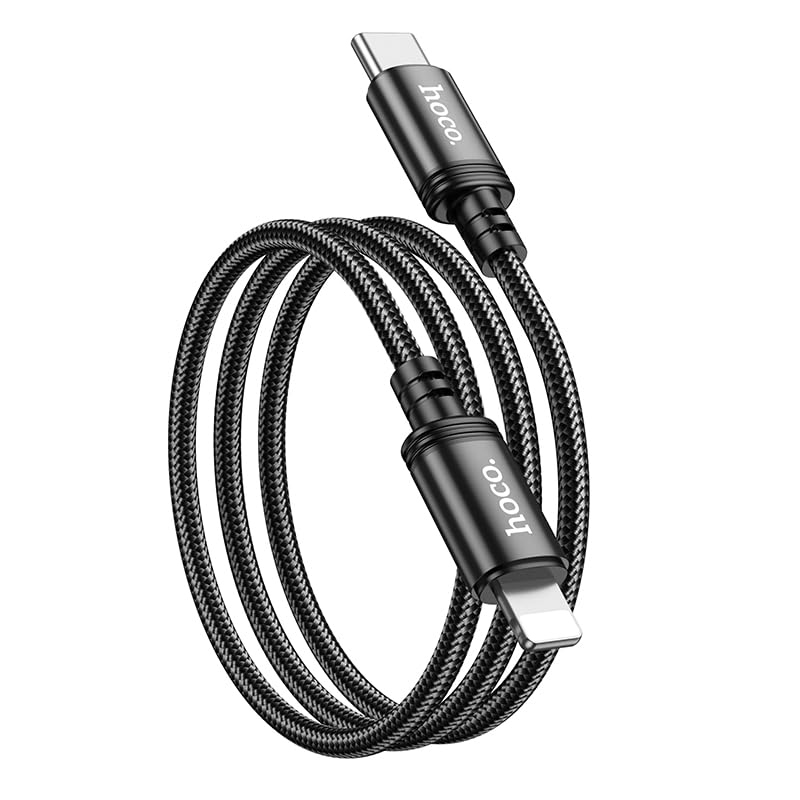
Image: The HOCO X89 cable, coiled, displaying both the Type-C connector and the Lightning connector.
Persediaan
The HOCO X89 cable is designed for plug-and-play functionality. No software installation is required.
- Kenalpasti Penyambung: The cable has two distinct ends: a USB Type-C connector and a Lightning connector.
- Connect to Power Source/Data Port: Insert the USB Type-C end of the cable into a compatible power adapter (e.g., a PD-enabled wall charger) or a device with a Type-C port (e.g., a laptop, power bank).
- Sambung ke Peranti: Insert the Lightning end of the cable into the charging/data port of your compatible Apple device (e.g., iPhone, iPad).
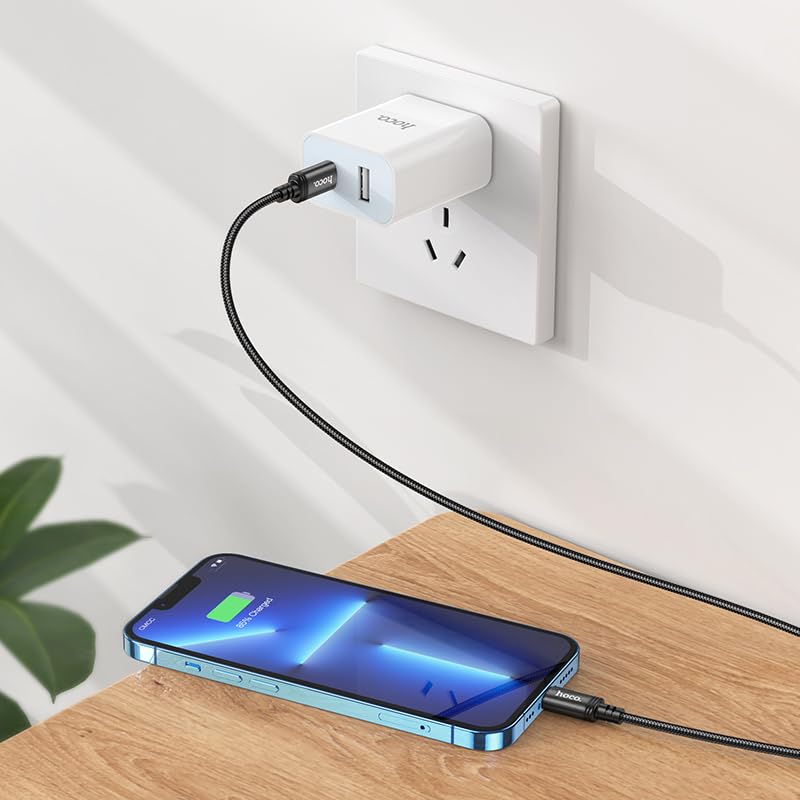
Image: The HOCO X89 cable in use, connecting an iPhone to a wall charger for charging.
Arahan Operasi
Mengecas Peranti Anda:
- Ensure the Type-C end is connected to a power source (wall adapter, power bank, computer). For fast charging, use a Power Delivery (PD) compatible adapter.
- Connect the Lightning end to your Apple device.
- The device should indicate that it is charging. The HOCO X89 supports up to 20W PD charging, allowing for faster charging times on compatible devices.
Pemindahan Data:
- Connect the Type-C end to a computer or laptop.
- Connect the Lightning end to your Apple device.
- Your computer should recognize the connected device, allowing you to transfer files, sync data, or perform backups. Follow your device's operating system instructions for data management.
Penyelenggaraan dan Penjagaan
- Pembersihan: Gunakan kain lembut dan kering untuk mengelap kabel dan penyambung. Elakkan menggunakan cecair atau pembersih yang kasar.
- Storan: Simpan kabel di tempat yang sejuk dan kering, jauh daripada cahaya matahari langsung dan suhu yang melampau. Elakkan daripada menggulung atau membengkokkan kabel dengan ketat pada sudut tajam untuk mengelakkan kerosakan dalaman.
- Pengendalian: Sentiasa pegang kepala penyambung semasa memasang atau mencabut kabel, dan bukannya menarik kabel itu sendiri.
- Elakkan Kerosakan: Do not expose the cable to water, excessive force, or sharp objects.
Menyelesaikan masalah
- Peranti Tidak Mengecas:
- Pastikan kedua-dua hujung kabel disambungkan dengan selamat.
- Sahkan bahawa penyesuai kuasa berfungsi dengan betul dan dipalamkan ke saluran keluar hidup.
- Cuba penyesuai kuasa atau port USB yang lain.
- Periksa sama ada port pengecasan peranti anda bersih dan bebas daripada serpihan.
- Pengecasan perlahan:
- Ensure you are using a Power Delivery (PD) compatible wall adapter for fast charging.
- Tutup aplikasi yang tidak diperlukan pada peranti anda.
- Elakkan menggunakan peranti anda secara berlebihan semasa mengecas.
- Isu Pemindahan Data:
- Ensure the Type-C end is connected to a data-enabled USB port on your computer.
- Restart both your computer and your Apple device.
- Check your device's settings for data transfer permissions.
- Cuba port USB lain pada komputer anda.
Spesifikasi
| Nama Model | X89_C To I |
| Jenama | HOCO |
| Jenis Penyambung | USB Type-C to Lightning |
| Jenis Kabel | Pengecasan dan Kabel Data |
| Panjang | 1 meter (3.2 kaki) |
| Berat badan | 26g |
| Bahan Luar | Kawat Jalinan |
| Joint Material | Aloi Aluminium |
| Protokol Pengecasan | Supports Power Delivery (PD) 20W |
| Peranti Serasi | iPhones (6/6S/7/7+/8/8+/10/11/12/13), iPads, and other Apple devices with Lightning port; Laptops and power adapters with Type-C port. |
| warna | Hitam |
Maklumat Keselamatan
- Jangan cuba membuka atau mengubah suai kabel.
- Jauhkan daripada kanak-kanak.
- Avoid extreme temperatures, humidity, and corrosive environments.
- If the cable appears damaged, discontinue use immediately.
- Use only with compatible and certified power adapters.
Waranti dan Sokongan
For warranty information and customer support, please refer to the product packaging or contact your retailer. HOCO products are designed for reliability and performance.