
ALONEFIRE X23
ALONEFIRE X23 Mini LED Flashlight User Manual
Model: X23
1. Pengenalan
Thank you for choosing the ALONEFIRE X23 Mini LED Flashlight. This compact and versatile flashlight is designed for various applications, from everyday carry (EDC) to outdoor activities like hiking and camping. Its robust construction, multiple lighting modes, and convenient features ensure reliable performance when you need it most. Please read this manual thoroughly to understand the product's features and ensure proper use and maintenance.
2. Produk Lebihview
2.1 Ciri-ciri Utama
- Pencahayaan Super Terang: Features five distinct light modes (High, Medium, Low, Bright, Strobe) to adapt to various lighting requirements.
- Padat dan Mudah Alih: Lightweight and small design allows for easy carrying in pockets, purses, or backpacks.
- Klip pelbagai fungsi: Equipped with a durable clip for attachment to hats, clothing, or backpacks, enabling hands-free operation.
- USB-C boleh dicas semula: Convenient Type-C charging port with a charging indicator for easy and efficient power replenishment.
- Strong Tail Magnet: Integrated powerful magnet at the tail end for secure attachment to iron-containing surfaces, providing hands-free lighting.
- Pembinaan Tahan Lama: Made from aluminum alloy, ensuring robustness and durability.
- Reka bentuk kalis air: Engineered to withstand water exposure, making it suitable for use in various weather conditions.
2.2 Komponen
The ALONEFIRE X23 flashlight consists of several key components designed for optimal performance and user convenience:
- Kepala Ringan: Contains the 3xP35 LED emitters and planar lens for powerful illumination.
- Suis Butang Tekan: Located on the body for easy power control and mode switching.
- Port Pengecasan USB-C: Untuk memudahkan pengecasan semula bateri dalaman.
- Klip poket: A removable clip for attaching the flashlight to various items.
- Pemegang tidak licin: Textured body for a secure grip.
- Tail Magnet: Strong magnet at the base for hands-free mounting.

Rajah 2.2.1: Meletup view showing the flashlight's components including the strong magnet, pocket clip, push button switch, 3xP35 LEDs, planar lens, and Type-C USB charging port.
3. Persediaan
3.1 Pemasangan Bateri
The ALONEFIRE X23 comes with a pre-installed Lithium Ion battery. To access the battery compartment, unscrew the tail cap of the flashlight. Ensure the battery is inserted with the correct polarity (+/-) as indicated inside the compartment. Screw the tail cap back on securely.

Figure 3.1.1: The ALONEFIRE X23 flashlight, showing its compact design and the included USB-C charging cable.
3.2 Pengecasan Awal
Before first use, it is recommended to fully charge the flashlight. Connect the provided USB-C cable to the charging port on the flashlight and plug the other end into a compatible USB power source (e.g., wall adapter, computer USB port). The charging indicator light will show the charging status:
- Lampu Merah: Menunjukkan bateri sedang dicas.
- Lampu Hijau: Menunjukkan bateri terisi penuh.

Figure 3.2.1: The flashlight connected via USB-C, illustrating the red light for charging and green light for fully charged status.
4. Arahan Operasi
4.1 Hidupkan/Mati Kuasa dan Tukar Mod
The ALONEFIRE X23 features a single push-button switch for all operations:
- Hidupkan/Mati Kuasa: Press the button once to turn the flashlight on. Press it again to turn it off.
- Mod Kitaran: When the flashlight is on, press the button repeatedly to cycle through the standard modes: High → Medium → Low.
- Mod Cerah: Double-click the button from any state (on or off) to activate the Bright mode.
- Mod Strob: Press and hold the button for 3 seconds from any state (on or off) to activate the Strobe mode.

Figure 4.1.1: Visual guide to switching between different light modes: Medium, Low, Bright (double click), and Strobe (press and hold).
4.2 Using the Tail Magnet
The powerful magnet located at the tail of the flashlight allows for convenient hands-free operation. Simply attach the flashlight to any ferrous metal surface, such as a car hood, metal beam, or refrigerator, to illuminate your workspace.

Figure 4.2.1: The flashlight demonstrating its strong tail magnet by adhering to a metal surface, providing hands-free illumination.
4.3 Menggunakan Klip Poket
The integrated pocket clip provides versatile carrying options. You can clip the flashlight to your hat brim to convert it into a headlamp, attach it to your belt, backpack strap, or pocket for easy access and portability.

Figure 4.3.1: The flashlight clipped to a hat, illustrating its use as a hands-free light source.
4.4 Video Demonstrasi Produk
Video 4.4.1: An official product video demonstrating the features and usage of the ALONEFIRE X23 LED Flashlight, including its magnetic tail, clip, and various light modes.
5. Penyelenggaraan
5.1 Pembersihan
To maintain optimal performance, keep the flashlight clean. Wipe the body with a soft, damp cloth. Do not use abrasive cleaners or solvents. Ensure the charging port is free of dust and debris.
5.2 Kalis air
The ALONEFIRE X23 is designed to be waterproof. However, to ensure its longevity, avoid prolonged submersion in water. After exposure to water, wipe the flashlight dry, especially around the charging port and tail cap threads, to prevent corrosion.
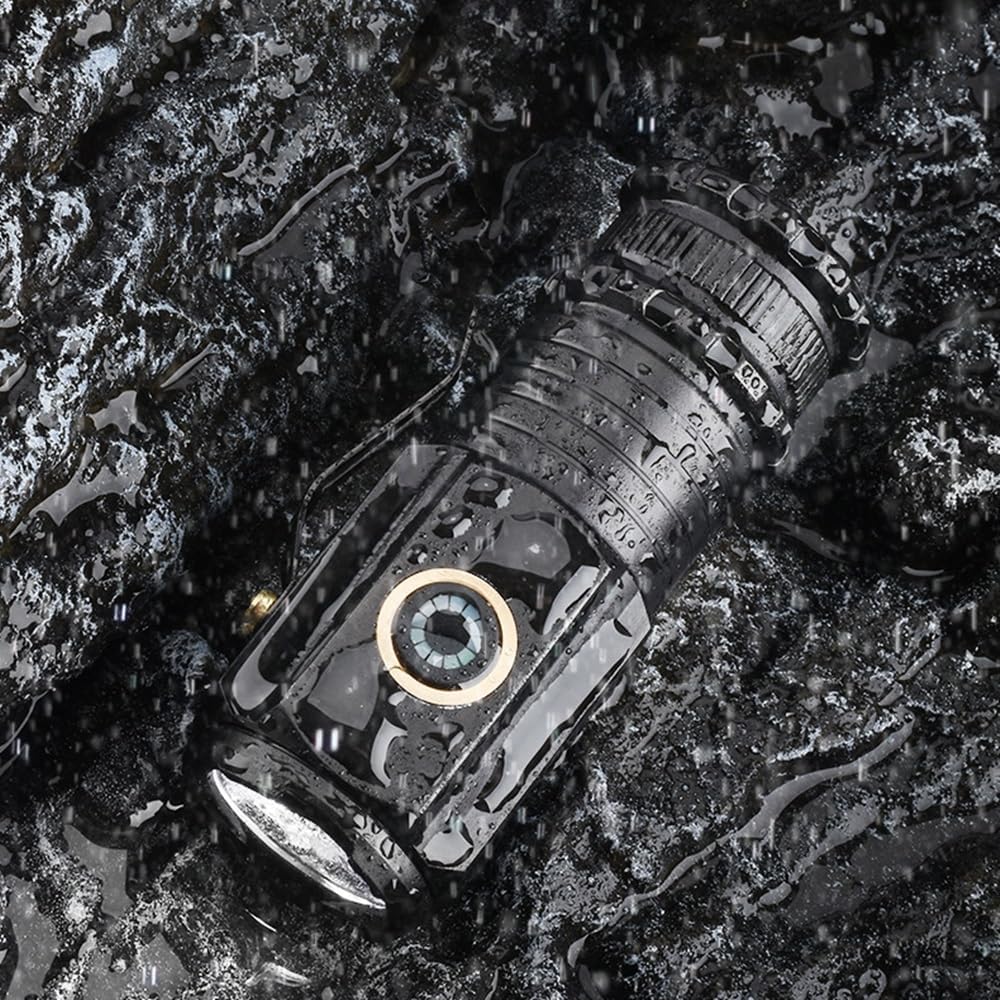
Figure 5.2.1: The flashlight shown in a wet environment, highlighting its waterproof design suitable for outdoor use.
5.3 Penyimpanan
Store the flashlight in a cool, dry place away from direct sunlight and extreme temperatures. If storing for an extended period, it is advisable to charge the battery periodically to maintain its health.
6. Penyelesaian masalah
| Masalah | Kemungkinan Punca | Penyelesaian |
|---|---|---|
| Lampu suluh tidak menyala. | Bateri habis. | Charge the flashlight using the USB-C cable until the indicator turns green. |
| Lampu suluh tidak menyala. | Tail cap is loose or battery is incorrectly inserted. | Ensure the tail cap is screwed on tightly and the battery is inserted with correct polarity. |
| Charging indicator remains red after extended charging. | Kabel pengecasan yang rosak atau punca kuasa. | Try a different USB-C cable and/or a different USB power source. |
| Keluaran cahaya malap atau berkelip. | Low battery or dirty contacts. | Recharge the battery. Clean the battery contacts and the flashlight's internal contacts with a clean, dry cloth. |
7. Spesifikasi
| Ciri | Perincian |
|---|---|
| Jenama | SENDIRIAN |
| Nombor Model | X23 |
| Jenis Sumber Cahaya | LED (3xP35) |
| Kecerahan | Sehingga 200 Lumen |
| Sumber Kuasa | Dikuasakan Bateri |
| Jenis Bateri | 1 bateri Lithium Ion (termasuk) |
| Port Pengecasan | USB Jenis-C |
| bahan | aluminium |
| warna | Hitam |
| Berat Barang | 1.6 auns (lebih kurang 45g) |
| Tahap Ketahanan Air | Kalis air |
| Masa jalan | Sehingga 4 jam (bergantung pada mod) |
| Ciri Khas | Lightweight, High Power, Adjustable Light Modes, Durable, Rechargeable, Tail Magnet, Clip |
8. Waranti dan Sokongan
ALONEFIRE products are manufactured with high standards of quality and durability. For specific warranty information, returns, or technical support, please refer to the product's packaging or contact the seller directly through the platform where the purchase was made. Keep your purchase receipt as proof of purchase.
For more information about ALONEFIRE and their product range, you may visit the official ALONEFIRE Store: ALONEFIRE Store on Amazon.
Ask a question about this manual
Ask about setup, troubleshooting, compatibility, parts, safety, or missing instructions. Manuals+ will review the question and use this page’s manual context to help answer it.