
CelsusSound S800C
CelsusSound S800C Bone Conduction Headphones User Manual
Model: S800C | Brand: CelsusSound
pengenalan
Thank you for choosing CelsusSound S800C Bone Conduction Headphones. These open-ear Bluetooth headphones are designed to provide high-fidelity audio while maintaining situational awareness, making them ideal for sports and daily activities. This manual provides detailed instructions for setup, operation, and maintenance to ensure optimal performance and longevity of your device.

Image: CelsusSound S800C Bone Conduction Headphones, orange and black design.
Apa yang ada dalam Kotak
- 1 x Bone Conduction Headphones (S800C)
- 1 x Kabel Pengecasan Magnet
- 1 x Manual Pengguna

Image: The contents of the product packaging, including the headphones, charging cable, and user manual.
Produk Selesaiview
The CelsusSound S800C headphones feature an ergonomic design for comfortable wear and intuitive controls for easy operation.

Image: A diagram illustrating the location and function of the three independent control buttons on the headphone unit: Magnetic charging port, Volume up/Next song, Power on/off/Play/Pause, and Volume down/Previous song.
Ciri-ciri Utama:
- Reka Bentuk Telinga Terbuka: Membolehkan kesedaran tentang persekitaran.
- Bluetooth 5.3: Stable and fast connection.
- Tahan Air IPX7: Suitable for workouts and light rain.
- Hayat Bateri yang Panjang: Up to 8-10 hours of playback.
- Flexible Titanium Frame: Durable and comfortable fit.
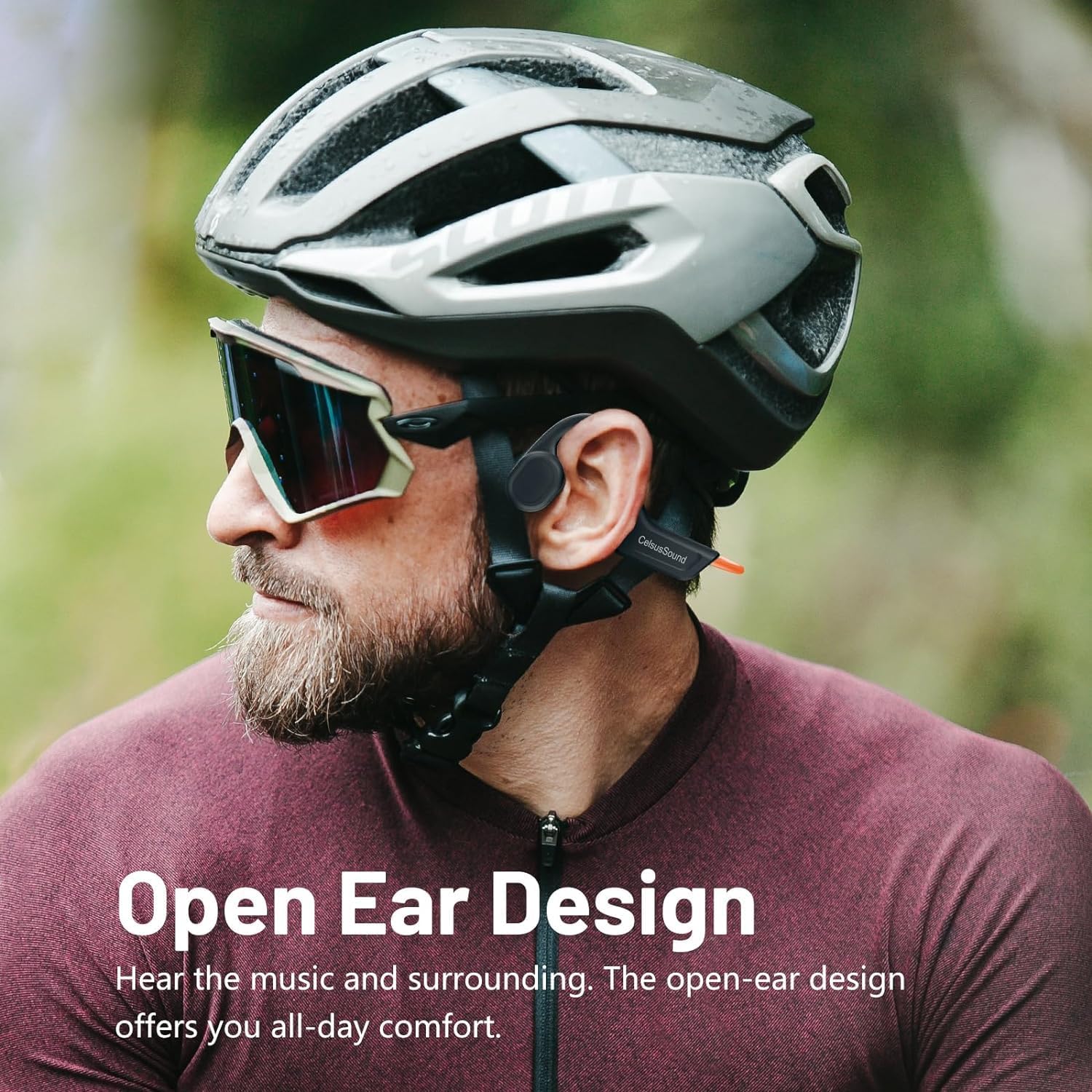
Image: A person wearing the CelsusSound S800C headphones, highlighting the open-ear design that allows ambient sound awareness.
Persediaan
1. Mengecas Fon Kepala
Before first use, fully charge your headphones. Use the provided magnetic charging cable. Connect the magnetic end to the charging port on the headphones and the USB end to a compatible power source (e.g., computer USB port, USB wall adapter).
- Masa Pengecasan: Kira-kira 1.5 jam untuk cas penuh.
- Penunjuk Bateri: Refer to the LED indicator on the headphones for charging status.

Imej: Dari dekat view of the magnetic charging connection point on the headphones.
2. Menghidupkan/Mematikan
- Hidupkan kuasa: Long press the Power button for 3 seconds until the LED indicator lights up and you hear a power-on prompt.
- Matikan: Long press the Power button for 3 seconds until the LED indicator turns off and you hear a power-off prompt.
3. Berpasangan Bluetooth
Untuk menyambungkan fon kepala anda ke peranti:
- Pastikan fon kepala dimatikan.
- Long press the Power button for 3 seconds to power on. The headphones will automatically enter pairing mode, indicated by a flashing LED light.
- Pada peranti anda (telefon pintar, tablet, komputer), dayakan Bluetooth dan cari peranti yang tersedia.
- Select "S800C" from the list of found devices to connect.
- Once connected, the LED indicator will stop flashing, and you will hear a connection confirmation.
Your headphones are now ready for use.
Video: A demonstration on how to operate the CelsusSound S800C Bluetooth Headphones, including powering on, connecting via Bluetooth, and basic music controls.
Arahan Operasi
Main balik Muzik
- Main/Jeda: Klik butang Kuasa sekali.
- Kelantangan: Click the "+" button once.
- Perlahankan suara: Click the "-" button once.
- Lagu Seterusnya: Long press the "+" button for 2 seconds.
- Lagu Sebelumnya: Long press the "-" button for 2 seconds.

Image: A visual guide detailing the functions of each button for music playback and call management, including single clicks and long presses.
Pengurusan Panggilan
- Jawab/Tutup Panggilan: Klik butang Kuasa sekali.
- Tolak Panggilan: Tekan lama butang Kuasa selama 2 saat.
Penyelenggaraan
- Pembersihan: Lap fon kepala dengan lembut, damp cloth. Do not use abrasive cleaners or immerse in water for cleaning.
- Tahan Air: The headphones are IPX7 water-resistant, meaning they can withstand splashes, rain, and sweat. They are not suitable for swimming or prolonged submersion. Ensure the charging port is dry before charging.
- Storan: Store the headphones in a cool, dry place away from direct sunlight and extreme temperatures. The flexible design allows for easy storage.

Image: A person holding the CelsusSound S800C headphones with water splashing, demonstrating their IPX7 waterproof and sweatproof capabilities.
Menyelesaikan masalah
| Masalah | Kemungkinan Punca | Penyelesaian |
|---|---|---|
| Tidak boleh hidupkan | Low battery; Not pressing button long enough. | Charge the headphones fully. Long press the Power button for 3 seconds. |
| Tidak boleh berpasangan dengan peranti | Bluetooth is off; Headphones not in pairing mode; Device too far. | Ensure Bluetooth is enabled on your device. Power on headphones to enter pairing mode. Keep devices within 10 meters. |
| Tiada suara atau kelantangan rendah | Volume too low; Not connected; Audio source issue. | Increase volume on headphones and device. Re-pair headphones. Check audio output settings on your device. |
| Isu kualiti bunyi | Gangguan; Peranti terlalu jauh; Bateri lemah. | Move closer to the device. Charge headphones. Avoid strong electromagnetic interference. |
Spesifikasi
- model: S800C
- Teknologi Ketersambungan: Bluetooth 5.3
- Julat Bluetooth: 15 meter
- Jenis Pemacu Audio: Pemacu Pengaliran Tulang
- Kapasiti Bateri: 230mAh
- Masa Pengecasan: 1.5 Jam
- Masa Main Semula: 8-10 Jam
- Masa Siap sedia: 150 Jam
- Tahap Rintangan Air: Tahan Air IPX7
- Bahan: Aloi Titanium
- Berat Barang: 1 Ounce (approx. 33g)
- Dimensi Produk: 6.1 x 2.17 x 5.39 inci
- Julat Kekerapan: 20 Hz - 20,000 Hz
- Kaedah Kawalan: Sentuh/Butang
Waranti dan Sokongan
CelsusSound is committed to the quality of its products. We offer:
- Sokongan teknikal seumur hidup.
- A 12-month worry-free warranty.
- 24-hour customer service.
For any questions or assistance, please contact CelsusSound customer service.
Ask a question about this manual
Ask about setup, troubleshooting, compatibility, parts, safety, or missing instructions. Manuals+ will review the question and use this page’s manual context to help answer it.