
pengenalan
Thank you for choosing the NXGKET Rechargeable Kids Walkie-Talkie set. This manual provides detailed instructions on how to set up, operate, and maintain your walkie-talkies to ensure optimal performance and a fun communication experience for children. Designed for outdoor adventures, camping, hiking, and imaginative play, these walkie-talkies offer clear communication and a range of useful features.
Kandungan Pakej
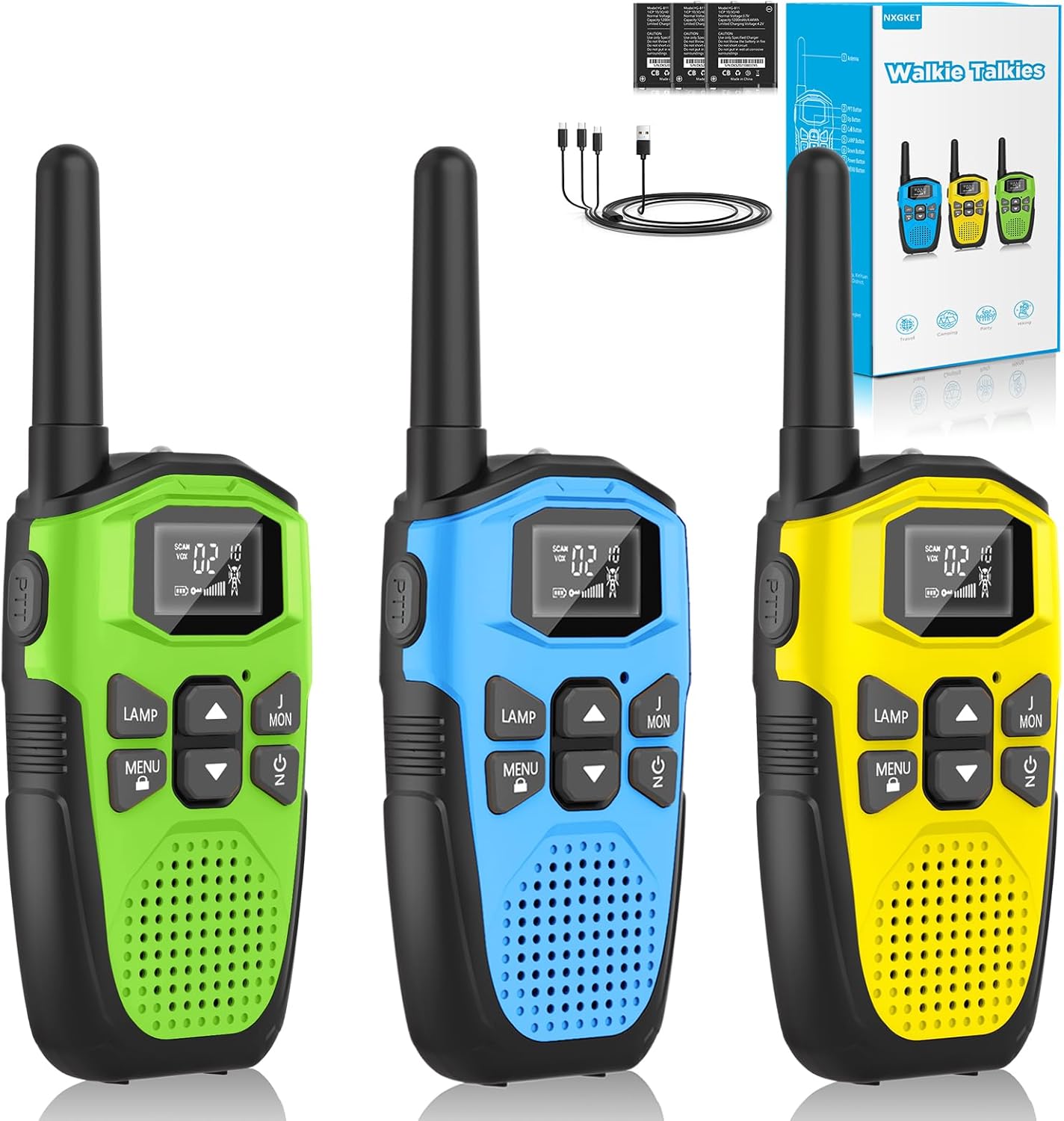
Image: Contents of the NXGKET Walkie-Talkie package, including three units and accessories.
- 3 x NXGKET Rechargeable Walkie-Talkies (Green, Blue, Yellow)
- 1 x Kabel Pengecas USB Jenis-C
- 1 x Manual Pengguna (dokumen ini)
Produk Selesaiview

Image: Labeled diagram illustrating the various parts and buttons of the NXGKET Walkie-Talkie.
| Komponen | Fungsi |
|---|---|
| Antena | Menghantar dan menerima isyarat radio. |
| Lampu suluh LED | Provides illumination, useful in low-light conditions or as an emergency light. |
| Port Pengecasan USB-C | Connects for recharging the built-in lithium-ion battery. |
| Paparan LCD | Shows channel, sub-code, battery level, VOX status, and other indicators. |
| Butang PTT (Tekan untuk Cakap) | Tekan dan tahan untuk menghantar suara anda. Lepaskan untuk mendengar. |
| LAMP Butang | Mengaktifkan/menyahaktifkan lampu suluh LED. |
| MENU / Lock Button | Enters menu settings; long press to lock/unlock keypad. |
| Butang Naik / Turun | Navigates menu options and adjusts volume/channel. |
| Penceramah Bunyi | Output audio yang diterima. |
| Butang Kuasa / Imbasan | Turns the unit on/off; short press to activate channel scan. |
| Call / Ring Button | Sends an audible call alert to other walkie-talkies on the same channel. |
| Klip Tali Pinggang | Allows for convenient attachment to clothing or bags. |
Persediaan
Mengecas Bateri

Image: The walkie-talkie connected to a USB-C charging cable.
Your NXGKET walkie-talkies come with a built-in 1200mAh rechargeable lithium-polymer battery. Before first use, it is recommended to fully charge the devices.
- Locate the USB Type-C charging port on the side or top of the walkie-talkie.
- Connect the provided USB Type-C cable to the walkie-talkie.
- Plug the other end of the USB cable into a compatible USB power adapter (not included), computer USB port, or power bank.
- The battery indicator on the LCD display will show charging status. A full charge typically takes approximately 2 hours.
- Once fully charged, the walkie-talkie can be used for up to 1 day of continuous operation and up to 3 days in standby mode.
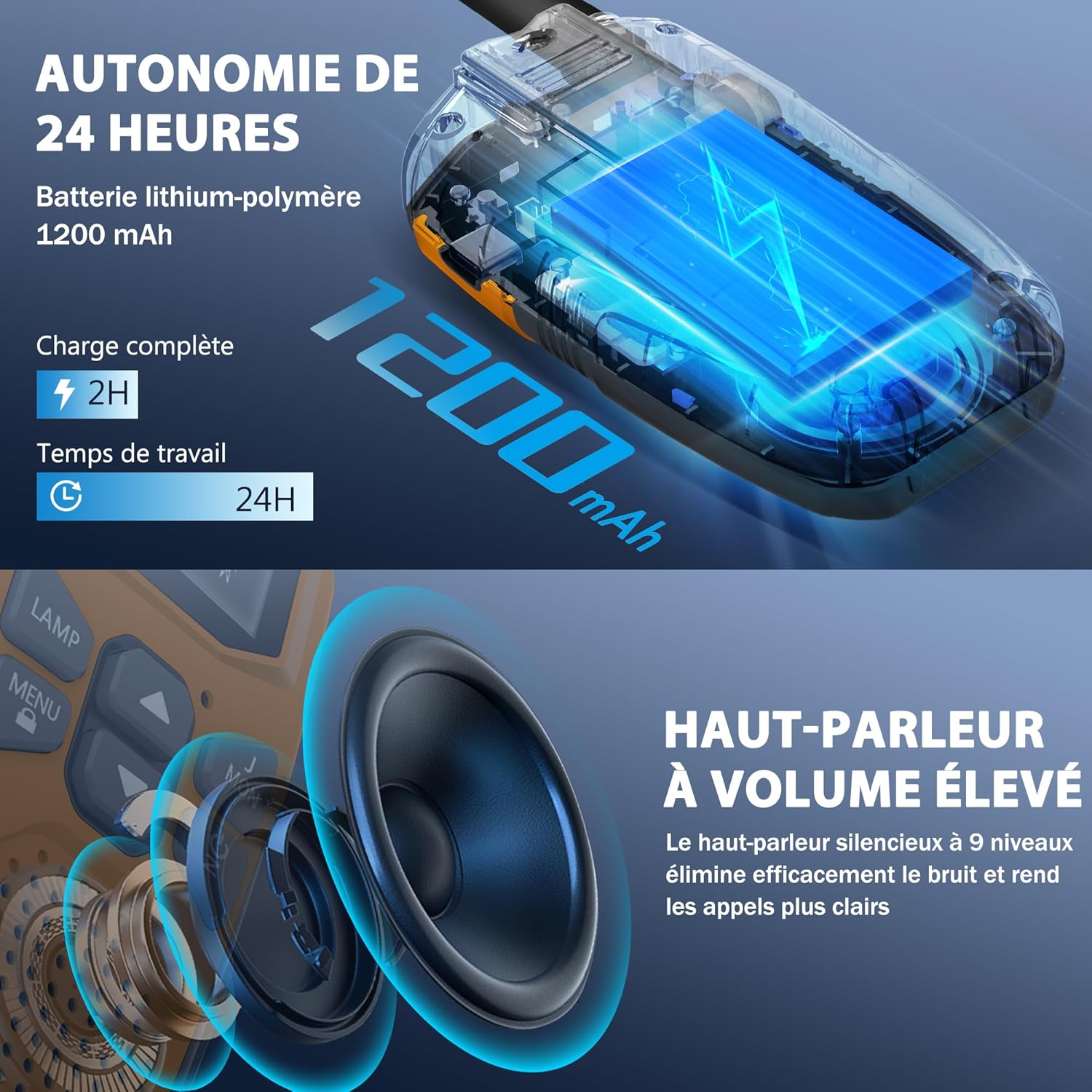
Image: Visual representation of the 24-hour battery life and high-quality speaker.
Hidupkan/Mati Kuasa
- Untuk menghidupkan: Tekan dan tahan butang Power / Scan button (usually located below the Up/Down buttons) until the LCD screen illuminates and you hear a power-on tone.
- Untuk mematikan: Tekan dan tahan butang Power / Scan button again until the LCD screen turns off and you hear a power-off tone.
Arahan Operasi
Setting Channels and Sub-codes
Your walkie-talkies operate on 16 main channels and feature 121 interference elimination codes (CTCSS/DCS) to ensure private communication. For two or more walkie-talkies to communicate, they must be set to the same channel and sub-code.
- Turn on both walkie-talkies.
- Tekan ke MENU button once. The channel number on the LCD display will start flashing.
- Gunakan Up or Bawah butang untuk memilih saluran utama yang anda inginkan (1-16).
- Tekan ke MENU button again. The sub-code number will start flashing.
- Gunakan Up or Bawah buttons to select your desired sub-code (0-121). Setting to 0 disables the sub-code.
- Tekan ke MENU button a third time or wait a few seconds for the settings to be saved automatically.
- Repeat these steps for all walkie-talkies you wish to communicate with, ensuring they are on the exact same channel and sub-code.
Transmitting (PTT Button)
- Untuk bercakap, tekan dan tahan PTT (Push-to-Talk) button located on the side of the walkie-talkie.
- Speak clearly into the microphone, holding the walkie-talkie approximately 5-10 cm from your mouth.
- Lepaskan PTT button when you are finished speaking to allow the other party to respond.
VOX Hands-Free Function
The VOX (Voice Operated Exchange) function allows you to transmit without pressing the PTT button. The walkie-talkie will automatically transmit when it detects your voice.
- To activate/deactivate VOX: Press the MENU button repeatedly until the VOX icon appears on the LCD display.
- Gunakan Up or Bawah buttons to select the VOX sensitivity level (e.g., 1-3, with 1 being most sensitive). Select "OFF" to disable VOX.
- Tekan MENU again or wait to save the setting.
Fungsi Lampu Suluh
Each walkie-talkie is equipped with a built-in LED flashlight for convenience and safety.
- Untuk menghidupkan lampu suluh: Tekan LAMP butang.
- Untuk mematikan lampu suluh: Tekan LAMP butang lagi.
Call/Ring Button
Tekan ke Call / Ring button (usually labeled "MON" or with a bell icon) to send an audible alert tone to other walkie-talkies on the same channel, signaling that you wish to communicate.
Imbasan Automatik
The auto-scan feature allows the walkie-talkie to automatically scan through all available channels to find active conversations.
- To activate scan: Briefly press the Power / Scan button while the unit is on. The scan icon will appear on the display.
- The walkie-talkie will stop scanning when it detects a signal. It will resume scanning after a few seconds of inactivity.
- To stop scan: Briefly press the Power / Scan butang lagi.
Ciri-ciri Utama
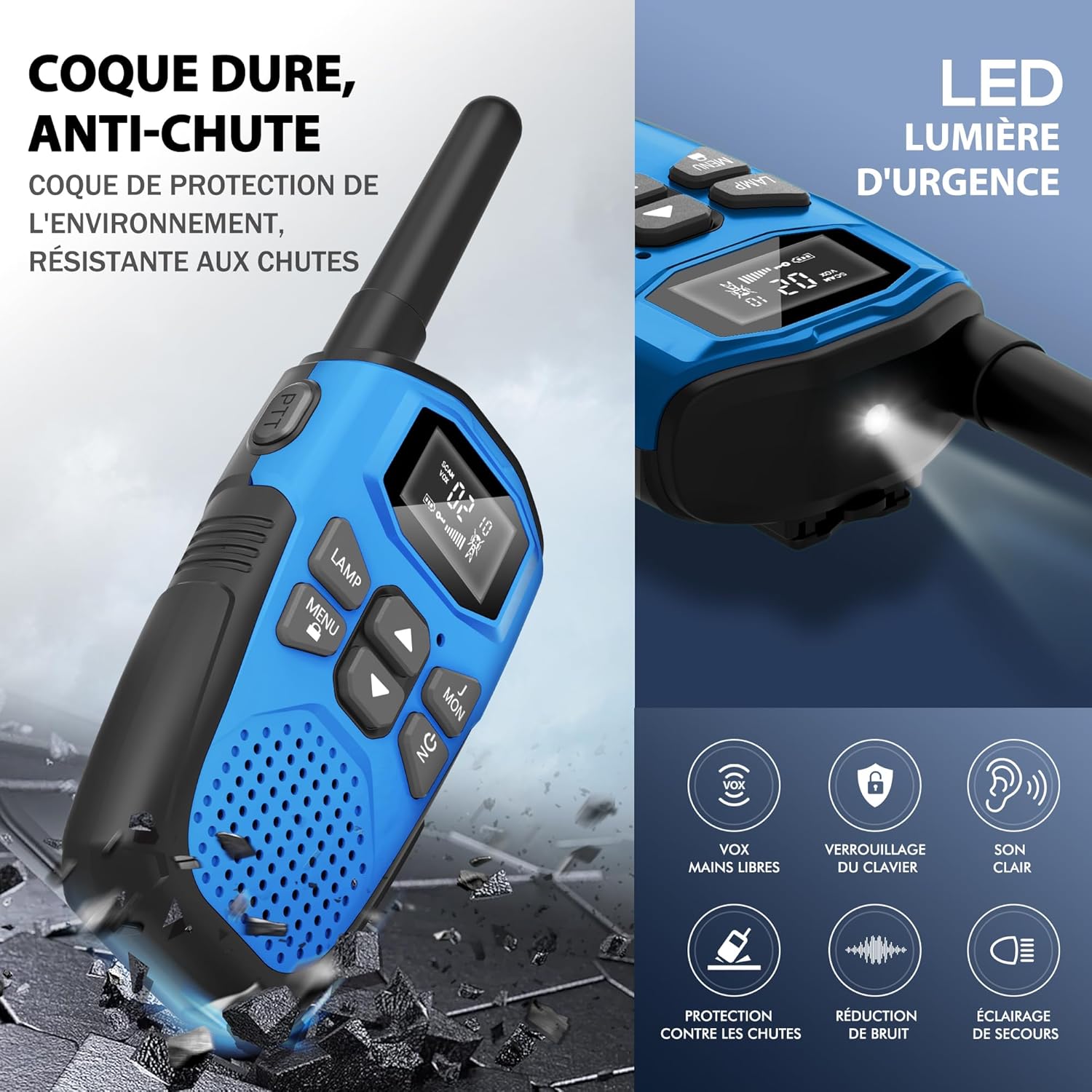
Image: Visual summary of key features including durability and various functions.
- Bateri Litium-Ion Boleh Dicas semula: Equipped with a 1200mAh built-in lithium-polymer battery and a USB Type-C charging cable for convenient and economical recharging. Provides up to 1 day of use and 3 days of standby.
- Multi-functional and User-Friendly: Designed for ease of use for children aged 3 and above. Features include volume adjustment, VOX hands-free operation, automatic memory, automatic scanning, low battery alert, drop protection, and a large backlit LCD screen.
- Keserasian Luas: Supports communication with any radio on the same channel and sub-code, regardless of brand, thanks to 16 channels and 121 interference elimination codes.
- Extended Range and Clear Audio: Achieves up to 5 km (3.1 miles) in open areas and 1.5 km (0.9 miles) in urban environments. Delivers clear, high-quality sound without noise, ensuring quick response times.
- Lampu suluh LED bersepadu: A built-in LED flashlight serves as a useful tool for outdoor play, camping, hiking, and as an emergency light.
- Durable and Drop-Resistant: Constructed with a hard, anti-drop casing for environmental protection and resilience during outdoor activities.

Image: Diagram illustrating the effective communication range in different environments.
Penjagaan dan Penyelenggaraan
- Pembersihan: Wipe the walkie-talkies with a soft, damp kain. Jangan gunakan bahan kimia yang keras atau pembersih yang kasar.
- Storan: Simpan peranti di tempat yang sejuk dan kering jauh dari cahaya matahari langsung dan suhu yang melampau apabila tidak digunakan.
- Penjagaan Bateri: To prolong battery life, avoid fully discharging the battery frequently. Recharge the battery regularly, even if the walkie-talkie is not used for extended periods.
- Tahan Air: These walkie-talkies are not waterproof. Avoid exposing them to rain, splashes, or immersion in water.
Panduan Penyelesaian Masalah
| Masalah | Kemungkinan Punca | Penyelesaian |
|---|---|---|
| Tiada kuasa | Bateri hampir habis atau habis. | Charge the walkie-talkie fully using the provided USB-C cable. |
| Tidak boleh berkomunikasi dengan unit lain | Units are on different channels or sub-codes. | Ensure all units are set to the exact same channel and sub-code. |
| Kualiti bunyi kurang baik / Statik | Di luar julat; gangguan; bateri lemah. | Move closer to the other unit; change channel/sub-code; recharge battery. |
| VOX tidak berfungsi | Kepekaan VOX terlalu rendah atau ciri dimatikan. | Adjust VOX sensitivity level in the menu or ensure VOX is enabled. |
| Pad kekunci tidak bertindak balas | Kunci pad kekunci diaktifkan. | Tekan dan tahan butang MENU butang untuk membuka kunci pad kekunci. |
Spesifikasi

Image: Physical dimensions and weight of the walkie-talkie.
| Ciri | Perincian |
|---|---|
| Jenama | NXGKET |
| Nombor Model | 2AYV7YG-813 |
| warna | Hijau + Biru + Kuning |
| Bilangan Saluran | 16 |
| Julat Kekerapan | 446 MHz (UHF) |
| Julat Maksimum | 5 Kilometers (open areas) |
| Jenis Bateri | Lithium-Polymer (1 included per unit) |
| Kapasiti Bateri | 1200 mAh |
| Antara Muka Pengecasan | USB Jenis-C |
| Voltage | 3.7 Volt |
| Tahap Ketahanan Air | Bukan kalis air |
| Ciri Khas | Battery level indicator, Long range, Battery saver mode, Rechargeable, Noise reduction, VOX, LED Flashlight, Keypad Lock |
| Dimensi (lebih kurang) | 16 cm (Height) x 3 cm (Depth) x 2 cm (Width) |
| Berat (lebih kurang) | 93g seunit |
Waranti dan Sokongan
The NXGKET walkie-talkie has been tested and certified to meet CE standards. The manufacturer offers a Waranti 1 tahun dari tarikh pembelian.
For any product inquiries, technical support, or warranty claims, please contact your retailer or the manufacturer directly through their official support channels. Please have your purchase receipt and model number (2AYV7YG-813) ready when contacting support.