
pengenalan
Thank you for choosing the LitONES Video Conference Lighting Desk Lamp. This manual provides essential information for the safe and efficient use of your new lighting solution. Please read these instructions carefully before use and retain them for future reference.
The LitONES-6 is designed to provide glare-free, soft, and natural light, ideal for video conferencing, live streaming, and general home office use. It features adjustable brightness, color temperature, and a flexible stand for versatile positioning.
Ciri-ciri Produk

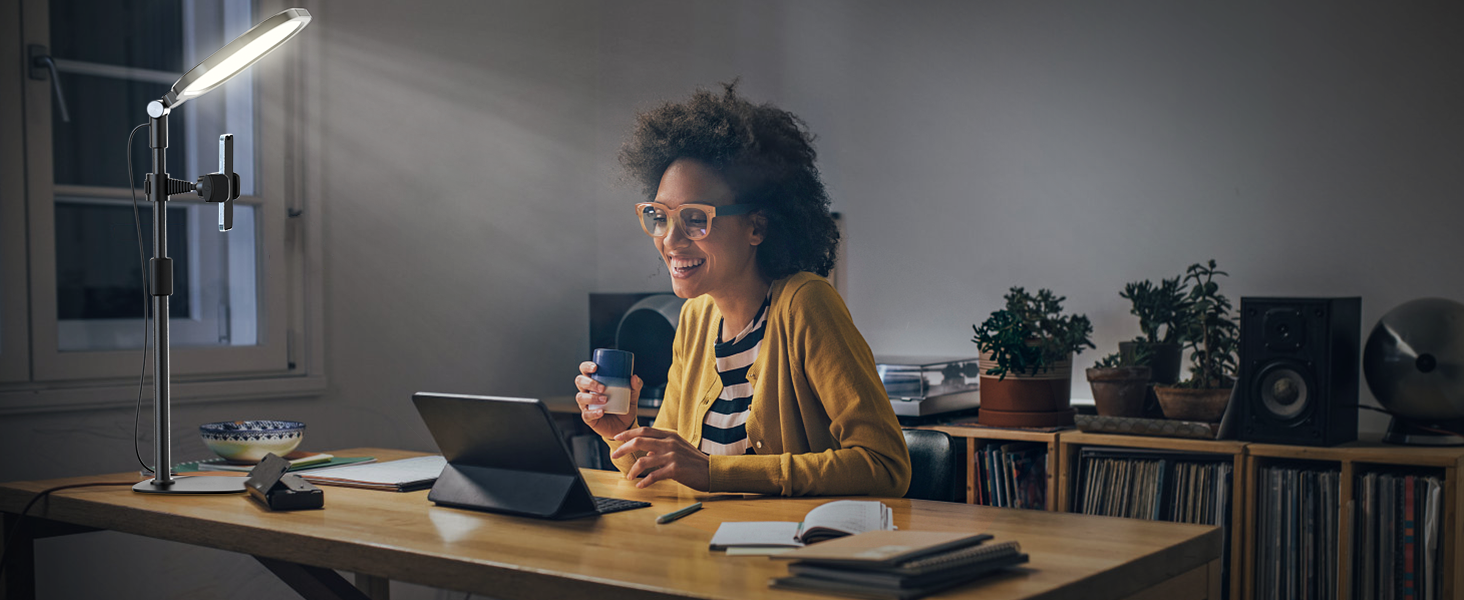
Image: A visual comparison demonstrating the enhanced lighting quality provided by the LitONES lamp, emphasizing its high Color Rendering Index (CRI) for natural and soft illumination.
- Pencahayaan Tanpa Silau: Equipped with CRI>95 LED beads and side-emitting technology for soft, natural light, reducing eye strain during prolonged use.
- Kecerahan boleh laras: Offers 10%-100% stepless dimming to suit various lighting needs and environments.
- Kawalan Suhu Warna: Adjustable from 2700K (warm light) to 6500K (cool light) to match ambient lighting or personal preference.
- Fungsi Memori: Automatically recalls the last used brightness and color temperature settings upon reactivation.
- Pendirian Fleksibel: Features an adjustable height from 10" to 18.7" and a 360° rotatable head for precise light positioning.
- Pangkalan Stabil: Designed with a sturdy iron base and anti-slip foam rubber to ensure stability and prevent scratches on surfaces.
- Reka Bentuk Penjimatan Ruang: Compact footprint allows for optimal illumination without occupying excessive desk space.
- Pelbagai Aplikasi: Versatile for video calls, drawing, live streaming, and general desk lighting.
Kandungan Pakej
Sila semak pakej untuk memastikan semua komponen ada:
- LitONES Video Conference Lighting Unit
- Tempatan Meja Boleh Laras
- USB Power Cable with In-line Controller
- Phone Holder (optional, may vary by package)
- Manual Pengguna (dokumen ini)
Arahan Keselamatan
- Jangan buka atau ubah suai produk.
- Jauhkan daripada air dan persekitaran yang mempunyai kelembapan tinggi.
- Use only with a compatible USB power source (5V/2A recommended).
- Avoid direct eye exposure to the light for extended periods.
- Pastikan penyangga diletakkan di atas permukaan yang stabil dan rata untuk mengelakkannya daripada terbalik.
- Cabut plag peranti apabila tidak digunakan atau sebelum dibersihkan.
Persediaan
1. Perhimpunan
- Buka bungkusan semua komponen dari kotak dengan berhati-hati.
- Attach the lighting unit to the top of the adjustable stand. Ensure it is securely fastened.
- If included, attach the phone holder to the desired position on the stand.
- Place the assembled unit on a stable, flat surface.

Image: The LitONES Video Conference Lighting Desk Lamp fully assembled and positioned on a desk, demonstrating its use alongside a computer monitor and laptop.
2. Sambungan Kuasa
- Connect the USB power cable to the lighting unit.
- Plug the USB-A end of the cable into a compatible USB power adapter (not included) or a computer USB port. A 5V/2A power source is recommended for optimal performance.
Arahan Operasi
Menggunakan Pengawal Dalam Talian
Imej: Terperinci view of the in-line controller, showing the power button, mode selection, and brightness adjustment buttons.
- Butang kuasa (Ⓘ): Press once to turn the light ON or OFF.
- Butang Mod (M): Press to cycle through the 3 color temperature modes: Warm Light (2700K), Natural Light (4000K-5800K), and Cold Light (6500K).
- Butang Kecerahan (+): Press to increase brightness. Hold to continuously increase brightness.
- Brightness Down Button (-): Press to decrease brightness. Hold to continuously decrease brightness.
Lamp features a memory function, which will recall the last used brightness and color temperature settings when turned on again.
Adjusting the Stand and Light Head

Image: Visual guide illustrating the height adjustment of the stand (10" to 18.7") and the rotational and tilting capabilities of the light head.
- Pelarasan Ketinggian: Loosen the locking collar on the stand, adjust to the desired height (10" to 18.7"), and then tighten the collar to secure.
- Light Head Rotation: The light head can rotate 360 degrees horizontally. Gently turn the light head to adjust its direction.
- Light Head Tilt: The light head can tilt up to 180 degrees vertically. Adjust the angle to direct light as needed.
Penyelenggaraan
- Pembersihan: Disconnect the power before cleaning. Use a soft, dry cloth to wipe the surface of the lamp. Jangan gunakan pembersih atau pelarut yang melelas.
- Storan: Apabila tidak digunakan untuk tempoh yang lama, simpan lamp in a cool, dry place, away from direct sunlight and moisture.
- Penjagaan Kabel: Avoid bending or twisting the power cable excessively. Do not place heavy objects on the cable.
Menyelesaikan masalah
| Masalah | Kemungkinan Punca | Penyelesaian |
|---|---|---|
| Cahaya tidak menyala. | No power, loose connection, faulty USB adapter. |
|
| Cahaya berkelip atau malap. | Insufficient power, faulty cable. |
|
| Cannot adjust brightness/color. | Kerosakan pengawal. |
|
| Pendirian tidak stabil. | Loose connections, uneven surface. |
|
Spesifikasi
| Ciri | Perincian |
|---|---|
| Nombor Model | LitONES-6 |
| Jenama | LitONES |
| Sumber Cahaya | LED (CRI > 95) |
| Tahap Kecerahan | 10% - 100% (Stepless Dimming) |
| Suhu Warna | 2700K - 6500K (Boleh Laras) |
| Input Kuasa | USB 5V/2A (Recommended) |
| Ketinggian Boleh Laras | 10 inci hingga 18.7 inci |
| Light Head Rotation | 360 darjah |
| Light Head Tilt | 180 darjah |
| Dimensi Produk | 28.5 x 20.5 x 28.5 inches (assembled, max height) |
| Berat Barang | 2.53 paun |
Waranti dan Sokongan
LitONES products are designed for quality and reliability. For warranty information and customer support, please refer to the contact details provided with your purchase or visit the official LitONES webtapak.
If you encounter any issues not covered in the troubleshooting section, please contact our customer service team for assistance. Please have your model number (LitONES-6) and purchase date ready.
LitONES Customer Service: Visit the LitONES Store on Amazon