
QSEE QP08045YC
Qsee 8CH 5MP Security Camera System User Manual
Model: QP08045YC
1. Pengenalan
This manual provides detailed instructions for the installation, operation, and maintenance of your Qsee 8-channel 5MP Security Camera System, model QP08045YC. This system is designed to provide reliable surveillance with features such as 5MP resolution, color night vision, smart motion detection, and remote access. Please read this manual thoroughly before using the product to ensure proper setup and functionality.
2. Kandungan Pakej
Verify that all items listed below are included in your package. If any items are missing or damaged, please contact Qsee support.
- Network Video Recorder (NVR) x 1
- 5MP Wired PoE Cameras x 4
- Built-in 2TB Hard Disk Drive (HDD) x 1
- 66ft IP PoE Cables x 4
- Penyesuai Kuasa x 1
- 6.5ft HDMI Cable x 1
- Tetikus USB x 1
- 3.3ft Network Cable x 1
- Surveillance Cards x 4
- Positioning Stickers x 4
- Skru x 4
- Manual Pengguna x 1
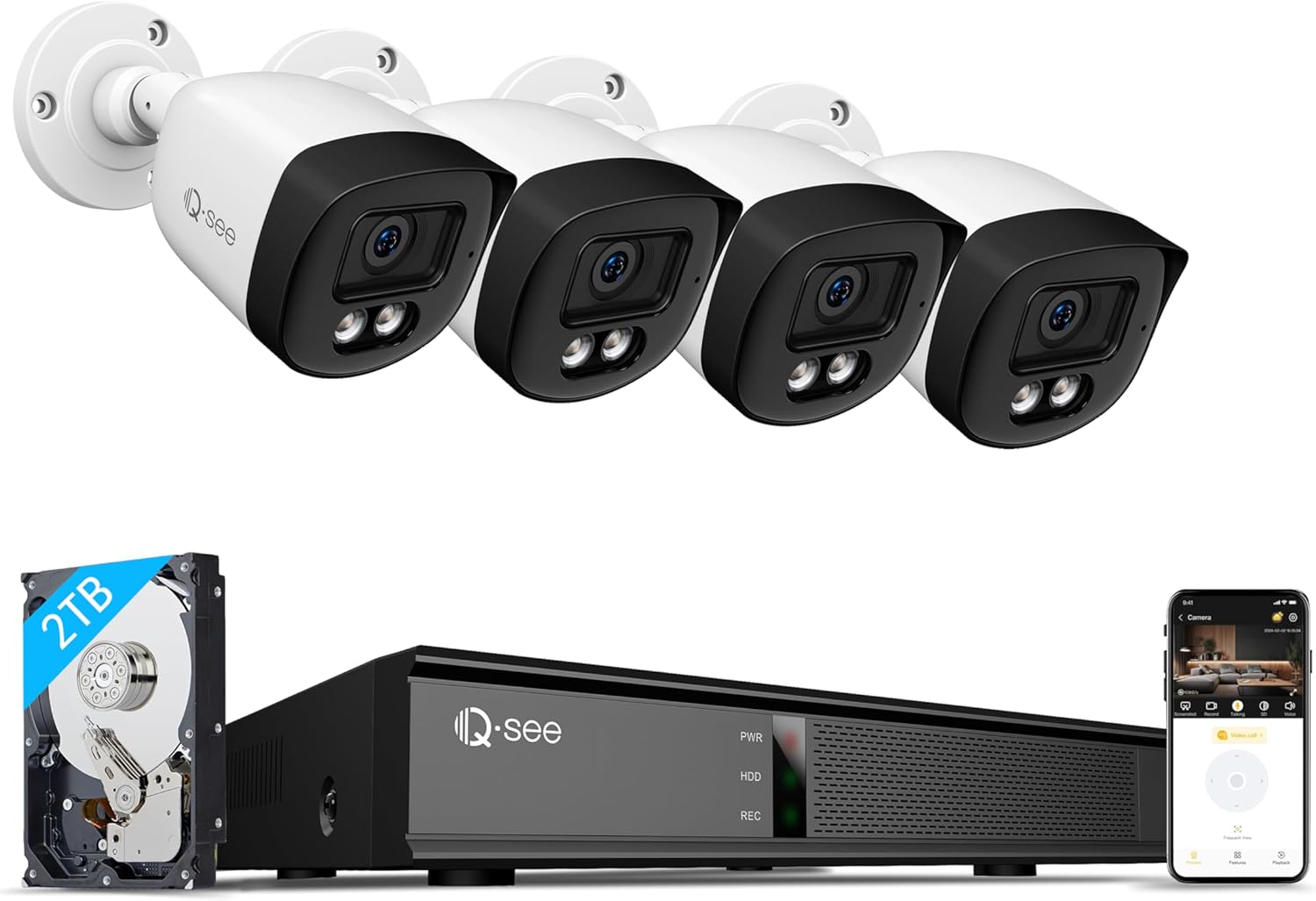
This image displays the complete Qsee 8-channel 5MP Security Camera System, including the Network Video Recorder (NVR), a 2TB hard disk drive, four wired Power over Ethernet (PoE) cameras, and a smartphone screen illustrating the remote access application.
3. Persediaan dan Pemasangan
3.1 Sistem Selesaiview
The Qsee system utilizes Power over Ethernet (PoE) technology, simplifying installation by providing both power and data transmission through a single Ethernet cable for each camera.
3.2 Menyambungkan Perkakasan
- Sambungkan Kamera ke NVR: Use the provided 66ft IP PoE cables to connect each camera to the PoE ports on the back of the NVR.
- Sambungkan NVR ke Monitor: Gunakan kabel HDMI untuk menyambungkan NVR ke monitor atau TV untuk peranti tempatan viewing.
- Sambungkan NVR ke Rangkaian: Use the network cable to connect the NVR to your router for internet access and remote viewkeupayaan.
- Sambungkan Kuasa: Plug the power adapter into the NVR and then into a power outlet.
- Sambungkan Tetikus USB: Plug the USB mouse into one of the USB ports on the NVR for navigation.

This image highlights the simplicity of the Plug & Play PoE system, demonstrating how a single Ethernet cable connects the camera to the NVR, supplying both power and video transmission for straightforward installation.
3.3 Penempatan dan Pemasangan Kamera
The cameras feature a heavy-duty metal weatherproof IP67 housing, making them suitable for outdoor installation. Use the positioning stickers and screws to securely mount the cameras in desired locations. Ensure the cameras have a clear line of sight to the areas you wish to monitor.
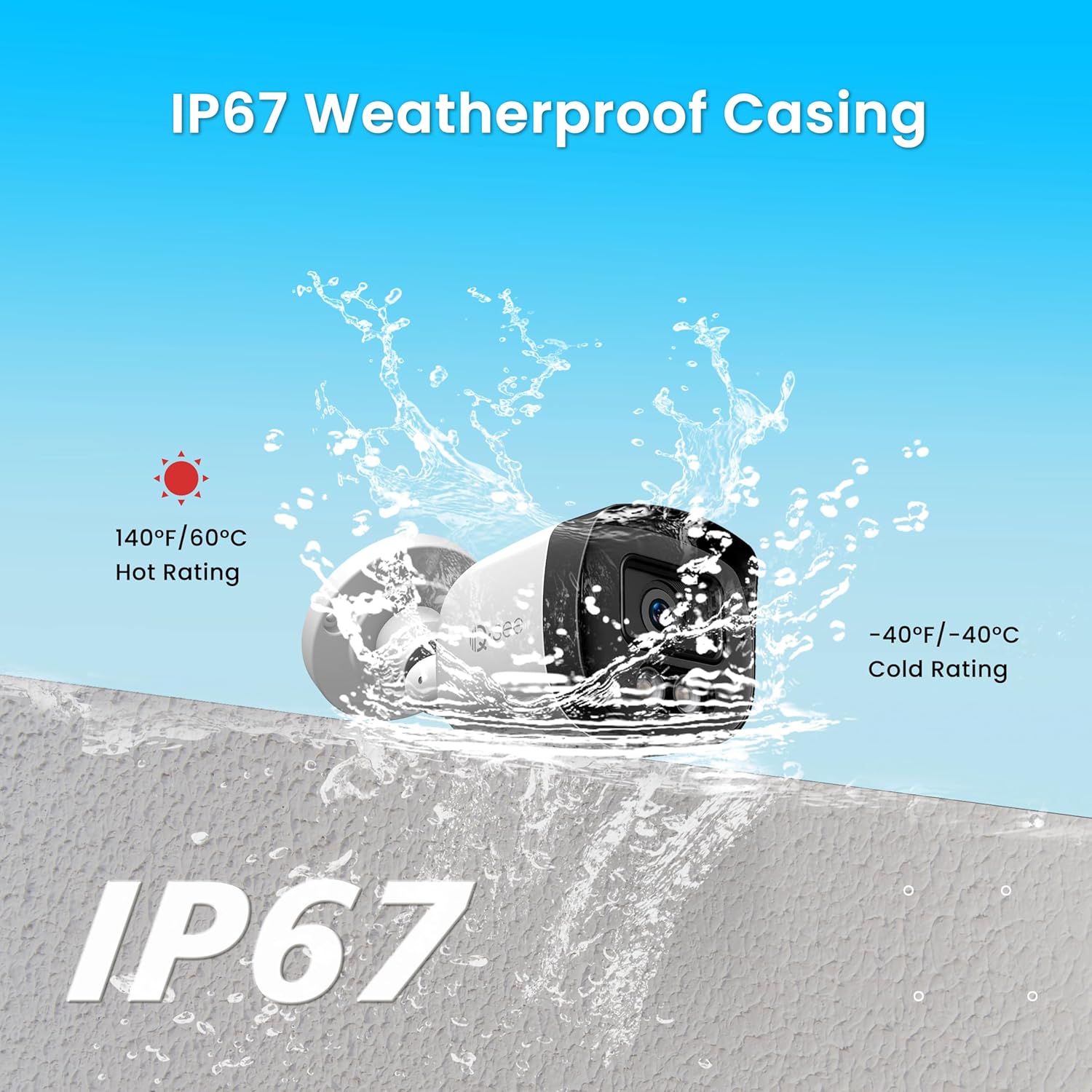
This image emphasizes the camera's IP67 weatherproof casing, illustrating its resistance to water and extreme temperatures, making it suitable for outdoor installation in various environmental conditions.
4. Arahan Operasi
4.1 Initial System Boot-up
Once all connections are made, power on the NVR. Follow the on-screen prompts to complete the initial setup, including setting up a password and configuring basic network settings.
4.2 Pemantauan dan Rakaman Video
The system is configured for 24/7 continuous recording to the built-in 2TB HDD. The NVR will automatically overwrite older footage once the storage is full. You can view live feeds on the connected monitor or remotely via the Qsee app.

This image depicts the 24/7 continuous recording functionality and the user-friendly playback interface, allowing users to review dirakam footage from specific dates and times, ensuring no event is missed.
4.3 Penglihatan Malam Warna
The 5MP cameras feature 2pcs 3500K warm light LEDs, enabling color night vision up to 82 feet. These warm lights automatically adjust intensity based on environmental conditions, providing clear, colorful images even in low-light settings.
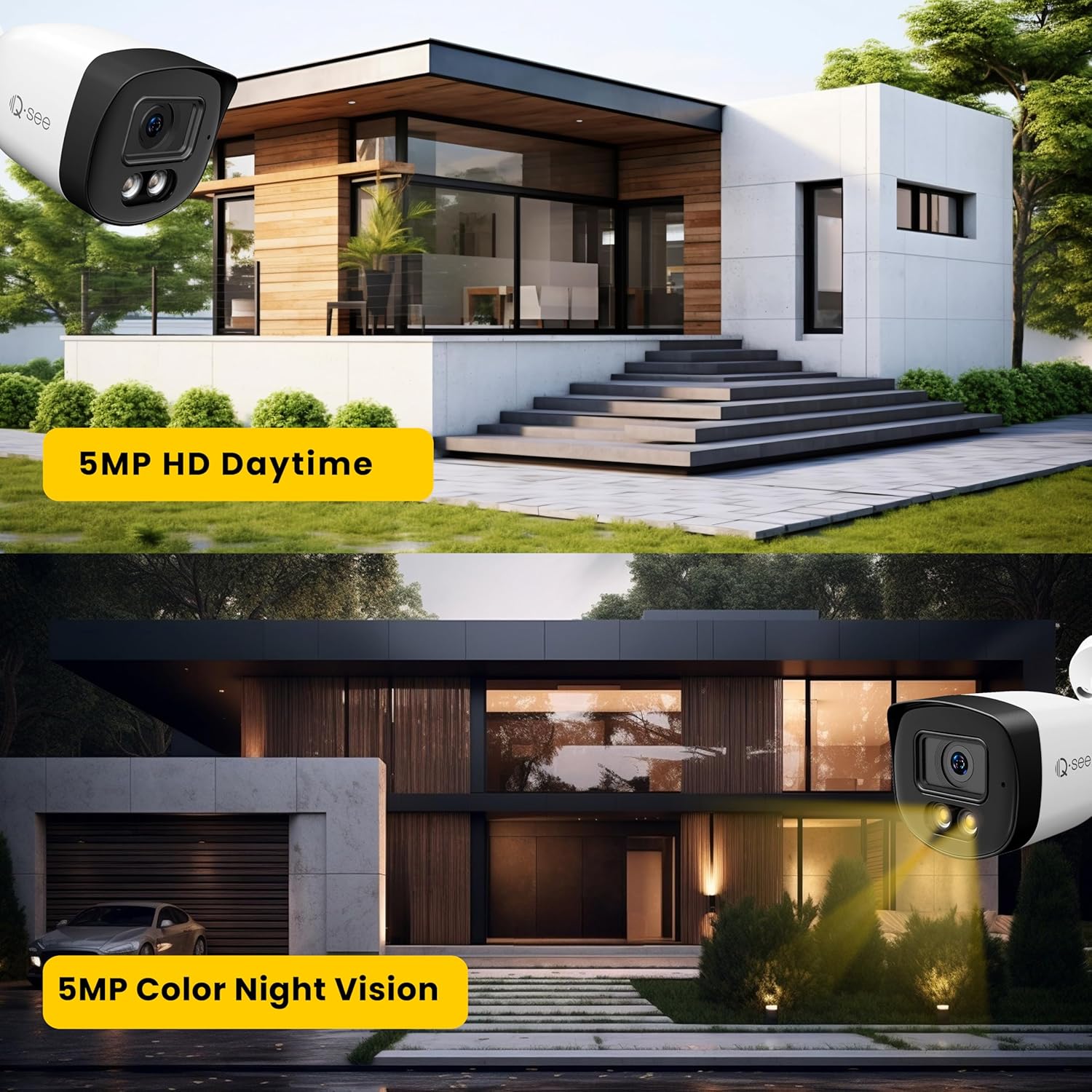
This image demonstrates the visual clarity of the Qsee 5MP cameras, showcasing a daytime view with high-definition detail and a nighttime view with full-color night vision capabilities, providing enhanced visibility in low-light conditions.
4.4 Pengesanan dan Amaran Gerakan Pintar
The NVR system includes smart motion detection. When motion is detected, the system can trigger instant alerts via the Qsee mobile app and email (after initial setup). You can customize motion detection zones and sensitivity levels for each camera to minimize false alarms.

This image illustrates the smart motion detection feature, where the system identifies activity and sends instant alerts to the user's smartphone via the Qsee application, as shown by the notification on the phone screen.
4.5 Akses Jauh
Monitor your property from anywhere using the Qsee app (available for iOS and Android) or the Qsee client software on your PC. This allows for live viewing and playback of recordings over mobile networks or Wi-Fi.

This image illustrates the remote access capabilities of the Qsee system, enabling users to monitor their premises from anywhere in the world using a smartphone, laptop, or personal computer via the dedicated Qsee application or client software.
5. Penyelenggaraan
5.1 Pengurusan Cakera Keras
The NVR includes a 2TB hard drive for continuous recording. When the drive is full, the system automatically overwrites the oldest footage. For extended storage, the NVR supports up to 10TB capacity per disk, allowing for an upgrade with an additional hard drive.

This image shows the NVR with its included 2TB hard drive and indicates the possibility of upgrading to a larger 10TB hard drive for increased storage capacity.
5.2 H.265 Video Compression
The system utilizes advanced H.265 video compression technology. This reduces the bit rate by up to 50% compared to H.264, saving storage space and allowing for longer recording times while maintaining high video quality and smoother streaming.

This image demonstrates the efficiency of H.265 video compression technology, showing how it reduces file sizes compared to H.264, allowing for longer recording times and more efficient storage utilization without compromising video quality.
5.3 Pembersihan dan Penjagaan
Bersihkan kanta kamera secara berkala dengan kain lembutamp cloth to ensure clear image quality. Avoid using harsh chemicals. Ensure all cable connections are secure and free from moisture.
6. Penyelesaian masalah
If you encounter issues with your Qsee security system, please refer to the following general troubleshooting steps:
- Tiada Suapan Video: Check all cable connections between cameras and the NVR, and between the NVR and the monitor. Ensure the NVR is powered on.
- Tiada Akses Jauh: Verify the NVR is connected to your router and has internet access. Check your network settings and ensure the Qsee app is updated to the latest version.
- Pengesanan Pergerakan Tidak Berfungsi: Review the motion detection zone settings and sensitivity levels in the NVR's configuration. Ensure the feature is enabled.
- Penglihatan Malam yang lemah: Ensure camera lenses are clean and free from obstructions. Verify that the warm light LEDs are functioning.
For more detailed troubleshooting or persistent issues, please contact Qsee technical support.
7. Spesifikasi
| Ciri | Spesifikasi |
|---|---|
| Jenama | QSEE |
| Nombor Model | QP08045YC |
| Teknologi Ketersambungan | Berwayar (PoE) |
| Resolusi Tangkapan Video | 5MP (2880x1620) |
| Bilangan Saluran | 8 |
| Kapasiti Penyimpanan Memori | 2 TB (boleh dikembangkan sehingga 10 TB) |
| Sumber Kuasa | DC 48V |
| Sistem Operasi | Linux terbenam |
| Penggunaan yang Disyorkan | Luar |
| Peranti Serasi | Laptops, Personal Computers, Smartphones |
| Teknologi Cahaya Rendah | Penglihatan Malam Warna |
| Julat Penglihatan Malam | Up to 82 feet (with warm light LEDs) |
| Kadar Bingkai | 5.0MP @ 25fps |
| Mod Rakaman | Schedule, Event, Manual |
| Jumlah Port USB | 2 |
| Antara Muka Perkakasan | Ethernet, HDMI, USB, VGA |
| Jenis Kanta | Fixed (3.6mm focal length) |
| Input Video | Ethernet RJ45 |
| Viewsudut | 90 Darjah |
| Peringkat Cuaca | IP67 |
8. Waranti dan Sokongan
Qsee provides a 2-year warranty for this product. Additionally, Qsee offers lifetime technical support to all valued customers. For any product-related inquiries, technical assistance, or warranty claims, please contact us:
e-mel: support@q-see.com
In the event of product issues covered under warranty, Qsee aims to provide a seamless experience by offering a replacement product.