
1. Pengenalan
Thank you for choosing the Jeecoo A30 Wired Computer Speaker Bar. This manual provides essential information for setting up, operating, and maintaining your speaker bar to ensure optimal performance and longevity. Please read these instructions carefully before use.
Apa yang ada dalam Kotak
- Jeecoo A30 PC Speaker Bar (with integrated USB power cable and 3.5mm AUX audio cable)
2. Ciri-ciri
- Reka bentuk padat: The Jeecoo A30 features a simple and modern design, ideal for desktop setups. Dimensions: 13.78 x 2.56 x 2.56 inches.
- Jelas Audio: Equipped with two 5W powerful driver units, providing clear and loud audio with well-balanced highs, mids, and enhanced bass.
- Kawalan Kelantangan Mudah: A large dial allows for convenient volume adjustment and power on/off.
- Keserasian Luas: Connects via 3.5mm AUX for audio input and USB for power, compatible with various PCs, laptops, desktops, tablets, and smartphones. (Note: Not compatible with Xbox).
- mudah alih: Weighing 1.2 lbs (560 grams), it is suitable for both office/home use and portable outdoor activities.

Image: The Jeecoo A30 Wired Computer Speaker Bar, showcasing its sleek black design and integrated cables.

Imej: Meletup view of the Jeecoo A30 speaker bar, highlighting its two 5W powerful driver units for clear and balanced audio with enhanced bass.
3. Persediaan
Follow these steps to connect your Jeecoo A30 speaker bar to your device:
- Sambungkan Kuasa USB: Plug the USB-A cable from the speaker bar into an available USB port on your computer, laptop, or a certified 5V/1A USB power adapter. This provides power to the speaker.
- Connect 3.5mm AUX Audio: Plug the 3.5mm AUX cable from the speaker bar into the headphone jack or audio output port of your device (PC, laptop, tablet, smartphone).
- Hidupkan kuasa: Rotate the large volume dial clockwise until you hear a click or see an indicator light, turning the speaker on.
- Laraskan Kelantangan: Continue rotating the dial clockwise to increase the volume.
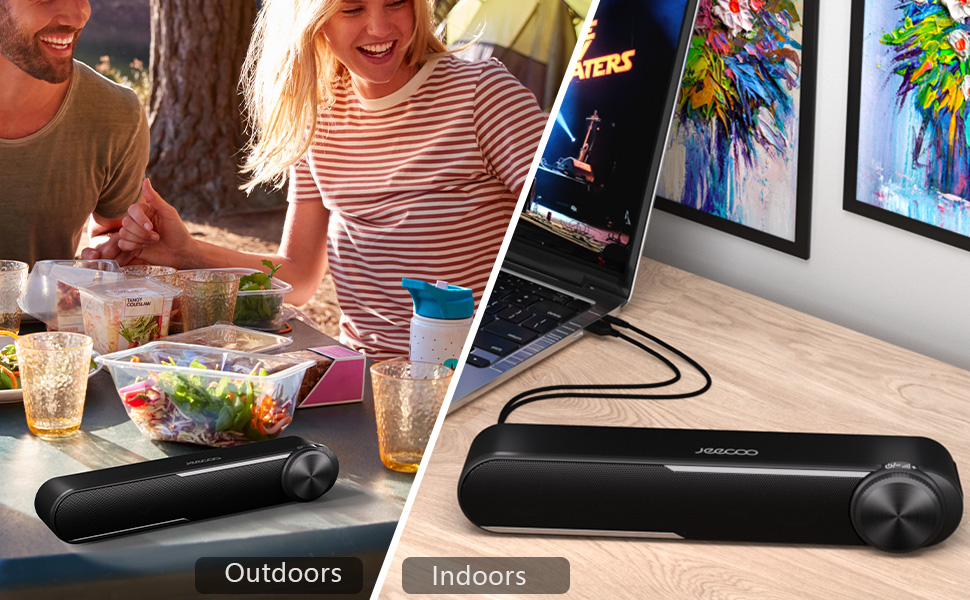
Image: Diagram showing how to connect the USB cable for power and the 3.5mm AUX cable for audio input to a laptop.
Video: Official Jeecoo video demonstrating the connection of the A30 Computer Speaker Bar with 3.5mm AUX input to a laptop.
4. Operasi
Kawalan Kelantangan dan Kuasa
The Jeecoo A30 features a large, integrated dial for convenient control:
- Power On/Increase Volume: Rotate the dial clockwise. The speaker will power on with a click, and continued rotation will increase the volume.
- Decrease Volume/Power Off: Rotate the dial anti-clockwise. The volume will decrease, and continued rotation past the minimum volume will power off the speaker with a click.

Image: A close-up of the large volume dial on the Jeecoo A30, illustrating how to rotate it clockwise to increase volume and anti-clockwise to decrease volume or power off.
5. Spesifikasi
| Ciri | Perincian |
|---|---|
| Nama Model | Jeecoo A30 |
| Jenis Pembesar Suara | Bar bunyi |
| Teknologi Ketersambungan | Bantu (Bicu 3.5mm) |
| Sumber Kuasa | USB (Elektrik Bertali) |
| Input Voltage | 5 Volt |
| Kuasa Output Maksimum Pembesar Suara | 10 Watt (5W x 2) |
| Mod Keluaran Audio | Stereo |
| Konfigurasi Saluran Bunyi Sekeliling | 2.0 |
| Saiz Pembesar Suara | 2 Inci (Diameter Woofer) |
| Jenis Pemacu Audio | Pemandu Dinamik |
| Nisbah Isyarat-ke-Bunyi | 65 dB |
| Frequency Response (Max) | 18 KHz |
| Impedans | 4 ohm |
| Dimensi Produk (D x W x H) | 2.56" x 13.78" x 2.56" |
| Berat Barang | 1.2 Paun (560 gram) |
| bahan | plastik |
| warna | Hitam |
| Jenis Pemasangan | Pemasangan Atas Meja |
| Peranti Serasi | PC Laptops, Desktop Computers, Macbook Air/Pro, iMac, iPad, Smartphones, Tablets |
| Ciri Khas | PC Speaker Bar with Clear Audio & Enhanced Bass |
6. Penyelesaian masalah
If you encounter any issues with your Jeecoo A30 speaker bar, please refer to the following common troubleshooting steps:
- Tiada Kuasa:
- Ensure the USB power cable is securely connected to a powered USB port or a 5V/1A USB adapter.
- Rotate the volume dial clockwise to ensure the speaker is powered on.
- Tiada Bunyi:
- Verify that the 3.5mm AUX audio cable is fully inserted into both the speaker bar and your device's audio output jack.
- Check the volume level on both the speaker bar (using the dial) and your connected device.
- Ensure your device's audio output is set to the correct output (e.g., "Headphones" or "External Speakers").
- Test the speaker with a different audio source or device to rule out device-specific issues.
- Distorted Sound / Static:
- Reduce the volume on both the speaker bar and your connected device. High volume levels can sometimes cause distortion.
- Pastikan semua sambungan kabel selamat.
- Avoid placing the speaker near sources of electromagnetic interference (e.g., Wi-Fi routers, power adapters).
- Uji dengan sumber audio atau kabel yang berbeza jika boleh.
7. Penyelenggaraan
To maintain the performance and appearance of your speaker bar:
- Bersihkan pembesar suara dengan kain lembut dan kering. Jangan gunakan pembersih cecair atau aerosol.
- Avoid exposing the speaker to excessive moisture, heat, or direct sunlight.
- Jangan cuba membuka atau membaiki pembesar suara sendiri, kerana ini akan membatalkan jaminan.
8. Waranti dan Sokongan
The Jeecoo A30 Wired Computer Speaker Bar comes with a limited warranty. For detailed warranty information, product support, or technical assistance, please contact Jeecoo customer service through the retailer where you purchased the product or visit the official Jeecoo webtapak.
Sila simpan bukti pembelian anda untuk tuntutan waranti.