
1. Pengenalan
The Yunseity S555 Pro is an unlocked basic cell phone designed for ease of use, particularly for seniors. It features large buttons, a clear display, and essential functions including an SOS button for emergencies. This manual provides detailed instructions for setting up, operating, and maintaining your device.

Imej 1.1: Depan view of the Yunseity S555 Pro Cell Phone, showing the display and large keypad.
2. Kandungan Pakej
Sila tandai kotak untuk item berikut:
- Yunseity S555 Pro Unlocked Senior Cell Phone
- Antena
- Penyesuai Kuasa (100-240V)
- Kabel USB
- Lithium-Ion Battery (2400mAh)
- Manual Arahan (dokumen ini)
3. Panduan Persediaan
3.1. Installing SIM Cards and Memory Card
The phone supports up to four SIM cards and one memory card (MicroSD, up to 16GB, not included). Ensure the phone is powered off before installation.
- Tanggalkan penutup belakang telefon.
- Carefully insert your Nano SIM cards into the designated SIM card slots.
- Insert the MicroSD memory card into its slot, if desired.

Imej 3.1: Dalaman view of the phone with the back cover removed, showing slots for SIM cards and memory card.
3.2. Memasang Bateri
- After installing SIM and memory cards, insert the provided 2400mAh lithium-ion battery into the battery compartment, ensuring the contacts align.
- Pasang semula penutup belakang sehingga ia terpasang dengan selamat di tempatnya.
3.3. Mengecas Telefon
- Connect the USB cable to the Micro USB charging port on the phone.
- Sambungkan hujung kabel USB yang lain ke penyesuai kuasa.
- Plug the power adapter into a wall outlet (100-240V).
- Biarkan telefon dicas sepenuhnya sebelum penggunaan pertama. Penunjuk bateri pada skrin akan menunjukkan status pengecasan.
3.4. Memasang Antena
The phone comes with a detachable antenna that can be stretched to enhance signal reception, especially in areas with poor coverage.
- Screw the antenna into the designated port at the top of the phone until it is secure.
- For improved signal, gently extend the antenna.

Image 3.2: The detachable antenna, shown extended for enhanced signal reception.
3.5. Menghidupkan/Mematikan
- To power on: Press and hold the Power/End Call button until the screen lights up.
- To power off: Press and hold the Power/End Call button, then confirm power off on the screen.
4. Arahan Operasi
4.1. Membuat dan Menerima Panggilan
- Membuat Panggilan: Enter the phone number using the keypad and press the Call button (green receiver icon).
- Menerima Panggilan: When the phone rings, press the Call button (green receiver icon) to answer.
- Menamatkan Panggilan: Press the Power/End Call button (red receiver icon) to end a call.
The phone features powerful speakers to ensure clear audio during calls.

Image 4.1: The phone's powerful speaker ensures clear call quality.
4.2. Fungsi SOS
The SOS function allows you to quickly call and send text messages to pre-set emergency contacts in case of an emergency.
- Setting up SOS Contacts: Navigate to the SOS settings in the phone's menu to add emergency contact numbers.
- Mengaktifkan SOS: In an emergency, press and hold the dedicated SOS button (usually located on the back or side of the phone) for a few seconds. The phone will automatically call and send an emergency text message to your pre-set contacts.
Image 4.2: The phone's display indicating the SOS function is active.
4.3. Fungsi Lain
- Buku telefon: Store and manage your contacts.
- kamera: Tangkap foto.
- Pemain MP3/MP4: Mainkan audio dan video files disimpan pada kad memori anda.
- Radio FM: Dengar stesen radio FM.
- Jam loceng: Tetapkan penggera untuk peringatan.
- Rakaman: Rakam audio.
- Kalendar: View dates and manage events.
- Lampu suluh: Aktifkan lampu suluh terbina dalam untuk pencahayaan.
- Kalkulator: Lakukan pengiraan asas.
- Pembaca e-buku: Read e-books.
- Akses internet: Supports basic internet browsing and some social networking sites via 2G network.
5. Penyelenggaraan
- Pastikan telefon kering. Kelembapan boleh merosakkan litar elektronik.
- Elakkan suhu yang melampau. Suhu tinggi boleh memendekkan jangka hayat peranti elektronik dan meledingkan atau mencairkan plastik tertentu.
- Do not use harsh chemicals, cleaning solvents, or strong detergents to clean the phone. Wipe it with a soft, damp kain.
- Handle the phone with care. Do not drop, knock, or shake it. Rough handling can break internal circuit boards and fine mechanics.
- Gunakan hanya bateri, pengecas dan aksesori yang diluluskan.
6. Penyelesaian masalah
- Tiada Isyarat Rangkaian: Ensure your SIM card is properly inserted. Verify with your mobile operator that your SIM card supports 2G networks, as this phone operates on 2G GSM (850/900/1800/1900MHz). The phone is fully unlocked, but carrier support for 2G is essential. Try extending the detachable antenna for better reception.
- Telefon Tidak Dihidupkan: Check if the battery is correctly installed and sufficiently charged. Connect the charger and try again.
- Hayat Bateri Pendek: Ensure the battery is fully charged. Reduce screen brightness or close unused applications if applicable. Battery life can vary based on usage and network conditions.
- Tidak Boleh Membuat/Terima Panggilan: Check network signal strength. Ensure your SIM card is active and has sufficient credit/plan.
- Isu Bunyi: Periksa tetapan kelantangan. Pastikan pembesar suara tidak terhalang.
7. Spesifikasi
| Model | S555 Pro |
| Saiz Skrin | LCD 2.2 inci |
| Resolusi Skrin | 240 x 320 |
| Slot Kad SIM | 4 (Quad SIM, Nano SIM size) |
| Slot Kad Memori | 1 (supports up to 16GB MicroSD, not included) |
| Internal Memory (RAM/ROM) | 32MB RAM / 32MB ROM |
| Kapasiti Bateri | 2400mAh Litium-Ion |
| Jalur Kekerapan | GSM 850/900/1800/1900MHz |
| Jenis Rangkaian | 2G GSM |
| Kamera | 80000 pixels (Front, Rear) |
| Bluetooth | Versi 2.0 |
| Pelabuhan | Micro USB charging port, 3.5mm headphone port, USB port (for charging other devices) |
| Bahasa yang Disokong | English, Russian, Arabic, French, Portuguese |
| Saiz Produk (LxWxH) | lebih kurang 137.8 x 59 x 24.5 mm (5.4 x 2.3 x 1.0 inci) |
| Sistem Operasi | Android (Basic Version) |
| Pembawa Tanpa Wayar | Dibuka kunci |
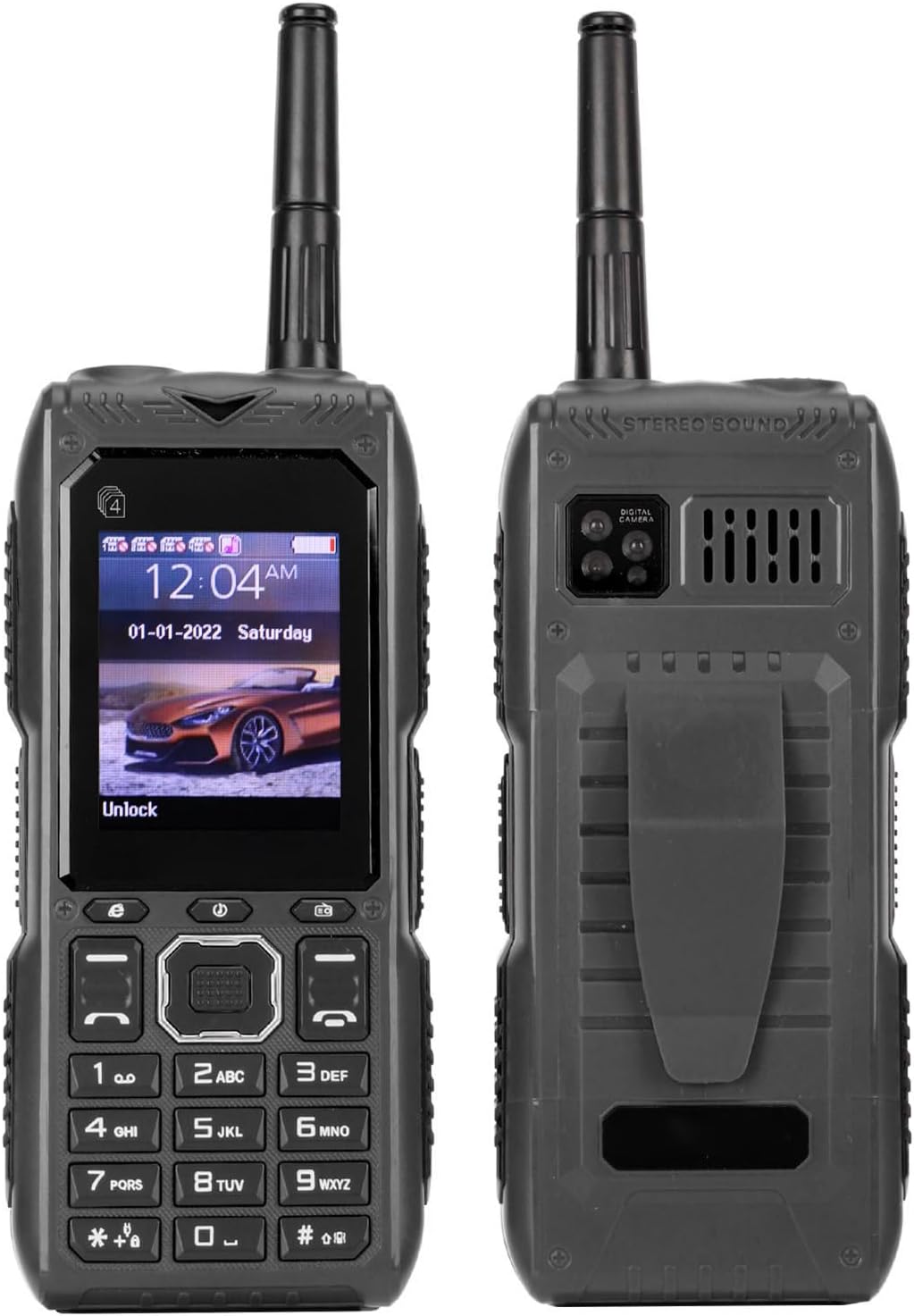
Image 7.1: Diagram showing the dimensions of the Yunseity S555 Pro Cell Phone.