
1. Pengenalan
Terima kasih kerana membeliasing the Generic BK-3001 Wireless Bluetooth Keyboard. This ultrathin 78-key keyboard is designed for seamless connectivity with various devices, including iPads, iPhones, and other compatible computers and tablets. It utilizes Bluetooth 3.0 technology for a stable and long-distance connection. Please read this manual carefully to ensure proper setup and operation of your new keyboard.
2. Kandungan Pakej
- 1 x Generic BK-3001 Wireless Bluetooth Keyboard
- 1 x Manual Pengguna
3. Produk Lebihview
The BK-3001 keyboard features a compact design with 78 keys, including function keys and media controls. Its ultrathin profile makes it highly portable and suitable for various environments.

Imej: Atas ke bawah view of the BK-3001 Wireless Bluetooth Keyboard, showcasing its 78-key layout and compact design.
4. Persediaan
4.1 Pemasangan Bateri
- Cari petak bateri di bahagian bawah papan kekunci.
- Geser buka penutup petak bateri.
- Insert two (2) AAA batteries (not included) into the compartment, ensuring correct polarity (+/-).
- Tutup penutup petak bateri dengan selamat.

Imej: Jarak dekat view of the battery compartment on the underside of the BK-3001 Wireless Bluetooth Keyboard, showing where to insert AAA batteries.
4.2 Berpasangan dengan Peranti
- Turn on the keyboard by sliding the ON/OFF switch to the 'ON' position. The power indicator light may briefly illuminate.
- Press the 'CONNECT' button located near the ON/OFF switch. The Bluetooth indicator light will start blinking, indicating the keyboard is in pairing mode.
- On your device (iPad, iPhone, computer, tablet), go to the Bluetooth settings.
- Pastikan Bluetooth didayakan pada peranti anda.
- Cari untuk available Bluetooth devices. You should see "Bluetooth Keyboard" or a similar name appear in the list.
- Select the keyboard from the list to initiate the pairing process.
- If prompted, enter the displayed pairing code on the keyboard and press Enter.
- Once successfully paired, the Bluetooth indicator light on the keyboard will stop blinking and turn off, or remain solid, depending on the model. Your keyboard is now ready for use.

Imej: Jarak dekat view of the power switch (OFF/ON) and the Bluetooth connect button on the back of the BK-3001 Wireless Bluetooth Keyboard.
5. Arahan Operasi
After successful pairing, your keyboard will function as a standard input device. You can use it for typing, navigating, and executing commands on your connected device.
5.1 Kekunci Fungsi
The keyboard includes a row of function keys (F1-F12) that may have secondary functions (e.g., media controls, volume, brightness) when pressed in combination with the 'Fn' key. Refer to your device's operating system for specific key mappings.
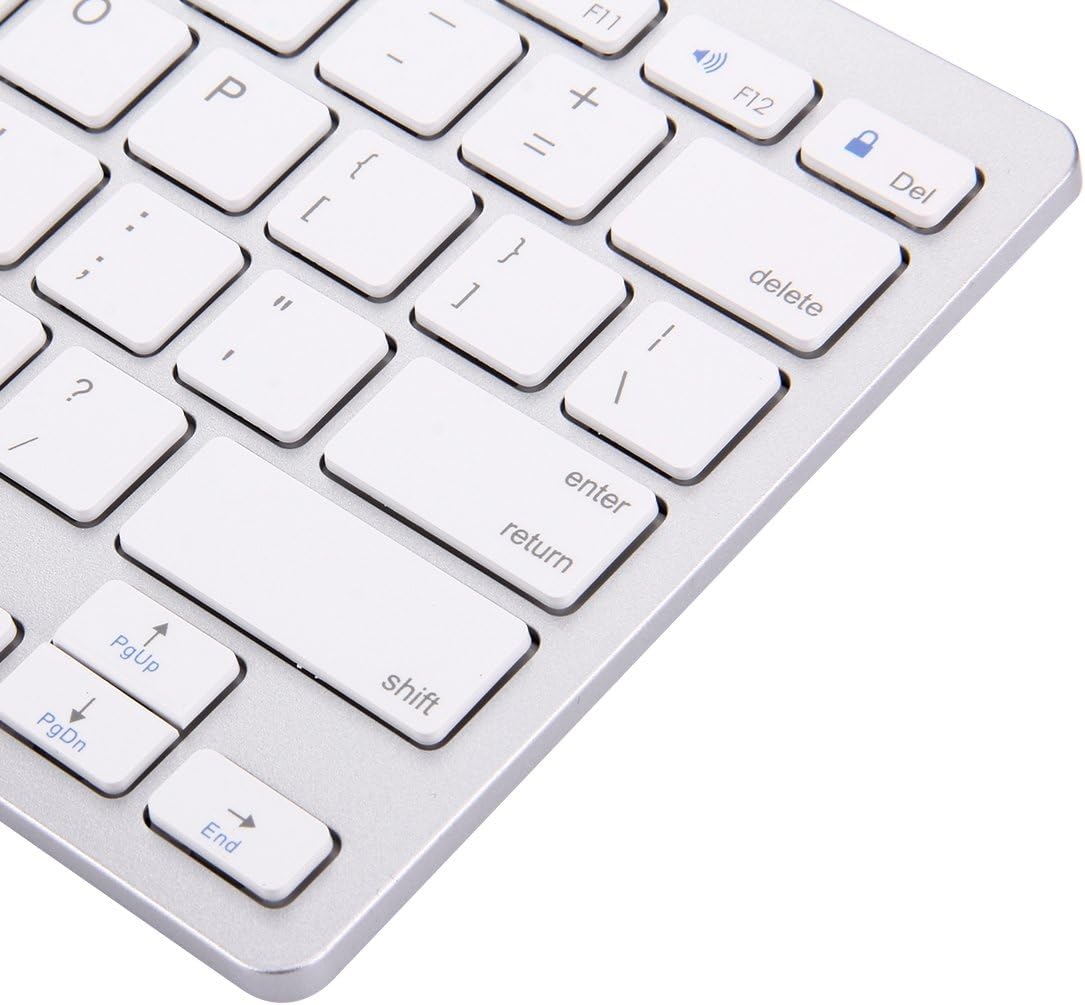
Image: Close-up of the right-hand side keys on the BK-3001 Wireless Bluetooth Keyboard, showing the Enter, Shift, Page Up, Page Down, and End keys.
5.2 Keserasian
The keyboard is compatible with devices supporting Bluetooth 3.0, including but not limited to:
- iPad (all generations with Bluetooth support)
- iPhone (all models with Bluetooth support)
- Tablet dan telefon pintar Android
- Windows computers and laptops
- Mac computers and laptops
6. Penyelenggaraan
6.1 Pembersihan
Untuk membersihkan papan kekunci anda, lap permukaannya dengan lembut menggunakan kain lembut, kering dan bebas bulu. Untuk kotoran degil, lap sedikitampen the cloth with water or a mild, non-abrasive cleaning solution. Avoid excessive moisture and do not immerse the keyboard in liquid. The keyboard features a waterproof design, offering protection against minor spills, but it is not fully submersible.
6.2 Penyimpanan
When not in use for extended periods, turn off the keyboard to conserve battery life. Store the keyboard in a cool, dry place away from direct sunlight and extreme temperatures.
7. Penyelesaian masalah
7.1 Papan Kekunci Tidak Bersambung/Berpasangan
- Ensure the keyboard is turned ON and has fresh batteries.
- Pastikan Bluetooth didayakan pada peranti anda.
- Press the 'CONNECT' button on the keyboard to enter pairing mode.
- Move the keyboard closer to your device (within 10 meters).
- Forget/remove the keyboard from your device's Bluetooth list and try pairing again.
- Restart both the keyboard (turn off and on) and your device.
7.2 Kunci Tidak Bertindak Balas
- Periksa tahap bateri dan ganti jika perlu.
- Pastikan papan kekunci disambungkan dengan betul ke peranti anda.
- Cuba sambungkan semula sambungan Bluetooth.
- Clean any debris that might be under the keys.
7.3 Lag or Delayed Response
- Ensure there are no strong interferences (e.g., Wi-Fi routers, other Bluetooth devices) nearby.
- Bergerak lebih dekat dengan peranti anda.
- Periksa tahap bateri.
8. Spesifikasi
| Ciri | Penerangan |
|---|---|
| Model | BK-3001 |
| Teknologi Ketersambungan | Bluetooth 3.0 |
| Bilangan Kunci | 78 Kekunci |
| Jarak Operasi | Sehingga 10 meter (33 kaki) |
| Sumber Kuasa | 2 x Bateri AAA (tidak termasuk) |
| Peranti Serasi | Laptop, Tablet, iPhone, iPad, Android devices |
| Ciri Khas | Ultrathin, Wireless, Waterproof, Ergonomic |
| Berat Barang | 380 Gram |
| Nombor Bahagian Pengilang | luqin 1 |
9. Maklumat Waranti
This product comes with a standard manufacturer's warranty. Please refer to the product packaging or your point of purchase for specific warranty terms and conditions. Keep your proof of purchase for any warranty claims.
10. Sokongan Pelanggan
If you encounter any issues or have questions not covered in this manual, please contact the seller or manufacturer for assistance. Provide your product model number (BK-3001) and a detailed description of the issue when seeking support.