
1. Pengenalan
Thank you for choosing the Dragon Touch Notepad-102 Android 12 Tablet. This manual provides essential information for setting up, operating, maintaining, and troubleshooting your device. Please read it thoroughly to ensure optimal performance and longevity of your tablet.
2. Produk Lebihview
The Dragon Touch Notepad-102 is a 10.1-inch Android 12 tablet designed for versatile use, from entertainment to productivity. It features an 8-core CPU, 8GB RAM, 128GB internal storage, and a vibrant IPS display.

Imej 2.1: Depan dan belakang view of the Dragon Touch Notepad-102 tablet. The front displays 'Android 12' and '8GB+128GB', while the back shows a silver finish and the rear camera module.
2.1. Komponen dan Pelabuhan
Biasakan diri anda dengan ciri-ciri fizikal tablet:
- paparan: 10.1-inch IPS screen.
- Kamera Depan: 8MP, typically located at the top center when held vertically.
- Kamera Belakang: 13MP, located on the back panel.
- Butang Kuasa: Used to turn the tablet on/off or put it to sleep.
- Butang Kelantangan: Laraskan tahap audio.
- Port USB Jenis-C: Untuk pengecasan dan pemindahan data.
- Bicu Fon Kepala 3.5mm: Untuk output audio.
- Slot Kad MicroSD: For storage expansion (up to 128GB).
- Penceramah: Pembesar suara stereo berganda untuk output audio.

Imej 2.2: sebelah view of the tablet highlighting the various ports and buttons, including the USB Type-C port and volume controls.
3. Persediaan
3.1. Kuasa Awal Hidup
- Tekan dan tahan butang Butang Kuasa sehingga skrin menyala.
- Ikut arahan pada skrin untuk memilih bahasa, rantau anda dan terima terma dan syarat.
3.2. Sambungan Wi-Fi
- During initial setup or later, navigate to tetapan > Rangkaian & internet > Wi-Fi.
- Togol Wi-Fi On.
- Pilih rangkaian Wi-Fi yang anda inginkan daripada senarai.
- Masukkan kata laluan rangkaian jika digesa, kemudian ketik Sambung.
3.3. Persediaan Akaun Google
Sign in with your Google account to access the Google Play Store, Gmail, and other Google services. If you don't have an account, you can create one during this step.
4. Operasi Asas
4.1. Menavigasi Android 12
The tablet runs on Android 12, offering an intuitive user interface. Common gestures include:
- Ketik: Pilih item atau buka apl.
- Leret: Scroll through pages or menus.
- Cubit untuk zum: Enlarge or shrink content on the screen.
- Tekan lama: Akses menu kontekstual atau alihkan ikon.
4.2. Pemasangan Apl
Download and install applications from the Google Play Store. Ensure you have a stable internet connection.

Imej 4.1: The tablet screen showing a collection of application icons and photo thumbnails, demonstrating its multimedia capabilities and storage capacity.
5. Ciri Lanjutan
5.1. Kamera
The tablet is equipped with an 8MP front camera and a 13MP rear camera. Open the Camera app to capture photos and videos. The front camera is ideal for video calls and selfies.

Imej 5.1: The tablet displaying a video call, showcasing the clarity of the front-facing camera for communication.
5.2. Unjuran Tanpa Wayar
The tablet supports wireless projection, allowing you to mirror its screen to a compatible large display, such as a TV. This feature is useful for presentations or sharing media.
5.3. Docking Keyboard Support
Enhance your productivity by connecting a compatible docking keyboard (sold separately). This transforms your tablet into a laptop-like device, suitable for typing and work tasks.

Imej 5.2: The tablet docked with a keyboard accessory, displaying a dashboard with charts, illustrating its use for productivity.
6. Ketersambungan
6.1. WiFi
The tablet supports dual-band Wi-Fi (2.4GHz and 5GHz) with 802.11ac technology for stable and high-speed internet access. To manage Wi-Fi settings, go to tetapan > Rangkaian & internet > Wi-Fi.
6.2.Bluetooth
Connect wireless headphones, speakers, or other Bluetooth-enabled devices. Access Bluetooth settings via tetapan > Peranti yang disambungkan > Bluetooth.
7. Pengurusan Bateri
The Notepad-102 is equipped with a 6000mAh battery. To charge, connect the included Type-C cable to the tablet's Type-C port and a compatible 5V/2A power adapter.
7.1. Petua Jangka Hayat Bateri
- Kurangkan kecerahan skrin.
- Matikan Wi-Fi dan Bluetooth apabila tidak digunakan.
- Tutup aplikasi latar belakang.
- Enable battery saver mode.
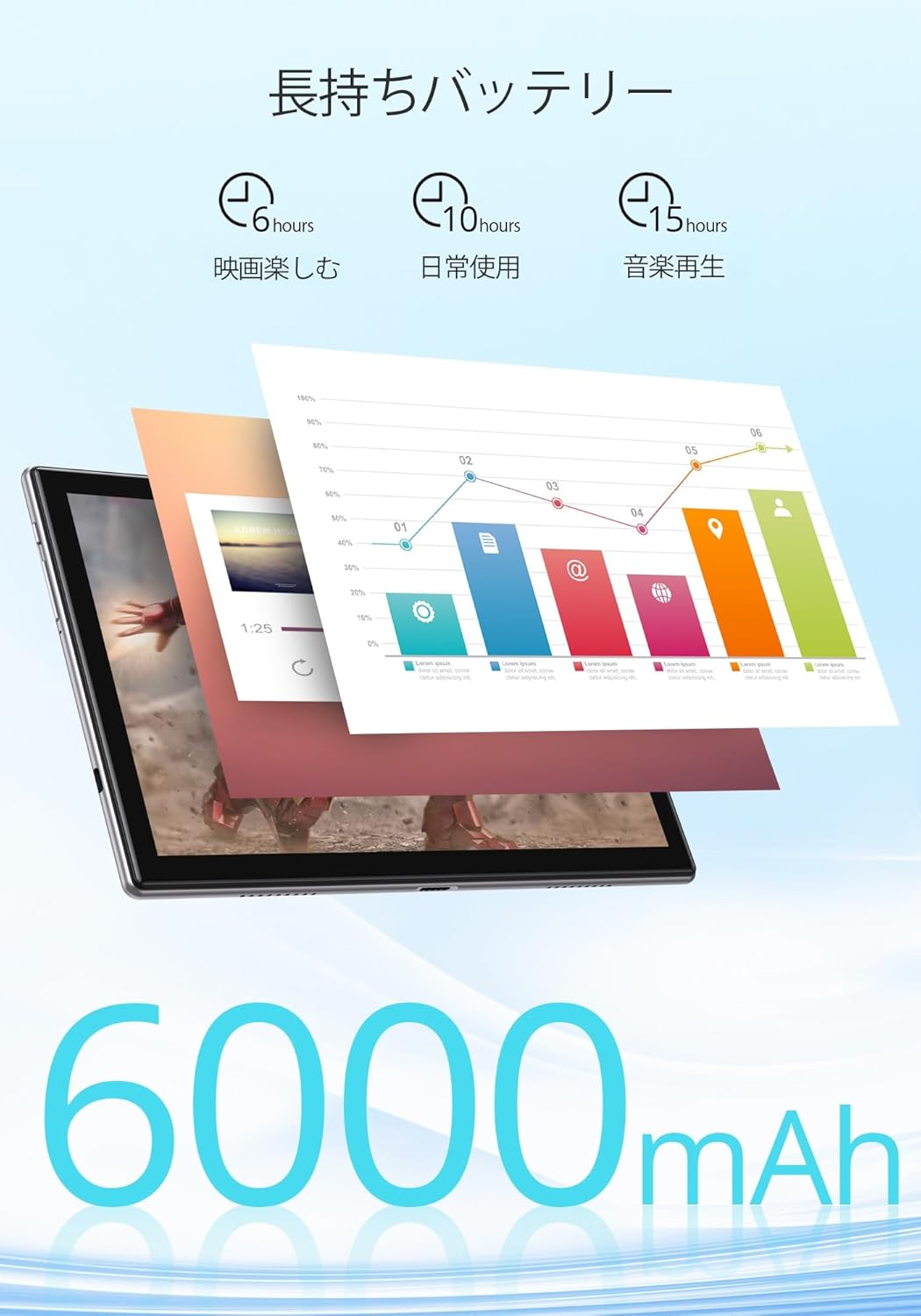
Imej 7.1: An infographic showing estimated battery life for various activities: 6 hours for movies, 10 hours for daily use, and 15 hours for music playback, powered by the 6000mAh battery.
8. Penyelenggaraan dan Penjagaan
- Jauhkan tablet daripada suhu yang melampau dan cahaya matahari langsung.
- Avoid dropping the tablet or subjecting it to strong impacts.
- Bersihkan skrin dengan kain lembut dan tidak berbulu. Jangan gunakan bahan kimia yang keras.
- Pastikan port pengecasan bebas daripada habuk dan serpihan.
9. Penyelesaian masalah
9.1. Tablet Tidak Dihidupkan
- Ensure the tablet is sufficiently charged. Connect it to a power source for at least 30 minutes.
- Tekan dan tahan butang Kuasa selama 10-15 saat untuk melakukan mula semula secara paksa.
9.2. Isu Ketersambungan Wi-Fi
- Mulakan semula penghala Wi-Fi anda dan tablet.
- Pastikan anda berada dalam lingkungan isyarat Wi-Fi.
- Lupakan rangkaian dalam tetapan Wi-Fi dan sambung semula.
- Periksa sama ada peranti lain boleh bersambung ke rangkaian Wi-Fi yang sama.
9.3. Apl Ranap atau Membeku
- Tutup dan buka semula apl.
- Kosongkan cache dan data apl masuk tetapan > Apl > [Nama Apl] > Storan & cache.
- Pastikan apl dikemas kini kepada versi terkininya.
10. Spesifikasi
| Ciri | Spesifikasi |
|---|---|
| Jenama | Sentuhan Naga |
| Model | Notepad-102 |
| Sistem Operasi | Android 12 (GMS Certified) |
| Saiz Paparan | 10.1 inci |
| Resolusi Paparan | 1280 x 800 piksel (IPS) |
| Pemproses | 8-core CPU (2.0GHz) |
| RAM | 8GB |
| Storan Dalaman | 128GB |
| Storan Boleh Dikembangkan | MicroSD sehingga 128GB |
| Wi-Fi | 2.4Ghz/5Ghz Dual-band (802.11ac) |
| Bluetooth | ya |
| Kamera Depan | 8MP |
| Kamera Belakang | 13MP |
| Kapasiti Bateri | 6000mAh |
| Port Pengecasan | Jenis-C |
| Dimensi | 27.1 x 20 x 4.9 cm |
| Berat badan | 940 g |
11. Waranti dan Sokongan
The Dragon Touch Notepad-102 tablet comes with a one-year warranty. For any inquiries or support needs, please contact customer service through your Amazon purchase history, providing your order number. Our support team is dedicated to assisting you.
Nota: Please use the provided charging cable and a 5V/2A power adapter for optimal charging.