
1. Produk Lebihview
The Ctronics 4K CTIPC-660C surveillance camera offers exceptional 8-megapixel image quality, capturing every detail with stunning clarity. Its lens, pivoting 355° horizontally and 90° vertically, allows you to monitor an extended area without blind spots. Powerful 25-meter night vision ensures continuous surveillance even in total darkness. Designed for outdoor security, this camera offers advanced functionalities and a robust construction, providing lasting peace of mind.
Key features include 4K (3840x2160) resolution with a SONY 1/2.8” IMX415 CMOS sensor, advanced backlight compensation, dual-band 2.4G/5G Wi-Fi and wired LAN connectivity, IK10 vandal resistance, IP66 weatherproofing, and AI-powered detection for humans, vehicles, and animals.

Figure 1: Ctronics 4K CTIPC-660C Outdoor Surveillance Camera.
2. Persediaan dan Pemasangan
2.1 Kandungan Pakej
- Ctronics 4K Surveillance Camera
- Penyesuai Kuasa
- Skru Pemasangan dan Palam Dinding
- Waterproof Kit for Network Cable
- Panduan Mula Pantas
2.2 Pemasangan Fizikal
The camera supports both ceiling and wall mounting. A wall mount bracket is sold separately if required. Ensure the mounting surface is strong enough to support the camera's weight (approximately 1 kg).
- Choose a suitable location for installation, ensuring optimal viewing angle and Wi-Fi signal strength.
- Use the provided drilling template (if included) to mark the screw holes on the mounting surface.
- Tebuk lubang dan masukkan palam dinding.
- Secure the camera base to the surface using the provided screws.
- Sambungkan penyesuai kuasa ke kamera dan soket kuasa.

Figure 2: Proper ceiling installation of the camera. The camera is designed for easy installation without complex disassembly.
2.3 Sambungan Rangkaian
The camera supports both wired (LAN) and wireless (2.4G/5G Wi-Fi) connections.
- Sambungan Berwayar: Connect an Ethernet cable from your router to the camera's LAN port.
- Sambungan Wayarles: The camera supports dual-band Wi-Fi (2.4GHz and 5GHz). Follow the in-app instructions to connect the camera to your Wi-Fi network. The 2.4GHz band offers a longer transmission distance, while the 5GHz band provides a stronger network signal.

Figure 3: Dual-band Wi-Fi connectivity. The camera supports both 2.4GHz for longer range and 5GHz for stronger signal.
2.4 App and Software Installation
Untuk mengurus dan view your camera feed, download the Ctronics Pro app on your smartphone or tablet. PC client software is also available.
- Apl Mudah Alih: Cari untuk "Ctronics Pro" in your device's app store (iOS/Android).
- Klien PC: Download the "HiP2P Client" software from the official Ctronics website for Windows or Mac OS.
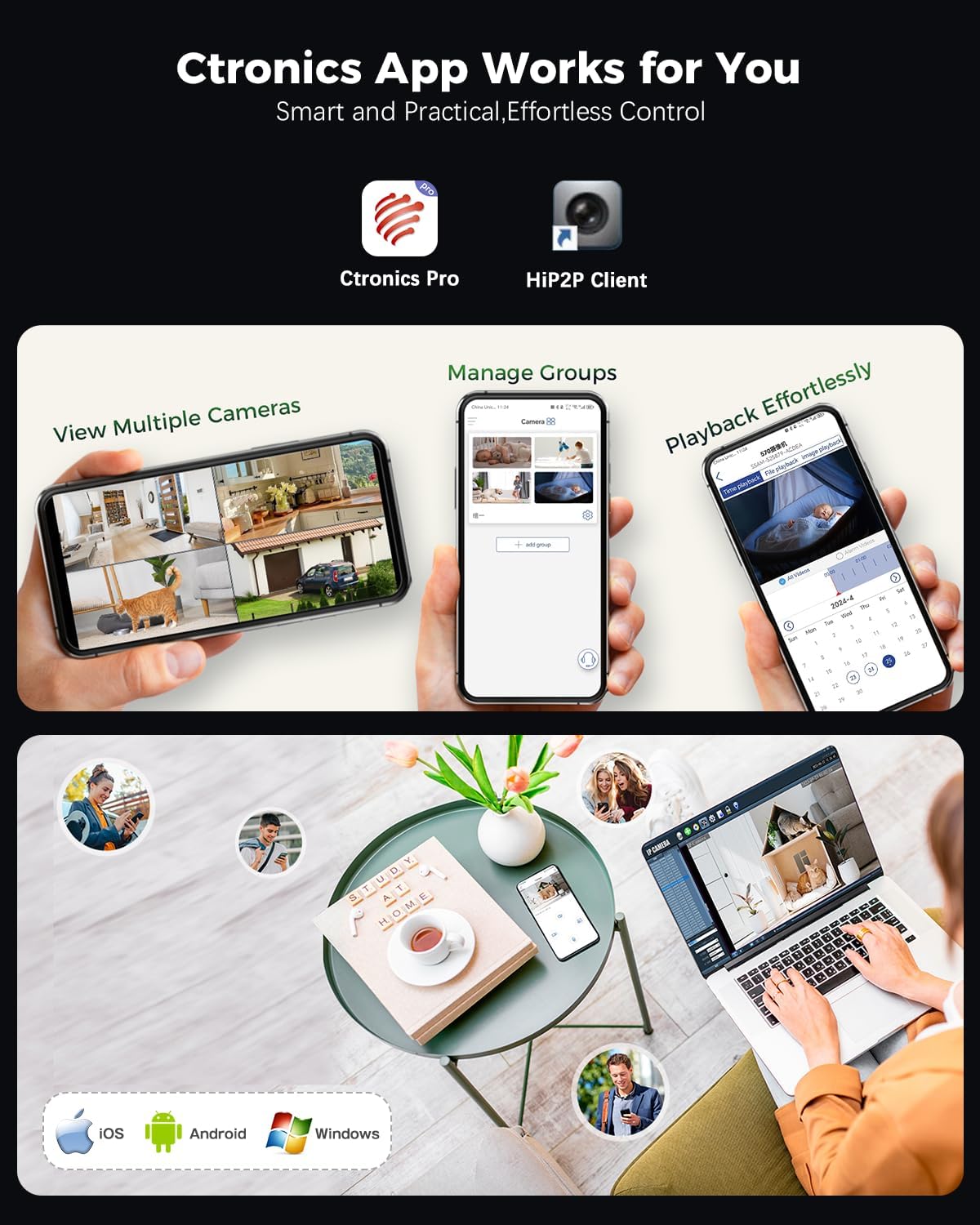
Figure 4: Ctronics Pro app interface for managing multiple cameras, playback, and group management.
3. Operasi
3.1 Langsung View dan Akses Jauh
Access your camera feed anytime, anywhere via the Ctronics Pro app or PC client. The camera provides 24/7 surveillance capabilities.
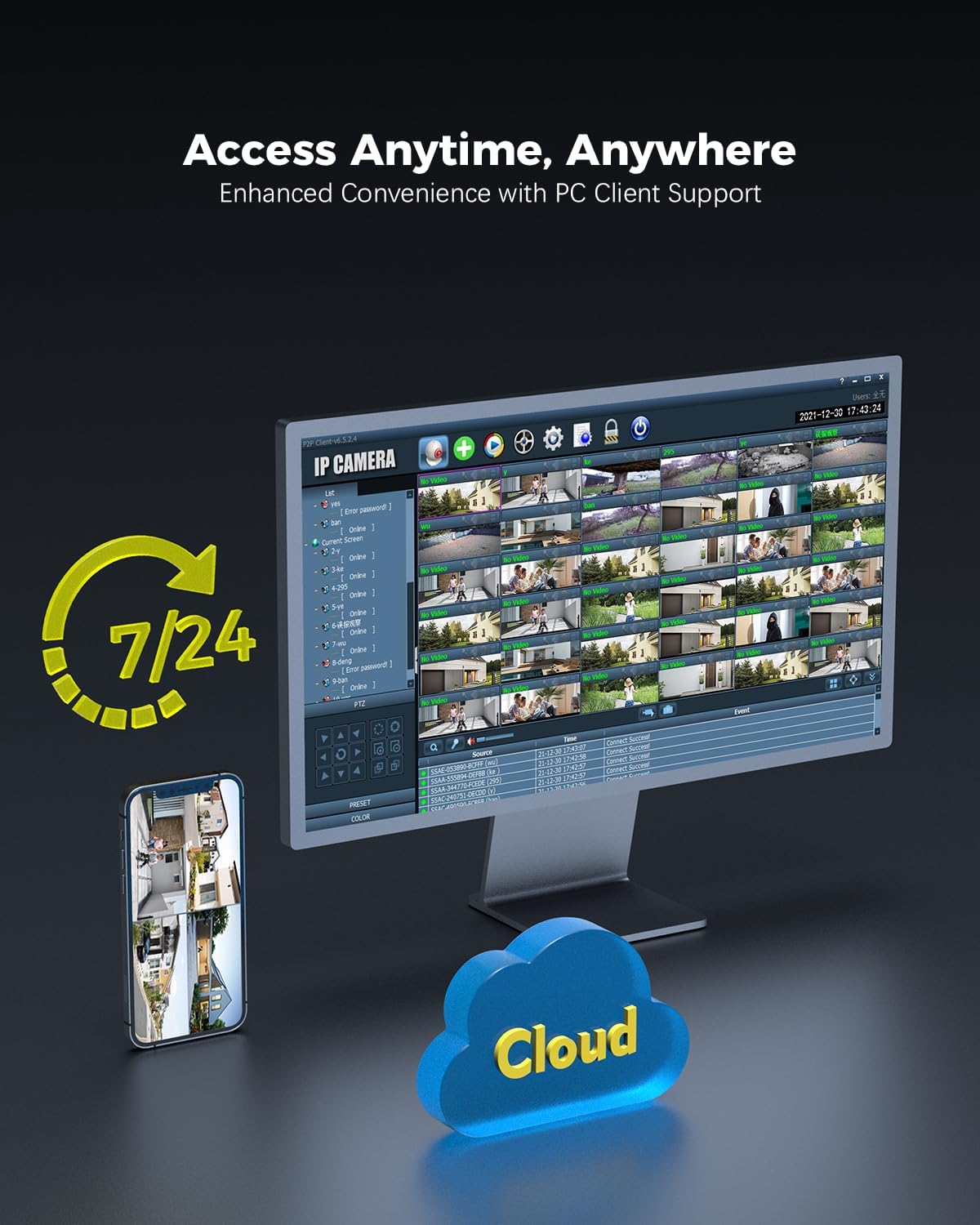
Figure 5: Remote access to camera feeds via PC client and smartphone app, with cloud storage options.
3.2 AI Detection and Auto Tracking
The camera features advanced AI detection to identify and track people, vehicles, and animals. When motion is detected, the camera can automatically track the subject and send instant push notifications to your device.

Figure 6: Smart detection and tracking capabilities. The camera identifies and tracks humans, vehicles, and animals.
3.3 Pan-Tilt Control and Preset Positions
Control the camera's pan (355°) and tilt (90°) movements remotely via the app. You can configure up to 8 preset positions for quick access to specific viewing angles. Customize detection zones and sensitivity settings to suit your surveillance needs.

Figure 7: Setting preset positions and customizing motion detection zones for tailored security.
3.4 Pilihan Storan
Kamera ini menawarkan penyelesaian storan fleksibel untuk rakaman videotage:
- Kad MicroSD: Menyokong kad MicroSD sehingga 256GB untuk storan setempat.
- NVR (Perakam Video Rangkaian): Compatible with ONVIF-enabled NVRs for centralized recording.
- FTP (File Transfer Protocol): Supports FTP for uploading recordings to a server.
- Storan Awan: Cloud storage options are available (subscription may be required).

Figure 8: Multiple storage options including MicroSD card, NAS, and FTP for secure data access.
4. Penyelenggaraan
- Pembersihan: Bersihkan kanta dan perumah kamera secara berkala dengan lembut, damp cloth to ensure clear image quality. Do not use harsh chemicals.
- Kemas kini Firmware: Check for and install firmware updates regularly through the Ctronics Pro app or official webtapak untuk memastikan prestasi dan keselamatan yang optimum.
- Pemeriksaan Kabel: Inspect power and network cables for any signs of wear or damage, especially for outdoor installations.
- Pengurusan Storan: Kerap semulaview dirakam footage and manage storage space, especially if using a MicroSD card, to prevent it from becoming full.
5. Penyelesaian masalah
| Masalah | Kemungkinan Punca | Penyelesaian |
|---|---|---|
| Kamera tidak dihidupkan | Tiada bekalan kuasa; penyesuai rosak. | Check power connection. Ensure the adapter is working and connected to a live outlet. |
| Tidak dapat menyambung ke Wi-Fi | Incorrect Wi-Fi password; camera too far from router; router issues. | Verify Wi-Fi password. Move camera closer to the router or use a Wi-Fi extender. Restart your router. Ensure you are connecting to the correct 2.4GHz or 5GHz band. |
| QR code not scanning during setup | Poor lighting; dirty lens; incorrect distance. | Ensure sufficient lighting. Clean the camera lens. Adjust the distance between the camera and the QR code on your phone screen. |
| Tiada suapan imej/video | Network disconnection; camera malfunction. | Check network connection (wired/wireless). Restart the camera. If the problem persists, contact support. |
| Pengesanan gerakan tidak berfungsi | Detection settings incorrect; environmental factors. | Review motion detection settings in the app (sensitivity, zones). Ensure no obstructions are blocking the camera's view. |
6. Spesifikasi Produk
| Ciri | Perincian |
|---|---|
| Nombor Model | CTIPC-660C |
| Resolusi | 4K (3840x2160), 8 Megapixels |
| Sensor | SONY 1/2.8” IMX415 CMOS |
| Sudut Pan / Tilt | Pan 355 °, Condong 90 ° |
| Julat Penglihatan Malam | Up to 25 meters (Starlight) |
| Ketersambungan | Wired (LAN), Wi-Fi (2.4GHz/5GHz) |
| Pilihan Storan | MicroSD (up to 256GB), ONVIF NVR, FTP, Cloud |
| Perlindungan Kesan | IK10 Vandal-Resistant |
| Rintangan Cuaca | IP66 |
| Sumber Kuasa | AC Power, 24 Watts |
| Kadar Bingkai | 15 bingkai sesaat |
| View sudut | 90 Darjah |
| Jenis Zum | Digital Zoom (4x ratio) |
| Peranti Serasi | Computer, Laptop, Smartphone, Tablet |
| Dimensi (L x W x H) | 13 x 13 x 19 cm |
| Berat badan | 1 kilogram |

Figure 9: Internal lens structure highlighting the SONY 415 CMOS sensor for high-quality imaging.

Figure 10: IK10 vandal-resistant design, built to withstand impact and protect the camera.
7. Maklumat Waranti
Ctronics products typically come with a standard manufacturer's warranty. Please refer to the warranty card included in your product packaging or visit the official Ctronics weblaman web untuk terma dan syarat jaminan terperinci khusus untuk rantau dan tarikh pembelian anda. Simpan bukti pembelian anda untuk tuntutan jaminan.
8. Sokongan Pelanggan
For technical assistance, product inquiries, or support, please contact Ctronics customer service through one of the following methods:
- rasmi Webtapak: Lawati pegawai Ctronics webtapak untuk Soalan Lazim, artikel sokongan dan borang hubungan.
- Sokongan E-mel: Rujuk kepada pembungkusan produk anda atau pegawai rasmi webtapak untuk alamat e-mel sokongan pelanggan.
- Sokongan Dalam Apl: Some issues can be resolved directly through the Ctronics Pro application's support section.
When contacting support, please have your product model number (CTIPC-660C) and purchase information ready.