pengenalan
Thank you for choosing the FamBrow P802 8.1-inch WiFi Digital Photo Frame. This manual provides detailed instructions for setting up, operating, and maintaining your device. Please read it thoroughly before use to ensure optimal performance and longevity of your photo frame.
Kandungan Pakej
- FamBrow P802 Digital Photo Frame
- Penyesuai Kuasa
- Manual Pengguna
- Pendirian boleh tanggal
Persediaan
1. Menghidupkan
- Connect the power adapter to the photo frame and then to a power outlet.
- Bingkai akan dihidupkan secara automatik. Ikut arahan pada skrin untuk persediaan awal.
2. Sambungan Wi-Fi
- On the initial setup screen or in the settings menu, select "Wi-Fi".
- Pilih rangkaian Wi-Fi rumah anda daripada senarai.
- Enter your Wi-Fi password and tap "Connect".
- Ensure the frame is connected to a stable 2.4GHz Wi-Fi network for optimal performance.
3. Muat Turun Apl dan Berpasangan
To share photos and videos wirelessly, download the free Linklemo application on your mobile phone (available for Android and iOS).
- Cari untuk "Linklemo" in your device's app store.
- Pasang aplikasi.
- Follow the in-app instructions to pair your mobile device with the FamBrow P802 photo frame. This typically involves scanning a QR code displayed on the photo frame.
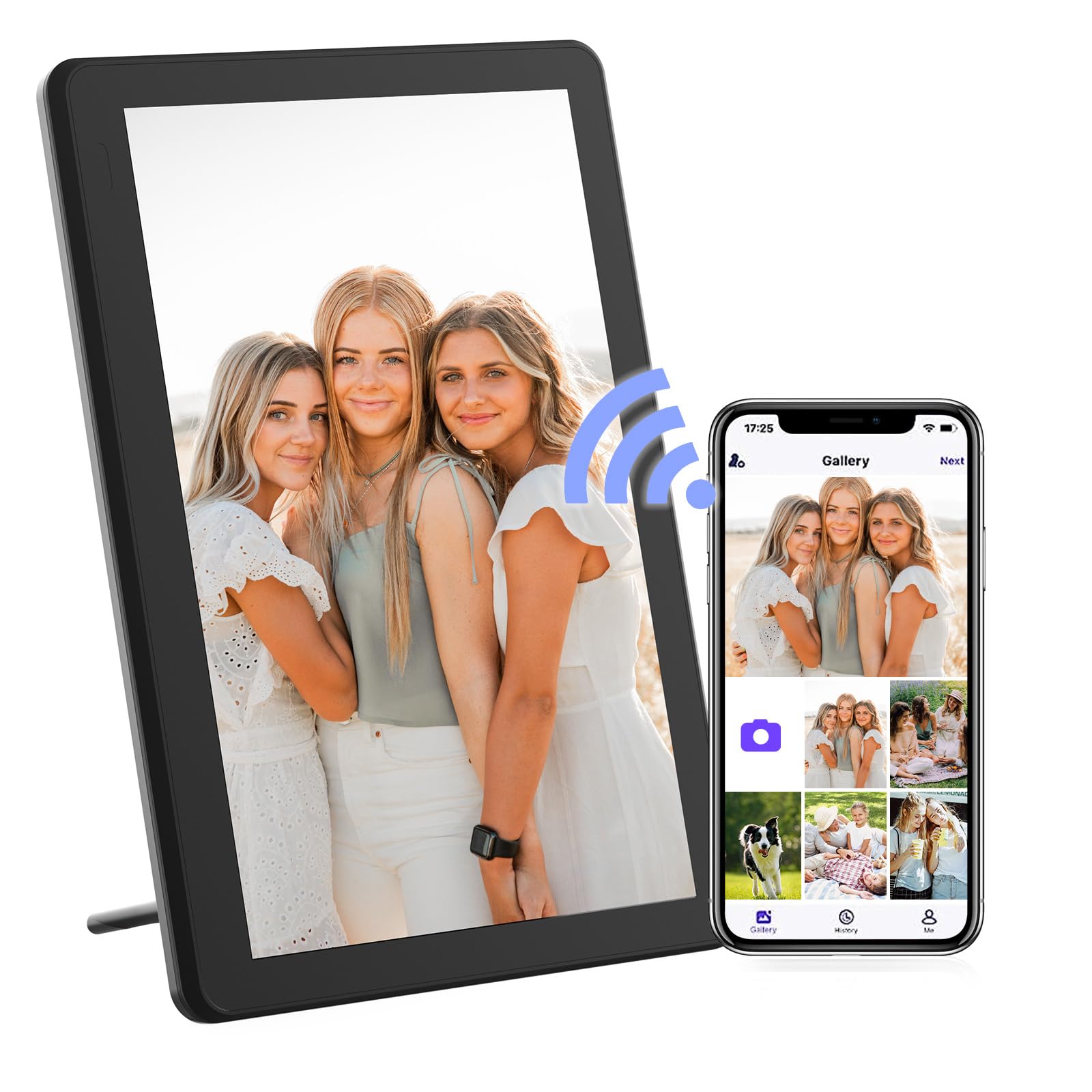
Image: The FamBrow P802 Digital Photo Frame, shown with its removable stand, displaying a vibrant image. This illustrates the device's appearance and how it can be positioned.
Arahan Operasi
Navigasi skrin sentuh
The FamBrow P802 features an 8.1-inch HD IPS touchscreen with a resolution of 1920 x 1080. Navigate the interface by tapping, swiping, and pinching gestures, similar to a smartphone.
- Ketik: Select items or open menus.
- Leret: Browse through photos, navigate menus, or change slideshows.
- Cubit: Zoom in or out on photos (if supported by the software).
Berkongsi Foto dan Video
Once your frame is connected to Wi-Fi and paired with the Linklemo app, you can instantly share photos and videos (up to 15 seconds in length) from your mobile device to the frame. Open the Linklemo app, select the media you wish to share, and send it to your connected frame.
Putaran Automatik
The frame supports automatic rotation, adjusting the display orientation (landscape or portrait) based on how the frame is positioned. Ensure this feature is enabled in the settings for seamless viewing.
Tetapan Tayangan Slaid
Customize your slideshow experience through the frame's settings menu. Options include:
- Pesanan Main Balik: Sequential, random.
- Penskalaan Imej: Fit to screen, fill screen.
- Kesan Peralihan: Various visual transitions between photos.
- Display Interval: Duration each photo is displayed.
Penyimpanan
The FamBrow P802 comes with 16GB of built-in memory, capable of storing approximately 40,000 photos (at 300KB per photo) or 2 hours of HD video.
Storan Boleh Dikembangkan
For additional storage, the frame supports:
- Kad SD: Up to 128GB (not included). Insert the SD card into the designated slot.
- Pemacu USB: Connect a USB flash drive to the USB port.
You can manage media files from internal memory, SD cards, and USB drives directly through the frame's interface.
Ciri-ciri Tambahan
The FamBrow P802 includes several practical features to enhance user experience:
- Kalendar: View the current date and month.
- jam: Display the time in various formats.
- penggera: Tetapkan penggera untuk peringatan.
- Kecerahan boleh laras: Customize screen brightness to suit ambient lighting.
- Mod tidur: Schedule the frame to automatically turn off/on at specific times to save energy.
- Ramalan cuaca: Display local weather information when connected to Wi-Fi.
Penyelenggaraan
Membersihkan Skrin
To clean the touchscreen, gently wipe it with a soft, lint-free cloth. For stubborn smudges, slightly dampen kain dengan air atau larutan pembersih skrin. Elakkan menggunakan bahan kimia yang keras atau bahan yang melelas.
Penjagaan Am
- Keep the frame away from direct sunlight, heat sources, and moisture.
- Do not expose the frame to extreme temperatures.
- Avoid dropping or subjecting the frame to strong impacts.
- Unplug the power adapter during electrical storms or when not in use for extended periods.
Menyelesaikan masalah
| Masalah | Penyelesaian |
|---|---|
| Bingkai tidak dihidupkan. | Pastikan penyesuai kuasa disambungkan dengan selamat pada kedua-dua bingkai dan soket kuasa yang berfungsi. Cuba soket yang lain. |
| Tidak dapat menyambung ke Wi-Fi. | Verify your Wi-Fi password. Ensure the frame is within range of your router. Restart your router and the photo frame. The frame supports 2.4GHz Wi-Fi networks only. |
| Photos are not displaying. | Check if photos are stored in the correct format (e.g., JPEG, PNG). Ensure the storage device (internal, SD card, USB) is properly inserted and selected as the source. |
| Skrin sentuh tidak bertindak balas. | Restart the photo frame. Ensure the screen is clean and free of debris. |
| Linklemo app cannot find the frame. | Ensure both your phone and the photo frame are connected to the same Wi-Fi network. Restart both devices and try pairing again. |
Spesifikasi
| Ciri | Perincian |
|---|---|
| Jenama | FamBrow |
| Nombor Model | P802 |
| Saiz Skrin | 8.1 inci |
| Jenis Paparan | HD IPS Touchscreen |
| Resolusi | 1920 x 1080 |
| Nisbah Aspek | 16:9 |
| Memori Dalaman | 16 GB |
| Storan Boleh Dikembangkan | Supports SD cards up to 128GB, USB drives |
| Ketersambungan | Wi-Fi (2.4GHz) |
| Input Antara Muka Manusia | Skrin sentuh |
| Dimensi Produk (L x W x H) | 19.7 x 13.5 x 2.5 cm |
| Berat Produk | 740 gram |
Waranti dan Sokongan
Information regarding specific warranty terms and customer support contact details is not available in the provided product data. Please refer to the product packaging or the manufacturer's official weblaman web untuk maklumat jaminan dan pilihan sokongan terkini.
For technical assistance or inquiries, please visit the FamBrow support page or contact their customer service as indicated in your product documentation.