
1. Pengenalan
This manual provides essential information for setting up, operating, maintaining, and troubleshooting your VIBOX VIII-100 Gaming PC. This high-performance system is designed for gaming, photo editing, and video editing, featuring an Intel Core i9-12900KF processor, Nvidia GeForce RTX 5060 graphics card, 16GB DDR4 RAM, and a 1TB SSD, running on Windows 11 Home.

The VIBOX VIII-100 Gaming PC, highlighting its internal components and vibrant RGB lighting.
2. Persediaan
2.1 Membongkar dan Pemeriksaan Awal
Keluarkan semua komponen dari pembungkusan dengan berhati-hati. Pastikan item berikut ada:
- VIBOX VIII-100 PC Tower
- Monitor 23 inci
- Papan Kekunci Permainan
- Tetikus Permainan
- Alat dengar
- Pad Tetikus LED
- USB Wi-Fi 6 AX900 and Bluetooth 5.4 Adapter
- Kabel Kuasa
- Display Cables (HDMI/DisplayPort)
2.2 Menyambung Peranti
Connect your monitor, keyboard, mouse, and headset to the appropriate ports on the rear and front of the PC tower. The PC features versatile connectivity options.
- Pantau: Use the HDMI or DisplayPort outputs on the graphics card.
- Papan Kekunci & Tetikus: Connect to any available USB ports (USB 2.0 or USB 3.0).
- alat dengar: Connect to the audio jacks (headphone and microphone) or a USB port if it's a USB headset.
- Kuasa: Connect the power cable to the PC and a wall outlet.
- Rangkaian: Connect an Ethernet cable for wired internet or use the provided USB Wi-Fi adapter for wireless connectivity.

Front panel connectivity ports, including USB 3.0, USB 2.0, headphone jack, RGB control, and power.
2.3 Hidupkan Pertama
Press the power button on the front of the PC tower. The system will boot into Windows 11 Home. Follow the on-screen instructions for initial Windows setup, including language, region, and user account creation.
3. Arahan Operasi
3.1 Windows 11 Home
Your VIBOX VIII-100 PC comes pre-installed with Windows 11 Home, optimized for gaming. Key features include:
- DirectStorage: For faster game loading times.
- Auto HDR: Enhances visuals for supported games.
- Xbox Game Pass Integration: Seamless access to a library of games.
- Optimized CPU Performance: For a smoother gaming experience.
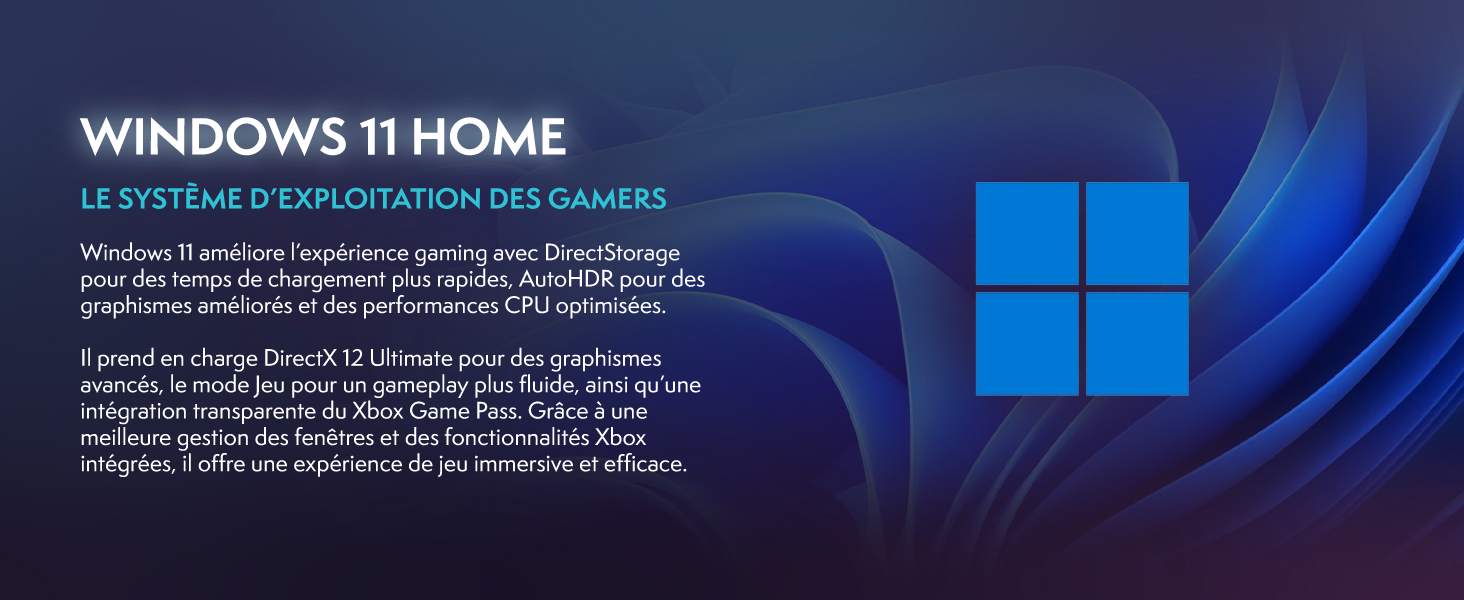
Windows 11 Home, the operating system designed for gamers.
3.2 Gaming and Performance
The Intel Core i9-12900KF processor and Nvidia GeForce RTX 5060 graphics card provide excellent performance for demanding games and applications. The 16GB DDR4 RAM ensures smooth multitasking.
For optimal gaming performance, ensure your graphics drivers are up to date. You can manage RGB lighting effects using the dedicated button on the front panel or through compatible software.
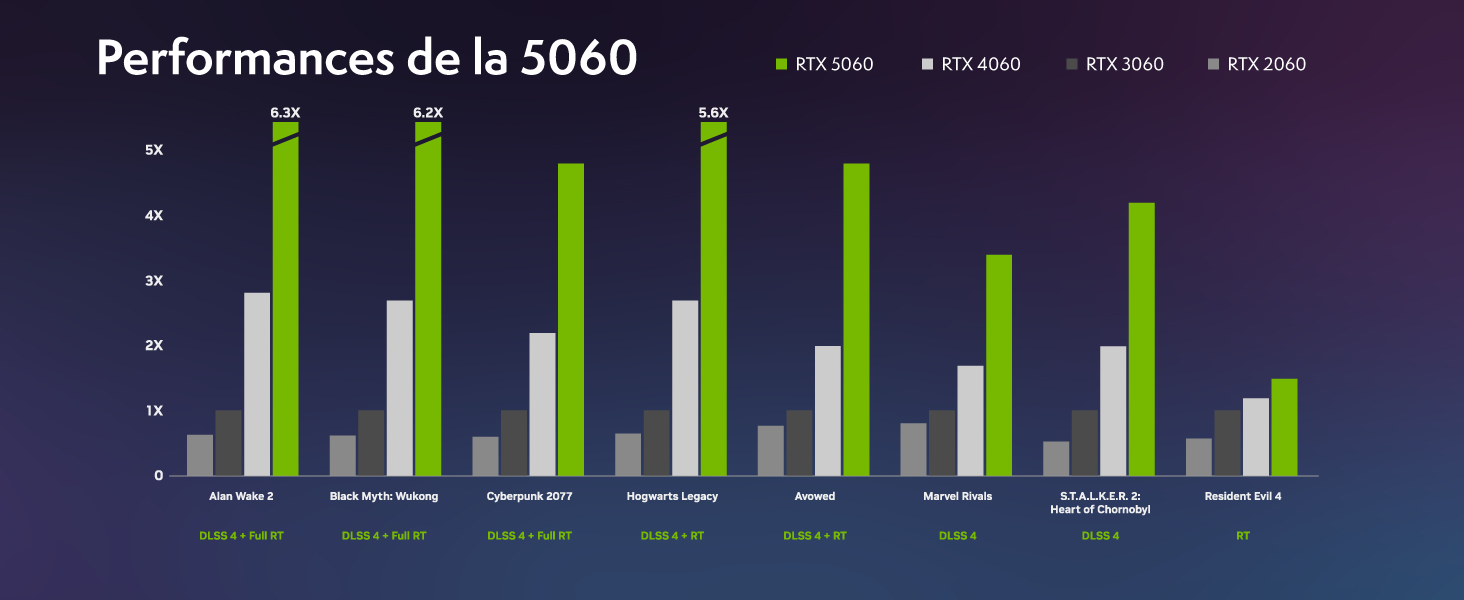
Performance benchmarks for the RTX 5060 in popular games.
4. Penyelenggaraan
4.1 Sistem Penyejukan
Your VIBOX VIII-100 PC features an advanced cooling system, including a 120mm AIO liquid cooler for the CPU and Hex RGB Infinity 120mm fans for optimal airflow. The mesh design of the ATX gaming case ensures excellent ventilation.
- AIO Liquid Cooler: Provides efficient and quiet CPU cooling.
- Hex RGB Fans: Enhance airflow and allow for customizable aesthetics.
- Reka Bentuk Jaring: Promotes superior air intake and exhaust.

The VIBOX AIO 120mm liquid cooler ensures stable CPU temperatures.
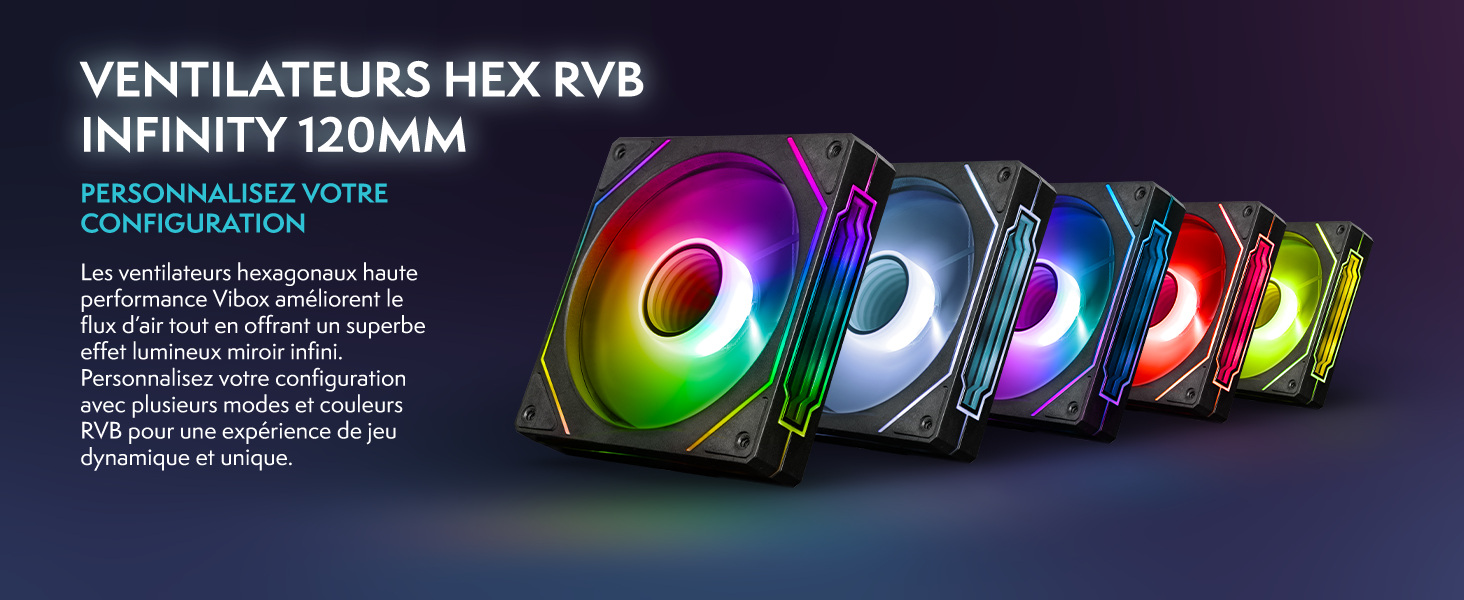
Hex RGB Infinity 120mm fans for personalized aesthetics and improved airflow.
4.2 Pembersihan
Regular cleaning helps maintain optimal performance and extends the lifespan of your PC. The VTX-3 case features a magnetic, hinged tempered glass side panel for easy access to components for cleaning and maintenance.
- Luaran: Lap permukaan luar dengan lembut, damp kain. Elakkan bahan kimia yang keras.
- Dalaman: Periodically open the side panel and use compressed air to remove dust from fans, heatsinks, and other components. Ensure the PC is powered off and unplugged before cleaning the interior.

The modern ATX gaming case with mesh design and tempered glass side panel for easy access.
4.3 Kemas Kini Perisian
Keep your operating system and drivers updated to ensure stability, security, and optimal performance. Windows Update will handle OS updates, and graphics drivers can be updated via NVIDIA's official weblaman web atau perisian GeForce Experience.
5. Penyelesaian masalah
If you encounter issues with your VIBOX VIII-100 PC, consider the following common troubleshooting steps:
- Tiada Kuasa: Ensure all power cables are securely connected to the PC and the wall outlet. Check the power switch on the power supply unit (PSU) at the back of the PC.
- Tiada Paparan: Verify that the monitor is connected to the graphics card's output (HDMI or DisplayPort), not the motherboard's integrated graphics ports. Ensure the monitor is powered on and set to the correct input source.
- Bunyi Kipas: While the cooling system is designed for efficiency, high fan speeds can occur under heavy load. Ensure the PC has adequate ventilation and is not obstructed. If noise is excessive or unusual, check for dust buildup in fans and heatsinks.
- Ketidakstabilan/Ranap Sistem: Ensure all drivers are up to date. Check for Windows updates. Monitor component temperatures using software utilities.
- Isu persisian: Try connecting the keyboard, mouse, or headset to different USB ports. Ensure drivers for specialized peripherals are installed.
For persistent issues, refer to the official VIBOX support resources or contact customer service.
6. Spesifikasi
Detailed technical specifications for your VIBOX VIII-100 Gaming PC:
| Komponen | Spesifikasi |
|---|---|
| Jenama | VIBOX |
| Nama Model | VIII-100 |
| Sistem Operasi | Windows 11 Home |
| Model CPU | Intel Core i9-12900KF |
| Kelajuan CPU | 3.2 GHz (Max 5.2 GHz) |
| Teras CPU | 16 |
| Pemproses bersama Grafik | Nvidia GeForce RTX 5060 |
| Graphics RAM | 8 GB GDDR7 |
| RAM Dipasang | 16 GB DDR4 |
| RAM Maks Disokong | 128 GB |
| Kapasiti Storan | 1 TB SSD |
| Ketersambungan | Ethernet, HDMI, USB, Wi-Fi 6 AX900, Bluetooth 5.4 |
| Antara Muka Keluaran Video | HDMI, DisplayPort |
| Kaedah Penyejukan | Water Cooling (AIO 120mm) |
| Dimensi (L x W x H) | 40 x 21 x 45 cm |
| Included Monitor Size | 23 Inci |
| Resolusi Monitor | 1920x1080 Piksel |
| Susun atur papan kekunci | AZERTY |

Berakhirview of the VIBOX VIII-100's core components.
7. Waranti dan Sokongan
7.1 Maklumat Waranti
Your VIBOX VIII-100 Gaming PC comes with a Waranti bahagian 2 tahun dan lifetime labor warranty. Sila simpan bukti pembelian anda untuk tuntutan waranti.
7.2 Sokongan Pelanggan
For technical assistance, warranty inquiries, or any other support needs, please contact VIBOX customer service. You can also refer to the official user guide PDF for more detailed information.
Panduan Pengguna Rasmi (PDF): Muat Turun Di Sini