Produk Selesaiview
The 1Mii B08Pro is a versatile Hi-Fi Bluetooth 5.3 Stereo Amplifier designed to deliver high-resolution audio to your home stereo system. Featuring LDAC and aptX HD/LL codecs, a high-fidelity DAC chip, and powerful 100W x 2 channel output, it provides an immersive listening experience. This manual will guide you through the setup, operation, and maintenance of your device.

Depan view of the 1Mii B08Pro Bluetooth Stereo Amplifier, showing the control knobs and input switch.

The compact size of the 1Mii B08Pro amplifier, easily held in one hand.
Maklumat Keselamatan
Please read and follow all safety instructions carefully to prevent damage to the device or personal injury.
- Jangan dedahkan peranti kepada air atau kelembapan berlebihan.
- Elakkan meletakkan peranti berhampiran sumber haba atau di bawah cahaya matahari langsung.
- Pastikan pengudaraan yang betul untuk mengelakkan terlalu panas.
- Gunakan hanya penyesuai kuasa yang disediakan.
- Jangan cuba membuka atau membaiki peranti sendiri. Hubungi kakitangan yang berkelayakan untuk perkhidmatan.
Kandungan Pakej
Sahkan bahawa semua item terdapat dalam pakej anda:
- 1Mii B08Pro Bluetooth Stereo Amplebih hidup
- Power Adapter (Input: 100-240V~50/60Hz 2.5A, Output: 24V 4.2A 100W)
- Manual Pengguna
- RCA Audio Cable (Red/White)
- Kabel Audio 3.5mm ke RCA
Komponen Produk
Biasakan diri anda dengan amplifier's layout:

Detailed diagram showing the input and output ports of the 1Mii B08Pro amplifier, including RCA input, speaker outputs, and power input.
- Panel Depan:
- AUX/BT Switch: Toggles between auxiliary input and Bluetooth mode.
- Treble Knob: Adjusts high-frequency audio levels.
- Bass Knob: Adjusts low-frequency audio levels.
- Volume Knob: Controls the overall audio output volume.
- Panel belakang:
- RCA IN (L/R): For connecting audio sources via RCA cables.
- SPK OUT (L/R): Speaker output terminals for connecting passive speakers.
- DC 12-24V: Power input port.
- Antennas: For Bluetooth signal reception.
Arahan Persediaan
Follow these steps to set up your 1Mii B08Pro amppenguat untuk prestasi optimum.
1. Power Source Connection
Sambungkan penyesuai kuasa ke amplifier and a power outlet.
- Connect one end of the power adapter to a power source (e.g., wall outlet or power strip).
- Connect the other end of the power adapter to the DC 12-24V power input port on the rear of the B08Pro amplebih hidup.
Video demonstrating the power source connection for the 1Mii B08Pro amplifier. The video shows plugging the power adapter into a power strip and then into the amplifier's DC input port.
2. Sambungan Pembesar Suara
Sambungkan pembesar suara pasif anda ke ampTerminal output pembesar suara lifier.
- Connect the black (negative) terminal of your left channel speaker to the black "L" terminal of the B08Pro with the black speaker wire.
- Connect the red (positive) terminal of your left channel speaker to the red "L" terminal of the B08Pro with the red speaker wire.
- Repeat the process for the right channel speaker, connecting its black (negative) terminal to the black "R" terminal and its red (positive) terminal to the red "R" terminal of the B08Pro.

belakang view of the 1Mii B08Pro amplifier showing RCA input and speaker wire connections for two passive speakers, highlighting its 100W x 2 output capability.
3. Audio Source Connection (AUX Mode)
Connect your audio source (e.g., computer, CD player, phone) to the amppenguat menggunakan kabel yang sesuai.
- For RCA input: Connect the RCA white plug to the white RCA input jack on the B08Pro. Connect the RCA red plug to the red RCA input jack on the B08Pro.
- Connect the other end of the audio cable (e.g., 3.5mm jack or RCA) to the audio output port of your sound source device (e.g., laptop headphone jack, CD player RCA output).
- Push the silver switch on the front panel to the upper "AUX" position to select auxiliary input.

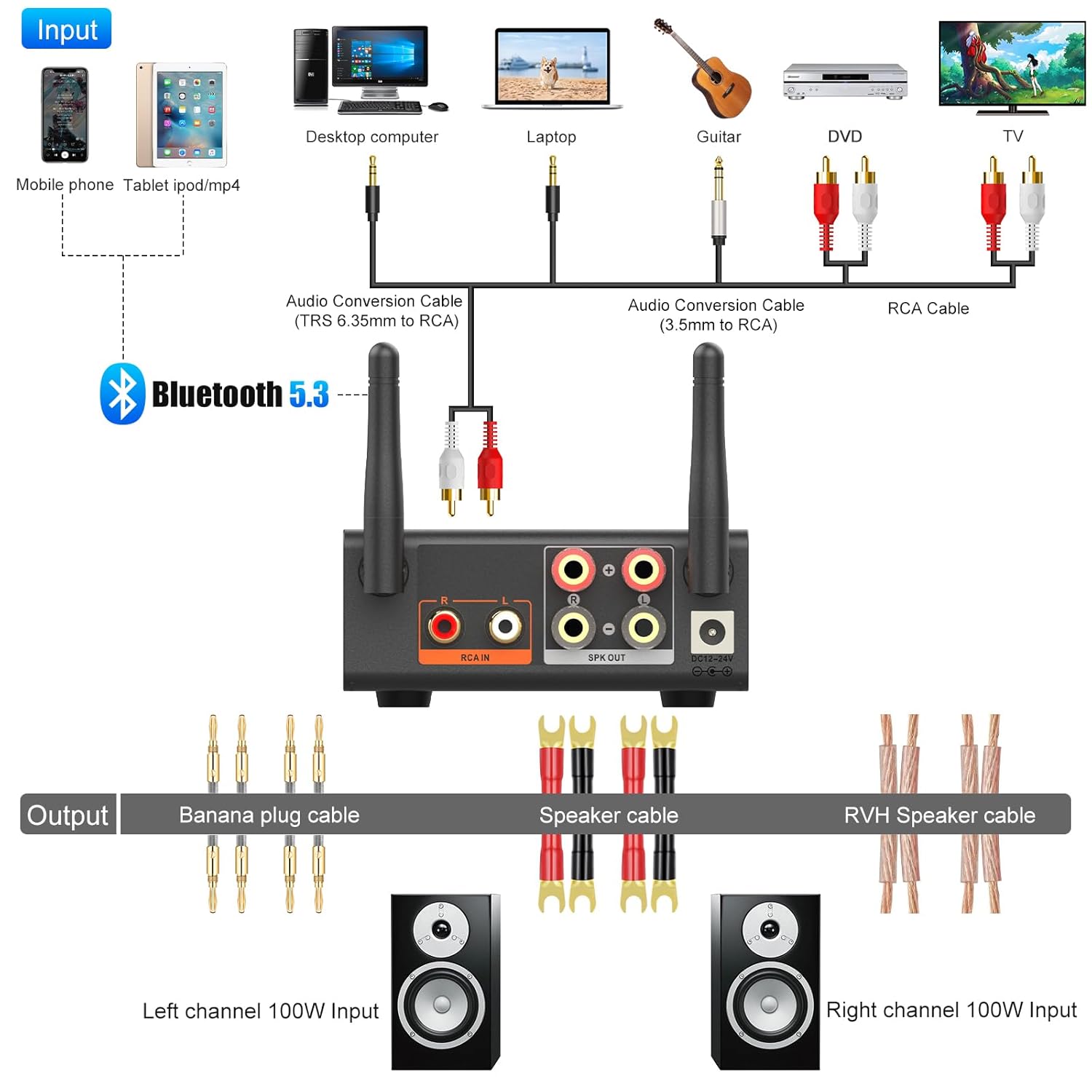
A comprehensive diagram illustrating various input sources (mobile phone, desktop computer, laptop, guitar, DVD, TV) connecting to the 1Mii B08Pro via Bluetooth or audio cables, and then outputting to speakers.
Arahan Operasi
1. Hidupkan/Mati Kuasa dan Pemilihan Mod
Setelah disambungkan, amplifier will power on. Use the AUX/BT switch on the front panel to select your desired input mode:
- Mod AUX: For wired connections via RCA.
- Mod BT: For wireless Bluetooth connections.
2. Berpasangan Bluetooth
Untuk menyambung melalui Bluetooth:
- Tukar amplifier to "BT" mode. The Bluetooth indicator light will blink, indicating it's in pairing mode.
- On your device (smartphone, tablet, etc.), enable Bluetooth and search for "1Mii B08Pro" in the list of available devices.
- Select "1Mii B08Pro" to pair. Once connected, the Bluetooth indicator light will become solid.
The 1Mii B08Pro amplifier connected wirelessly via Bluetooth 5.3, demonstrating its ultra-long range capability up to 60 meters in an open environment.
3. Audio Playback and Adjustment
After connecting your audio source, you can begin playback and adjust the sound.
- Start playing music or audio from your connected device.
- Gunakan Kelantangan knob on the front panel to control the overall loudness. Turn clockwise to increase volume, counter-clockwise to decrease.
- Gunakan Treble knob to adjust the high-frequency response of the audio.
- Gunakan Bass knob to adjust the low-frequency response of the audio.
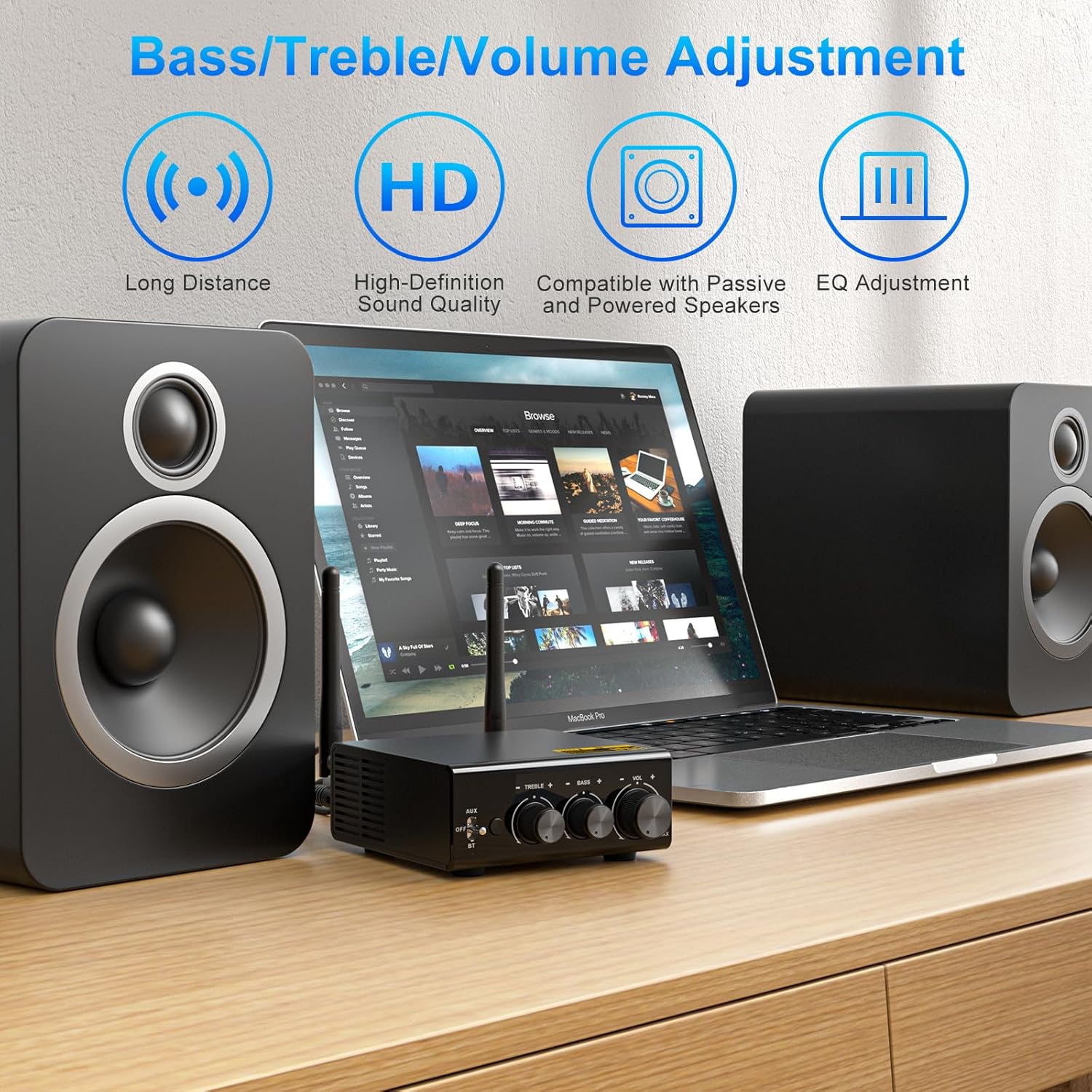
The front panel of the 1Mii B08Pro amplifier, highlighting the bass, treble, and volume adjustment knobs for personalized sound control.

A setup showing the 1Mii B08Pro amplifier connected to speakers and a turntable, illustrating its capability to provide a Hi-Fi listening experience with various audio sources.
Penyelenggaraan
To ensure the longevity and optimal performance of your 1Mii B08Pro amplifier, ikut garis panduan penyelenggaraan ini:
- Pembersihan: Gunakan kain lembut dan kering untuk mengelap bahagian luar amppenghidrat. Jangan gunakan pembersih cecair atau semburan aerosol.
- Pengudaraan: Ensure the ventilation holes on the device are not blocked. Proper airflow prevents overheating.
- Storan: Apabila tidak digunakan untuk tempoh yang lama, simpan amppenyangga di tempat yang sejuk dan kering jauh dari cahaya matahari langsung dan suhu yang melampau.
- Sambungan: Periodically check all cable connections to ensure they are secure and free from dust or corrosion.
Menyelesaikan masalah
If you encounter issues with your 1Mii B08Pro amplifier, rujuk kepada masalah dan penyelesaian biasa berikut:
| Masalah | Kemungkinan Punca | Penyelesaian |
|---|---|---|
| Tiada keluaran bunyi. |
|
|
| Bluetooth connection unstable or unable to pair. |
|
|
| Bunyi herot. |
|
|
Spesifikasi
- Jenama: 1Mii
- model: B08Pro
- Versi Bluetooth: 5.3
- Codec Audio: LDAC, aptX HD, aptX LL, aptX, AAC, SBC
- Kuasa Output: 100W x 2 Channel
- Cip DAC: ESS9018K2M
- Julat Kerja: Up to 196ft (unobstructed outdoors), 50-65ft (indoors without obstacles)
- Input Voltage: 24 Volt (DC)
- Jenis Pemasangan: Freestanding
- Dimensi: 7.01 x 4.69 x 3.86 inci
- Berat: 1.83 paun
- Negara Asal: China
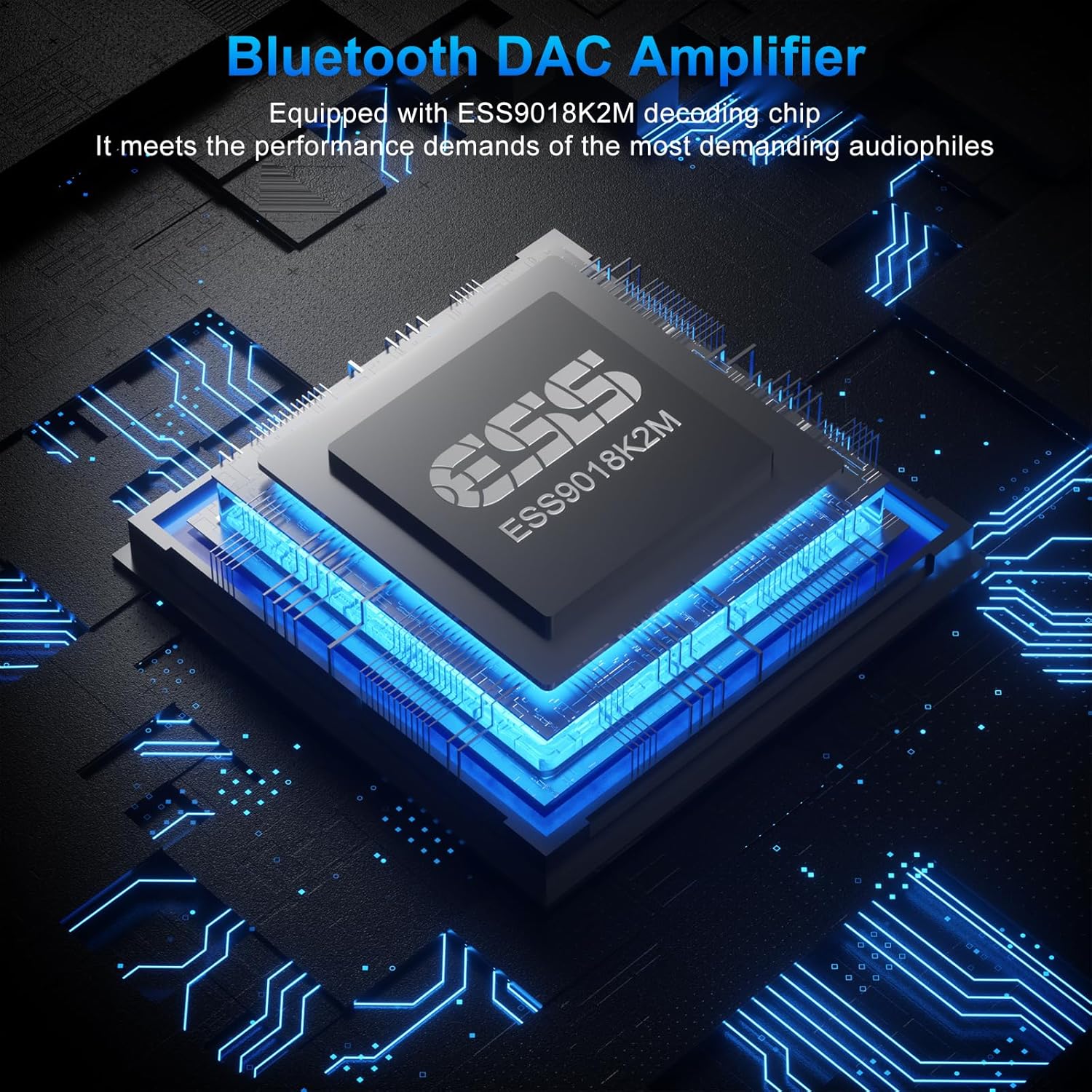
An illustration of the ESS9018K2M decoding chip, emphasizing its role in providing a high-fidelity audio experience for audiophiles.

A graphic comparing audio bitrates (SBC, aptX-HD, LDAC), showing LDAC's superior 990kbps transmission for Hi-Res Audio, supported by Bluetooth 5.3.
Waranti dan Sokongan
1Mii products are designed for reliability and performance. For warranty information, technical support, or service inquiries, please refer to the contact information provided on the product packaging or visit the official 1Mii webtapak. Simpan resit pembelian anda untuk tuntutan waranti.
For additional support, you may also refer to the official 1Mii store on Amazon: 1Mii Amazon Store.