
ALONEFIRE X30
ALONEFIRE X30 Mini LED Flashlight User Manual
Model: X30 | Brand: ALONEFIRE
Produk Selesaiview
The ALONEFIRE X30 Mini LED Flashlight is a compact, powerful, and versatile lighting tool designed for various outdoor activities, everyday carry (EDC), and automotive use. It features multiple lighting modes, a long-lasting rechargeable battery, and a durable, waterproof aluminum housing. Its integrated tail magnet and metal holding clip enhance its utility, allowing for hands-free operation and convenient portability.
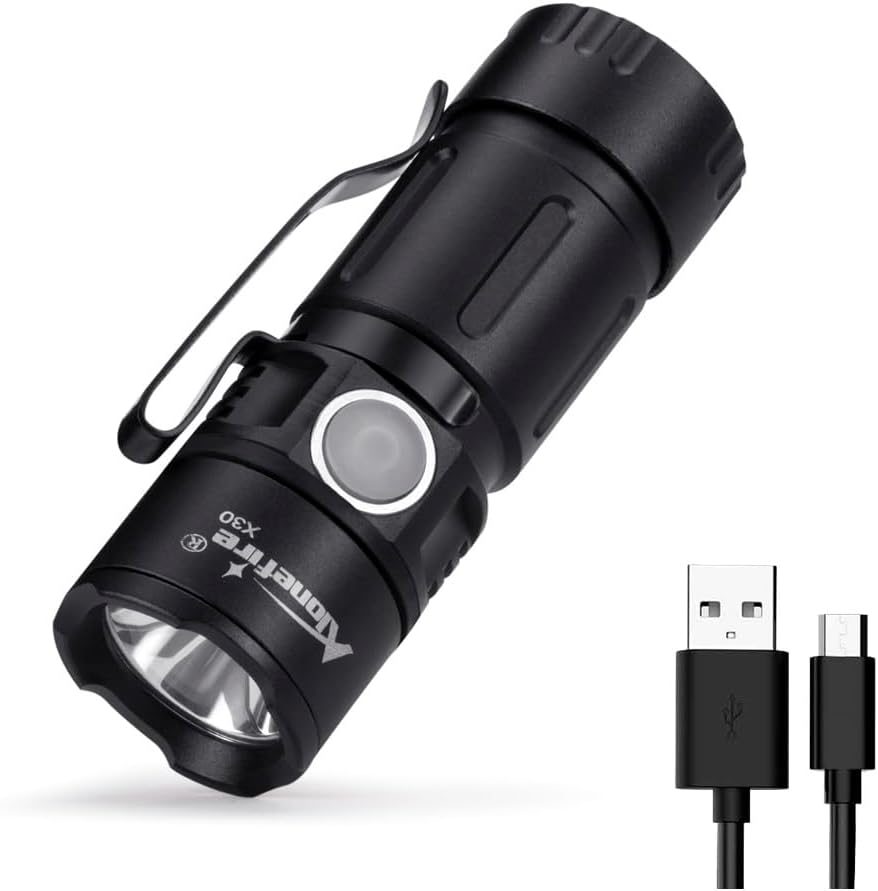
Figure 1: ALONEFIRE X30 Mini LED Flashlight and included USB charging cable.
Kandungan Pakej
- ALONEFIRE X30 Mini LED Flashlight
- 1 Lithium Metal Battery (pre-installed)
- Kabel Pengecas USB

Figure 2: The flashlight and its USB charging cable, as typically found in the package.
Persediaan dan Penggunaan Awal
Pemasangan Bateri
The ALONEFIRE X30 comes with a pre-installed lithium metal battery. Before first use, ensure the battery is properly seated and the tail cap is securely tightened.
- Tanggalkan penutup ekor lampu suluh dengan memusingkannya lawan arah jam.
- Verify that the 16340 lithium-ion battery is inserted with the positive (+) end facing towards the flashlight head.
- Screw the tail cap back on clockwise until it is finger-tight.
Mengecas Bateri
The flashlight features a USB charging port for convenient recharging. A full charge provides up to 1.5 hours of illumination in high mode.
- Locate the USB charging port on the flashlight body. It is typically covered by a rubber flap for water resistance.
- Gently lift the rubber flap to expose the micro-USB port.
- Connect the provided USB charging cable to the flashlight's port and the other end to a compatible USB power source (e.g., computer, power bank, wall adapter).
- Lampu penunjuk akan menunjukkan warna merah semasa pengecasan dan bertukar menjadi hijau apabila dicas sepenuhnya.
- Setelah pengecasan selesai, tanggalkan kabel dan tekan penutup getah kembali ke tempatnya dengan kuat untuk mengekalkan kalis air.

Figure 3: The flashlight connected for USB charging, illustrating the red (charging) and green (full charge) indicator lights.
Arahan Operasi
Kuasa Hidup/Mati dan Pemilihan Mod
The ALONEFIRE X30 features five lighting modes: High, Medium, Low, Strobe, and SOS.
- Untuk menghidupkan lampu suluh ON, press the side button once.
- To cycle through the modes (High > Medium > Low > Strobe > SOS), press the side button repeatedly while the flashlight is on.
- Untuk menghidupkan lampu suluh DIMATIKAN, press and hold the side button for approximately 1-2 seconds.

Rajah 4: Gambar jarak dekat view of the flashlight's LED light source.
Ciri-ciri Praktikal
- Metal Holding Clip: The integrated pocket clip allows for easy attachment to hats, clothing, or other gear for convenient hands-free use or everyday carry.
- Strong Tail Magnet: The powerful magnet located in the tail cap enables the flashlight to be securely attached to metal surfaces, providing versatile lighting options and freeing your hands for other tasks.

Figure 5: The flashlight's tail magnet securely holding it to a metal surface for hands-free illumination.
Video 1: Tayangan video produk rasmicasing the features and operation of the ALONEFIRE X30 flashlight, including its compact size, brightness, and magnetic tail cap.
Penyelenggaraan
- Pembersihan: Lap badan lampu suluh dengan lembut, damp kain. Jangan gunakan pembersih atau pelarut yang melelas.
- Penjagaan Bateri: For optimal battery life, charge the flashlight regularly. Avoid fully discharging the battery frequently. If storing for an extended period, charge the battery to approximately 50% and recharge every 3-6 months.
- Tahan Air: The flashlight has an IPX65 waterproof rating, meaning it is protected against low-pressure water jets from any direction. It is suitable for use in rainy weather but should not be immersed in water. Ensure the USB port's rubber flap is securely closed to maintain water resistance.
Menyelesaikan masalah
| Masalah | Kemungkinan Punca | Penyelesaian |
|---|---|---|
| Lampu suluh tidak menyala. | Bateri hampir habis atau habis. Bateri tidak dipasang dengan betul. Tudung ekor longgar. | Cas bateri. Ensure battery is inserted with correct polarity (+ end towards head). Ketatkan penutup ekor dengan ketat. |
| Keluaran cahaya adalah malap. | Bateri lemah. Lensa kotor. | Cas semula bateri. Bersihkan kanta dengan kain lembut. |
| Lampu suluh tidak dicas. | Kabel USB rosak. Power source is not working. Charging port is obstructed. | Cuba kabel USB lain. Cuba sumber kuasa USB yang lain. Periksa serpihan dalam port pengecasan. |
Spesifikasi
- model: X30
- Sumber Cahaya: LED
- Sumber Kuasa: Dikuasakan Bateri
- Jenis Bateri: 1 Lithium Metal battery (included), 3.7V Lithium Ion, 800mAh
- Masa jalan: Up to 1.5 hours (High mode)
- Bahan: aluminium
- Tahan Air: IPX65 (Waterproof, not submersible)
- Ciri Khas: Portable, Adjustable Light Modes (High, Medium, Low, Strobe, SOS), USB Rechargeable, Tail Magnet, Metal Holding Clip
- Dimensi Produk: Approximately 2"D x 3"W x 1"H (66mm length, 23mm diameter)
- Berat Barang: 2.46 auns
- Pengeluar: Alonefire
- Negara Asal: China
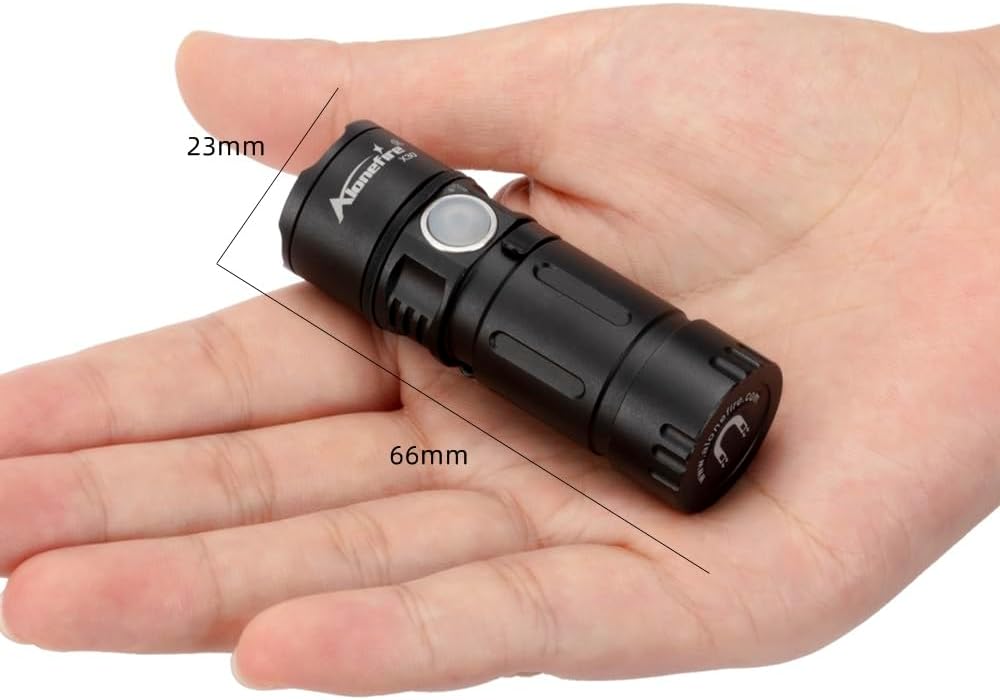
Figure 6: The compact dimensions of the ALONEFIRE X30 flashlight, shown in hand.
Waranti dan Sokongan
For warranty information or technical support, please contact ALONEFIRE customer service through their official website or the retailer from whom the product was purchased. Please retain your proof of purchase for warranty claims.
Kedai Jenama Rasmi: ALONEFIRE Store on Amazon
Ask a question about this manual
Ask about setup, troubleshooting, compatibility, parts, safety, or missing instructions. Manuals+ will review the question and use this page’s manual context to help answer it.